
A modular framework for Rock-Paper-Scissors game.
Verified details
These details have been verified by PyPIProject links
GitHub Statistics
Maintainers

Project description
Modular Framework for the Rock-Paper-Scissors Game.
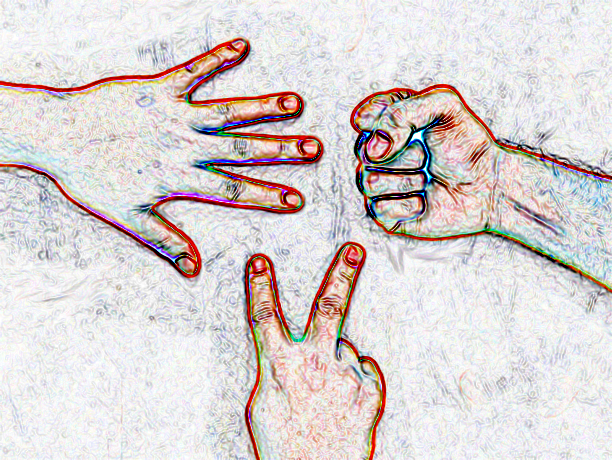
A solo game of "Rock, Paper, Scissors" against the computer, implemented in modern Python.
Purpose
This project provides a modular and extensible framework for creating and experimenting with the Rock-Paper-Scissors game and its variants.
While the default game implements the classic three-choice version (Rock, Paper, Scissors) with a simple Terminal interface, the architecture supports:
- Adding more choices with cyclic rules (e.g., Rock-Paper-Scissors-Lizard-Batman).
- Adding a more complex or graphical interface.
- Customising input handling and game logic.
- Adding more players.
- Adding more advanced strategies for the computer player.
- Defining new rules and behaviors.
Overview
A dynamic implementation of "Rock, Paper, Scissors" against the computer, with support for additional choices. The game uses cyclic rules to determine the winner, ensuring every option beats some choices and is beaten by an equal number of other choices, thus there must be an odd number of choices.
Features
- Play the classic version of "Rock, Paper, Scissors."
- Extend the game with custom rules, more choices, or alternative user interface.
- Unit tests (pytest) are provided to validate game logic.
How It Works
Rather than hard coded "Scissor beats Paper" rules, the game generates rules dynamically from a list of choices, following the rules:
- Each item beats
(n-1)//2predecessors and is beaten by(n-1)//2successors, wherenis the total number of choices. - The total number of choices (
DEFAULT_CHOICE_NAMES) must always be odd. - Choices cannot start with the letter 'Q' (reserved for "Quit").
- All choices must start with a unique letter.
Example Custom Configuration
An example configuration with five options:
DEFAULT_CHOICE_NAMES = ('Rock', 'Batman', 'Paper', 'Lizard', 'Scissors')
The corresponding rules would be:
- Rock blunts Scissors: Rock wins.
- Rock crushes Lizard: Rock wins.
- Batman vaporizes Rock: Batman wins.
- Batman smashes Scissors: Batman wins.
- Paper disproves Batman: Paper wins.
- Paper wraps Rock: Paper wins.
- Lizard eats Paper: Lizard wins.
- Lizard poisons Batman: Lizard wins.
- Scissors decapitate Lizard: Scissors win.
- Scissors cut Paper: Scissors win.
- Draw: Both choose the same option.
If you make changes to DEFAULT_CHOICE_NAMES, ensure that you run test_default_choices.py.
Getting Started
Prerequisites
- Python 3.10.11 or later.
- Pytest (for running unit tests)
See the pyproject.toml file for full details.
Running the game
It is not necessary to install this game to run it, though instructions for installing are provided in the Installation section.
The quickest way to run the latest version of the game is to simply
download the raw .py file from the
GitHub Repository
and run it from a terminal window:
python3 /path/to/rsp.py
Cloning this repository:
git clone https://github.com/JamzTyson/Rock_Scissors_Paper.git
Running the game from the cloned repository:
Navigate to the project directory:
cd rock_scissors_paper_framework
And then launch the game with:
python3 rsp.py
Installing the Game
Installing from PyPi
The recommended way to install the game is to install for the current user with pipx.
pipx install rock-scissors-paper-framework
Note: The PyPI package name is rock-scissors-paper-framework, but
the package is imported as rock_scissors_paper_framework in your Python code.
After installation, the main entry point for the game is the
rsp command or rsp.py.
If you prefer local development or customisation, install the package within a virtual environment:
# Create and activate a virtual environment:
python3 -m venv venv
source venv/bin/activate  # On Windows, use: venv\Scripts\activate

# Install the package using pip (or pipx):
pip install rock-scissors-paper-framework

 # Run the application:
rsp

 # Deactivate the virtual environment when finished:
deactivate
How to Play
- Start the game by running rsp.py
- When prompted, choose an option by typing its initial letter (e.g., R for Rock, S for Scissors). The input is case-insensitive.
- The computer selects its option randomly.
- The winner is determined based on the predefined rules.
- Type
Qto quit the game.
Note: If the game has been installed, the rsp.py
file can be run using the command:
$ rsp
Example Session:
Player: 0 | Computer: 0

[R]ock, [P]aper, [S]cissors, or [Q] to quit:
Player enters R, S, or P (case-insensitive):
r
You = Rock : Computer = Scissors : YOU WIN
Player: 1 | Computer: 0
Default Rules:
- Rock blunts Scissors: Rock wins.
- Scissors cut Paper: Scissors win.
- Paper wraps Rock: Paper wins.
- Draw: Both choose the same option.
Contributing
Contributions are welcome!
If you encounter any bugs, please open an issue on the GitHub repository.
If you have ideas for new features, extended rules, or bug fixes, feel free to submit a pull request. Please ensure your changes are well-documented and are accompanied by pytests (if applicable).
License
This project is licensed under the MIT License. See the LICENSE file for details.
Author: JamzTyson
For inquiries, reach out through GitHub issues or discussions.
Project details
Verified details
These details have been verified by PyPIProject links
GitHub Statistics
Maintainers
Release history Release notifications | RSS feed

Download files
Download the file for your platform. If you're not sure which to choose, learn more about installing packages.
Source Distribution
Built Distribution
Filter files by name, interpreter, ABI, and platform.
If you're not sure about the file name format, learn more about wheel file names.
Copy a direct link to the current filters
File details
Details for the file rock_scissors_paper_framework-1.0.0.tar.gz.
File metadata
- Download URL: rock_scissors_paper_framework-1.0.0.tar.gz
- Upload date:
- Size: 8.2 kB
- Tags: Source
- Uploaded using Trusted Publishing? Yes
- Uploaded via: twine/6.0.1 CPython/3.12.8
File hashes
| Algorithm | Hash digest | |
|---|---|---|
| SHA256 |
a10a5f82fc800279f2834d7357f3bc009cd10bc7ed94ad785295f6439a063ccb
|
|
| MD5 |
2c279703815a32ac5782ad8198e2e948
|
|
| BLAKE2b-256 |
8b6323cd5f9ff881fad6b971d0561268c68439d3f69a61a753f0f689f5935f77
|
Provenance
The following attestation bundles were made for rock_scissors_paper_framework-1.0.0.tar.gz:
Publisher:
python-publish.yml on JamzTyson/Rock_Scissors_Paper
-
Statement:
-
Statement type:
https://in-toto.io/Statement/v1 -
Predicate type:
https://docs.pypi.org/attestations/publish/v1 -
Subject name:
rock_scissors_paper_framework-1.0.0.tar.gz -
Subject digest:
a10a5f82fc800279f2834d7357f3bc009cd10bc7ed94ad785295f6439a063ccb - Sigstore transparency entry: 157719675
- Sigstore integration time:
-
Permalink:
JamzTyson/Rock_Scissors_Paper@cb1eaaa3b27a0c9c6c9957e33c172ffdd56ed4f6 -
Branch / Tag:
refs/tags/1.0.0 - Owner: https://github.com/JamzTyson
-
Access:
public
-
Token Issuer:
https://token.actions.githubusercontent.com -
Runner Environment:
github-hosted -
Publication workflow:
python-publish.yml@cb1eaaa3b27a0c9c6c9957e33c172ffdd56ed4f6 -
Trigger Event:
release
-
Statement type:
File details
Details for the file rock_scissors_paper_framework-1.0.0-py3-none-any.whl.
File metadata
- Download URL: rock_scissors_paper_framework-1.0.0-py3-none-any.whl
- Upload date:
- Size: 9.4 kB
- Tags: Python 3
- Uploaded using Trusted Publishing? Yes
- Uploaded via: twine/6.0.1 CPython/3.12.8
File hashes
| Algorithm | Hash digest | |
|---|---|---|
| SHA256 |
c53e3557f72a7e8fae6f55d628286d502eaecacf89da4240645e259698bf52fd
|
|
| MD5 |
8afefa9ecaad34ceae8f773f4efbd29b
|
|
| BLAKE2b-256 |
3ccdf8434dfcba84037fec00e8601a06f74655898411f82e1ddca8fede289fae
|
Provenance
The following attestation bundles were made for rock_scissors_paper_framework-1.0.0-py3-none-any.whl:
Publisher:
python-publish.yml on JamzTyson/Rock_Scissors_Paper
-
Statement:
-
Statement type:
https://in-toto.io/Statement/v1 -
Predicate type:
https://docs.pypi.org/attestations/publish/v1 -
Subject name:
rock_scissors_paper_framework-1.0.0-py3-none-any.whl -
Subject digest:
c53e3557f72a7e8fae6f55d628286d502eaecacf89da4240645e259698bf52fd - Sigstore transparency entry: 157719676
- Sigstore integration time:
-
Permalink:
JamzTyson/Rock_Scissors_Paper@cb1eaaa3b27a0c9c6c9957e33c172ffdd56ed4f6 -
Branch / Tag:
refs/tags/1.0.0 - Owner: https://github.com/JamzTyson
-
Access:
public
-
Token Issuer:
https://token.actions.githubusercontent.com -
Runner Environment:
github-hosted -
Publication workflow:
python-publish.yml@cb1eaaa3b27a0c9c6c9957e33c172ffdd56ed4f6 -
Trigger Event:
release
-
Statement type:






