
A simple package to center and crop T1w & T2w MRIs around a given region of interest by its name.


Project description
ROILoc is a registration-based ROI locator, based on the MNI152 09c Sym template, and the CerebrA Atlas. It’ll center and crop T1 or T2 MRIs around a given ROI. Results are saved in “LPI-” (or “RAS+”) format.
If the results aren’t correct, please consider performing BET/Skull Stripping on your subject’s MRI beforehand, then pass -b True afterward. You can use FSL or ANTs to perform BET. I personnally also had great and fast results from deepbrain which depends on TensorFlow 1.X.
It requires the following packages:
ANTs (Can be a system installation or anaconda installation),
ANTsPyX,
importlib_resources,
Pandas,
Rich.
CLI
- usage: roiloc [-h] -p PATH -i INPUTPATTERN [-r ROI [ROI …]] -c CONTRAST [-b]
[-t TRANSFORM] [-m MARGIN [MARGIN …]] [–mask MASK] [–extracrops EXTRACROPS [EXTRACROPS …]] [–savesteps]
arguments:
-h, --help            show this help message and exit
-p PATH, --path PATH  <Required> Input images path.
-i INPUTPATTERN, --inputpattern INPUTPATTERN
                      <Required> Pattern to find input images in input path
                      (e.g.: `**/*t1*.nii.gz`).
-r ROI [ROI ...], --roi ROI [ROI ...]
                      ROI included in CerebrA. See
                      `roiloc/MNI/cerebra/CerebrA_LabelDetails.csv` for more
                      details. Default: 'Hippocampus'.
-c CONTRAST, --contrast CONTRAST
                      <Required> Contrast of the input MRI. Can be `t1` or
                      `t2`.
-b, --bet             Flag use the BET version of the MNI152 template.
-t TRANSFORM, --transform TRANSFORM
                      Type of registration. See `https://antspy.readthedocs.
                      io/en/latest/registration.html` for the complete list
                      of options. Default: `AffineFast`
-m MARGIN [MARGIN ...], --margin MARGIN [MARGIN ...]
                      Margin to add around the bounding box in voxels. It
                      has to be a list of 3 integers, to control the margin
                      in the three axis (0: left/right margin, 1: post/ant
                      margin, 2: inf/sup margin). Default: [8,8,8]
--mask MASK           Pattern for brain tissue mask to improve registration
                      (e.g.: `sub_*bet_mask.nii.gz`). If providing a BET
                      mask, please also pass `-b` to use a BET MNI template.
--extracrops EXTRACROPS [EXTRACROPS ...]
                      Pattern for other files to crop (e.g. manual
                      segmentation: '*manual_segmentation_left*.nii.gz').
--savesteps           Flag to save intermediate files (e.g. registered
                      atlas).
Python API
Even if the CLI interface is the main use case, a Python API is also available since v0.2.0.
The API syntax retakes sklearn’s API syntax, with a RoiLocator class, having fit, transform, fit_transform and inverse_transform methods as seen below.
import ants
from roiloc.locator import RoiLocator

image = ants.image_read("./sub00_t2w.nii.gz",
                        reorient="LPI")

locator = RoiLocator(contrast="t2", roi="hippocampus", bet=False)

# Fit the locator and get the transformed MRIs
right, left = locator.fit_transform(image)
# Coordinates can be obtained through the `coords` attribute
print(locator.get_coords())

# Let 'model' be a segmentation model of the hippocampus
right_seg = model(right)
left_seg = model(left)

# Transform the segmentation back to the original image
right_seg = locator.inverse_transform(right_seg)
left_seg = locator.inverse_transform(left_seg)

# Save the resulting segmentations in the original space
ants.image_write(right_seg, "./sub00_hippocampus_right.nii.gz")
ants.image_write(left_seg, "./sub00_hippocampus_left.nii.gz")
Installation
1/ Be sure to have a working ANTs installation: see on GitHub,
2/ Simply run pip install roiloc (at least python 3.7).
Example:
Let’s say I have a main database folder, containing one subfolder for each subject. In all those subjects folders, all of them have a t2w mri called tse.nii.gz and a brain mask call brain_mask.nii.
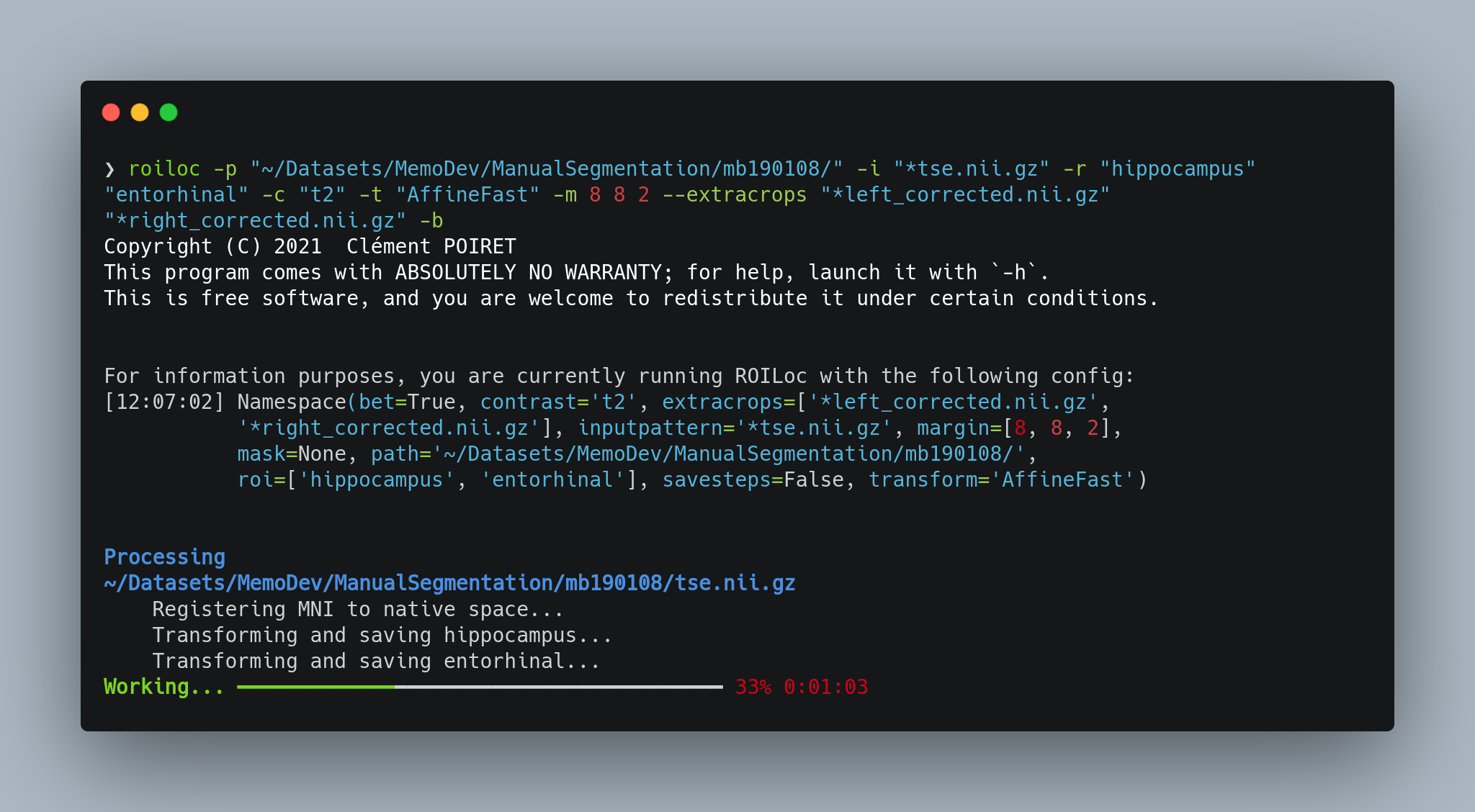
Therefore, to extract both left and right hippocampi (Hippocampus), I can run:
roiloc -p "~/Datasets/MemoDev/ManualSegmentation/" -i "**/tse.nii.gz" -r "hippocampus" -c "t2" -b -t "AffineFast" -m 16 2 16 --mask "*brain_mask.nii
Supported Registrations
(Taken from ANTsPyX’s doc)
Translation: Translation transformation.
Rigid: Rigid transformation: Only rotation and translation.
Similarity: Similarity transformation: scaling, rotation and translation.
QuickRigid: Rigid transformation: Only rotation and translation. May be useful for quick visualization fixes.
DenseRigid: Rigid transformation: Only rotation and translation. Employs dense sampling during metric estimation.
BOLDRigid: Rigid transformation: Parameters typical for BOLD to BOLD intrasubject registration.
Affine: Affine transformation: Rigid + scaling.
AffineFast: Fast version of Affine.
BOLDAffine: Affine transformation: Parameters typical for BOLD to BOLD intrasubject registration.
TRSAA: translation, rigid, similarity, affine (twice). please set regIterations if using this option. this would be used in cases where you want a really high quality affine mapping (perhaps with mask).
ElasticSyN: Symmetric normalization: Affine + deformable transformation, with mutual information as optimization metric and elastic regularization.
SyN: Symmetric normalization: Affine + deformable transformation, with mutual information as optimization metric.
SyNRA: Symmetric normalization: Rigid + Affine + deformable transformation, with mutual information as optimization metric.
SyNOnly: Symmetric normalization: no initial transformation, with mutual information as optimization metric. Assumes images are aligned by an inital transformation. Can be useful if you want to run an unmasked affine followed by masked deformable registration.
SyNCC: SyN, but with cross-correlation as the metric.
SyNabp: SyN optimized for abpBrainExtraction.
SyNBold: SyN, but optimized for registrations between BOLD and T1 images.
SyNBoldAff: SyN, but optimized for registrations between BOLD and T1 images, with additional affine step.
SyNAggro: SyN, but with more aggressive registration (fine-scale matching and more deformation). Takes more time than SyN.
TVMSQ: time-varying diffeomorphism with mean square metric
TVMSQC: time-varying diffeomorphism with mean square metric for very large deformation
Supported ROIs
Caudal Anterior Cingulate,
Caudal Middle Frontal,
Cuneus,
Entorhinal,
Fusiform,
Inferior Parietal,
Inferior temporal,
Isthmus Cingulate,
Lateral Occipital,
Lateral Orbitofrontal,
Lingual,
Medial Orbitofrontal,
Middle Temporal,
Parahippocampal,
Paracentral,
Pars Opercularis,
Pars Orbitalis,
Pars Triangularis,
Pericalcarine,
Postcentral,
Posterior Cingulate,
Precentral,
Precuneus,
Rostral Anterior Cingulate,
Rostral Middle Frontal,
Superior Frontal,
Superior Parietal,
Superior Temporal,
Supramarginal,
Transverse Temporal,
Insula,
Brainstem,
Third Ventricle,
Fourth Ventricle,
Optic Chiasm,
Lateral Ventricle,
Inferior Lateral Ventricle,
Cerebellum Gray Matter,
Cerebellum White Matter,
Thalamus,
Caudate,
Putamen,
Pallidum,
Hippocampus,
Amygdala,
Accumbens Area,
Ventral Diencephalon,
Basal Forebrain,
Vermal lobules I-V,
Vermal lobules VI-VII,
Vermal lobules VIII-X.
Release history Release notifications | RSS feed


Download files
Download the file for your platform. If you're not sure which to choose, learn more about installing packages.
Source Distribution
Built Distribution
Filter files by name, interpreter, ABI, and platform.
If you're not sure about the file name format, learn more about wheel file names.
Copy a direct link to the current filters
File details
Details for the file ROILoc-0.2.3.tar.gz.
File metadata
- Download URL: ROILoc-0.2.3.tar.gz
- Upload date:
- Size: 38.5 MB
- Tags: Source
- Uploaded using Trusted Publishing? No
- Uploaded via: poetry/1.1.7 CPython/3.9.6 Linux/5.13.12-xanmod1-cacule-1-cacule-uksm
File hashes
| Algorithm | Hash digest | |
|---|---|---|
| SHA256 |
3f327759d8d094bc448aeaec6a9ac011c2d88ecefdf9b0734ec1c8cad0853675
|
|
| MD5 |
4c41a85a7e1f1838d51e5fef8c967591
|
|
| BLAKE2b-256 |
e2c3a6140502715ba3a9a078a2f84782f1ddf243ab38187c8be5b8b5dbdcd7cd
|
File details
Details for the file ROILoc-0.2.3-py3-none-any.whl.
File metadata
- Download URL: ROILoc-0.2.3-py3-none-any.whl
- Upload date:
- Size: 38.6 MB
- Tags: Python 3
- Uploaded using Trusted Publishing? No
- Uploaded via: poetry/1.1.7 CPython/3.9.6 Linux/5.13.12-xanmod1-cacule-1-cacule-uksm
File hashes
| Algorithm | Hash digest | |
|---|---|---|
| SHA256 |
a106aeaf416a0a98d63c10a3fa8c3b7e52f582741339de799367a53acbed87e3
|
|
| MD5 |
4829785d71271b3543031e6a155f6442
|
|
| BLAKE2b-256 |
ba95f1077b580a75a41792de3a1b7ea0b8cf3c9960667190bbfc10ce288308ba
|






