
romledger
Track which retro games you have and which are missing, verified against No-Intro and Redump DATs. It runs on one computer: point it at a folder of ROMs and it reports, per platform, what is there and what is not.
Status
Works today:
- Validate a config file (
romledger config) - Download No-Intro and Redump DATs (
romledger dats update) - Match your library and inboxes to the DATs (
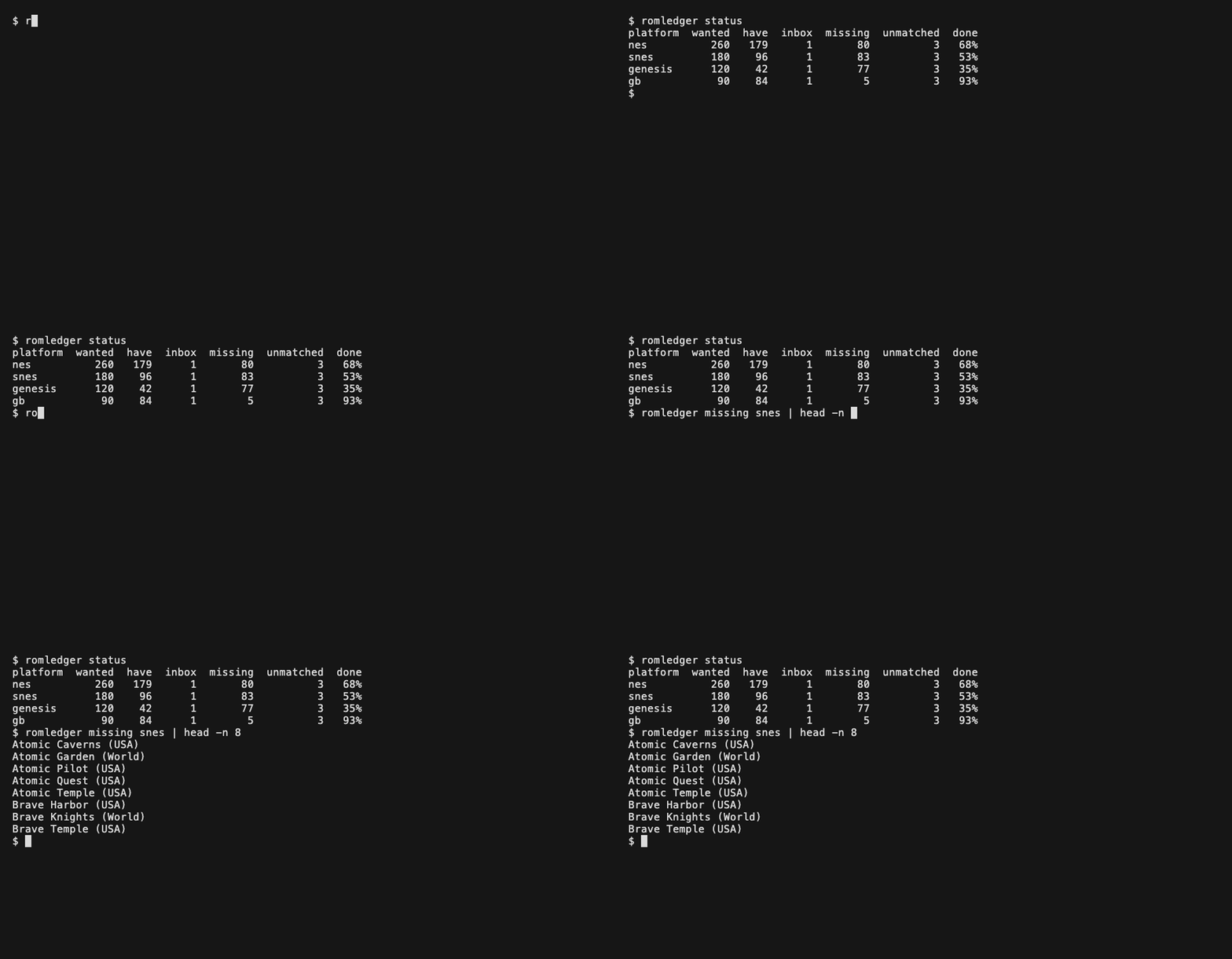
romledger scan) - Show progress per platform (
romledger status) - List missing games, with Vimm's Lair search links (
romledger missing nes --links) - Import from the inboxes into a per-platform folder layout (
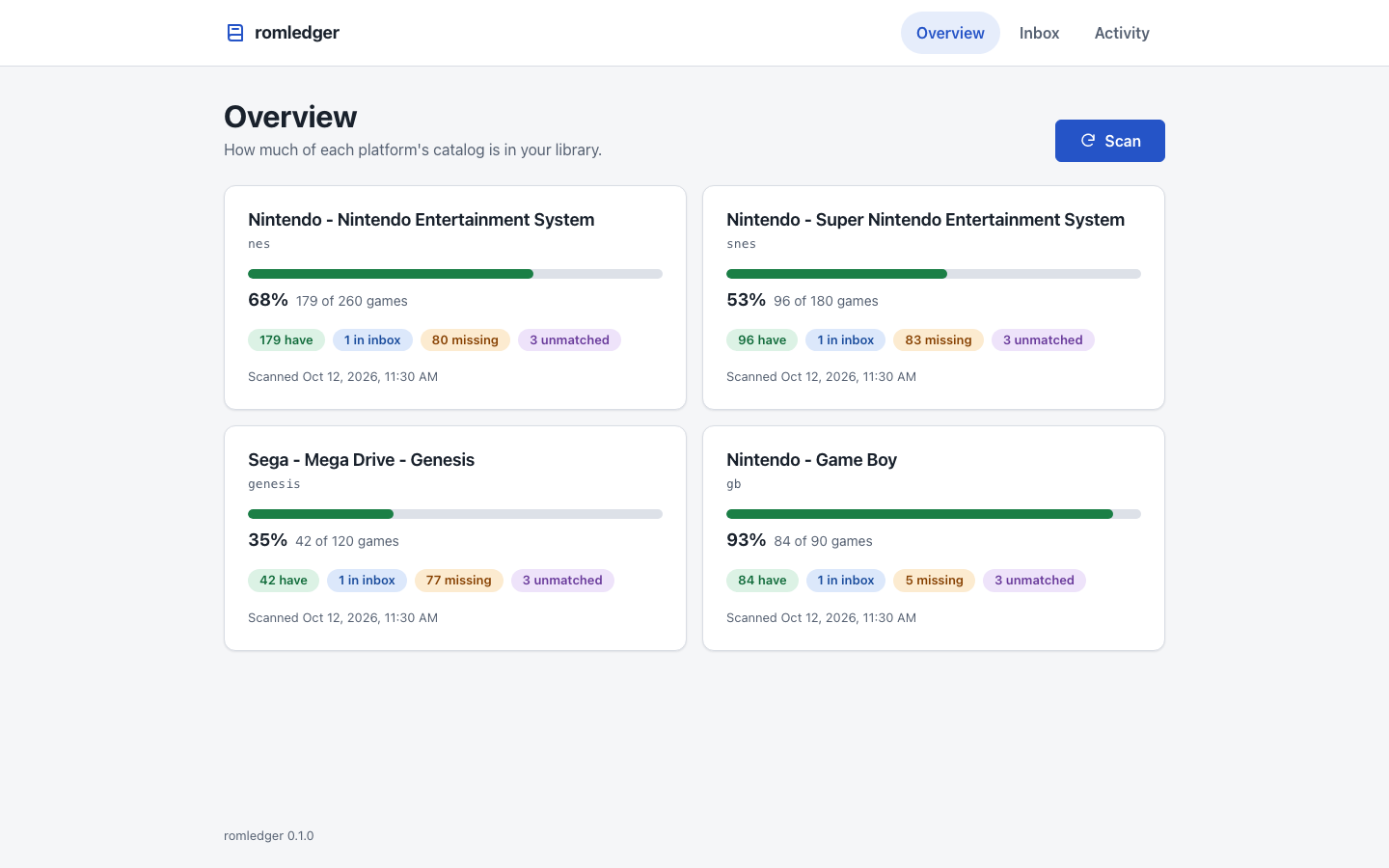
romledger import) - Browse progress, missing games and the inbox, and upload files, in a local dashboard (
romledger serve) - Download missing games from CoolROM and the Internet Archive (
romledger fetch) - Mark games as in your library or missing while you browse Vimm's Lair, CoolROM and the Internet Archive (browser extension)
- Check that the supported sites and the igir pin still match (
romledger canary; runs weekly in CI)
Vimm's Lair is manual; see docs/sources.md.
How it fits
- igir matches files to DATs and moves them into place.
- romledger decides what you have and what is missing.
- RomM is optional. The library layout is RomM's folder naming
(
roms/<platform>/), and romledger works the same without RomM.
Install
Requires Python 3.11+ and Node.js 22.22+ (romledger runs igir through npx).
uv tool install romledger
or, with pipx:
pipx install romledger
Configure
Create ~/.config/romledger/config.toml:
[library]
roms = "~/roms/library"
inboxes = ["~/roms/inbox"]

[platforms.nes]
Both directories must exist. Platform names are the folder names RomM uses, such as nes and
snes. An unknown name makes romledger config print the known ones. dat is filled in for
known platforms.
Check it, then fetch DATs and scan:
romledger config
romledger dats update
romledger scan
romledger status
romledger serve --open
See docs/setup.md for all options, docs/deploy.md to run it as a container, docs/extension.md for the browser extension, docs/playing.md to play what you collect, docs/sources.md for download sources and docs/troubleshooting.md for error messages.
To work on romledger, see CONTRIBUTING.md.
1 maintainer

Metadata
1 maintainer
Release files for romledger 0.2.0
For a detailed explanation of source distributions (sdists) and built distributions (wheels), please see the package formats documentation.
Source distribution (sdist)
| File | Size | Uploaded | |
|---|---|---|---|
| romledger-0.2.0.tar.gz | 198.4 kB | Details |
Built distribution (wheel)
| File | Interpreter | ABI | Platform | Reset |
|---|---|---|---|---|
| romledger-0.2.0-py3-none-any.whl | Python 3 | none | any | Details |
Total release size: 259.8 kB
Release files / romledger-0.2.0.tar.gz
| Download URL | romledger-0.2.0.tar.gz |
|---|---|
| Size | 198.4 kB |
| Tags | Source |
|
SHA-256 checksum How to use checksums |
d6176a64e13013e12f62a7425868ede956f7e28565045b34735ce74744268edd
|
|
BLAKE2b-256 checksum How to use checksums |
c21766d1a9d46f3f490eb0128fe0f2d0fe148b6097ca3416192fd0a94f9efbe1
|
| Upload date | |
|
Uploaded using Trusted Publishing? What is trusted publishing? |
Yes |
| Uploaded via |
uv/0.13.0 {"installer":{"name":"uv","version":"0.13.0","subcommand":["publish"]},"python":null,"implementation":{"name":null,"version":null},"distro":{"name":"Ubuntu","version":"24.04","id":"noble","libc":null},"system":{"name":null,"release":null},"cpu":null,"openssl_version":null,"setuptools_version":null,"rustc_version":null,"ci":true}
|
Release files / romledger-0.2.0-py3-none-any.whl
| Download URL | romledger-0.2.0-py3-none-any.whl |
|---|---|
| Size | 61.5 kB |
| Tags | Python 3 |
|
SHA-256 checksum How to use checksums |
5f74b741d8d0630b2a1ab05432d2ef1fd98acee651b766268c241e3ecc5052ed
|
|
BLAKE2b-256 checksum How to use checksums |
45f9fd4a6edc856fc0941b8a3252c0781248ea1e3daeab14ff46426d7c4b80cd
|
| Upload date | |
|
Uploaded using Trusted Publishing? What is trusted publishing? |
Yes |
| Uploaded via |
uv/0.13.0 {"installer":{"name":"uv","version":"0.13.0","subcommand":["publish"]},"python":null,"implementation":{"name":null,"version":null},"distro":{"name":"Ubuntu","version":"24.04","id":"noble","libc":null},"system":{"name":null,"release":null},"cpu":null,"openssl_version":null,"setuptools_version":null,"rustc_version":null,"ci":true}
|














