
Real-time chatroom web service with magic link authentication

Project description
Roomz





A real-time chatroom web service with magic link authentication.
What is Roomz?
Roomz is a real-time chat application with secure magic link authentication. Built with modern async technology (Quart + SocketIO), it provides seamless real-time messaging with passwordless login.
Screenshots
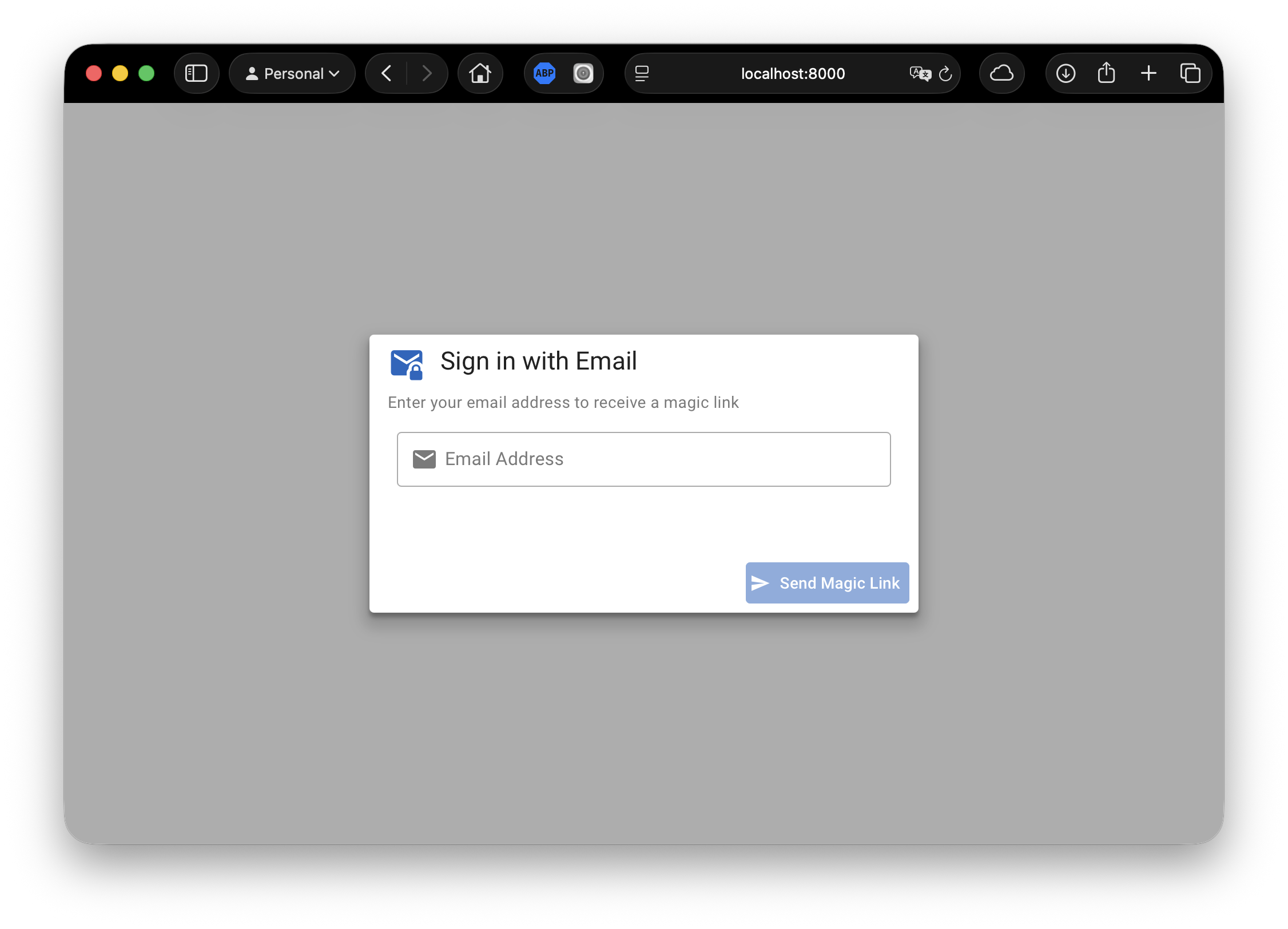
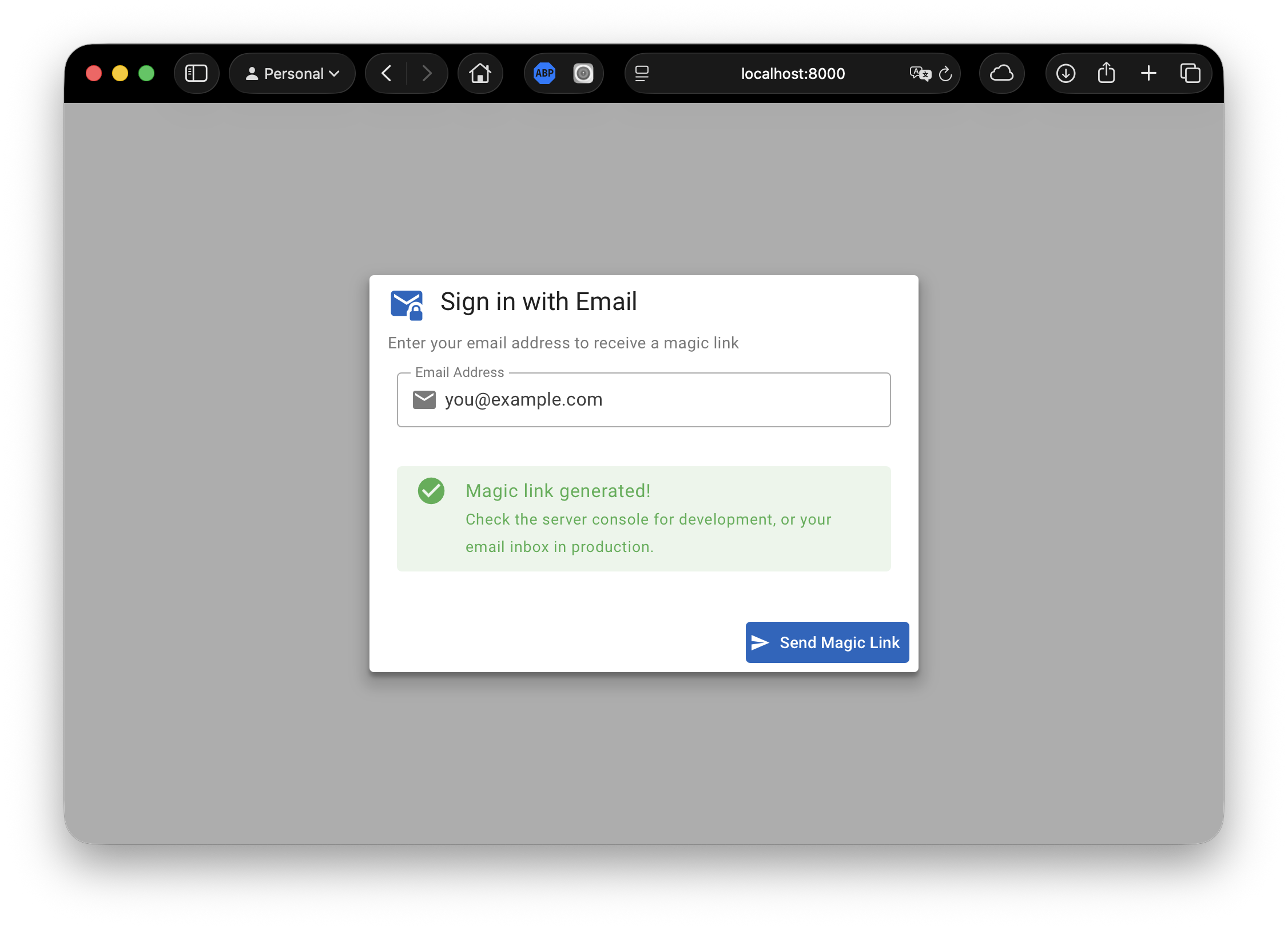
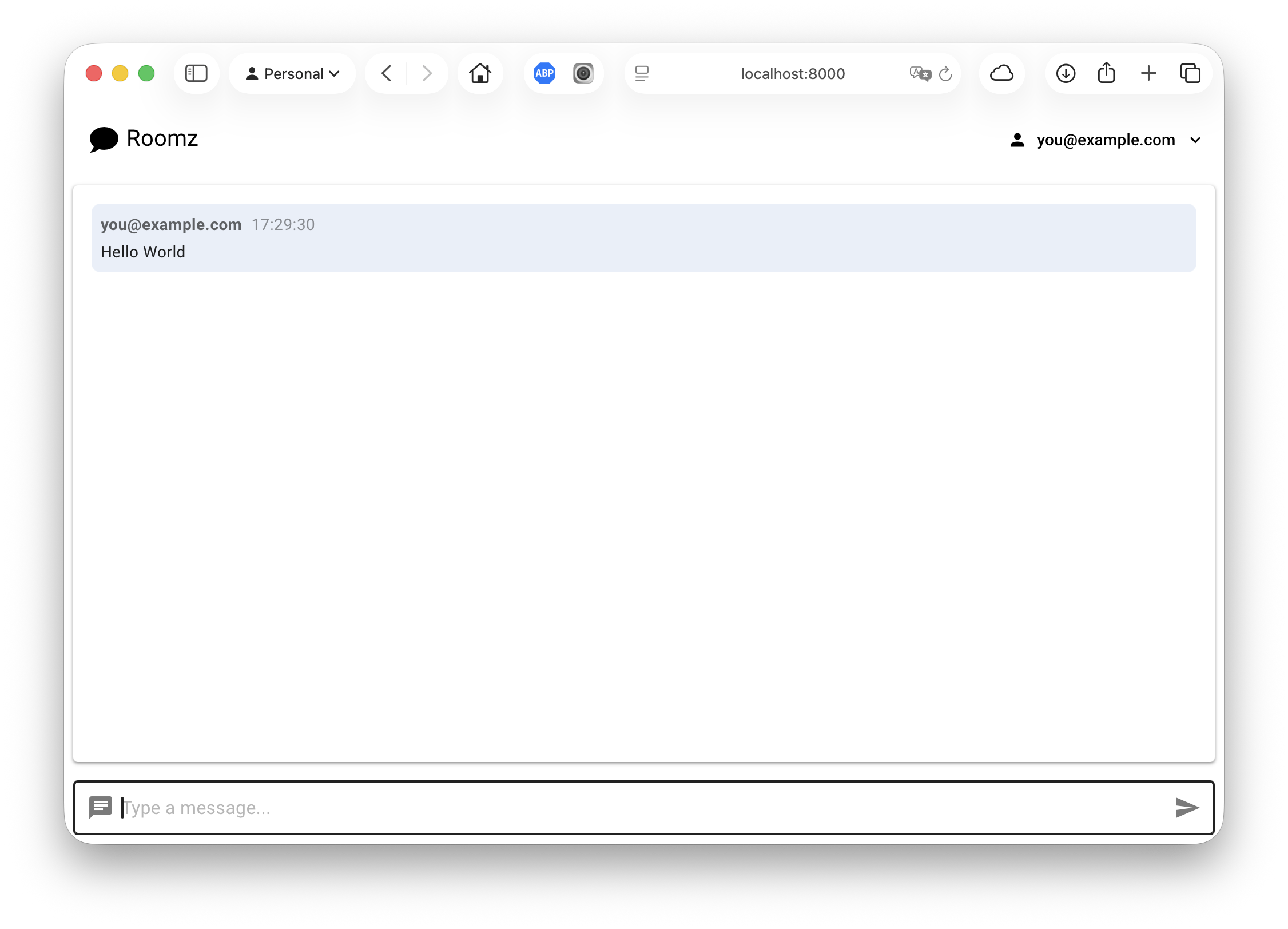
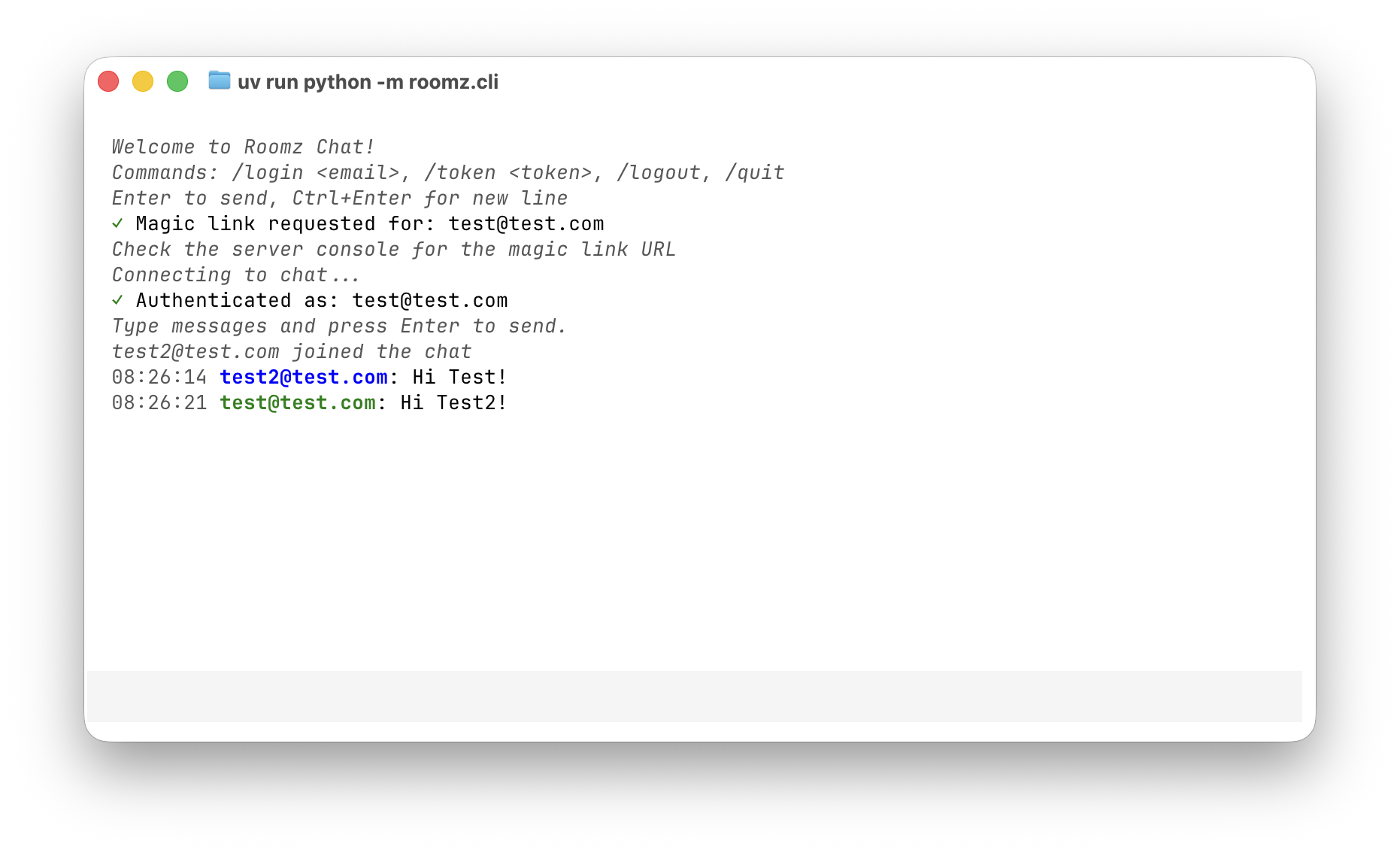
| Login | Magic Link | Chat | CLI |
|---|---|---|---|
 |
 |
 |
 |
Features
- Magic Link Authentication: Passwordless login via email
- Instant Messaging: Messages appear instantly across all connected users
- Real-time Updates: See when users join or leave
- Display Names: Set a custom display name shown as "Name (email)" in chat
- Responsive Design: Works on desktop, tablet, and mobile
- Connection Status: Visual indicator shows when disconnected
- Accessibility: Keyboard navigation and screen reader support
Quick Start
Prerequisites
- Python 3.10 or higher
- uv package manager
Installation
# Clone or navigate to the project
cd /path/to/roomz

# Install dependencies
uv sync

# Install dev dependencies (for testing)
uv sync --extra dev
Running the Application
# Start the chat server
uv run gunicorn -k uvicorn.workers.UvicornWorker roomz.server:asgi_app

# Or for development with auto-reload:
uv run uvicorn roomz.server:asgi_app --reload --host 0.0.0.0 --port 8000
Open http://localhost:8000 in your browser.
Configuration
Roomz uses environment variables for configuration. Create a .env file in the project root:
# Required: JWT secret key (minimum 32 characters)
# Generate with: python -c "import secrets; print(secrets.token_urlsafe(32))"
JWT_SECRET_KEY=your-256-bit-secret-key-here

# Required: Comma-separated list of allowed email addresses
ALLOWED_EMAILS=user@example.com,other@example.com

# Email Configuration (choose one)
# Development: Log magic links to console (default)
EMAIL_SENDER=console

# Production: Send emails via Resend
# EMAIL_SENDER=resend
# RESEND_API_KEY=re_your_api_key_here
# EMAIL_FROM=noreply@yourdomain.com  # Optional, defaults to no-reply@example.com

# Optional: JWT token expiration in days (default: 30)
JWT_EXPIRY_DAYS=30

# Optional: Magic link expiration in minutes (default: 15)
MAGIC_LINK_EXPIRY_MINUTES=15

# Optional: Rate limit for magic link requests per email per hour (default: 5)
MAGIC_LINK_RATE_LIMIT=5
Security Notes:
JWT_SECRET_KEYmust be at least 32 characters (256 bits)ALLOWED_EMAILScontrols who can authenticate- Removing an email from
ALLOWED_EMAILSimmediately revokes their access - Session cookies are httpOnly and SameSite=Strict
Email Setup:
- Development: Set
EMAIL_SENDER=console(or leave unset). Magic links are logged to the server console. - Production: Set
EMAIL_SENDER=resendand provideRESEND_API_KEY. Get your API key from resend.com.
Testing
# Run all tests
uv run pytest tests/ -v

# Run tests with coverage
uv run pytest --cov=src/roomz --cov-report=term-missing

# Run tests across Python versions
uv run tox
How to Use
Authentication
- Open the application in your browser
- Enter your email address
- Click "Send Magic Link"
- Check the server console for the magic link (development mode)
- Click the magic link to authenticate
- You're now in the chat!
Chatting
- After authentication, you see the chat interface
- Type a message in the input field at the bottom
- Press Enter or click the Send button
- Your message appears instantly to all connected users
Multiple Users
- Open the application in multiple browser tabs or windows
- Authenticate in each tab (can use same or different email)
- Type messages in any tab
- All tabs see the messages instantly
- System messages show when users join or leave
Python Client Library
Roomz includes a Python client library for programmatic access to the chat service.
Using the CLI
The easiest way to use Roomz from the command line:
# Start the CLI (auto-discovers config from ~/.roomz.toml)
uv run roomz-cli

# Or specify server URL via CLI argument
uv run roomz-cli --server-url http://your-server:8000

# Or specify display name
uv run roomz-cli --display-name "Alice"
Commands:
/login <email>- Request a magic link/token <token>- Connect with magic link token/name <name>- Set display name (shown as "Name (email)")/name- Clear display name (show email only)/logout- Disconnect and clear session/quit- Exit the CLI
Features:
- Session caching (auto-reconnect on restart)
- Split-screen TUI with message history
- Color-coded messages (your messages in green)
- Multiline support (Enter to send, Ctrl+Enter for new line)
- Display names (set via
/namecommand, environment variable, or config file)
Configuration
Roomz uses clevis for configuration management with built-in security validation.
Configuration Resolution Order (highest to lowest priority):
- CLI arguments (
--server-url,--display-name) - Project-level config (
./roomz.tomlin current directory) - User-level config (
~/.roomz.tomlin home directory) - Dataclass defaults
Environment Variable Interpolation:
Use ${VAR} syntax in TOML files to interpolate environment variables:
# ~/.roomz.toml
[client]
server_url = "${ROOMZ_SERVER_URL}"
display_name = "${ROOMZ_DISPLAY_NAME}"
Static Configuration:
# ~/.roomz.toml
[client]
server_url = "http://localhost:8000"
display_name = "Alice"
Security Features:
- Config files with group/other read permissions are rejected (must use 0600)
- Config files in world-writable directories are rejected
- Home directory is trusted (no directory security check)
- Session cache files are created with 0600 permissions
Using the AsyncClient
For programmatic access in your Python applications:
from roomz.client import AsyncClient, RoomzConfig, ClientConfig
from pathlib import Path

# Option 1: Explicit configuration
client = AsyncClient(
  config=RoomzConfig(client=ClientConfig(server_url="http://localhost:8000")),
  session_cache_file=Path.home() / ".cache" / "roomz" / "session.json"
)

# Option 2: Auto-discover from environment/config files
client = AsyncClient()

# Register event handlers
client.on("message", lambda data: print(f"{data['user']['email']}: {data['content']}"))
client.on("user_joined", lambda data: print(f"{data['user']['email']} joined"))

# Request magic link
await client.login("user@example.com")

# Connect with magic link token
await client.connect(token="magic-link-token")

# Or reconnect with cached session
await client.connect()

# Send message
result = await client.send("Hello, world!")
if "error" in result:
  print(f"Failed: {result['error']}")

# Disconnect
await client.disconnect()
client.clear_cached_session()
Using the SyncClient
For synchronous applications:
from roomz.client import SyncClient, RoomzConfig, ClientConfig

# Option 1: Explicit configuration
with SyncClient(config=RoomzConfig(client=ClientConfig(server_url="http://localhost:8000")), session_token="token") as client:
  client.on("message", lambda data: print(data['content']))
  result = client.send("Hello!")

# Option 2: Auto-discover
with SyncClient(session_token="token") as client:
  client.on("message", lambda data: print(data['content']))
  result = client.send("Hello!")
Session Caching
The client automatically caches session cookies for reconnection:
from pathlib import Path

# Default location: ~/.cache/roomz/session.json
# Custom location:
client = AsyncClient(
  session_cache_file=Path("/custom/path/session.json")
)

# Disable caching:
client = AsyncClient(session_cache_file=None)
Security: Session cache files are created with 0600 permissions in a 0700 directory to protect JWT tokens.
Technology Stack
| Layer | Technology |
|---|---|
| Backend | Quart (async Flask), SocketIO |
| Frontend | Vue 3, Vuetify 4 |
| Framework | Baseweb |
| Runtime | Python 3.10+ |
| Server | Gunicorn + Uvicorn |
| Auth | Magic links with httpOnly cookies |
Architecture
Browser (Vue 3 + Vuetify 4)
    ↓ HTTP POST /auth/request-magic-link
    Magic Link Email (or console in dev)
    ↓ HTTP GET /auth/verify?token=...
    JWT Cookie Set (httpOnly, SameSite=Strict)
    ↓ WebSocket with JWT cookie auth
Quart Server + SocketIO
    ↓ JWT Validation + ALLOWED_EMAILS check
Connected Users
Stateless Authentication: Sessions use JWT tokens, enabling server restarts without losing sessions. Access is controlled by the ALLOWED_EMAILS environment variable.
Project Structure
roomz/
├── src/roomz/
│   ├── server/             # Server application
│   │   ├── __init__.py     # Quart app + SocketIO + Auth endpoints
│   │   ├── auth.py         # Magic link and session management
│   │   ├── models.py       # Session and magic link models
│   │   ├── components/     # Vue components
│   │   ├── pages/          # Page modules
│   │   └── static/         # CSS styles
│   ├── client/             # Python client library
│   │   ├── async_client.py # AsyncClient implementation
│   │   ├── sync_client.py  # SyncClient wrapper
│   │   ├── events.py       # Event emitter
│   │   └── exceptions.py   # Client exceptions
│   └── cli/                # Command-line interface
│       ├── app_tui.py      # Textual TUI application
│       └── styles/         # TUI stylesheets
├── tests/                  # Test suite
├── analysis/               # Design documents
├── reporting/              # Task reports
├── pyproject.toml          # Project configuration
└── README.md               # This file
Development
See TODO.md for planned features and REQUIREMENTS.md for full requirements list.
License
MIT License - See LICENSE for details.
Credits
Built with:
Release history Release notifications | RSS feed


Download files
Download the file for your platform. If you're not sure which to choose, learn more about installing packages.
Source Distribution
Built Distribution
Filter files by name, interpreter, ABI, and platform.
If you're not sure about the file name format, learn more about wheel file names.
Copy a direct link to the current filters
File details
Details for the file roomz-0.4.0.tar.gz.
File metadata
- Download URL: roomz-0.4.0.tar.gz
- Upload date:
- Size: 1.8 MB
- Tags: Source
- Uploaded using Trusted Publishing? No
- Uploaded via: twine/6.2.0 CPython/3.11.15
File hashes
| Algorithm | Hash digest | |
|---|---|---|
| SHA256 |
063b106a1a6576ce0c3c58ef8dd52e5b16e36b2edfdcda295ee248a1f17b957c
|
|
| MD5 |
e3693a1758329bc7345706ca55bd4d37
|
|
| BLAKE2b-256 |
fa9e5d6aef2f6baca68dbe7b969062af22da74dfbc0163c9cbabc175cde8715e
|
File details
Details for the file roomz-0.4.0-py3-none-any.whl.
File metadata
- Download URL: roomz-0.4.0-py3-none-any.whl
- Upload date:
- Size: 54.1 kB
- Tags: Python 3
- Uploaded using Trusted Publishing? No
- Uploaded via: twine/6.2.0 CPython/3.11.15
File hashes
| Algorithm | Hash digest | |
|---|---|---|
| SHA256 |
35c06b6724f03dcb23fda0ad4fceaec2ebb5285eab05db80c4271055eae8bf5a
|
|
| MD5 |
b4482bfe9504593d64b3364b814f474d
|
|
| BLAKE2b-256 |
28208d85df12644b2adf15f2cf2aaf6cffe63a1555c98736782333ead6f2e994
|






