
Soho Vibes for JupyterLab
Verified details
These details have been verified by PyPIProject links
GitHub Statistics
Maintainers

Project description

Rosé Pine for JupyterLab
All natural pine, faux fur and a bit of soho vibes for the classy minimalist

Requirements
- JupyterLab >= 4.0.0
Install
To install the extension, execute:
pip install rose-pine-jupyterlab
Usage
- Open jupyter lab.
- Under Settings > Theme.
- Select
Rosé Pine (Main/Moon/Dawn)from the themes dropdown.
- Note: Also works with notebook view.
Gallery
- Rosé Pine
- Rosé Pine Moon
- Rosé Pine Dawn
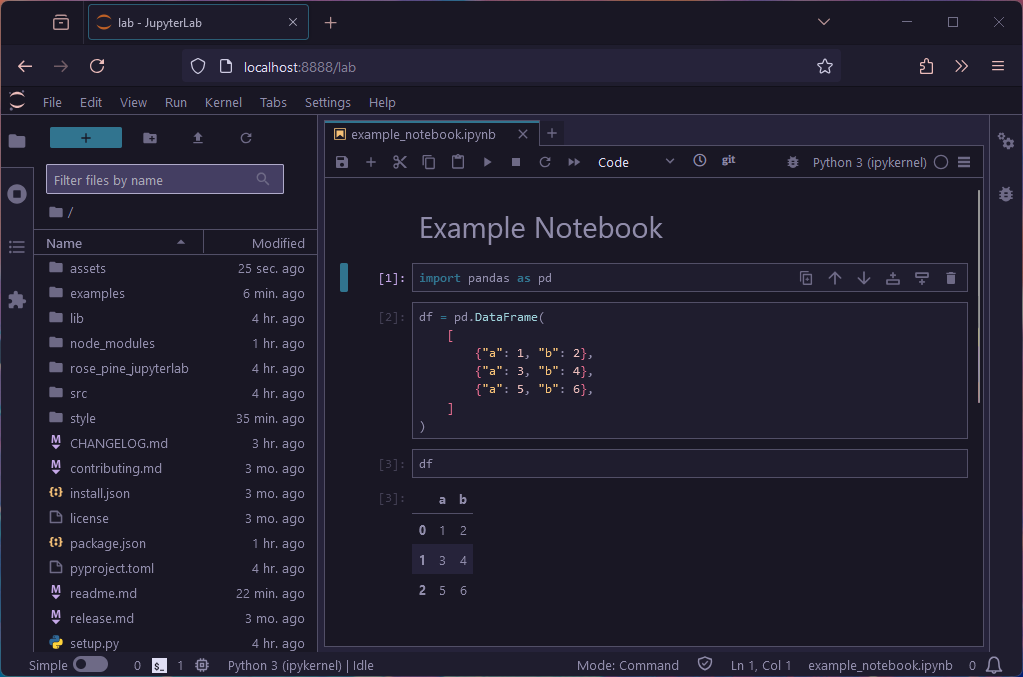
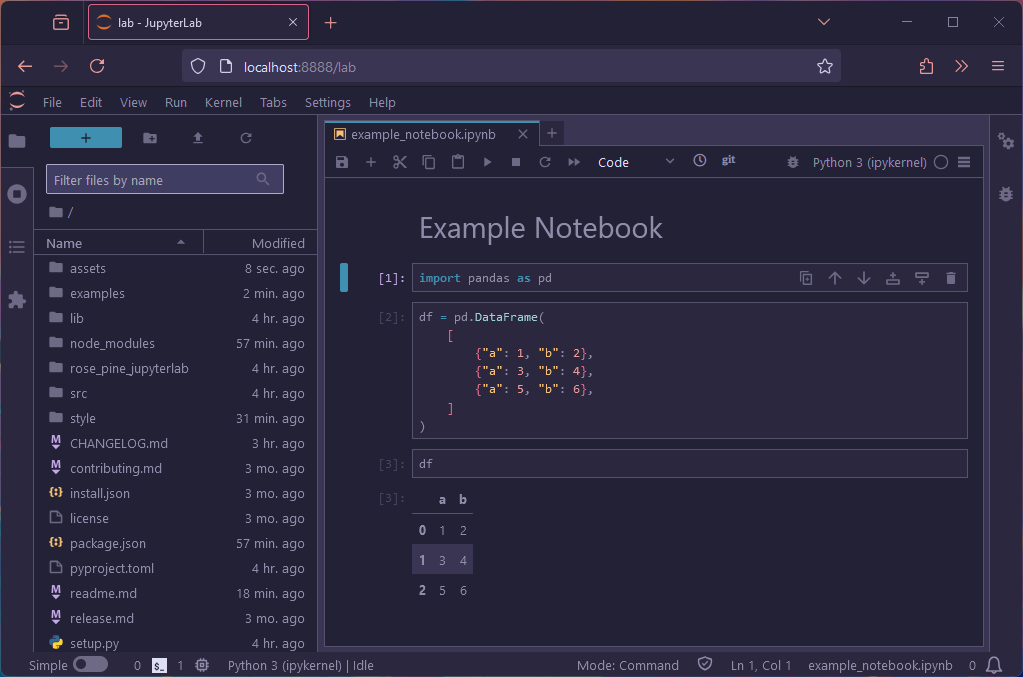
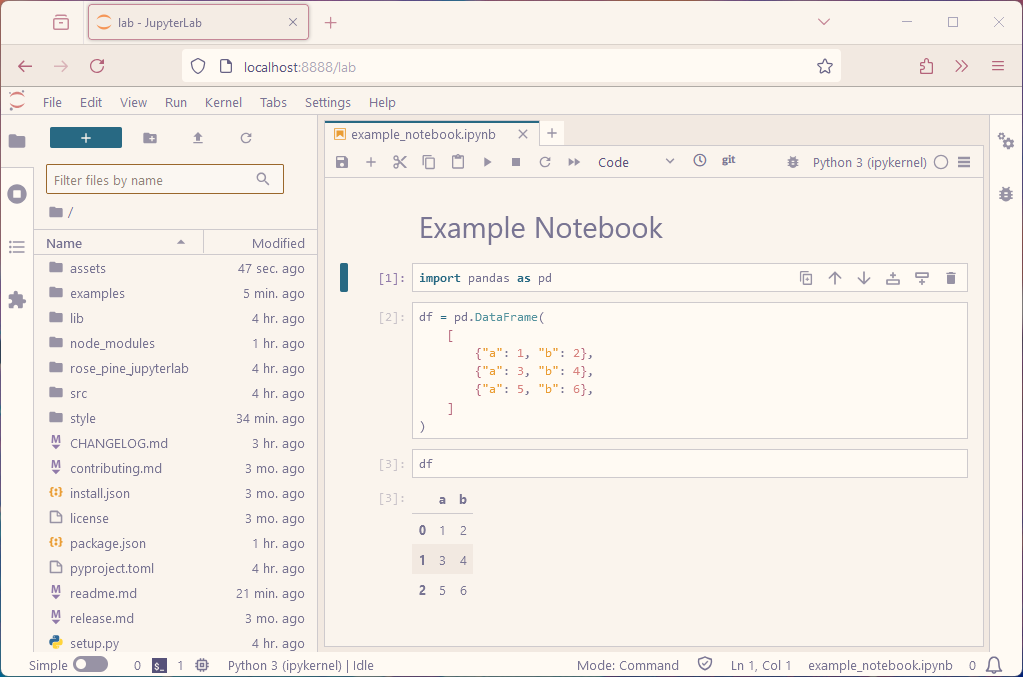
Uninstall
To remove the extension, execute:
pip uninstall rose-pine-jupyterlab
Contributing
If you would like to contribute to this extension, please refer to the Contributing Guide.
AI Coding Assistant Support
This project includes an AGENTS.md file with coding standards and best practices for JupyterLab extension development. The file follows the AGENTS.md standard for cross-tool compatibility.
Compatible AI Tools
AGENTS.md works with AI coding assistants that support the standard, including Cursor, GitHub Copilot, Windsurf, Aider, and others. For a current list of compatible tools, see the AGENTS.md standard.
This project also includes symlinks for tool-specific compatibility:
-
CLAUDE.md→AGENTS.md(for Claude Code) -
GEMINI.md→AGENTS.md(for Gemini Code Assist)
Other conventions you might encounter:
.cursorrules- Cursor's YAML/JSON format (Cursor also supports AGENTS.md natively)CONVENTIONS.md/contributing.md- For CodeConventions.ai and GitHub bots- Project-specific rules in JetBrains AI Assistant settings
All tool-specific files should be symlinks to AGENTS.md as the single source of truth.
What's Included
The AGENTS.md file provides guidance on:
- Code quality rules and file-scoped validation commands
- Naming conventions for packages, plugins, and files
- Coding standards (TypeScript)
- Development workflow and debugging
- Theme-specific patterns (CSS organization, light/dark modes,
IThemeManager) - Common pitfalls and how to avoid them
Customization
You can edit AGENTS.md to add project-specific conventions or adjust guidelines to match your team's practices. The file uses plain Markdown with Do/Don't patterns and references to actual project files.
Note: AGENTS.md is living documentation. Update it when you change conventions, add dependencies, or discover new patterns. Include AGENTS.md updates in commits that modify workflows or coding standards.
Thanks to
npx @rose-pine/build@0.9.1 -t src/templates.json -o src/
Generated by @rose-pine/build@0.9.1
Project details
Verified details
These details have been verified by PyPIProject links
GitHub Statistics
Maintainers
Release history Release notifications | RSS feed


Download files
Download the file for your platform. If you're not sure which to choose, learn more about installing packages.
Source Distribution
Built Distribution
Filter files by name, interpreter, ABI, and platform.
If you're not sure about the file name format, learn more about wheel file names.
Copy a direct link to the current filters
File details
Details for the file rose_pine_jupyterlab-0.3.3.tar.gz.
File metadata
- Download URL: rose_pine_jupyterlab-0.3.3.tar.gz
- Upload date:
- Size: 319.4 kB
- Tags: Source
- Uploaded using Trusted Publishing? Yes
- Uploaded via: twine/6.2.0 CPython/3.12.13
File hashes
| Algorithm | Hash digest | |
|---|---|---|
| SHA256 |
7b28a07273d6608db47171422807f9f64b5febc5c28f2eea84690a9cd249033b
|
|
| MD5 |
0c353ae0797933ae503c5c545acbb0a7
|
|
| BLAKE2b-256 |
7162db86cf99b75a62be29b2c709ebf751ffcf51e7e66269a9b3ada5cc1336c2
|
File details
Details for the file rose_pine_jupyterlab-0.3.3-py3-none-any.whl.
File metadata
- Download URL: rose_pine_jupyterlab-0.3.3-py3-none-any.whl
- Upload date:
- Size: 46.8 kB
- Tags: Python 3
- Uploaded using Trusted Publishing? Yes
- Uploaded via: twine/6.2.0 CPython/3.12.13
File hashes
| Algorithm | Hash digest | |
|---|---|---|
| SHA256 |
3ba3a0e9f30f6206b204ce6c03b628737cb39473367ca249daea4bb0f03fb32c
|
|
| MD5 |
9831e56e58a1c6bac6287b72cc77c9f2
|
|
| BLAKE2b-256 |
9ba6a85e7fc846504a4703f5d900a6b585ec02fbc3e3047d9c9d9c9c161e84cd
|






