
ROS 2 Meta System Exporter
This commandline tool can be used to export the meta information of a ROS2 system. This includes:
- the node names (and their namespaces)
- publishers and subscribers of each node
- services and clients of each node
- message types of each topic
Installation
pip install rosmetasys
Basic usage
Export your dataset
Exports the system meta information, named [SYSTEM_NAME]:
rosmetasys export [OPTIONS] [SYSTEM_NAME]
Options:
-v|--verbosePrint more output.-i|--interactiveInteractive version asking you the options.-a|--anonymizeAnonymizing of node names and topics.-z|--zipCreate the zip file.-p|--prettyPretty formatting for the json.
Upload your dataset
The datasets are gathered in the rosmetasys-datasets repository. Feel free to create a new issue with your dataset attached or create a pull request.
If you want to anonymously submit your dataset without creating a pull request and have it uploaded to the repository, you can zip your dataset and send it to me via email (valentin.schroeter@hpi.uni-potsdam.de).
Visualize your Dataset
You can test the visualization of your data on https://vschroeter.github.io/RosComGraph/#/.
Open the website and upload the data set at the Upload JSON file input field in the left drawer.
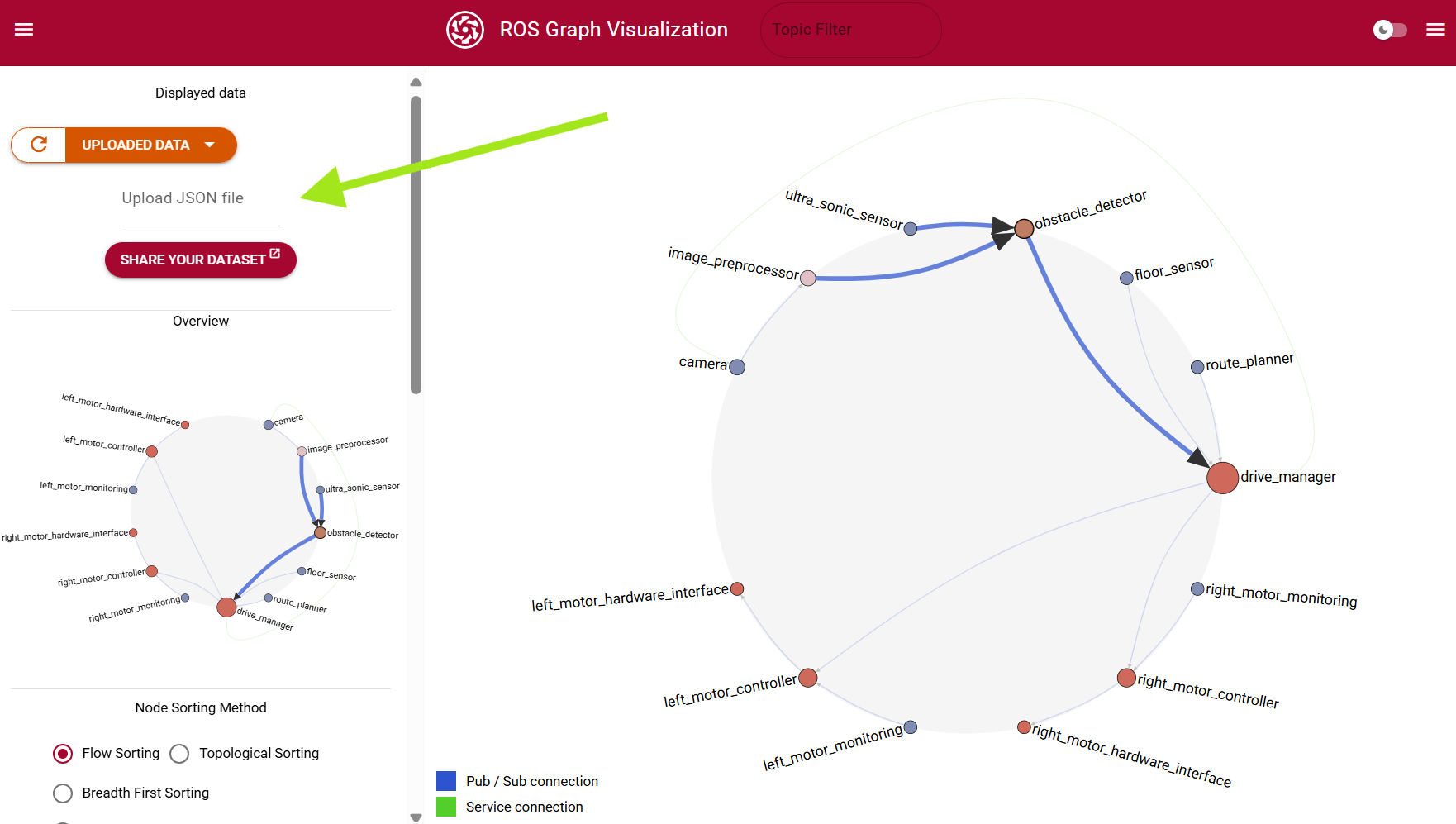
Example output
{
    "version": "1.0.0",
    "created_at": "2024-01-01T10:40:40.000000",
    "nodes": [
        {
            "name": "first_node",
            "namespace": "/",
            "localhost_only": true,
            "publishers": [
                {
                    "name": "/parameter_events",
                    "type": "rcl_interfaces/msg/ParameterEvent"
                },
                {
                    "name": "/my/topic/1",
                    "type": "std_msgs/msg/Empty"
                },
                {
                    "name": "/rosout",
                    "type": "rcl_interfaces/msg/Log"
                }
            ],
            "subscribers": [
                {
                    "name": "/my/topic/1",
                    "type": "std_msgs/msg/Empty"
                },
                {
                    "name": "/my/topic/2",
                    "type": "custom_type"
                }
            ],
            "services": [
                ...
            ],
            "clients": [
                ...
            ]
        },
        {
            "name": "second_node",
            "namespace": "/",
            "localhost_only": false,
            ...
        }
    ]
}
If you use the --anonymize option, the node names and topic names are irreversibly anonymized by replacing the node and topic names with consecutive IDs.
Known issues
ROS nodes need a little time to start up. Sometimes, the introspection methods does not return all nodes of the system. At the moment, the exporter waits for 5 seconds before starting the introspection. But it's not guaranteed that this is enough time for all nodes to start up. If your output seems incomplete, just try to export another time.
1 maintainer

Metadata
1 maintainer
Release files for rosmetasys 1.0.2
For a detailed explanation of source distributions (sdists) and built distributions (wheels), please see the package formats documentation.
Source distribution (sdist)
| File | Size | Uploaded | |
|---|---|---|---|
| rosmetasys-1.0.2.tar.gz | 8.4 kB | Details |
Built distribution (wheel)
| File | Interpreter | ABI | Platform | Reset |
|---|---|---|---|---|
| rosmetasys-1.0.2-py3-none-any.whl | Python 3 | none | any | Details |
Total release size: 16.4 kB
Release files / rosmetasys-1.0.2.tar.gz
| Download URL | rosmetasys-1.0.2.tar.gz |
|---|---|
| Size | 8.4 kB |
| Tags | Source |
|
SHA-256 checksum How to use checksums |
fa705e3b2dca2267aed59df5432a6626431513d165082673894bc572876a8f3d
|
|
BLAKE2b-256 checksum How to use checksums |
8c28a5ac1ab36157c67174574fe290e01d397e6d260ebf4279ee9bcb781f26de
|
| Upload date | |
|
Uploaded using Trusted Publishing? What is trusted publishing? |
No |
| Uploaded via |
twine/5.1.1 CPython/3.9.19
|
Release files / rosmetasys-1.0.2-py3-none-any.whl
| Download URL | rosmetasys-1.0.2-py3-none-any.whl |
|---|---|
| Size | 8.0 kB |
| Tags | Python 3 |
|
SHA-256 checksum How to use checksums |
6d40fa574a03f288a53df2697946da07a7b97156a8e16cf403f49cd8cbbcf3a0
|
|
BLAKE2b-256 checksum How to use checksums |
9ea719afefc2d408544a806116d0e055a3f5070b521f791cd136e6b730339645
|
| Upload date | |
|
Uploaded using Trusted Publishing? What is trusted publishing? |
No |
| Uploaded via |
twine/5.1.1 CPython/3.9.19
|














