
Movistar Router Library
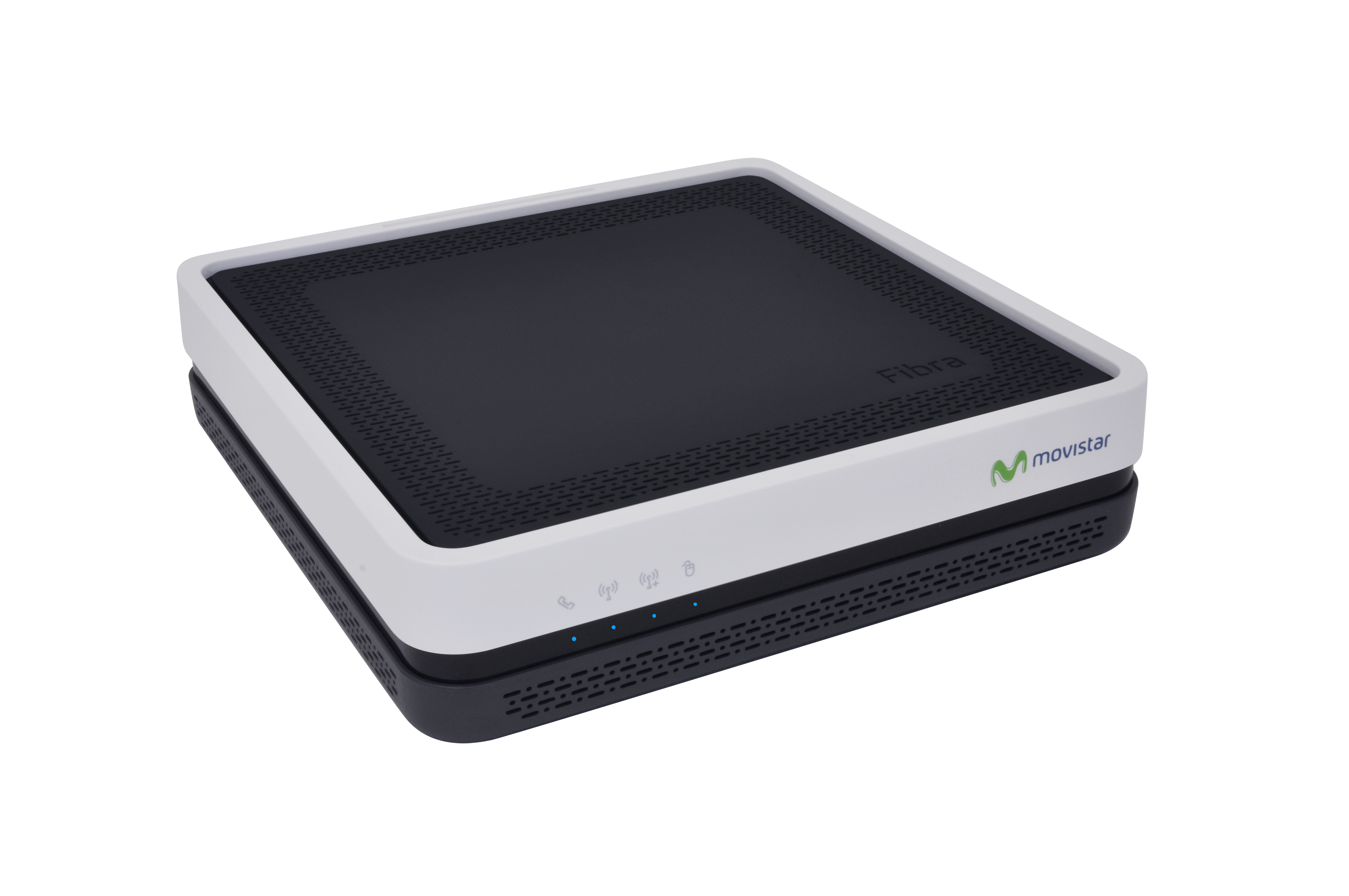
This is a simple client to interact with Movistar routers
Tested with:
- Askey RFT3505VW
Installation
pip install router_movistar
Methods
get_router_info()
Returns a objects with the following fields:
- devices: Array of objects representing the devices connected to the local network. Each object contains the following fields:
- status: Boolean indicating whether the device is connected.
- device_name: String representing the name of the device.
- ip_address: String representing the IP address of the device on the local network.
- interface: String representing the network interface used by the device.
- mac_address: String representing the MAC address of the device.
- router_brand: String representing the brand of the router.
- model: String representing the model of the router.
- serial_number: String representing the serial number of the router.
- hardware_version: String representing the hardware version of the router.
- software_version: String representing the software version of the router.
- firmware_version: String representing the firmware version of the router.
- status: String representing the connectivity status of the router.
- wan_ip: String representing the Wide Area Network IP address of the router.
- local_gateway_ip: String representing the Local Area Network IP address of the router.
- subnet_mask: String representing the subnet mask of the router's LAN.
- dns1, dns2: Strings representing the Domain Name System servers used by the router.
- wifi_24ghz_status, wifi_5ghz_status: Strings representing the status (Enabled/Disabled) of the 2.4GHz and 5GHz Wi-Fi bands respectively.
- ssid_24ghz, ssid_5ghz: Strings representing the Service Set Identifiers (name of the Wi-Fi network) for the 2.4GHz and 5GHz bands respectively.
- hide_ssid_24ghz, hide_ssid_5ghz: Booleans representing whether the SSID is hidden for the 2.4GHz and 5GHz bands respectively.
- wifi_24ghz_password, wifi_5ghz_password: Strings representing the password for the 2.4GHz and 5GHz Wi-Fi bands respectively.
- wifi_24ghz_encryption, wifi_5ghz_encryption: Strings representing the encryption type for the 2.4GHz and 5GHz Wi-Fi bands respectively.
- auth_method_24ghz, auth_method_5ghz: Strings representing the authentication method for the 2.4GHz and 5GHz Wi-Fi bands respectively.
- encryption_24ghz, encryption_5ghz: Strings representing the encryption type for the 2.4GHz and 5GHz Wi-Fi bands respectively.
- wifi_5ghz_channel: Integer representing the channel number for the 5GHz Wi-Fi band.
- iptv_service, iptv_service_ip, iptv_addressing_type: Strings representing the IPTV service details.
- voip_terminal, voip_status, voip_an, voip_ss, voip_le: Strings representing VOIP service information.
- ont_id: String representing the Optical Network Terminal ID.
Example
{
  "devices": [
    {
      "status": true,
      "device_name": "MacBook-Pro (2)",
      "ip_address": "192.168.1.99",
      "interface": "eth4.0",
      "mac_address": "CE:51:A0:D9:4C:12"
    },
    {
      "status": true,
      "device_name": "Samsung-Washer",
      "ip_address": "192.168.1.98",
      "interface": "wl0",
      "mac_address": "28:6D:97:68:3C:FD"
    }
  ],
  "router_brand": "Askey",
  "model": "3505VW",
  "serial_number": "C8B42225692B",
  "hardware_version": "REV4_B6M",
  "software_version": "CL_g000_R3505VWCL203_n48",
  "firmware_version": "CL_g000_R3505VWCL203_n48",
  "status": "Connected",
  "wan_ip": "186.106.23.136",
  "local_gateway_ip": "192.168.1.1",
  "subnet_mask": "255.255.255.0",
  "dns1": "",
  "dns2": "",
  "wifi_24ghz_status": "Enabled",
  "ssid_24ghz": "familia_abreu",
  "hide_ssid_24ghz": true,
  "wifi_24ghz_password": "contrasena1234!",
  "wifi_24ghz_encryption": "",
  "auth_method_24ghz": "psk2",
  "encryption_24ghz": "aes",
  "wifi_5ghz_status": "Enabled",
  "ssid_5ghz": "familia_abreu_5Ghz",
  "wifi_5ghz_password": "contrasena1234!",
  "wifi_5ghz_encryption": "tkip+aes",
  "wifi_5ghz_channel": 56,
  "hide_ssid_5ghz": false,
  "auth_method_5ghz": "psk2",
  "encryption_5ghz": "aes",
  "iptv_service": "7.7.7.1",
  "iptv_service_ip": "10.76.185.79",
  "iptv_addressing_type": "STATIC",
  "voip_terminal": "",
  "voip_status": "",
  "voip_an": "",
  "voip_ss": "",
  "voip_le": "",
  "ont_id": ""
}
reboot()
Reboots the router.
Example
from router_movistar.client import Client

password = 'your_password'
c = Client(password)
info = c.get_router_info()
print(info.model_dump_json(indent=2))
c.reboot()
1 maintainer

Metadata
1 maintainer
Release files for router-movistar 1.0.3
For a detailed explanation of source distributions (sdists) and built distributions (wheels), please see the package formats documentation.
Source distribution (sdist)
| File | Size | Uploaded | |
|---|---|---|---|
| router_movistar-1.0.3.tar.gz | 6.2 kB | Details |
Built distribution (wheel)
| File | Interpreter | ABI | Platform | Reset |
|---|---|---|---|---|
| router_movistar-1.0.3-py3-none-any.whl | Python 3 | none | any | Details |
Total release size: 13.0 kB
Release files / router_movistar-1.0.3.tar.gz
| Download URL | router_movistar-1.0.3.tar.gz |
|---|---|
| Size | 6.2 kB |
| Tags | Source |
|
SHA-256 checksum How to use checksums |
fdd73f643e1937d54e7c1dc192ca00279851c31566d0e5e3b653138ba2ca8118
|
|
BLAKE2b-256 checksum How to use checksums |
046f7d59b4b840fff0b66ac38ab83185fa6c2fea5d59315bb93e890158ad364d
|
| Upload date | |
|
Uploaded using Trusted Publishing? What is trusted publishing? |
No |
| Uploaded via |
twine/5.0.0 CPython/3.12.2
|
Release files / router_movistar-1.0.3-py3-none-any.whl
| Download URL | router_movistar-1.0.3-py3-none-any.whl |
|---|---|
| Size | 6.8 kB |
| Tags | Python 3 |
|
SHA-256 checksum How to use checksums |
191ecd1f1df4cd0ab1ec5b8d123b8ed32059f0aa66a7d1f11151ebc2848a51ec
|
|
BLAKE2b-256 checksum How to use checksums |
da82ac10bbcf8ce0a76a0fcda49b2e084f391fc31134b743222189f28107da30
|
| Upload date | |
|
Uploaded using Trusted Publishing? What is trusted publishing? |
No |
| Uploaded via |
twine/5.0.0 CPython/3.12.2
|














