
Rowbase
A fast, good-looking, read-only-by-default database client — for humans and for AI agents.
MySQL / MariaDB · PostgreSQL · SQLite · native macOS app · one-file app for macOS, Linux & Windows · built-in MCP server






Why Rowbase?
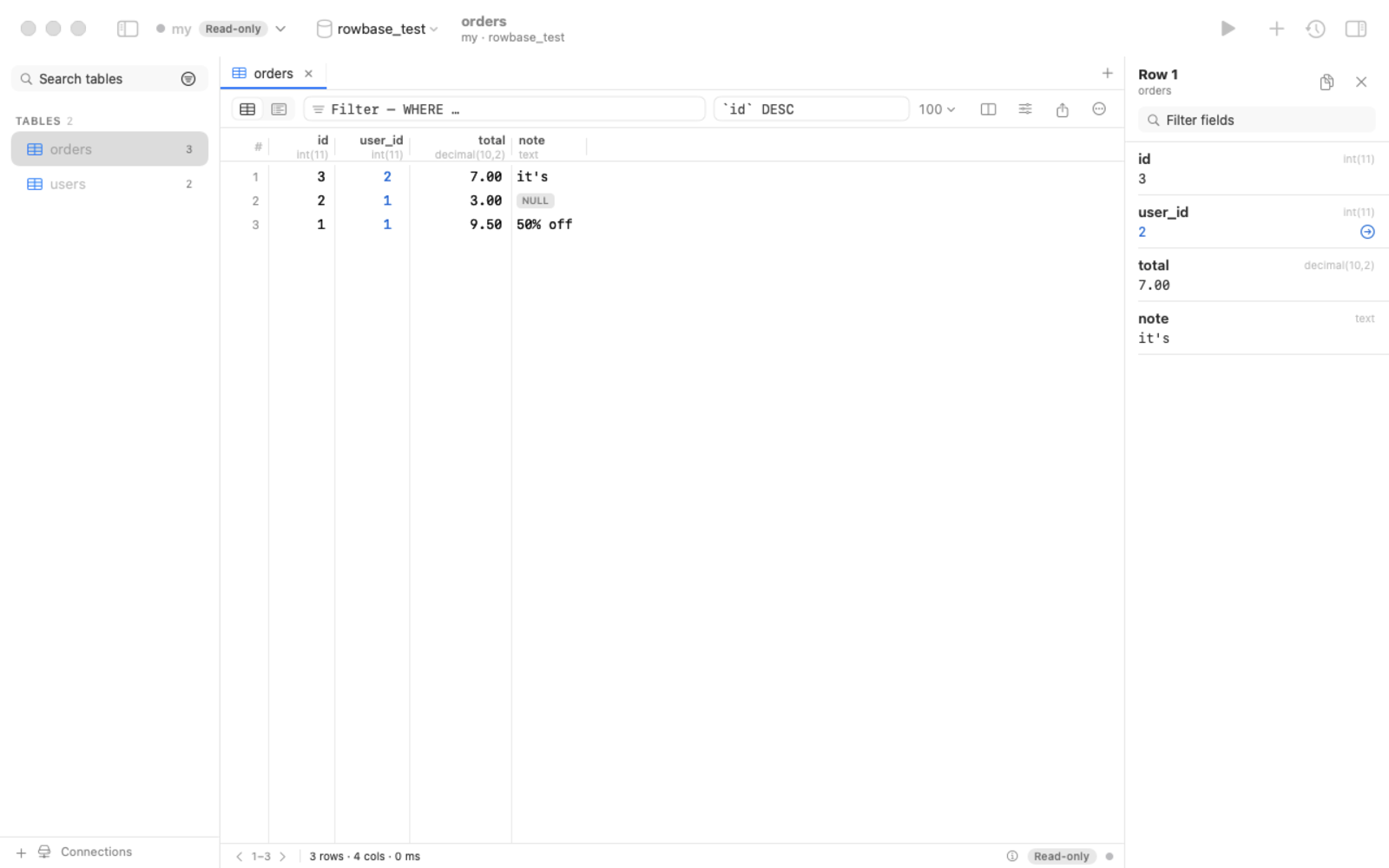
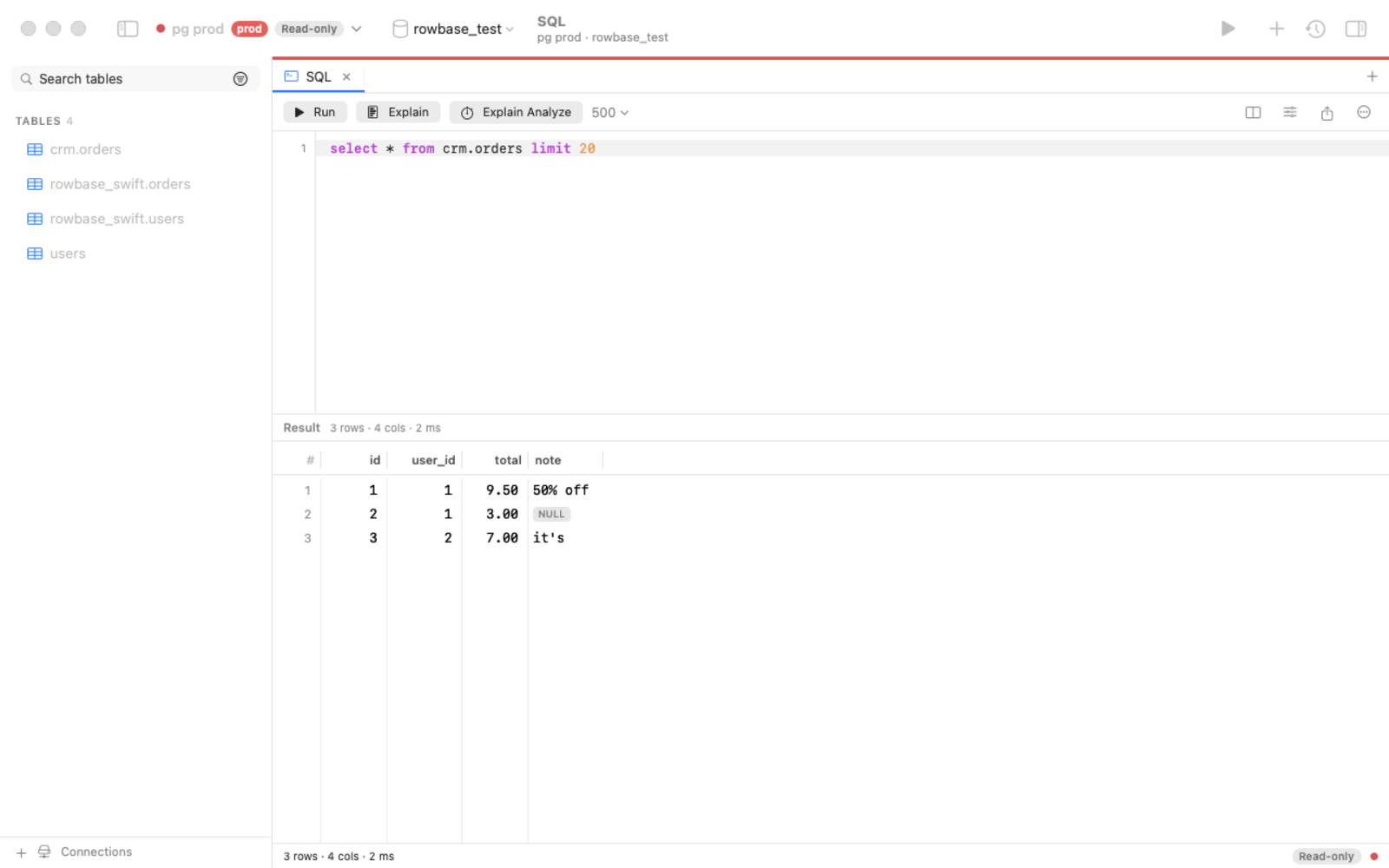
- Safe by default. Every connection is read-only until you say otherwise — enforced at four independent layers
(driver-level single statement, SQL guard,
READ ONLYtransaction, timeouts). Production connections get a red accent. - Made for AI assistants too. A built-in MCP server lets Claude, Cursor, Codex & co. explore your schema and query data — read-only unless you allow writes, with a token-efficient output format (TOON) and a built-in guide so the assistant knows how to use it. One copy-paste prompt sets everything up.
- One file, no installer. Download a single binary for macOS, Linux or Windows and run it — no admin rights, no Python, no drivers to install. Or use the native macOS app.
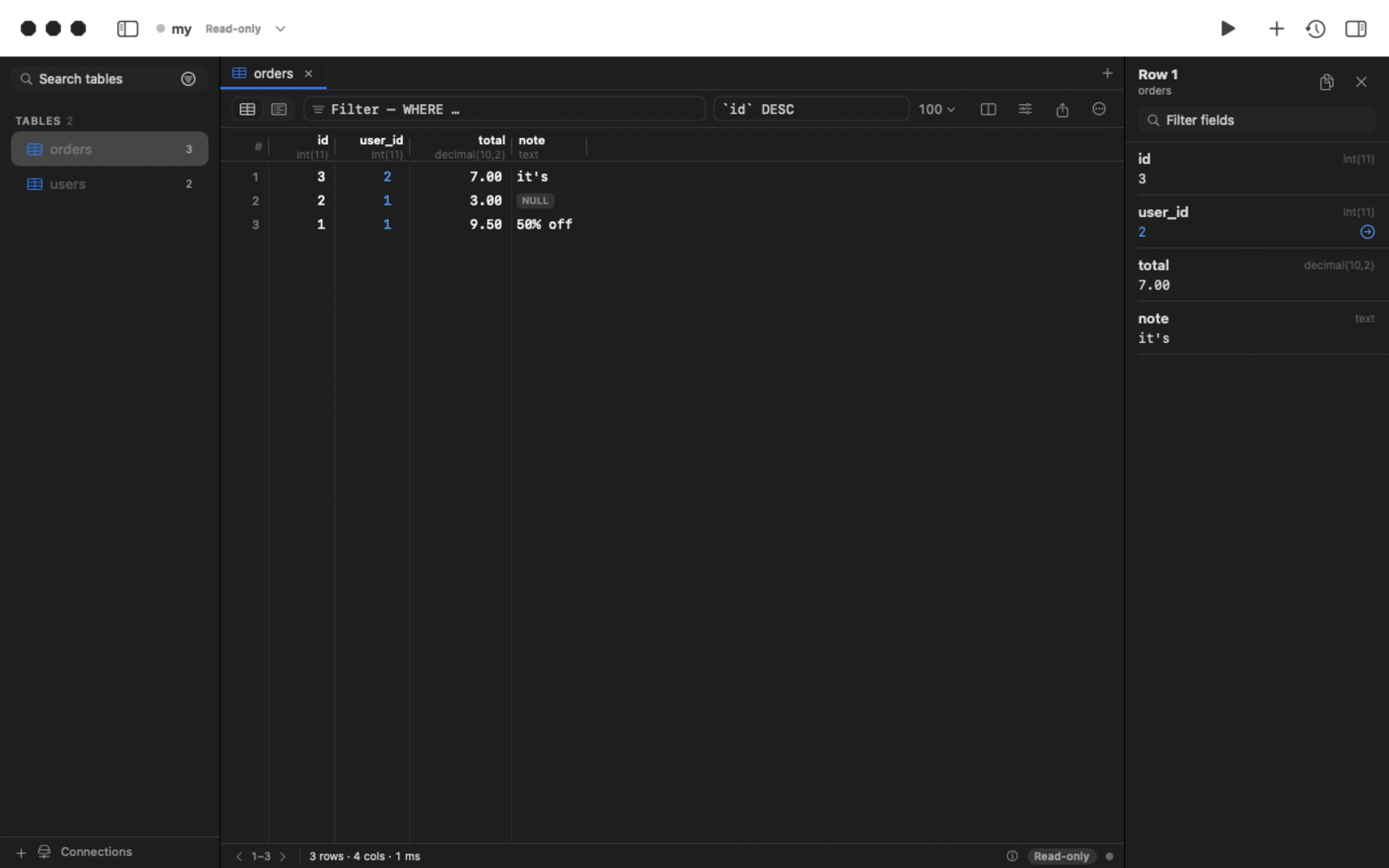
- Nice to use. Foreign-key navigation, "referenced by", transpose, column picker, schema-aware autocomplete, EXPLAIN highlighting, query cancel, inline editing with SQL preview, export to CSV/JSON/Markdown/SQL, SSH tunnels.
- Open source under Apache-2.0. Passwords live in your OS keychain, never in config files.
 |
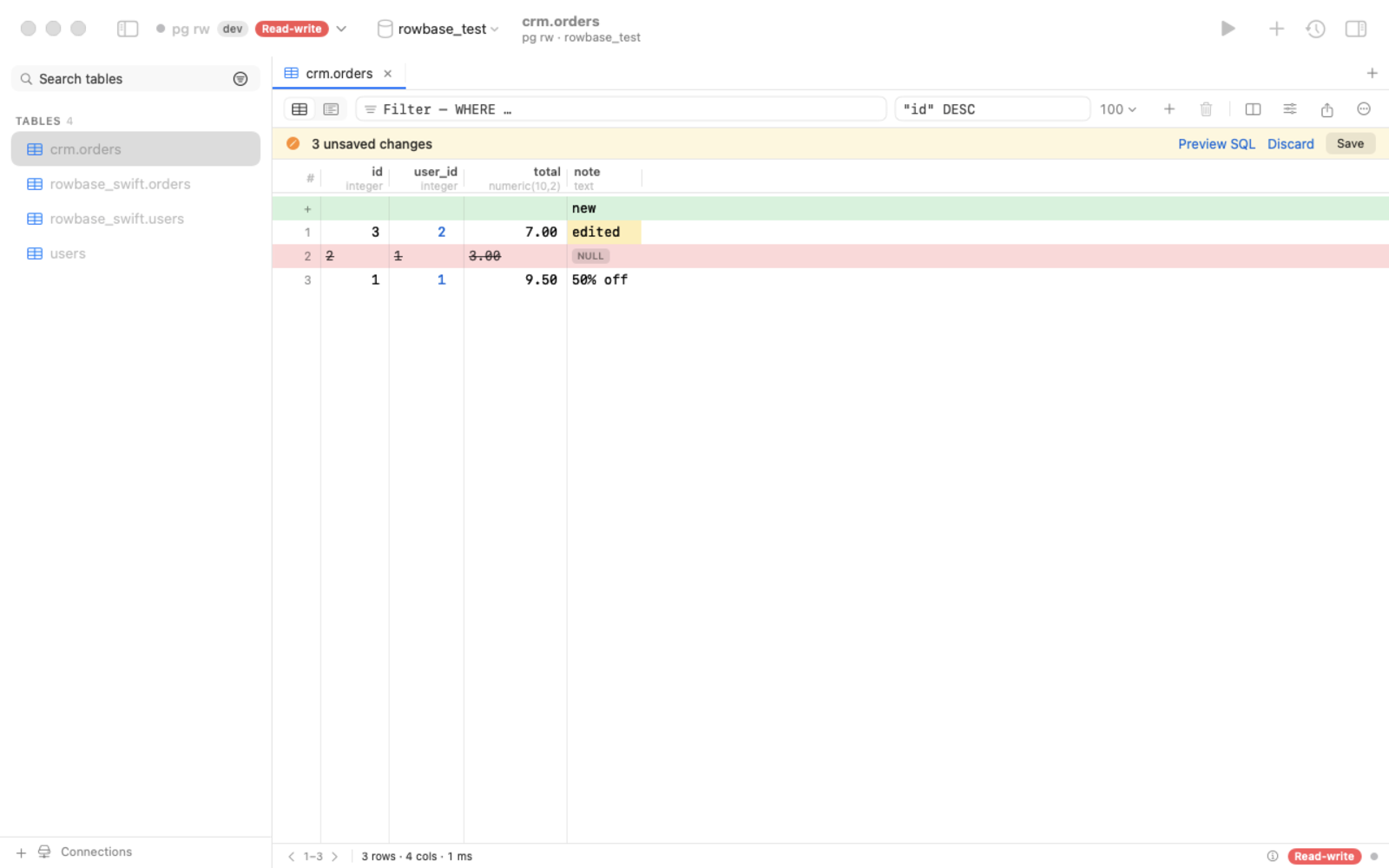 |
| SQL editor: autocomplete, ⌘↩ runs the statement under the caret, EXPLAIN, cancel | Edit rows safely: pending changes, SQL preview, one atomic save |
Download
Grab the latest from Releases:
| Platform | File | How to run |
|---|---|---|
| macOS (native app) | Rowbase-x.y.z.dmg |
open, drag to Applications |
| macOS (one file) | rowbase-macos-arm64 |
chmod +x rowbase-macos-arm64 && ./rowbase-macos-arm64 |
| Linux x64 / arm64 | rowbase-linux-x64 / -arm64 |
chmod +x rowbase-linux-* && ./rowbase-linux-x64 (Ubuntu 20.04+, Debian 10+, RHEL 8+) |
| Windows 10 / 11 | rowbase-windows-x64.exe |
double-click |
Started without arguments, the one-file app opens the web UI in your browser. Builds are not code-signed yet: macOS → System Settings → Privacy & Security → Open Anyway; Windows → More info → Run anyway.
Connect your AI assistant (MCP)
Open AI / MCP in the app, click Copy prompt, paste it into your assistant — it registers the server, reads the built-in guide and creates a reusable skill. Or register manually:
claude mcp add rowbase -- /path/to/rowbase mcp          # one-file binary or app
claude mcp add rowbase -- uvx --from rowbase-db rowbase mcp   # straight from PyPI, nothing to download
Listed in the official MCP Registry as io.github.djstreet11/rowbase.
Results come back as compact TOON tables (~40% fewer tokens than JSON):
rows[2]{id,customer,total}:
  1,"Smith, Bob",9.50
  2,ann,null
truncated: false
Tools: guide, connections, databases, tables, describe, search_schema, sample, count, query, explain
(+ apply_changes only when you allow writes). Details: docs/MCP.md.
CLI
Install from PyPI (pipx install rowbase-db / uv tool install rowbase-db) or use a one-file download.
rowbase add shop 'postgres://me@db.example.com/shop?ssh=deploy@bastion'   # read-only unless --rw
rowbase tables -c shop
rowbase q "SELECT * FROM orders WHERE status = 'new'" -c shop --format json
rowbase ui        # web UI on http://127.0.0.1:8765
rowbase mcp       # MCP server (stdio)
rowbase doctor    # environment report
Dark mode
Build from source
- Python track:
python3 -m venv .venv && .venv/bin/pip install -e . && .venv/bin/rowbase ui - One-file binaries: docs/BUILDING.md · Native macOS app:
cd native && swift build· releases: docs/RELEASING.md - Architecture & roadmap: SPEC.md
Contributing
Issues, ideas and pull requests are welcome — see CONTRIBUTING.md and the Code of Conduct. If Rowbase is useful to you, a ⭐ helps others find it.
License
Apache-2.0 — see NOTICE and THIRD_PARTY_LICENSES.md.
1 maintainer

Metadata
1 maintainer
Release files for rowbase-db 0.2.2
For a detailed explanation of source distributions (sdists) and built distributions (wheels), please see the package formats documentation.
Source distribution (sdist)
| File | Size | Uploaded | |
|---|---|---|---|
| rowbase_db-0.2.2.tar.gz | 80.4 kB | Details |
Built distribution (wheel)
| File | Interpreter | ABI | Platform | Reset |
|---|---|---|---|---|
| rowbase_db-0.2.2-py3-none-any.whl | Python 3 | none | any | Details |
Total release size: 155.8 kB
Release files / rowbase_db-0.2.2.tar.gz
| Download URL | rowbase_db-0.2.2.tar.gz |
|---|---|
| Size | 80.4 kB |
| Tags | Source |
|
SHA-256 checksum How to use checksums |
7d8be8c33f0c47b5b51330a22a90e1d772fc22d27249b3b7e2dd1217895a0281
|
|
BLAKE2b-256 checksum How to use checksums |
be1cb3baf679ef7df1ecd8612ab44a633833ed83b9fc31e41cb5023dd8f67473
|
| Upload date | |
|
Uploaded using Trusted Publishing? What is trusted publishing? |
Yes |
| Uploaded via |
twine/7.0.0 CPython/3.13.14
|
Provenance
Provenance describes where a file came from. On PyPI, provenance is shared via attestations, which provide a verifiable record of the build or publishing details. View details, limitations and caveats.


PyPI Publish Attestation
PyPI verified that this artifact, at this checksum, originated from the publisher listed below.
Signed by GitHub Actions, verified by PyPI on Oct 4, 2026.
Transparency logRelease files / rowbase_db-0.2.2-py3-none-any.whl
| Download URL | rowbase_db-0.2.2-py3-none-any.whl |
|---|---|
| Size | 75.3 kB |
| Tags | Python 3 |
|
SHA-256 checksum How to use checksums |
89f483c3f6601fcdb59d098175ba17f5e4faaf52274fda381140594a31dc04ba
|
|
BLAKE2b-256 checksum How to use checksums |
99c826e98b82139108bc0f35667dd006e2dca04d64360ba9ac2e53c091c02b47
|
| Upload date | |
|
Uploaded using Trusted Publishing? What is trusted publishing? |
Yes |
| Uploaded via |
twine/7.0.0 CPython/3.13.14
|
Provenance
Provenance describes where a file came from. On PyPI, provenance is shared via attestations, which provide a verifiable record of the build or publishing details. View details, limitations and caveats.
PyPI Publish Attestation
PyPI verified that this artifact, at this checksum, originated from the publisher listed below.
Signed by GitHub Actions, verified by PyPI on Oct 4, 2026.
Transparency log













