
Este projeto permite a leitura de tweets via RSS utilizando o RSSHub

Project description
RSSHub Twitter Reader
Este projeto permite a leitura de tweets via RSS utilizando o RSSHub.
Funcionalidades
- Captura tweets de um usuário do X (antigo Twitter) via RSSHub.
- Remove caracteres especiais.
- Calcula um hash MD5 do título para evitar tweets duplicados (coluna: md5_hash_tweet)
- Filtra tweets com base em palavras-chave fornecidas.
- Obtém informações do canal, incluindo nome, descrição, link e última atualização.
Instalação
pip install rsshub-twitter-reader
Como Usar
from rsshub_twitter_reader import RSSHubTwitterReader

rss_reader = RSSHubTwitterReader('einvestidor')
tweets = rss_reader.fetch_rss()
print(tweets)

# Filtrar tweets com palavras-chave
filtered_tweets = rss_reader.filter(['MRVE3', 'VBBR3'])
print(filtered_tweets)

# Obter informações do canal
channel_info = rss_reader.get_info()
print(channel_info)
Dependências
- requests
- pandas
- lxml
📜 License
This project is licensed under the MIT License.
🌟 Feel free to contribute and improve this project!
Final Notes
This project was developed as an educational tool. Feel free to use!
Thank You for Your Support! 🌟
We hope you find our services helpful and enjoyable! If you feel like showing some extra appreciation, why not buy us a coffee?
🍵 Your support not only energizes our team but also helps us keep improving what we do.
To make a small contribution, you can send us a coffee's worth of USDT or Brazilian Instant Payment (PIX) to our QR code. Every coffee counts and keeps us brewing more ideas!
Here's how you can send a USDT coffee
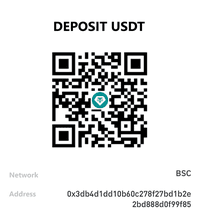
or send USDT to address:
0x3db4d1dd10b60c278f27bd1b2e2bd888d0f99f85
- Scan the QR Code: Open your crypto wallet and scan our USDT QR code.
- Enter the amount: The cost of a coffee - usually around $3 to $5.
- Send your support: Hit send and make our day!
Here's how you can send a PIX coffee

- Scan the QR Code: Open your bank account app and scan our PIX QR code.
- Enter the amount: The cost of a coffee - usually around $3 to $5.
- Send your support: Hit send and make our day!
PIX is a digital payment system in Brazil that allows instant payments 24/7 via mobile phones. If you found this project helpful, please consider buying me a coffee.
Thank you once again for your incredible support and for being a part of our community. Your contribution fuels our passion and commitment.
Author
Flavio Lopes Spreading practical data knowledge for decision making.
Contact
Questions, suggestions, or improvements? Contact me or contribute directly to the repository.
- GitHub: dadosnapratica
- LinkedIn Flavio: Flavio Lopes
- LinkedIn Dados na Pratica: Dados na Pratica
- Email: flavio.lopes@ideiasfactory.tech
- Instagram: @dadosnapratica


Download files
Download the file for your platform. If you're not sure which to choose, learn more about installing packages.
Source Distribution
Built Distribution
Filter files by name, interpreter, ABI, and platform.
If you're not sure about the file name format, learn more about wheel file names.
Copy a direct link to the current filters
File details
Details for the file rsshub_twitter_reader-0.1.4.tar.gz.
File metadata
- Download URL: rsshub_twitter_reader-0.1.4.tar.gz
- Upload date:
- Size: 5.7 kB
- Tags: Source
- Uploaded using Trusted Publishing? No
- Uploaded via: twine/6.1.0 CPython/3.10.0
File hashes
| Algorithm | Hash digest | |
|---|---|---|
| SHA256 |
89e4ebfbef0042b80e115b85e142f00500ca690a8bbdb97793d04d7537e3fbe5
|
|
| MD5 |
00a9a52dd1d5f73b11f28d88f599e8fd
|
|
| BLAKE2b-256 |
11af27a479d7d27efb89a9e61fcbcad586e270e65c7bdc6a893e1ee815eaa5af
|
File details
Details for the file rsshub_twitter_reader-0.1.4-py3-none-any.whl.
File metadata
- Download URL: rsshub_twitter_reader-0.1.4-py3-none-any.whl
- Upload date:
- Size: 6.0 kB
- Tags: Python 3
- Uploaded using Trusted Publishing? No
- Uploaded via: twine/6.1.0 CPython/3.10.0
File hashes
| Algorithm | Hash digest | |
|---|---|---|
| SHA256 |
fb43df9f015184411d27a7b5eb148384280b34c2927fea1ed14da5fbac8b246e
|
|
| MD5 |
7de10d6125985912f4f9a61b9b1ae180
|
|
| BLAKE2b-256 |
75f49f725b800898535ce3621b88d75361d0aa42852f531dc61d9d4f1a18f1f4
|






