
A small library for handling masks and RT-Structs


Project description

A minimal Python library for RT Struct manipulation




RT-Utils is motivated to allow physicians and other users to view the results of segmentation performed on a series of DICOM images. RT-Utils allows you to create or load RT Structs, extract 3d masks from RT Struct ROIs, easily add one or more regions of interest, and save the resulting RT Struct in just a few lines!
How it works
RT-Utils provides a builder class to faciliate the creation and loading of an RT Struct. From there, you can add ROIs through binary masks and optionally input the colour of the region along with the region name.
The format for the ROI mask is an nd numpy array of type bool. It is an array of 2d binary masks, one plane for each slice location within the DICOM series. The slices should be sorted in ascending order within the mask. Through these masks, we extract the contours of the regions of interest and place them within the RT Struct file. Note that there is currently only support for the use of one frame of reference UID and structered set ROI sequence. Also note that holes within the ROI may be handled poorly.
Installation
pip install rt_utils
Creating new RT Structs
from rt_utils import RTStructBuilder

# Create new RT Struct. Requires the DICOM series path for the RT Struct.
rtstruct = RTStructBuilder.create_new(dicom_series_path="./testlocation")

# ...
# Create mask through means such as ML
# ...

# Add the 3D mask as an ROI.
# The colour, description, and name will be auto generated
rtstruct.add_roi(mask=MASK_FROM_ML_MODEL)

# Add another ROI, this time setting the color, description, and name
rtstruct.add_roi(
  mask=MASK_FROM_ML_MODEL,
  color=[255, 0, 255],
  name="RT-Utils ROI!"
)

rtstruct.save('new-rt-struct')
Adding to existing RT Structs
from rt_utils import RTStructBuilder
import matplotlib.pyplot as plt

# Load existing RT Struct. Requires the series path and existing RT Struct path
rtstruct = RTStructBuilder.create_from(
  dicom_series_path="./testlocation",
  rt_struct_path="./testlocation/rt-struct.dcm"
)

# Add ROI. This is the same as the above example.
rtstruct.add_roi(
  mask=MASK_FROM_ML_MODEL,
  color=[255, 0, 255],
  name="RT-Utils ROI!"
)

rtstruct.save('new-rt-struct')
Creation Results
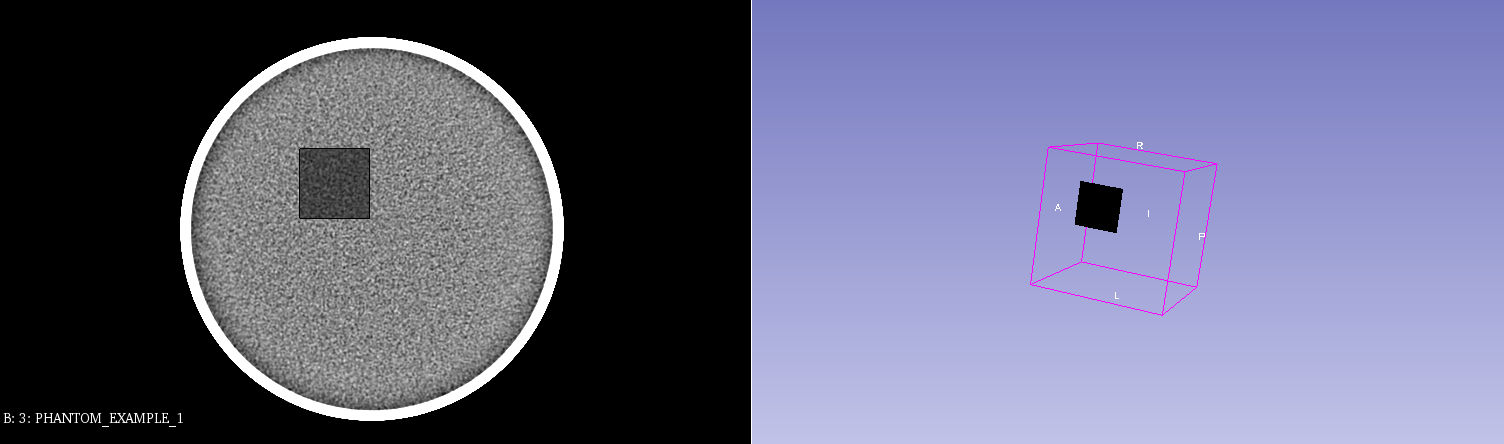
The results of a generated ROI with a dummy mask, as viewed in Slicer.
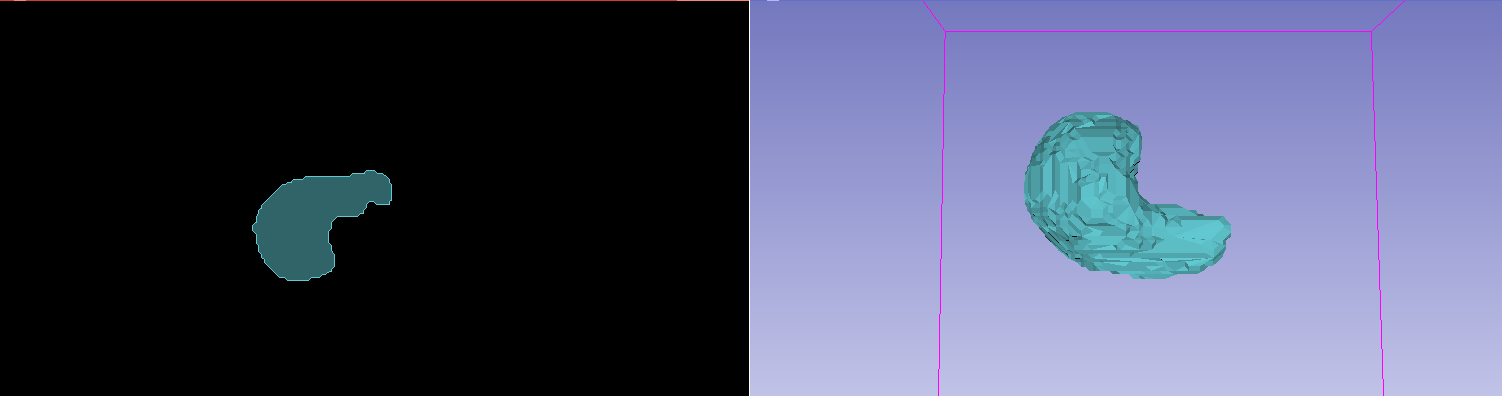
The results of a generated ROI with a liver segmentation model, as viewed in Slicer. (Note the underlying patient data has been hidden)
Loading an existing RT Struct contour as a mask
from rt_utils import RTStructBuilder
import matplotlib.pyplot as plt

# Load existing RT Struct. Requires the series path and existing RT Struct path
rtstruct = RTStructBuilder.create_from(
  dicom_series_path="./testlocation",
  rt_struct_path="./testlocation/rt-struct.dcm"
)

# View all of the ROI names from within the image
print(rtstruct.get_roi_names())

# Loading the 3D Mask from within the RT Struct
mask_3d = rtstruct.get_roi_mask_by_name("ROI NAME")

# Display one slice of the region
first_mask_slice = mask_3d[:, :, 0]
plt.imshow(first_mask_slice)
plt.show()
Loading Results
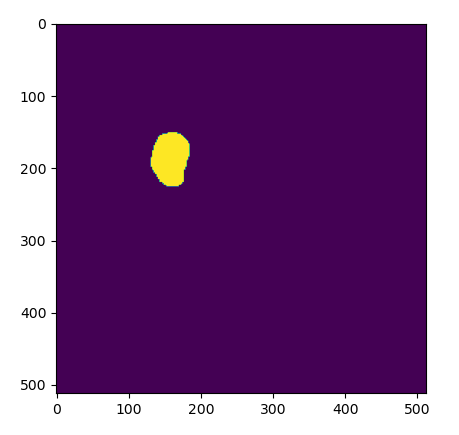
The results of a loading an exisiting ROI as a mask, as viewed in Python.
Release history Release notifications | RSS feed


Download files
Download the file for your platform. If you're not sure which to choose, learn more about installing packages.
Source Distribution
Built Distribution
Filter files by name, interpreter, ABI, and platform.
If you're not sure about the file name format, learn more about wheel file names.
Copy a direct link to the current filters
File details
Details for the file rt-utils-1.1.0.tar.gz.
File metadata
- Download URL: rt-utils-1.1.0.tar.gz
- Upload date:
- Size: 13.9 kB
- Tags: Source
- Uploaded using Trusted Publishing? No
- Uploaded via: twine/3.3.0 pkginfo/1.7.0 requests/2.25.1 setuptools/40.6.2 requests-toolbelt/0.9.1 tqdm/4.58.0 CPython/3.6.13
File hashes
| Algorithm | Hash digest | |
|---|---|---|
| SHA256 |
9f52a71afc1ba9bf4d0e3a4c9f6d5e5d1043b8c9714f4d8dbcdd7135c2dd8124
|
|
| MD5 |
cfdbd027aa371b128b79ad7b938cc732
|
|
| BLAKE2b-256 |
4ad9de878447c5bd81a691a0fb182ac3a761b718db7030809664e3d241e035fc
|
File details
Details for the file rt_utils-1.1.0-py3-none-any.whl.
File metadata
- Download URL: rt_utils-1.1.0-py3-none-any.whl
- Upload date:
- Size: 16.0 kB
- Tags: Python 3
- Uploaded using Trusted Publishing? No
- Uploaded via: twine/3.3.0 pkginfo/1.7.0 requests/2.25.1 setuptools/40.6.2 requests-toolbelt/0.9.1 tqdm/4.58.0 CPython/3.6.13
File hashes
| Algorithm | Hash digest | |
|---|---|---|
| SHA256 |
5cae7209712f5bd08055051c1b1f898e93ac23f72594ea57f2d8ead7ceef0538
|
|
| MD5 |
4f38346e1072d1e6f084c0edc3c9f7e2
|
|
| BLAKE2b-256 |
9d263454e8ccda65bcbc498176ee0fd32827f9bd6b06568b87e94dc9b868f479
|






