
A library for real-time pose estimation.

Project description
rtmlib
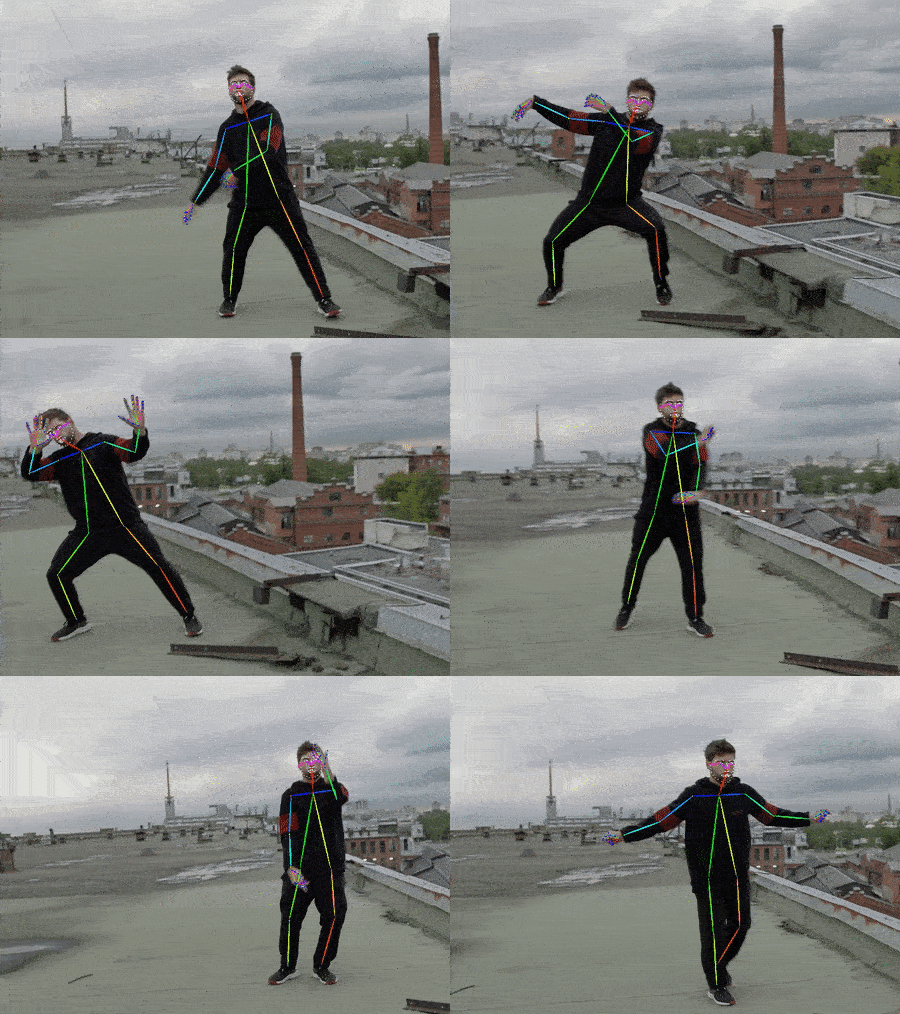
rtmlib is a super lightweight library to conduct pose estimation based on RTMPose models WITHOUT any dependencies like mmcv, mmpose, mmdet, etc.
Basically, rtmlib only requires these dependencies:
- numpy
- opencv-python
- opencv-contrib-python
- onnxruntime
Optionally, you can use other common backends like opencv, onnxruntime, openvino, tensorrt to accelerate the inference process.
- For openvino users, please add the path
<your python path>\envs\<your env name>\Lib\site-packages\openvino\libsinto your environment path.
Installation
- install from pypi:
pip install rtmlib -i https://pypi.org/simple
- install from source code:
git clone https://github.com/Tau-J/rtmlib.git
cd rtmlib

pip install -r requirements.txt

pip install -e .

# [optional]
# pip install onnxruntime-gpu
# pip install openvino
Quick Start
Here is a simple demo to show how to use rtmlib to conduct pose estimation on a single image.
import cv2

from rtmlib import Wholebody, draw_skeleton

device = 'cpu'  # cpu, cuda, mps
backend = 'onnxruntime'  # opencv, onnxruntime, openvino
img = cv2.imread('./demo.jpg')

openpose_skeleton = False  # True for openpose-style, False for mmpose-style

wholebody = Wholebody(to_openpose=openpose_skeleton,
                      mode='balanced',  # 'performance', 'lightweight', 'balanced'. Default: 'balanced'
                      backend=backend, device=device)

keypoints, scores = wholebody(img)

# visualize

# if you want to use black background instead of original image,
# img_show = np.zeros(img_show.shape, dtype=np.uint8)

img_show = draw_skeleton(img_show, keypoints, scores, kpt_thr=0.5)


cv2.imshow('img', img_show)
cv2.waitKey()
WebUI
Run webui.py:
# Please make sure you have installed gradio
# pip install gradio

python webui.py

APIs
- Solutions (High-level APIs)
- Models (Low-level APIs)
- Visualization
For high-level APIs (Solution), you can choose to pass mode or det+pose arguments to specify the detector and pose estimator you want to use.
# By mode
wholebody = Wholebody(mode='performance',  # 'performance', 'lightweight', 'balanced'. Default: 'balanced'
                      backend=backend,
                      device=device)

# By det and pose
body = Body(det='https://download.openmmlab.com/mmpose/v1/projects/rtmposev1/onnx_sdk/yolox_x_8xb8-300e_humanart-a39d44ed.zip',
            det_input_size=(640, 640),
            pose='https://download.openmmlab.com/mmpose/v1/projects/rtmposev1/onnx_sdk/rtmpose-x_simcc-body7_pt-body7_700e-384x288-71d7b7e9_20230629.zip',
            pose_input_size=(288, 384),
            backend=backend,
            device=device)
For low-level APIs (Model), you can specify the model you want to use by passing the onnx_model argument.
# By onnx_model (.onnx)
pose_model = RTMPose(onnx_model='/path/to/your_model.onnx',  # download link or local path
                     backend=backend, device=device)

# By onnx_model (.zip)
pose_model = RTMPose(onnx_model='https://download.openmmlab.com/mmpose/v1/projects/rtmposev1/onnx_sdk/rtmpose-m_simcc-body7_pt-body7_420e-256x192-e48f03d0_20230504.zip',  # download link or local path
                     backend=backend, device=device)
Model Zoo
By defaults, rtmlib will automatically download and apply models with the best performance.
More models can be found in RTMPose Model Zoo.
Detectors
Person
Notes:
- Models trained on HumanArt can detect both real human and cartoon characters.
- Models trained on COCO can only detect real human.
| ONNX Model | Input Size | AP (person) | Description |
|---|---|---|---|
| YOLOX-l | 640x640 | - | trained on COCO |
| YOLOX-nano | 416x416 | 38.9 | trained on HumanArt+COCO |
| YOLOX-tiny | 416x416 | 47.7 | trained on HumanArt+COCO |
| YOLOX-s | 640x640 | 54.6 | trained on HumanArt+COCO |
| YOLOX-m | 640x640 | 59.1 | trained on HumanArt+COCO |
| YOLOX-l | 640x640 | 60.2 | trained on HumanArt+COCO |
| YOLOX-x | 640x640 | 61.3 | trained on HumanArt+COCO |
Pose Estimators
Body 17 Keypoints
| ONNX Model | Input Size | AP (COCO) | Description |
|---|---|---|---|
| RTMPose-t | 256x192 | 65.9 | trained on 7 datasets |
| RTMPose-s | 256x192 | 69.7 | trained on 7 datasets |
| RTMPose-m | 256x192 | 74.9 | trained on 7 datasets |
| RTMPose-l | 256x192 | 76.7 | trained on 7 datasets |
| RTMPose-l | 384x288 | 78.3 | trained on 7 datasets |
| RTMPose-x | 384x288 | 78.8 | trained on 7 datasets |
| RTMO-s | 640x640 | 68.6 | trained on 7 datasets |
| RTMO-m | 640x640 | 72.6 | trained on 7 datasets |
| RTMO-l | 640x640 | 74.8 | trained on 7 datasets |
Body 26 Keypoints
| ONNX Model | Input Size | AUC (Body8) | Description |
|---|---|---|---|
| RTMPose-t | 256x192 | 66.35 | trained on 7 datasets |
| RTMPose-s | 256x192 | 68.62 | trained on 7 datasets |
| RTMPose-m | 256x192 | 71.91 | trained on 7 datasets |
| RTMPose-l | 256x192 | 73.19 | trained on 7 datasets |
| RTMPose-m | 384x288 | 73.56 | trained on 7 datasets |
| RTMPose-l | 384x288 | 74.38 | trained on 7 datasets |
| RTMPose-x | 384x288 | 74.82 | trained on 7 datasets |
WholeBody 133 Keypoints
| ONNX Model | Input Size | AP (Whole) | Description |
|---|---|---|---|
| DWPose-t | 256x192 | 48.5 | trained on COCO-Wholebody+UBody |
| DWPose-s | 256x192 | 53.8 | trained on COCO-Wholebody+UBody |
| DWPose-m | 256x192 | 60.6 | trained on COCO-Wholebody+UBody |
| DWPose-l | 256x192 | 63.1 | trained on COCO-Wholebody+UBody |
| DWPose-l | 384x288 | 66.5 | trained on COCO-Wholebody+UBody |
| RTMW-m | 256x192 | 58.2 | trained on 14 datasets |
| RTMW-l | 256x192 | 66.0 | trained on 14 datasets |
| RTMW-l | 384x288 | 70.1 | trained on 14 datasets |
| RTMW-x | 384x288 | 70.2 | trained on 14 datasets |
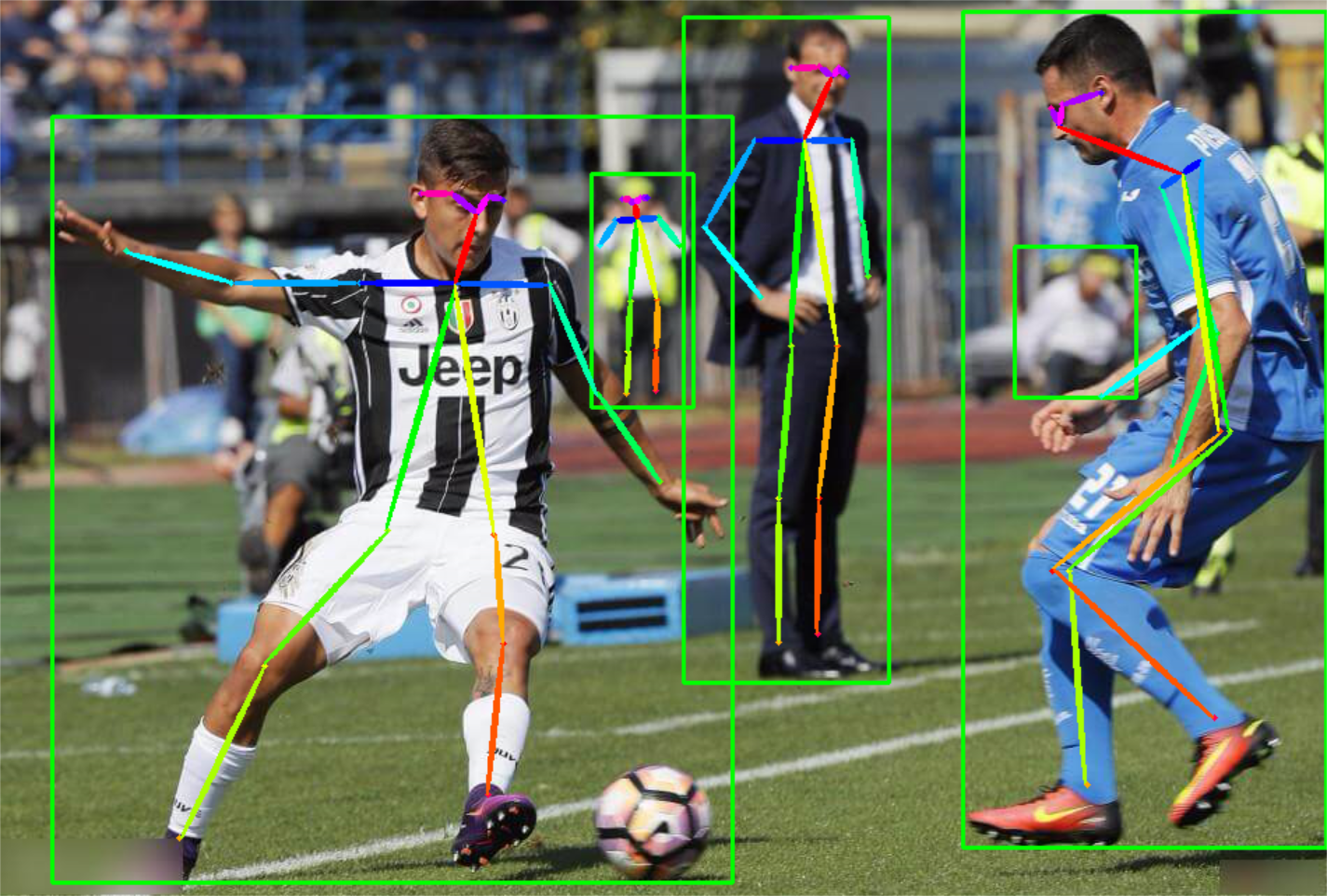
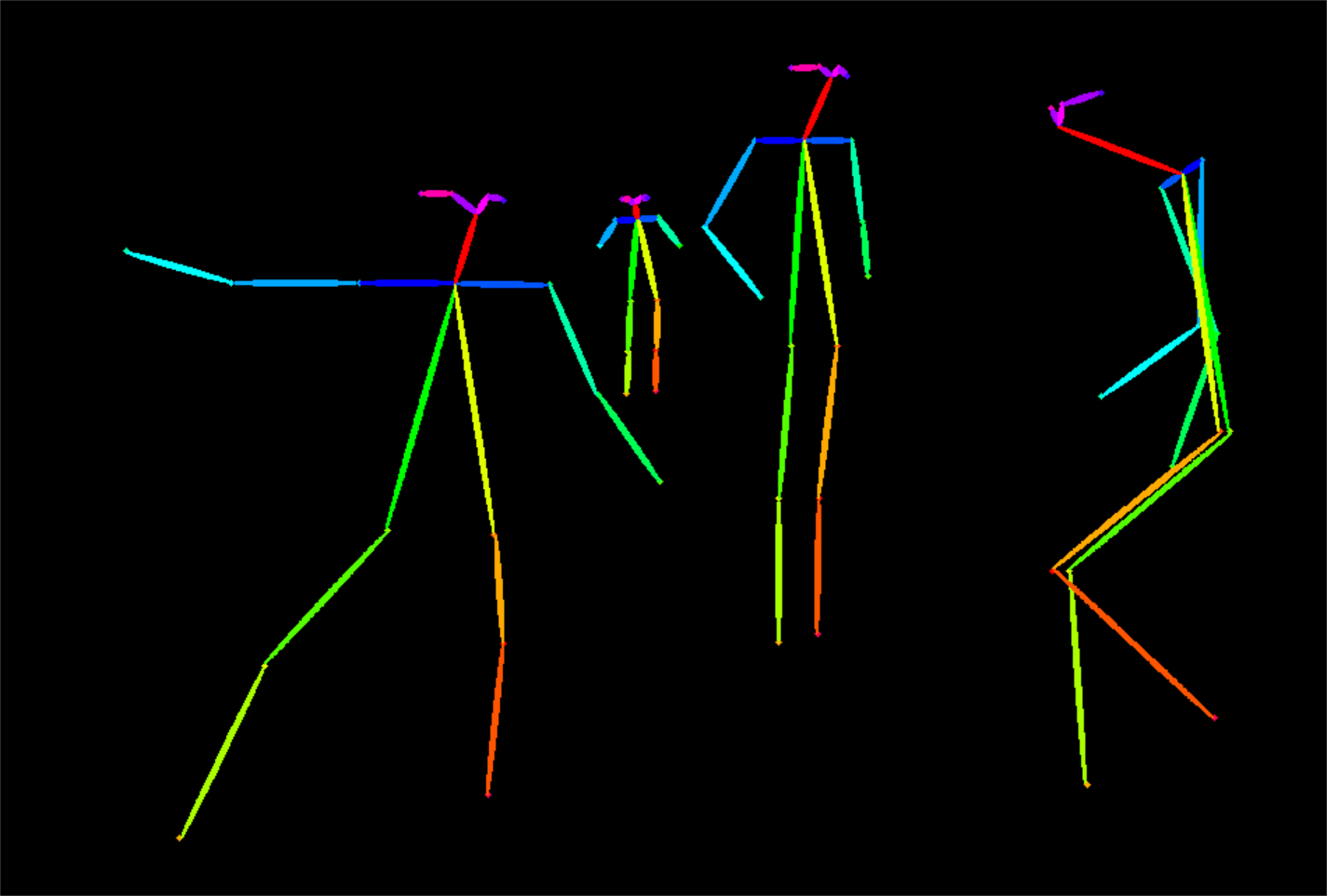
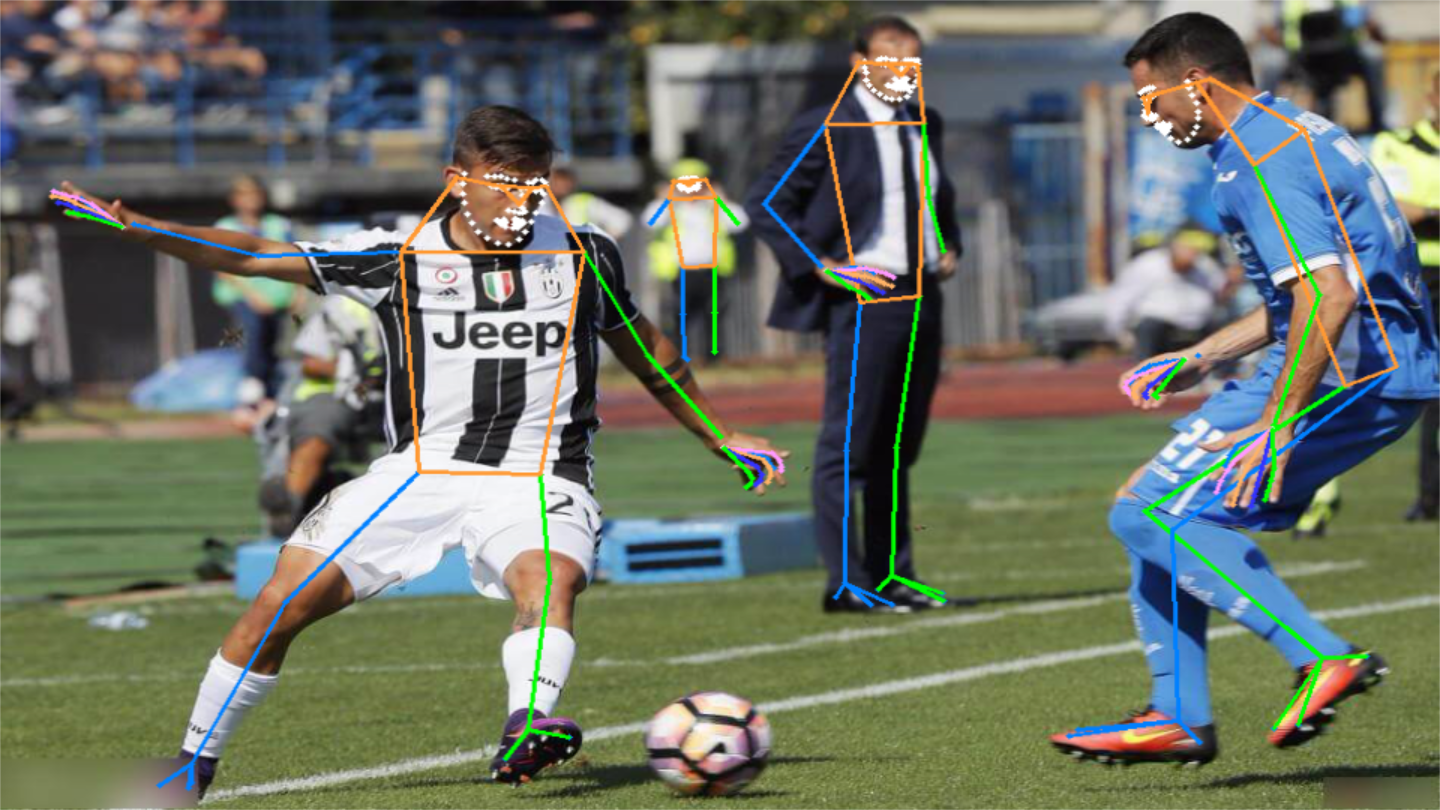
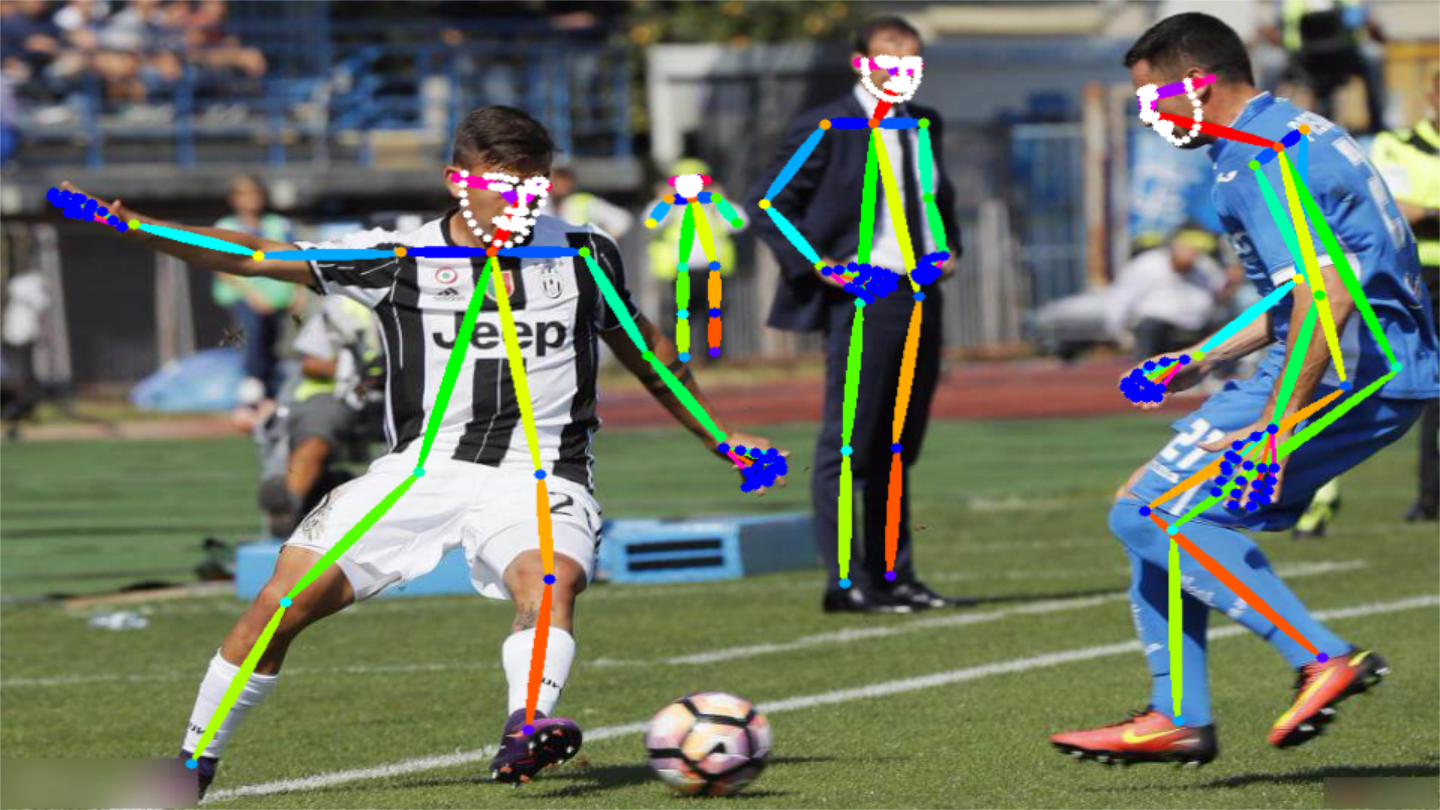
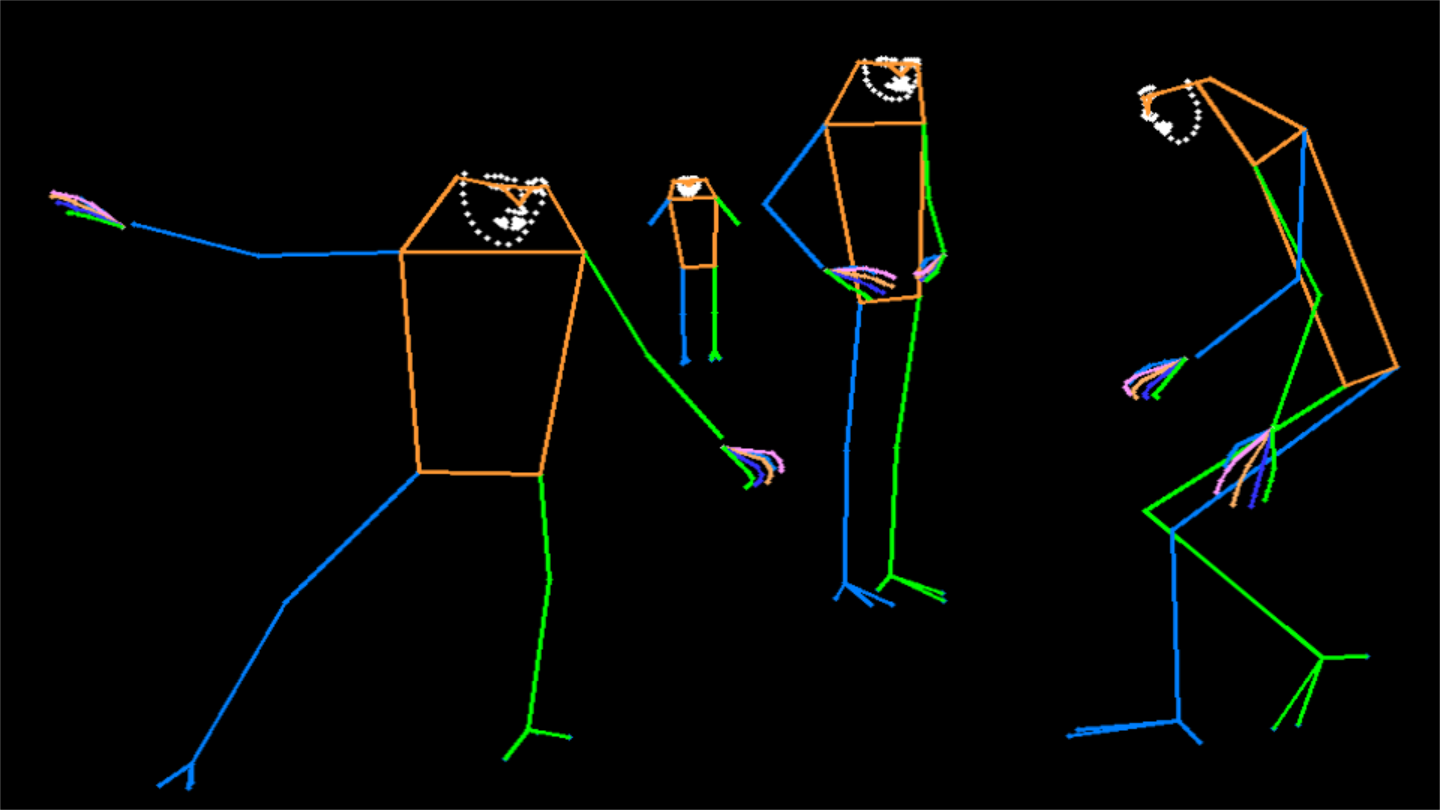
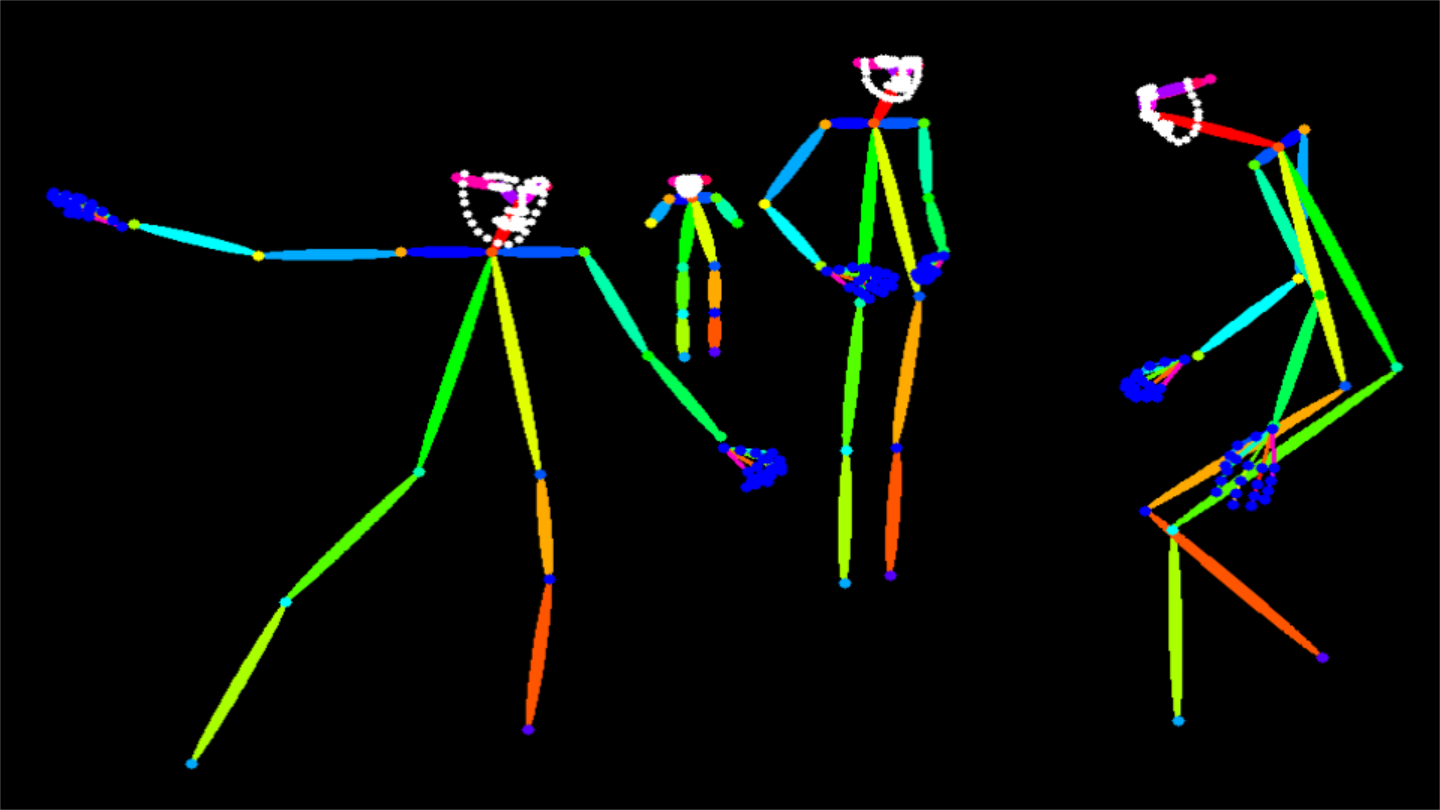
Visualization
| MMPose-style | OpenPose-style |
|---|---|
 |
 |
 |
 |
 |
 |
 |
 |
Citation
@misc{rtmlib,
  title={rtmlib},
  author={Jiang, Tao},
  year={2023},
  howpublished = {\url{https://github.com/Tau-J/rtmlib}},
}

@misc{jiang2023,
  doi = {10.48550/ARXIV.2303.07399},
  url = {https://arxiv.org/abs/2303.07399},
  author = {Jiang, Tao and Lu, Peng and Zhang, Li and Ma, Ningsheng and Han, Rui and Lyu, Chengqi and Li, Yining and Chen, Kai},
  keywords = {Computer Vision and Pattern Recognition (cs.CV), FOS: Computer and information sciences, FOS: Computer and information sciences},
  title = {RTMPose: Real-Time Multi-Person Pose Estimation based on MMPose},
  publisher = {arXiv},
  year = {2023},
  copyright = {Creative Commons Attribution 4.0 International}
}

@misc{lu2023rtmo,
      title={{RTMO}: Towards High-Performance One-Stage Real-Time Multi-Person Pose Estimation},
      author={Peng Lu and Tao Jiang and Yining Li and Xiangtai Li and Kai Chen and Wenming Yang},
      year={2023},
      eprint={2312.07526},
      archivePrefix={arXiv},
      primaryClass={cs.CV}
}

@misc{jiang2024rtmwrealtimemultiperson2d,
      title={RTMW: Real-Time Multi-Person 2D and 3D Whole-body Pose Estimation},
      author={Tao Jiang and Xinchen Xie and Yining Li},
      year={2024},
      eprint={2407.08634},
      archivePrefix={arXiv},
      primaryClass={cs.CV},
      url={https://arxiv.org/abs/2407.08634},
}
Acknowledgement
Our code is based on these repos:
Release history Release notifications | RSS feed


Download files
Download the file for your platform. If you're not sure which to choose, learn more about installing packages.
Source Distribution
Built Distribution
Filter files by name, interpreter, ABI, and platform.
If you're not sure about the file name format, learn more about wheel file names.
Copy a direct link to the current filters
File details
Details for the file rtmlib_flip-1.0.14.tar.gz.
File metadata
- Download URL: rtmlib_flip-1.0.14.tar.gz
- Upload date:
- Size: 42.5 kB
- Tags: Source
- Uploaded using Trusted Publishing? No
- Uploaded via: twine/6.0.1 CPython/3.8.20
File hashes
| Algorithm | Hash digest | |
|---|---|---|
| SHA256 |
4064eca25c8c58ad05c83bd635c8761a425892c5de2926bc91a11346186abdd4
|
|
| MD5 |
981fc4ce5a341da127be69a739415678
|
|
| BLAKE2b-256 |
ad535abaf1effec67938ac6abaf5b8fa9c9983d8c31cd4b5940d2d4a95680e11
|
File details
Details for the file rtmlib_flip-1.0.14-py3-none-any.whl.
File metadata
- Download URL: rtmlib_flip-1.0.14-py3-none-any.whl
- Upload date:
- Size: 50.2 kB
- Tags: Python 3
- Uploaded using Trusted Publishing? No
- Uploaded via: twine/6.0.1 CPython/3.8.20
File hashes
| Algorithm | Hash digest | |
|---|---|---|
| SHA256 |
6a8527a89cbfb22677a916a087019bbd73614eb9f63a741e2034142842b90a02
|
|
| MD5 |
69b9f816c688aedf958ec75dbf23b513
|
|
| BLAKE2b-256 |
2ef86fc82370dd3fabec349ad3ce36b7fe21ff43f9b3ef9e26574d811523ea94
|






