
Turn Python calculations into well-formatted, math-rich documents.

Project description
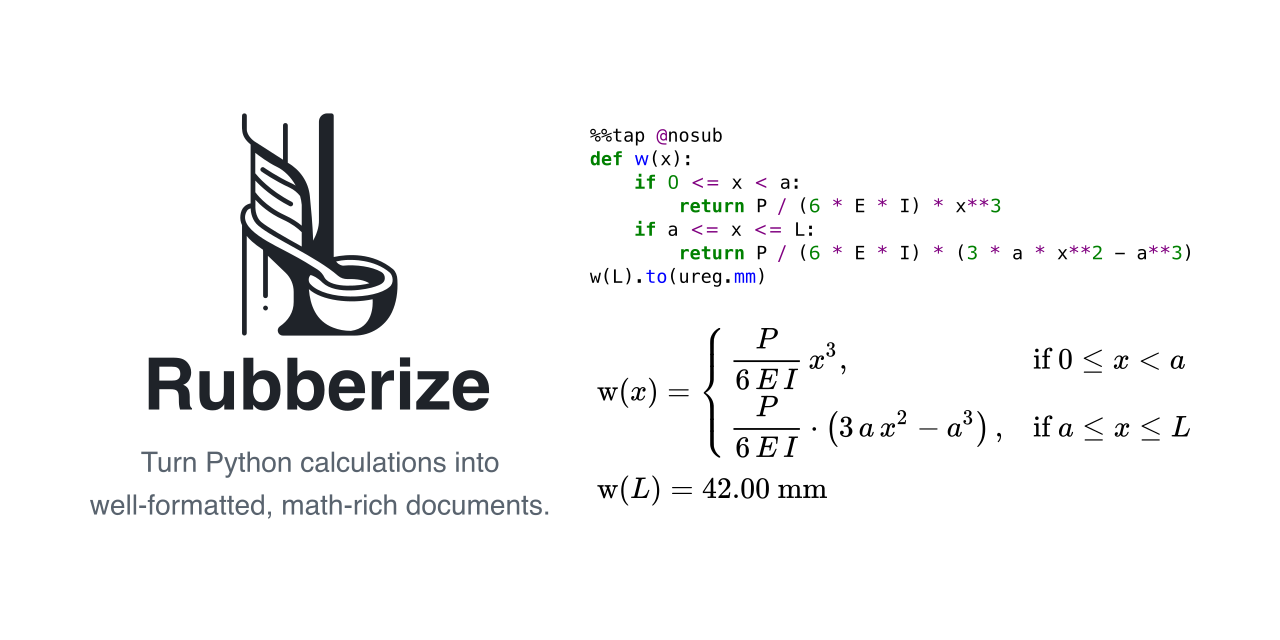
Rubberize
Rubberize converts raw Python code into readable mathematical notation so calculations can be clearly presented, reviewed, and documented.
Who is Rubberize For?
Rubberize is designed for:
- Scientists and Engineers: Simplify the presentation of complex calculations in Jupyter notebooks by rendering them as clear, typeset math.
- Educators and Students: Create visually appealing and easy-to-understand mathematical explanations directly from Python code.
- Technical Writers: Generate LaTeX representations of Python calculations for seamless integration into professional-grade documents.
If you work with Python code that involves mathematical computations and want to bridge the gap between raw code and polished documentation, Rubberize is for you!
Installation
Install Rubberize with pip:
pip install rubberize
To include dependencies that allow Rubberize to be used with Jupyter Notebooks:
pip install rubberize[jupyter]
Quick Start
[!WARNING] Use of
eval(): This project uses Python's built-ineval()to evaluate some expressions. Since it executes code already present in the input source (e.g., a Jupyter cell or script), it poses no additional risk in such environments. However, be cautious when handling untrusted inputs outside controlled settings.
In a Jupyter notebook, load the extension:
%load_ext rubberize
Use the %%tap magic:
%%tap
import math
a = 3
b = 4
c = math.sqrt(a**2 + b**2)
$\displaystyle a = 3$
$\displaystyle b = 4$
$\displaystyle c = \sqrt{a^{2} + b^{2}} = \sqrt{3^{2} + 4^{2}} = 5.00$
Documentation
Full tutorials, configuration options, and examples are found in Rubberize Documentation.
Why The Names?
Rubberize is inspired by tapping rubber trees for latex.
The %%tap command taps a code cell and extracts LaTeX, turning ordinary Python calculations into structured mathematical output.
Contributing
If you’re interested in contributing or mentoring, please feel free to contact me. I’m eager to collaborate to make Rubberize even better.
Setting Up for Development
Clone the repository:
git clone https://github.com/chitoperalta/rubberize.git
cd rubberize
Set up a virtual environment (recommended):
python -m venv .venv
source .venv/bin/activate
# Windows: .venv\Scripts\activate
Install Rubberize in editable mode with development dependencies:
pip install -e ".[dev]"
License
MIT License © 2025-2026 Chito Peralta and contributors.
Release history Release notifications | RSS feed


Download files
Download the file for your platform. If you're not sure which to choose, learn more about installing packages.
Source Distribution
Built Distribution
Filter files by name, interpreter, ABI, and platform.
If you're not sure about the file name format, learn more about wheel file names.
Copy a direct link to the current filters
File details
Details for the file rubberize-0.4.0.tar.gz.
File metadata
- Download URL: rubberize-0.4.0.tar.gz
- Upload date:
- Size: 62.4 kB
- Tags: Source
- Uploaded using Trusted Publishing? No
- Uploaded via: twine/6.2.0 CPython/3.13.5
File hashes
| Algorithm | Hash digest | |
|---|---|---|
| SHA256 |
419a005ebe9e5e92a07864fe45ee8a1a0b8712a76bded6f8df5b11406fe746d5
|
|
| MD5 |
b540281630b537357531f09828d925f6
|
|
| BLAKE2b-256 |
f719eda2ad55f5c7844fa962419b831b7eba8f32d5089f959346737c09dcf1a7
|
File details
Details for the file rubberize-0.4.0-py3-none-any.whl.
File metadata
- Download URL: rubberize-0.4.0-py3-none-any.whl
- Upload date:
- Size: 76.6 kB
- Tags: Python 3
- Uploaded using Trusted Publishing? No
- Uploaded via: twine/6.2.0 CPython/3.13.5
File hashes
| Algorithm | Hash digest | |
|---|---|---|
| SHA256 |
d473838f6d6e44a7718583f0ad72a908bd12f0a37906a313fdc9a48e3014acf9
|
|
| MD5 |
1346cc914148ac3ac301d734ffd1a159
|
|
| BLAKE2b-256 |
8b7947c3676377d74b18448b8b9a8322c60b4596197f7ddd03ae42857f64dc66
|






