
Runspector — AI running coach and Garmin MCP server
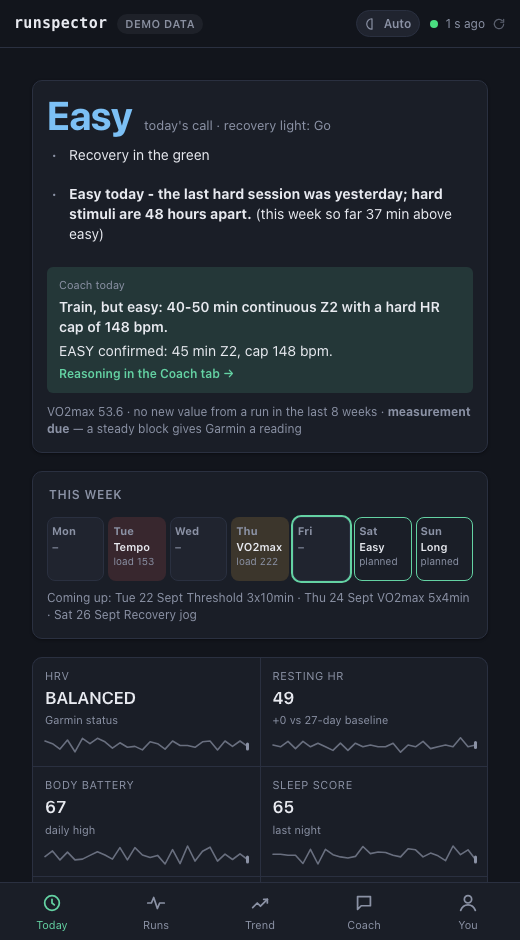
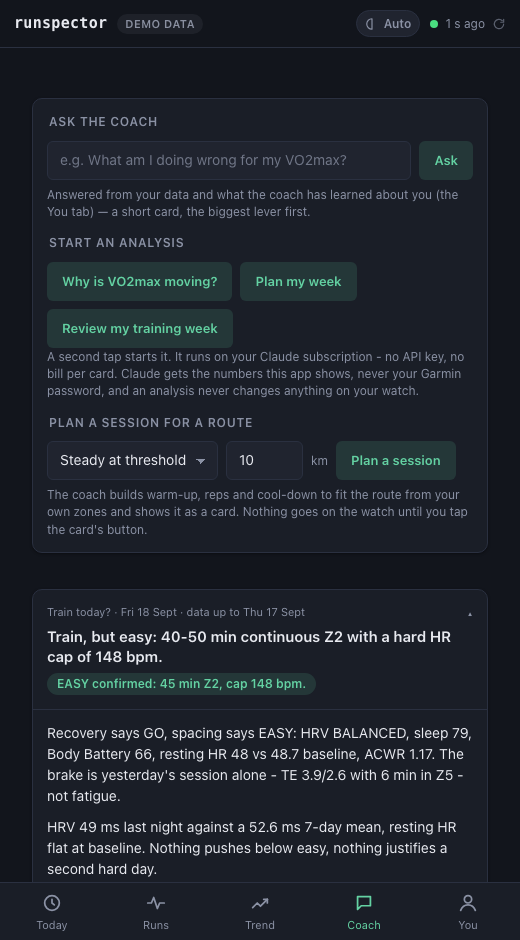
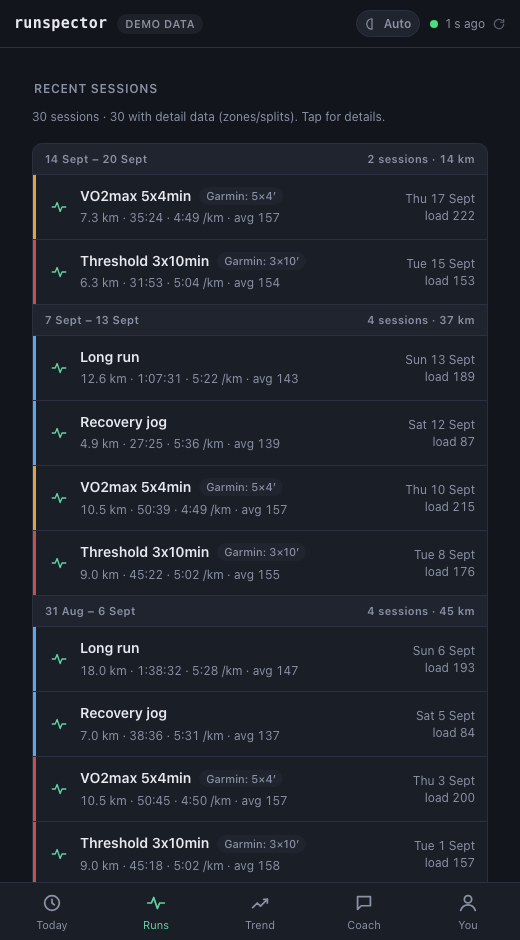
A local-first AI running coach for your Garmin data. Runspector syncs your Garmin Connect data into a SQLite file on your own machine, decides today's training (GO / EASY / REST) with a deterministic readiness engine, and lets Claude explain that decision and plan the week with you: in a small web app, or as an MCP server for Claude Code and Claude Desktop. Nothing reaches your watch without your yes.
Formerly runcoach-ai. Source, full documentation and the design decisions:
github.com/edxleon/runspector.
Quick start
uv tool install runspector    # needs uv: https://docs.astral.sh/uv/
# without uv:                 pipx install runspector
runspector serve --demo       # look around without any account
runspector serve              # the real thing: opens http://127.0.0.1:8765, sign in to Garmin there
Coach cards run on Claude Code on your machine, with your own
Claude sign-in: install it and run claude auth login once. It needs a paid Claude plan (Pro, Max,
Team or Enterprise) or an Anthropic API account; no API key is needed on a plan. Without Claude Code,
coach in the Claude Desktop chat instead (below). Everything except the coach works without Claude.
Step by step: Connecting Claude.
In Claude Code or Claude Desktop
claude mcp add runspector -- runspector mcp
# then ask: "should I train today?"
Or, without installing it first, in an MCP client's JSON configuration:
{ "mcpServers": { "runspector": { "command": "uvx", "args": ["runspector", "mcp"] } } }
Sign in to Garmin once before that: runspector login (or uvx runspector login).
Good to know
- Your Garmin password goes to Garmin once, to sign in; only the session token is kept, in a folder only your user account can read.
- Not affiliated with Garmin. It uses the unofficial python-garminconnect library against your own account.
- A training tool, not medical advice.
MIT licensed. Issues: github.com/edxleon/runspector/issues.
1 maintainer

Metadata
1 maintainer
Release files for runspector 0.6.0
For a detailed explanation of source distributions (sdists) and built distributions (wheels), please see the package formats documentation.
Source distribution (sdist)
| File | Size | Uploaded | Provenance | Actions |
|---|---|---|---|---|
| runspector-0.6.0.tar.gz | 9.8 MB | With provenance | Details for runspector-0.6.0.tar.gz |
Built distribution (wheel)
| File | Interpreter | ABI | Platform | Actions Reset |
|---|---|---|---|---|
| runspector-0.6.0-py3-none-any.whl | Python 3 | none | any | Details for runspector-0.6.0-py3-none-any.whl |
Total release size: 10.1 MB
Release files / runspector-0.6.0.tar.gz
| Download URL | runspector-0.6.0.tar.gz |
|---|---|
| Size | 9.8 MB |
| Tags | Source |
|
SHA-256 checksum How to use checksums |
1c440173f3475e9ee31517d0217978bea2e749d098fd76a98e411aa3f1ad663a
|
|
BLAKE2b-256 checksum How to use checksums |
756a0c4e1a7cfd8a9aba4b9bfdef31ebf9d11b3736b303f2481fa01914e98cf3
|
| Upload date | |
|
Uploaded using Trusted Publishing? What is trusted publishing? |
Yes |
| Uploaded via |
twine/7.0.0 CPython/3.13.14
|
Provenance
Provenance describes where a file came from. On PyPI, provenance is shared via attestations, which provide a verifiable record of the build or publishing details. View details, limitations and caveats.


PyPI Publish Attestation
PyPI verified that this artifact, at this checksum, originated from the publisher listed below.
Signed by GitHub Actions, verified by PyPI on Oct 31, 2026.
Transparency logRelease files / runspector-0.6.0-py3-none-any.whl
| Download URL | runspector-0.6.0-py3-none-any.whl |
|---|---|
| Size | 317.0 kB |
| Tags | Python 3 |
|
SHA-256 checksum How to use checksums |
91dbc0b73e3b1146bf1ae069094806a3807cd2c2ebcac01041005cfb4cecb579
|
|
BLAKE2b-256 checksum How to use checksums |
2ed532d60dea8a472a71a032f901866e92d46346e70edc4244f17259b4981100
|
| Upload date | |
|
Uploaded using Trusted Publishing? What is trusted publishing? |
Yes |
| Uploaded via |
twine/7.0.0 CPython/3.13.14
|
Provenance
Provenance describes where a file came from. On PyPI, provenance is shared via attestations, which provide a verifiable record of the build or publishing details. View details, limitations and caveats.
PyPI Publish Attestation
PyPI verified that this artifact, at this checksum, originated from the publisher listed below.
Signed by GitHub Actions, verified by PyPI on Oct 31, 2026.
Transparency logSecurity for runspector 0.6.0
Provenance
Provenance describes where a file came from. On PyPI, provenance is shared via attestations, which provide a verifiable record of the build or publishing details. View details, limitations and caveats.
Full provenance
All 2 files in this release have been uploaded with provenance metadata.
Attestation for runspector-0.6.0.tar.gz
PyPI Publish Attestation
PyPI verified that this artifact, at this checksum, originated from the publisher listed below.
Signed by GitHub Actions, verified by PyPI on Oct 31, 2026.
Transparency logA note on package security
PyPI is a repository for distributing packages, not a service for auditing them. While third-party security researchers and our staff do their best to detect and remove malicious packages, PyPI cannot guarantee the quality, security or suitability of any given package.
To learn more about protecting yourself from malicious actors, visit our package security documentation.














