
Robotics, Vision & Control: 3rd edition in Python (2023)
Status & Project Health




Ecosystem & Dependencies


[!NOTE] Actively maintained — August 2026. Every chapter notebook, the CLI tools (
rvctool,bdsim_path,rvc3-model), and the packaging have been re-verified against current RTB/MVTB/SMTB/bdsim releases and fixed where they'd drifted. Seeerrata.mdfor the full list of what changed and why.
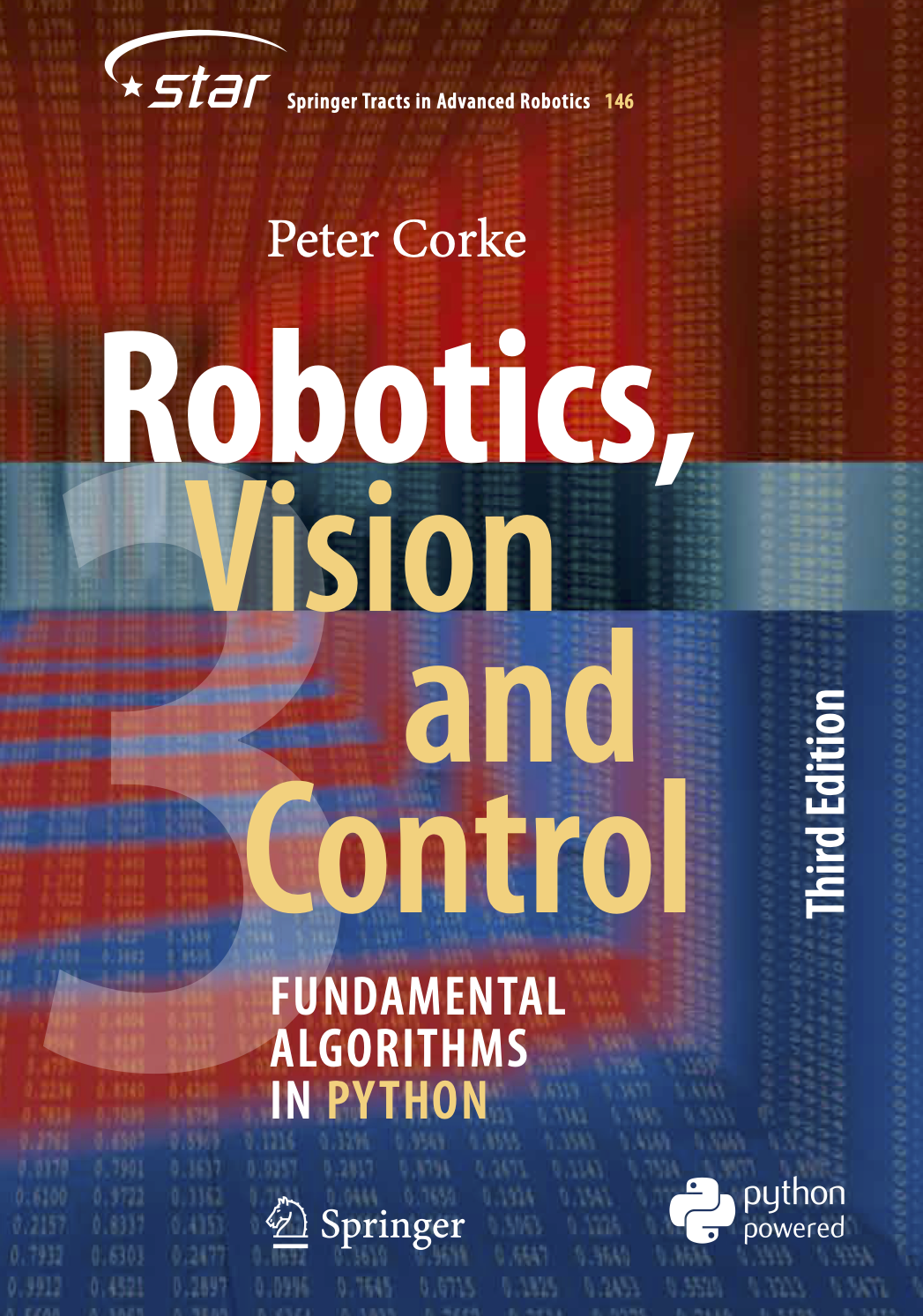
|
Welcome to the online hub for the book:
Report an issue with the book or its supporting code here. Known errata for the book can be viewed here. |
This book uses many examples based on the following open-source Python packages
Robotics Toolbox for Python, Machine Vision Toolbox for Python, Spatial Maths Toolbox for Python, Block Diagram Simulation for Python. These in turn have dependencies on other packages created by the author and third parties.
Installing the package
This package provides a simple one-step installation of all the required Toolboxes
pip install rvc3python
or
conda install rvc3python
There are a lot of dependencies and this might take a minute or so. You now have a very powerful computing environment for robotics and computer vision.
To check everything installed and works correctly, run
rvctool --test
This is a quick, non-interactive check that prints package versions and exercises one real code path per toolbox (RTB, MVTB, spatialgeometry, spatialmath, bdsim, and Open3D if installed), reporting PASS/FAIL for each rather than just "it imported".
[!NOTE]
pip/conda installgives you the importable support code only. Jupyter notebooks, figure-generation scripts, and example data live in this GitHub repo — see Additional book resources below, or justgit clonenow.
Python version
rvc3python requires Python 3.10 or later.
A handful of book examples need extra, optional packages that aren't installed by default — each has its own platform or Python-version limits, worth knowing about before you hit them as a surprise rather than as a bug:
- PyTorch (
pip install rvc3python[pytorch]) — used for the segmentation and object-detection examples in Chapter 12. Check current platform support before installing. - Open3D (
pip install machinevision-toolbox-python[open3d]) — used for the point cloud examples in Chapter 14. Doesn't yet ship wheels for Python 3.13+. - coal (
pip install roboticstoolbox-python[collision]) — used for the collision-checking examples in Chapter 7. Not available on Windows.
Installing into a Conda environment
It's probably a good idea to create a virtual environment to keep this package and its dependencies separated from your other Python code and projects. If you've never used virtual environments before this might be a good time to start, and it is really easy using Conda:
conda create -n RVC3 python=3.12
conda activate RVC3
pip install rvc3python
Installing deep learning tools
Chapter 12 has some deep learning examples based on PyTorch. If you don't have
PyTorch installed you can use the pytorch install option
pip install rvc3python[pytorch]
or
conda install rvc3python
Additional book resources
This GitHub repo provides additional resources for readers including:
- Jupyter notebooks containing all code lines from each chapter, see
the
notebooksfolder - The code to produce every Python/Matplotlib (2D) figure in the book, see the
figuresfolder - 3D points clouds from chapter 14, and the code to create them, see
the
figures/pointcloudsfolder. - 3D figures from chapters 2-3, 7-9, and the code to create them, see the
figures/3dfolder. - All example scripts, see the
RVC3/examplesfolder. - To run the visual odometry example in Sect. 14.8.3 you need to download two image sequence, each over 100MB, see the instructions here.
To get that material you must clone the repo
git clone https://github.com/petercorke/RVC3-python.git
Using the Toolboxes
The simplest way to get going is to use the command line tool
$ rvctool
 ____       _           _   _             __     ___     _                ___      ____            _             _   _____
|  _ \ ___ | |__   ___ | |_(_) ___ ___    \ \   / (_)___(_) ___  _ __    ( _ )    / ___|___  _ __ | |_ _ __ ___ | | |___ /
| |_) / _ \| '_ \ / _ \| __| |/ __/ __|    \ \ / /| / __| |/ _ \| '_ \   / _ \/\ | |   / _ \| '_ \| __| '__/ _ \| |   |_ \
|  _ < (_) | |_) | (_) | |_| | (__\__ \_    \ V / | \__ \ | (_) | | | | | (_>  < | |__| (_) | | | | |_| | | (_) | |  ___) |
|_| \_\___/|_.__/ \___/ \__|_|\___|___( )    \_/  |_|___/_|\___/|_| |_|  \___/\/  \____\___/|_| |_|\__|_|  \___/|_| |____/
                                      |/

for Python (RTB==1.3.1, MVTB==2.3.0, SG==1.3.0, SMTB==1.1.16, NumPy==2.5.2, SciPy==1.18.0, Matplotlib==3.11.1)

    import math
    import numpy as np
    from scipy import linalg, optimize
    import matplotlib.pyplot as plt
    from spatialmath import *
    from spatialmath.base import *
    from spatialmath.base import sym
    from spatialgeometry import *
    from roboticstoolbox import *
    from machinevisiontoolbox import *
    import machinevisiontoolbox.base as mvb

    # useful variables
    from math import pi
    puma = models.DH.Puma560()
    panda = models.DH.Panda()

    func/object?       - show brief help
    help(func/object)  - show detailed help
    func/object??      - show source code

Results of assignments will be displayed, use trailing ; to suppress

Default numeric formatting: %.3g

RVC3 >>>
This provides an interactive Python (IPython) session with all the Toolboxes and supporting packages imported, and ready to go. It's a highly capable, convenient, and "MATLAB-like" workbench environment for robotics and computer vision.
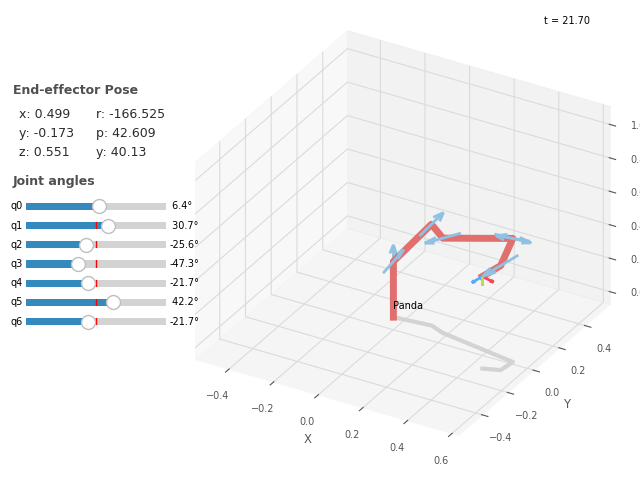
For example to load an ETS model of a Panda robot, solve a forward kinematics and inverse kinematics problem, and an interactive graphical display is simply:
RVC3 >>> panda = models.ETS.Panda()
ERobot: Panda (by Franka Emika), 7 joints (RRRRRRR)
┌─────┬───────┬───────┬────────┬─────────────────────────────────────────────┐
│link │ link  │ joint │ parent │             ETS: parent to link             │
├─────┼───────┼───────┼────────┼─────────────────────────────────────────────┤
│   0 │ link0 │     0 │ BASE   │ tz(0.333) ⊕ Rz(q0)                          │
│   1 │ link1 │     1 │ link0  │ Rx(-90°) ⊕ Rz(q1)                           │
│   2 │ link2 │     2 │ link1  │ Rx(90°) ⊕ tz(0.316) ⊕ Rz(q2)                │
│   3 │ link3 │     3 │ link2  │ tx(0.0825) ⊕ Rx(90°) ⊕ Rz(q3)               │
│   4 │ link4 │     4 │ link3  │ tx(-0.0825) ⊕ Rx(-90°) ⊕ tz(0.384) ⊕ Rz(q4) │
│   5 │ link5 │     5 │ link4  │ Rx(90°) ⊕ Rz(q5)                            │
│   6 │ link6 │     6 │ link5  │ tx(0.088) ⊕ Rx(90°) ⊕ tz(0.107) ⊕ Rz(q6)    │
│   7 │ @ee   │       │ link6  │ tz(0.103) ⊕ Rz(-45°)                        │
└─────┴───────┴───────┴────────┴─────────────────────────────────────────────┘

┌─────┬─────┬────────┬─────┬───────┬─────┬───────┬──────┐
│name │ q0  │ q1     │ q2  │ q3    │ q4  │ q5    │ q6   │
├─────┼─────┼────────┼─────┼───────┼─────┼───────┼──────┤
│  qr │  0° │ -17.2° │  0° │ -126° │  0° │  115° │  45° │
│  qz │  0° │  0°    │  0° │  0°   │  0° │  0°   │  0°  │
└─────┴─────┴────────┴─────┴───────┴─────┴───────┴──────┘

RVC3 >>> panda.fkine(panda.qz)
   0.7071    0.7071    0         0.088
   0.7071   -0.7071    0         0
   0         0        -1         0.823
   0         0         0         1
RVC3 >>> panda.ikine_LM(SE3.Trans(0.4, 0.5, 0.2) * SE3.Ry(pi/2))
IKSolution(q=array([  -1.849,   -2.576,   -2.914,     1.22,   -1.587,    2.056,   -1.013]), success=True, iterations=13, searches=1, residual=3.3549072615799585e-10, reason='Success')
RVC3 >>> panda.teach(panda.qz)
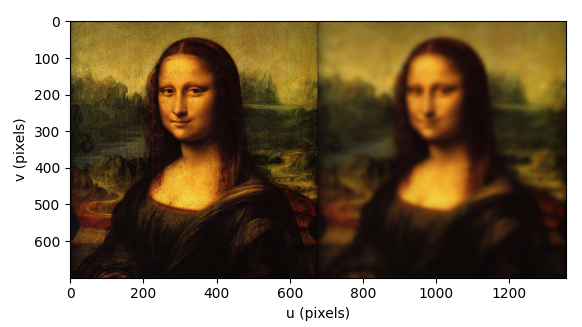
Computer vision is just as easy. For example, we can import an image, blur it and display it alongside the original
RVC3 >>> mona = Image.Read("monalisa.png")
RVC3 >>> Image.Hstack([mona, mona.smooth(sigma=5)]).disp()
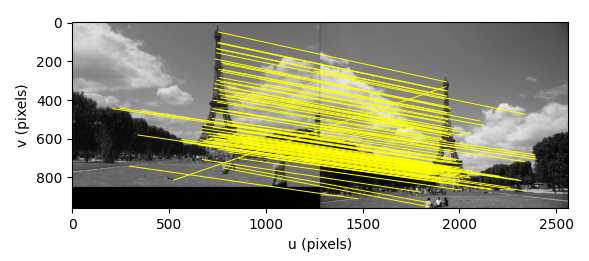
or load two images of the same scene, compute SIFT features and display putative matches
RVC3 >>> sf1 = Image.Read("eiffel-1.png", mono=True).SIFT()
RVC3 >>> sf2 = Image.Read("eiffel-2.png", mono=True).SIFT()
RVC3 >>> matches = sf1.match(sf2)
RVC3 >>> matches.subset(100).plot("w")
rvctool is a wrapper around
IPython where:
- robotics and vision functions and classes can be accessed without needing package prefixes
- results are displayed by default like MATLAB does, and like MATLAB you need to put a semicolon on the end of the line to prevent this
- the prompt is
RVC3 >>>by default, distinct from a plain Python or IPython prompt so a transcript is recognisable at a glance; override it with--prompt, or pass--bookto match the book's printed transcripts exactly (plain>>>, noOut[N]:labels, no ANSI matrix colouring) - allows cutting and pasting in lines from the book, and prompt characters are ignored
The Robotics, Vision & Control book uses rvctool for all the included
examples.
rvctool imports the all the above mentioned packages using import * which is
not considered best Python practice. It is very convenient for interactive
experimentation, but in your own code you can handle the imports as you see
fit.
Cutting and pasting
IPython is very forgiving when it comes to cutting and pasting in blocks of Python
code. It will strip off the >>> prompt character and ignore indentation. The normal
python REPL is not so forgiving. IPython also maintains a command history and
allows command editing.
Simple scripting
You can write very simple scripts, for example test.py is
T = puma.fkine(puma.qn)
sol = puma.ikine_LM(T)
sol.q
puma.plot(sol.q);
then
$ rvctool test.py
   0         0         1         0.5963
   0         1         0        -0.1501
  -1         0         0         0.6575
   0         0         0         1

IKSolution(q=array([7.235e-08,  -0.8335,  0.09396,    3.142,   0.8312,   -3.142]), success=True, iterations=15, searches=1, residual=1.406125546650288e-07, reason='Success')
array([7.235e-08,  -0.8335,  0.09396,    3.142,   0.8312,   -3.142])
PyPlot3D backend, t = 0.05, scene:
  robot: Text(0.0, 0.0, 'Puma 560')
RVC3 >>>
and you are dropped into an IPython session after the script has run.
Using Jupyter and Colab
Graphics and animations are problematic in these environments, some things work well, some don't. As much as possible I've tweaked the Jupyter notebooks to work as best they can in these environments.
For local use the Jupyter plugin for Visual Studio Code is pretty decent. Colab suffers from old versions of major packages (though they are getting better at keeping up to date) and animations can suffer from slow update over the network.
Other command line tools
Additional command line tools available (from the Robotics Toolbox) include:
eigdemo, animation showing linear transformation of a rotating unit vector which demonstrates eigenvalues and eigenvectors.tripleangledemo, Swift visualization that lets you experiment with various triple-angle sequences.twistdemo, Swift visualization that lets you experiment with 3D twists. The screw axis is the blue rod and you can position and orient it using the sliders, and adjust its pitch. Then apply a rotation about the screw using the bottom slider.
Block diagram models
Block diagram models are key to the pedagogy of the RVC3 book and 25 models are included. To simulate these models we use the Python package bdsim which can run models:
- written in Python using bdsim blocks and wiring.
- created graphically using
bdedit, bdsim's graphical editor, and saved as a.bd(JSON format) file.
The models are included in the RVC3 package when it is installed. There
are three ways to run one:
- From inside
rvctool(or any Jupyter notebook),%run -ishares the current namespace, which some models rely on:RVC3 >>> %run -i vloop_test
- From a bare shell, the
rvc3-modelcommand runs a model directly — norvctool/Jupyter session needed:$ rvc3-model vloop_test
Runrvc3-modelwith no arguments to list every model by name. - To find where the models are installed on disk (e.g. to open a
.pyor.bdfile directly in an editor), usebdsim_path:$ bdsim_path
1 maintainer

Release files for rvc3python 1.0.0
For a detailed explanation of source distributions (sdists) and built distributions (wheels), please see the package formats documentation.
Source distribution (sdist)
| File | Size | Uploaded | |
|---|---|---|---|
| rvc3python-1.0.0.tar.gz | 166.4 kB | Details |
Built distribution (wheel)
| File | Interpreter | ABI | Platform | Reset |
|---|---|---|---|---|
| rvc3python-1.0.0-py3-none-any.whl | Python 3 | none | any | Details |
Total release size: 350.3 kB
Release files / rvc3python-1.0.0.tar.gz
| Download URL | rvc3python-1.0.0.tar.gz |
|---|---|
| Size | 166.4 kB |
| Tags | Source |
|
SHA-256 checksum How to use checksums |
e657069788d19d51c2a0a1da21e31bfb869c54432040b028686cd8bb9cf9efb0
|
|
BLAKE2b-256 checksum How to use checksums |
75225411c6f4a85f93f471517d10b86354e069a3a6e7e619d09ea6704bbb0344
|
| Upload date | |
|
Uploaded using Trusted Publishing? What is trusted publishing? |
No |
| Uploaded via |
twine/7.0.0 CPython/3.12.8
|
Release files / rvc3python-1.0.0-py3-none-any.whl
| Download URL | rvc3python-1.0.0-py3-none-any.whl |
|---|---|
| Size | 183.9 kB |
| Tags | Python 3 |
|
SHA-256 checksum How to use checksums |
aab29a0868071d8fc6eed1230fb3d1e6b3472b3d53ac7f19cdf7d91a42246e90
|
|
BLAKE2b-256 checksum How to use checksums |
85b9f327739c1059e33d122633348f5c8be7791e675d05931e9bd60dda893686
|
| Upload date | |
|
Uploaded using Trusted Publishing? What is trusted publishing? |
No |
| Uploaded via |
twine/7.0.0 CPython/3.12.8
|














