
S7DataBlock
A Python library for parsing Siemens S7 PLC data blocks, in conjunction with Snap7.
s7datablock is a Python utility designed to parse and interpret Siemens S7 PLC data blocks using structured data definitions exported from the TIA Portal. It works seamlessly with the excellent python-snap7 library to enable high-level, dictionary-like access to binary PLC data.
Instead of manually mapping byte offsets and types, you can use .db definition files exported from TIA Portal to generate a clean, versionable Python representation of your data block structures.
Key Features
- Uses exported TIA Portal
*.dbfiles for accurate structure mapping - Read and write entire PLC data blocks with
.GET()and.SET()(or the more pythonicpull()andpush()) - Structure and sub-structure access via dot notation
- Clean terminal output using Rich
- Easy integration into polling and monitoring loops
Data Transfer
This library deliberately uses manual .GET() and .SET() calls instead of automatic syncing to prioritize:
- Clarity – Developers control exactly when data is transferred
- Performance – Avoid unnecessary communication overhead
- Atomicity – Batch multiple updates into one write
Live Monitoring PLC Values
You can monitor PLC values by creating a polling loop. Here's an example using Rich for clean terminal output:
from time import sleep
from rich.live import Live
from datetime import datetime
from io import StringIO

from s7datablock.mapping import S7DataBlock

# Example in-line definition file contents. Alternatively, you can pass a PAth to a *.db file.
df_file_contents = StringIO(
    """
        TYPE "my_udt"
        VERSION : 0.1
        STRUCT
            PLC_DQ_0 : Bool;
            PLC_DQ_1 : Bool;
            WHEN : DTL;
            Value1 : Int;
            Value2 : Real;
        END_STRUCT;
        END_TYPE
        DATA_BLOCK "my_udt"
        VERSION : 0.1
        "my_udt"
        BEGIN
        END_DATA_BLOCK
    """
)

db = S7DataBlock.from_definition_file(df_file_contents, db_number=1200)
print(db) # This will print the structure of the data block as a table

print(repr(db))  # Print the raw representation of the data block
# In a real application, you would create a snap7 client and connect to the PLC

# client = snap7.client.Client()
# client.connect('192.168.0.1', 0, 1)

with Live(db.to_table(), refresh_per_second=10) as live:
    while True:
        # In a real application, you would call GET() here
        # db.GET(client)

        # For demo, we'll just modify some values
        db["WHEN"] = datetime.now()
        db["PLC_DQ_0"] = not db["PLC_DQ_0"]  # Toggle the boolean
        db["Value1"] = db["Value1"] + 1  # Increment the integer value
        db["Value2"] = db["Value2"] + 0.1  # Increment the real value

        # Update the display with current values
        live.update(db.to_table())
        sleep(0.2)
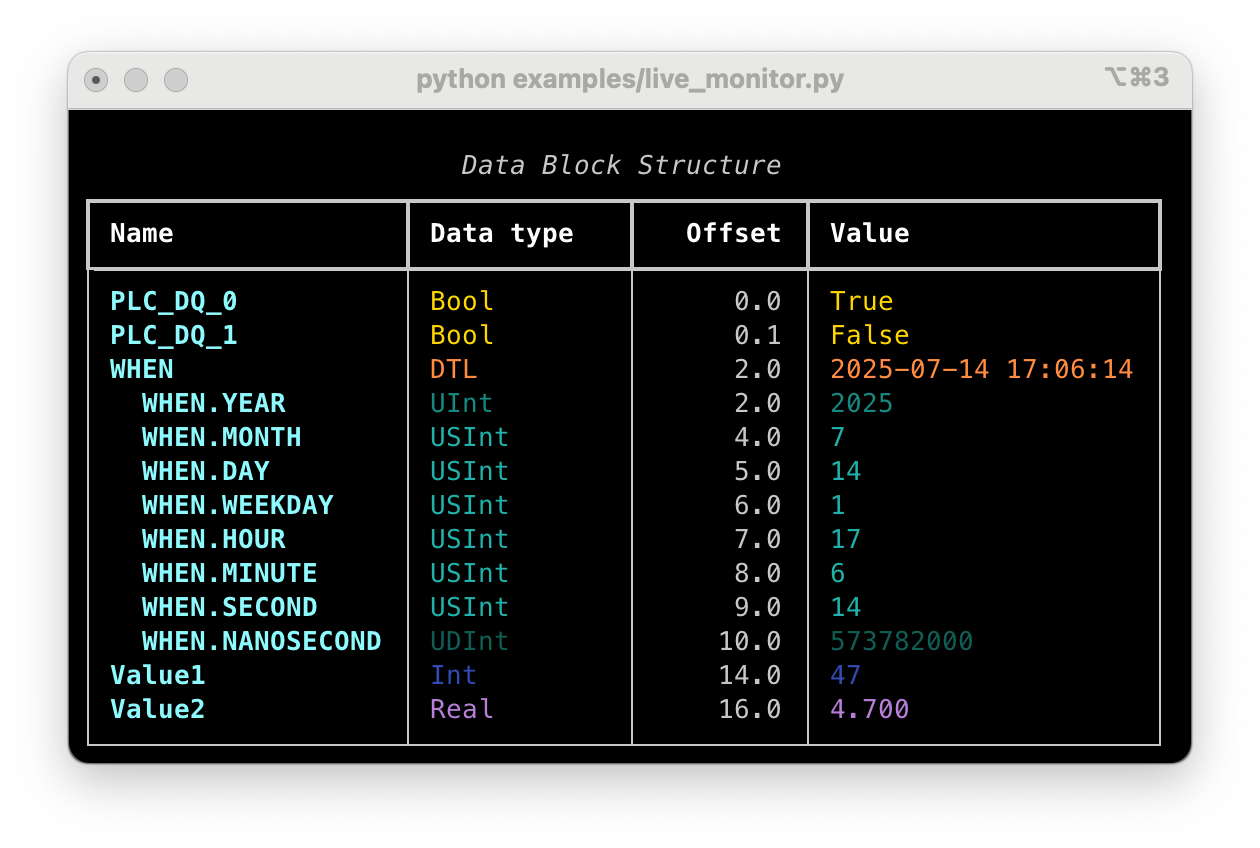
Running this code should render a live table in your terminal
                        Data Block Structure
┏━━━━━━━━━━━━━━━━━━━┳━━━━━━━━━━━━━┳━━━━━━━━━━┳━━━━━━━━━━━━━━━━━━━━━┓
┃ Name              ┃ Data type   ┃   Offset ┃ Value               ┃
┡━━━━━━━━━━━━━━━━━━━╇━━━━━━━━━━━━━╇━━━━━━━━━━╇━━━━━━━━━━━━━━━━━━━━━┩
│ PLC_DQ_0          │ Bool        │      0.0 │ True                │
│ PLC_DQ_1          │ Bool        │      0.1 │ False               │
│ WHEN              │ DTL         │      2.0 │ 2025-07-14 17:08:40 │
│   WHEN.YEAR       │ UInt        │      2.0 │ 2025                │
│   WHEN.MONTH      │ USInt       │      4.0 │ 7                   │
│   WHEN.DAY        │ USInt       │      5.0 │ 14                  │
│   WHEN.WEEKDAY    │ USInt       │      6.0 │ 1                   │
│   WHEN.HOUR       │ USInt       │      7.0 │ 17                  │
│   WHEN.MINUTE     │ USInt       │      8.0 │ 8                   │
│   WHEN.SECOND     │ USInt       │      9.0 │ 40                  │
│   WHEN.NANOSECOND │ UDInt       │     10.0 │ 568441000           │
│ Value1            │ Int         │     14.0 │ 757                 │
│ Value2            │ Real        │     16.0 │ 75.699              │
└───────────────────┴─────────────┴──────────┴─────────────────────┘
Installation
pip install s7datablock
Contributing and Issues
The library is in its early stages, and contributions are welcome. Feel free to submit a pull request or open an issue on GitHub.
1 maintainer

Metadata
1 maintainer
Release files for s7datablock 0.0.2
For a detailed explanation of source distributions (sdists) and built distributions (wheels), please see the package formats documentation.
Source distribution (sdist)
| File | Size | Uploaded | |
|---|---|---|---|
| s7datablock-0.0.2.tar.gz | 291.0 kB | Details |
Built distribution (wheel)
| File | Interpreter | ABI | Platform | Reset |
|---|---|---|---|---|
| s7datablock-0.0.2-py3-none-any.whl | Python 3 | none | any | Details |
Total release size: 305.3 kB
Release files / s7datablock-0.0.2.tar.gz
| Download URL | s7datablock-0.0.2.tar.gz |
|---|---|
| Size | 291.0 kB |
| Tags | Source |
|
SHA-256 checksum How to use checksums |
31bf898ee63697817ccd59318d7917ebc38121268c358fc04c50ef11f0464e8e
|
|
BLAKE2b-256 checksum How to use checksums |
5ed242c373a500b3c33708078cbe76e57f66495d7ecad0064f50637a82650694
|
| Upload date | |
|
Uploaded using Trusted Publishing? What is trusted publishing? |
Yes |
| Uploaded via |
twine/6.1.0 CPython/3.12.9
|
Provenance
Provenance describes where a file came from. On PyPI, provenance is shared via attestations, which provide a verifiable record of the build or publishing details. View details, limitations and caveats.


PyPI Publish Attestation
PyPI verified that this artifact, at this checksum, originated from the publisher listed below.
Signed by GitHub Actions, verified by PyPI on Jul 15, 2025.
Transparency logRelease files / s7datablock-0.0.2-py3-none-any.whl
| Download URL | s7datablock-0.0.2-py3-none-any.whl |
|---|---|
| Size | 14.3 kB |
| Tags | Python 3 |
|
SHA-256 checksum How to use checksums |
786b28ec99ad53c2cdbfe457fa23d272f8275e127f420e11af82a5a7469a0cae
|
|
BLAKE2b-256 checksum How to use checksums |
8d0b45e5338f31358dc72f2c7b9cf16ffa5dd0fe4132a707052c05cce2828fd3
|
| Upload date | |
|
Uploaded using Trusted Publishing? What is trusted publishing? |
Yes |
| Uploaded via |
twine/6.1.0 CPython/3.12.9
|
Provenance
Provenance describes where a file came from. On PyPI, provenance is shared via attestations, which provide a verifiable record of the build or publishing details. View details, limitations and caveats.
PyPI Publish Attestation
PyPI verified that this artifact, at this checksum, originated from the publisher listed below.
Signed by GitHub Actions, verified by PyPI on Jul 15, 2025.
Transparency log













