
Use many service accounts as a unified google storage, with mounting to filesystem, and parallel uploads/downloads.

Project description
SA Drive (Service Account Drive)
Note: As of April 15 2025, New service accounts will not have 15GiB of Google Drive Storage, hence this repository is specifically targeted at those users who have service accounts generated before April 15 2025, and wish to combine their storage into a unified place.
Note to old users (who used GUI version): This repository was previously aimed at the GUI version, see gui-deprecated, which was maintained by another author. Now the live workings are supported by the cli. Which is much more powerful than the GUI, it shows progress, has support to mount the sa-drive with gclone onto local filesystem, and most importantly, supports large file upload ( > 14.7 GiB). [BONUS: The CLI is implemented in a statically typed way using type hints.]
Why is it needed ?
Now Team Drives or shared drives (whichever you may prefer) are have a restriction of ~100GiB. So, to circumvent that, using Google's own services, this project aims to give a displayable + managable look to the drive storage of service accounts.
How it works ?
Each service account has a 15GiB of drive storage. If you have a 100 service accounts [i.e. use only 1 google cloud project], then you have roughly 1.46 TiB of storage
When you upload files using the cli, the program automatically detects a service account with enough storage to upload the file, and uploads it to that service account's google drive.
Hence in this way you can exceed the 15GiB storage of your personal drive.
Features:
- Mount the drive as a local filesystem.
- Simultaneous uploads.
- Simultaneous downloads (using gclone).
- Split large files (>14.7 GiB).
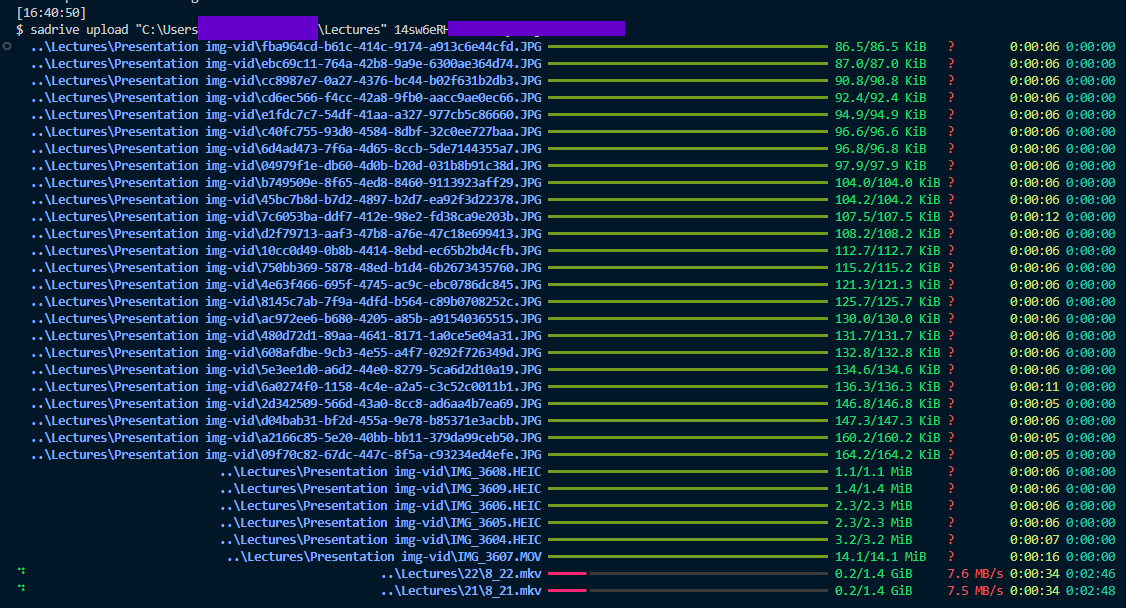
- Progress bars, ETA etc.
- Fuzzy Search.
Deployment
- Do
pip install sadrive - Make a folder named
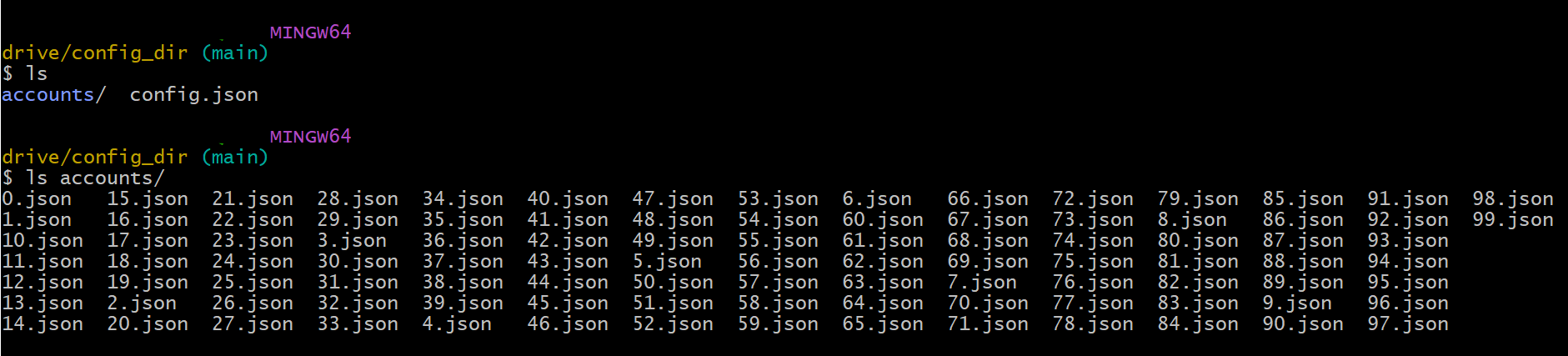
config_diror whatever at your choice of location. - Make sure that config dir has a folder with the name accounts, which contains the json representation of service accounts. Also it should have a config.json file with the following content:
{
"parent_id": "1at0dM_hN2GFVn8ANGOlFwvo5ZcJy38XC", // ID of google drive fodler in your personal account where you want the sa-drive to be hosted.
"path_to_gclone.exe":"C:\\Users\\HEMAN\\Desktop\\\\gclone-l3v11\\gclone.exe" // Path to gclone.exe. Downlaod from: https://github.com/l3v11/gclone
}
Theconfig_dirshould look like this: - Run the command
sadrive config set-dir absolute/path/to/config_dir. - Now you are done. Just use any of the commands.
- Visit https://sadrive.readthedocs.io/en/latest/. For detailed documentation, and examples.
Images and Examples
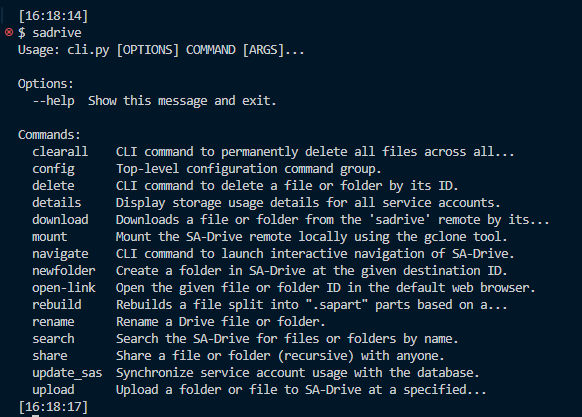
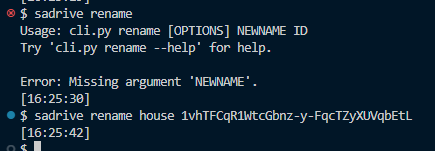
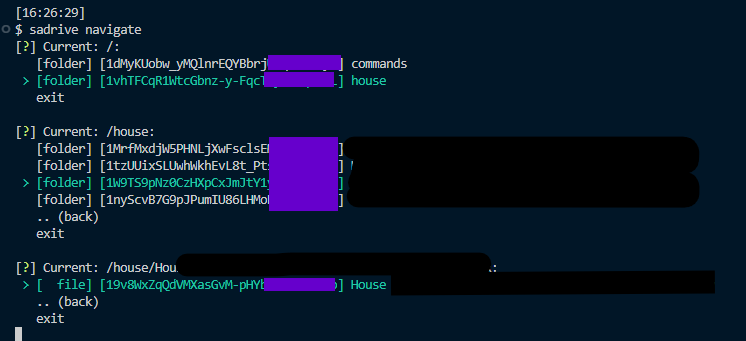
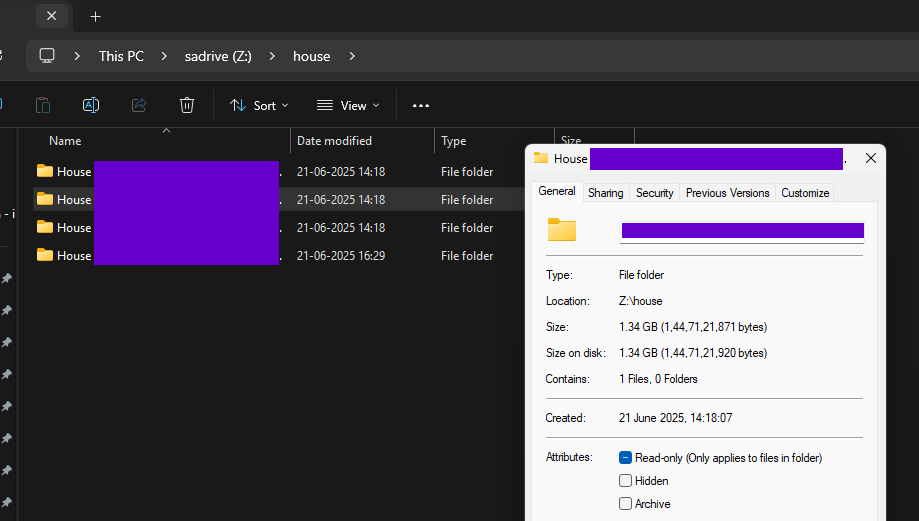
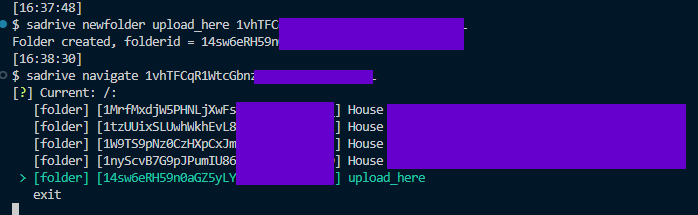
sadrivesadrive config set-dir <path>sadrive rename newname file/folderidsadrive navigate [optional_folderid]sadrive share file/folderidsadrive mount[This gives a read only filesystem, you can directly view/open files from this]sadrive delete file/folderidsadrive newfolder name [optional_destination_id]sadrive upload path/to/upload destination_folder_idIf destination folder id is not provided then it will upload to the parent directory set inconfig.json.sadrive download folder_id path/to/destination [--transfers int]. transfers represents the maximum number of parallel downloads you want.





Limitations
None as of now.
Best Case Scenario
Each Gmail account can create 12 projects. i.e. 12*100 service accounts.
Hence you can effectively get 15*12*100 = 18000 GiB of storage, or roughly 17TiB per gmail account.
Got questions ?
Read FAQs.
Release history Release notifications | RSS feed


Download files
Download the file for your platform. If you're not sure which to choose, learn more about installing packages.
Source Distribution
Built Distribution
Filter files by name, interpreter, ABI, and platform.
If you're not sure about the file name format, learn more about wheel file names.
Copy a direct link to the current filters
File details
Details for the file sadrive-2.0.1.tar.gz.
File metadata
- Download URL: sadrive-2.0.1.tar.gz
- Upload date:
- Size: 40.1 kB
- Tags: Source
- Uploaded using Trusted Publishing? No
- Uploaded via: twine/6.1.0 CPython/3.12.4
File hashes
| Algorithm | Hash digest | |
|---|---|---|
| SHA256 |
a70559941539a8a1cb08c7cbe5d7c2fc3d159282757c51ec3aa468d332b30d28
|
|
| MD5 |
1a55cd9c02836e4f391c5de1826382e8
|
|
| BLAKE2b-256 |
bdadae5853e0420c359b5bbef31c3e3e306ccd1a40495f05f398848564ffbf49
|
File details
Details for the file sadrive-2.0.1-py3-none-any.whl.
File metadata
- Download URL: sadrive-2.0.1-py3-none-any.whl
- Upload date:
- Size: 42.3 kB
- Tags: Python 3
- Uploaded using Trusted Publishing? No
- Uploaded via: twine/6.1.0 CPython/3.12.4
File hashes
| Algorithm | Hash digest | |
|---|---|---|
| SHA256 |
2d4dac6ce666fbb176721599e9f83be0d3c20a4ebdfd220e832fed38074585f7
|
|
| MD5 |
07edccba59f1505654ce0743ab982f98
|
|
| BLAKE2b-256 |
7a1d09bace32518d1568753543ac98d1e751702bb8601e0ad58759ddfed5d99c
|






