
Sage

Sage is an easy-to-use command line timer that looks good and adheres to your human inclinations about the language of time. Use natural language like "25m" or "1 hour 30 minutes" when running timers, or create preset timers that can be called with names like "pomodoro".
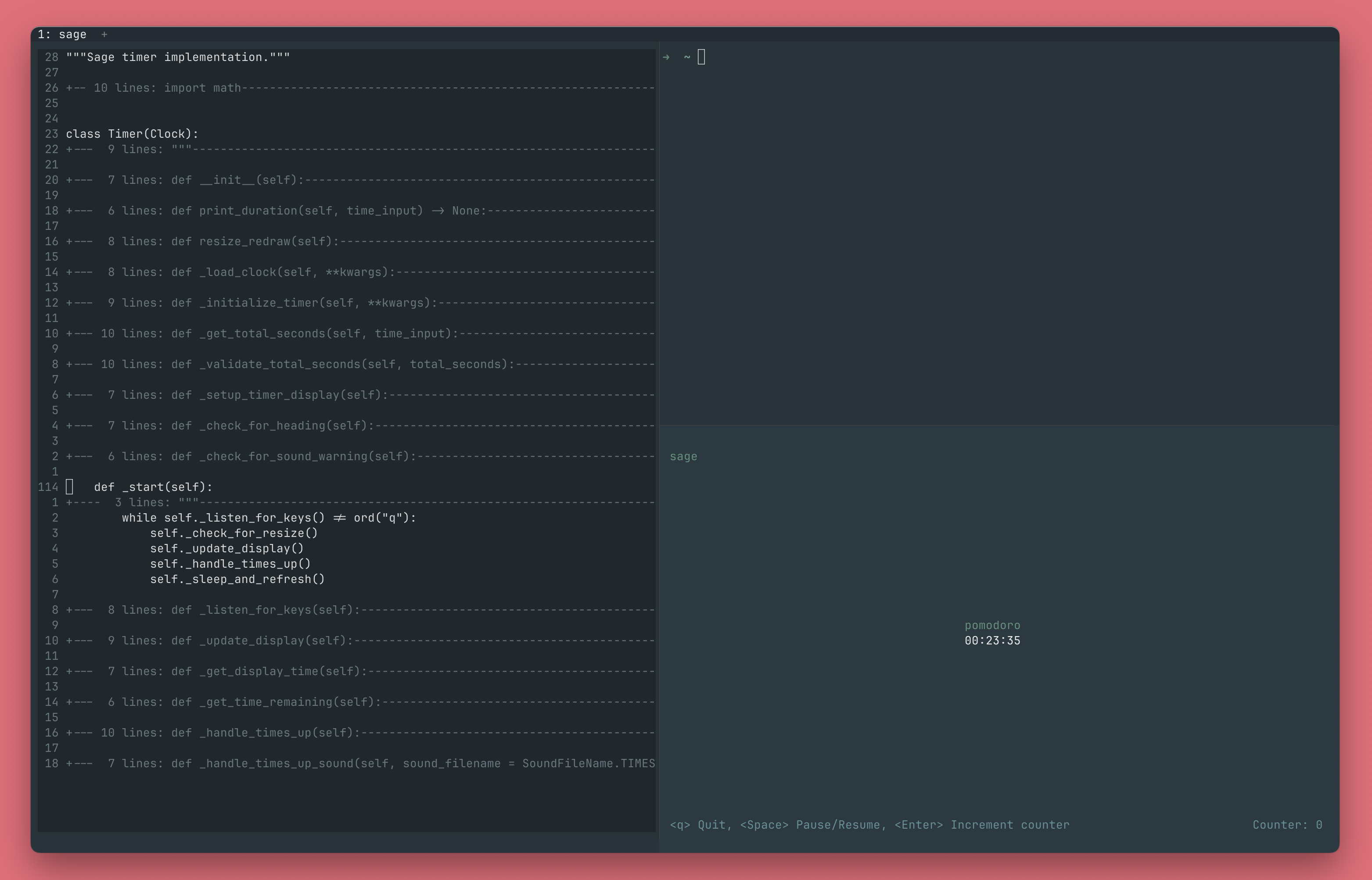
Sage integrated into a development workflow.
Quick Start
- Install Sage globally with pipx.
pipx install sage-timer
- Start a timer or stopwatch.
sage timer 35m                          # Start a 35 minute timer
sage stopwatch                          # Start a stopwatch
Installation
Sage requires Python 3.10+. Installation with pipx is recommended:
pipx install sage-timer
pipx is designed for installing command-line tools like Sage. It
creates an isolated environment for each tool, preventing dependency
conflicts while making the sage command globally available.
Alternatively, you can use pip or other PyPI-based package managers:
pip install sage-timer
Usage
Timer
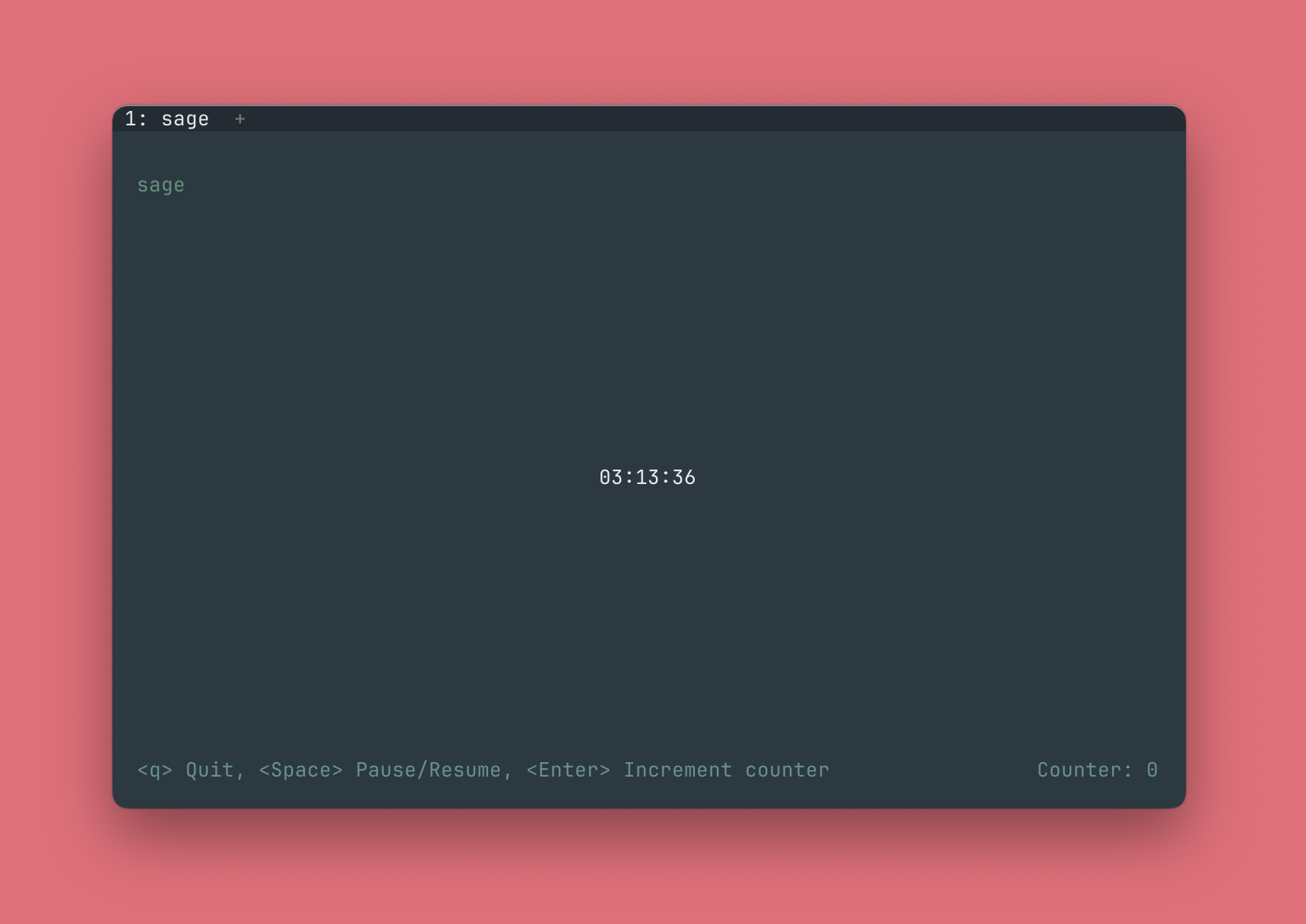
A running Sage timer.
Run A Timer
Sage recognizes flexible, human-readable time formats across multiple styles that match however you naturally express time.
sage timer 25m                          # Start a 25 minute timer
sage timer "10 minutes 30 seconds"      # Start a 10 minute 30 second timer
sage timer 3min25s                      # Start a 3 minute 25 second
It also accepts custom timer names. A list of built-in timers can be
found with sage list.
sage timer pomodoro # Start a 25 minute timer
Let A Timer Complete Quietly
Use the --quiet flag to let the timer complete without a sound.
sage timer 7m --quiet
Custom Timers
Create custom timers and run them with sage timer.
sage create workout 1hr                 # Create 1 hour workout timer
sage timer workout                      # Start workout timer
Managing Custom Timers
Custom timers are managed with the following commands:
sage list                               # List all available timers
sage create <name> <duration>           # Create a new timer
sage update <name> <duration>           # Update existing timer
sage rename <name> <new_name>           # Rename a timer
sage delete <name>                      # Delete a timer
To better illustrate their use, a comprehensive workflow with Sage's management commands would look something like this.
sage create workout 45m                 # Create 45 minute workout timer
sage update workout 1hr                 # Update workout timer to 1 hour
sage rename workout yoga                # Rename workout timer name to yoga
sage timer yoga                         # Start 1 hour yoga timer
sage delete yoga                        # Delete yoga timer
Stopwatch
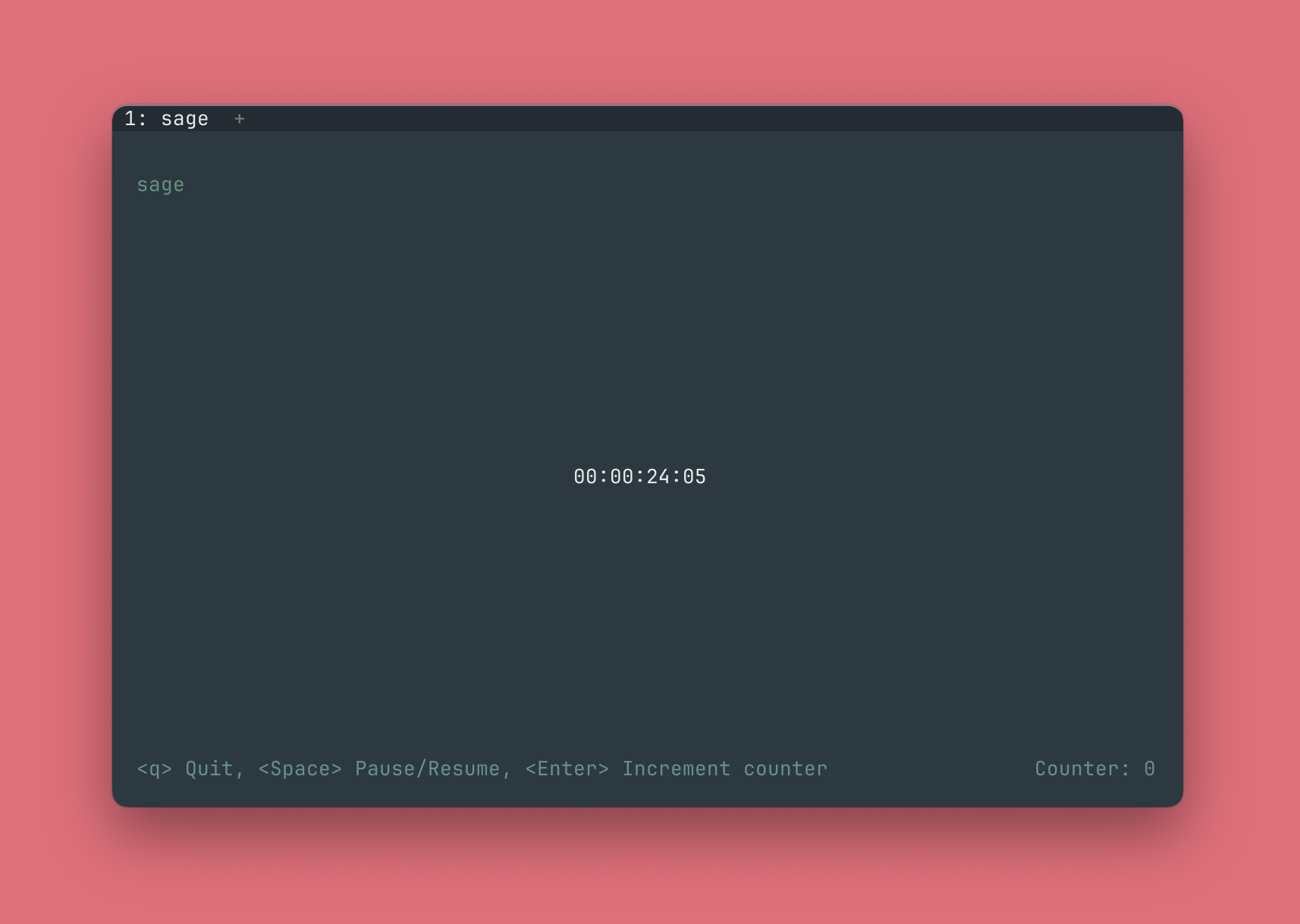
A running Sage stopwatch, with centisecond precision.
Run A Stopwatch
Sage provides precise time tracking with centisecond accuracy for activities with unknown duration.
sage stopwatch # Start a stopwatch immediately
Clock Controls
Once running, both the timer and stopwatch can be controlled with the following simple keystrokes:
- Space - Pause and resume
- Enter - Increment counter
- Q - Quit
The Counter
The Sage timer and stopwatch include a counter which can be used to track
laps, counts, reps, etc. Just press Enter to increment while in the
clock interface.
Load A Clock Without Starting
Built-in potato timer, loaded in a paused state.
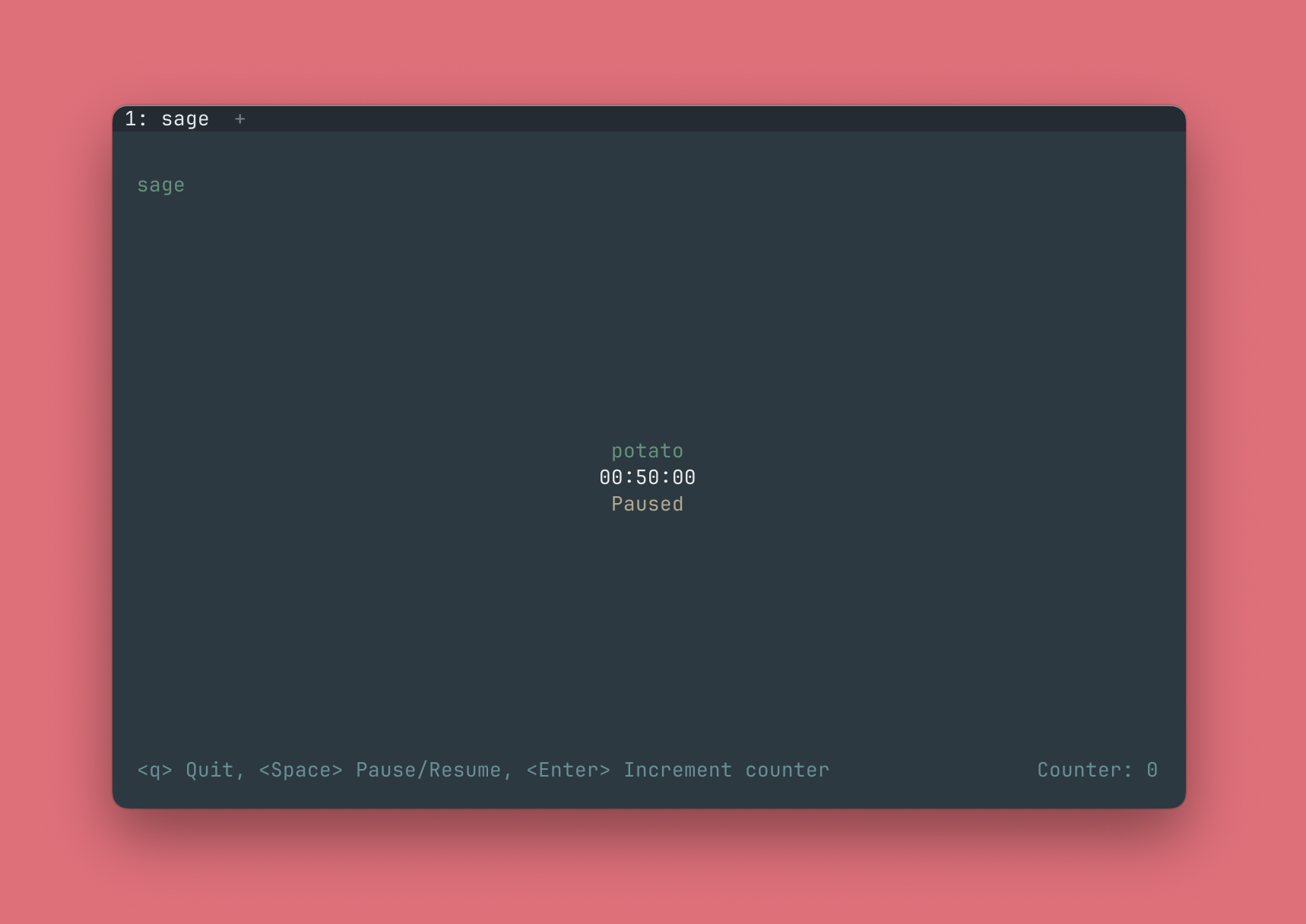
The timer and stopwatch commands accept a --paused flag that will
load the clock in a paused state. Once the clock is loaded, a "Paused"
message will appear beneath the clock time and the clock will wait for
the Space key to start.
sage timer 25m --paused                 # Load timer in paused state
sage stopwatch --paused                 # Load stopwatch in paused state
Philosophy
Most CLI tools prioritize technical precision over human usability, making them inaccessible to casual users. Sage was built out of a desire to prove that command line applications can be both powerful and intuitive, using natural language processing and a simple UX design.
License
MIT License - see LICENSE file for details.
Contributing
Contributions welcome! Please feel free to submit issues and pull requests.
1 maintainer

Metadata
1 maintainer
Release files for sage-timer 0.1.3
For a detailed explanation of source distributions (sdists) and built distributions (wheels), please see the package formats documentation.
Source distribution (sdist)
| File | Size | Uploaded | |
|---|---|---|---|
| sage_timer-0.1.3.tar.gz | 1.8 MB | Details |
Built distribution (wheel)
| File | Interpreter | ABI | Platform | Reset |
|---|---|---|---|---|
| sage_timer-0.1.3-py3-none-any.whl | Python 3 | none | any | Details |
Total release size: 1.9 MB
Release files / sage_timer-0.1.3.tar.gz
| Download URL | sage_timer-0.1.3.tar.gz |
|---|---|
| Size | 1.8 MB |
| Tags | Source |
|
SHA-256 checksum How to use checksums |
35d489a3c7c64f25ae6306a9f020e624d173c667b3da6f2d2fda80d24b0c3ae5
|
|
BLAKE2b-256 checksum How to use checksums |
974038985f5164197858577560ec7a687dbca67da9a6cf944dd93e16e905121d
|
| Upload date | |
|
Uploaded using Trusted Publishing? What is trusted publishing? |
No |
| Uploaded via |
uv/0.6.17
|
Release files / sage_timer-0.1.3-py3-none-any.whl
| Download URL | sage_timer-0.1.3-py3-none-any.whl |
|---|---|
| Size | 73.0 kB |
| Tags | Python 3 |
|
SHA-256 checksum How to use checksums |
7c2ef1ed2041008ff3f0abc8144b64eeffedf5c621b1eeef509e2104d1df4d39
|
|
BLAKE2b-256 checksum How to use checksums |
c47826214e8a5522b0881b48ec4175f488c59b6bc14030f048add02c3d719acc
|
| Upload date | |
|
Uploaded using Trusted Publishing? What is trusted publishing? |
No |
| Uploaded via |
uv/0.6.17
|














