

SahajMails
Personalized bulk email that runs on your machine.
Sahaj means simple and natural. So does this.


pip install sahajmails
sahajmails
That's it. A local web app opens. Load a spreadsheet, write your email, send.
Your contacts, your password and your drafts never leave your computer. There is no account, no server of ours, and no telemetry.
What it does
| Works with your own mailbox | Gmail, Outlook, Yahoo, Zoho, iCloud, Fastmail, SES, Mailgun, Postmark, SendGrid, Resend, or any SMTP server. |
| Real personalization | {{ first_name }} from any column, case-insensitive, with defaults and conditionals. |
| Write how you like | A formatted editor, plain formal text, Markdown, or your own HTML. |
| Optional AI, fully controlled | The model fills one labelled gap. It never sees the rest of your email, and you review every line before it sends. |
| Never sends twice | Every attempt is journalled. Crash, close the lid, lose Wi-Fi — resume and nobody is mailed again. |
| Lands in inboxes | Plain-text alternative, List-Unsubscribe, preheader, SPF/DKIM/DMARC check, spam-content linter. |
| Tells you before you send | Pre-flight renders every contact and reports what will break. |
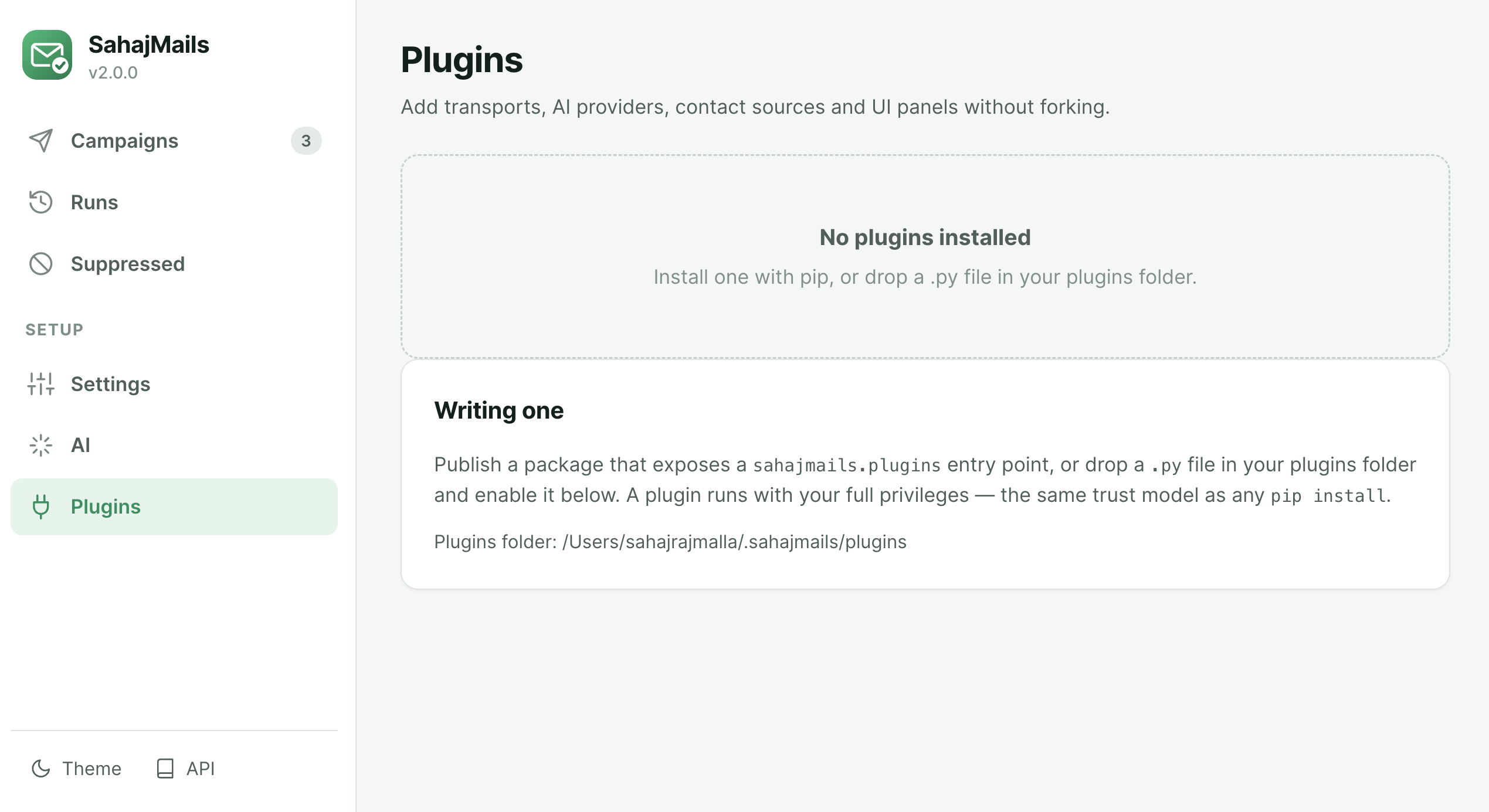
| Extensible | Plugins add transports, AI providers, contact sources and UI panels. |
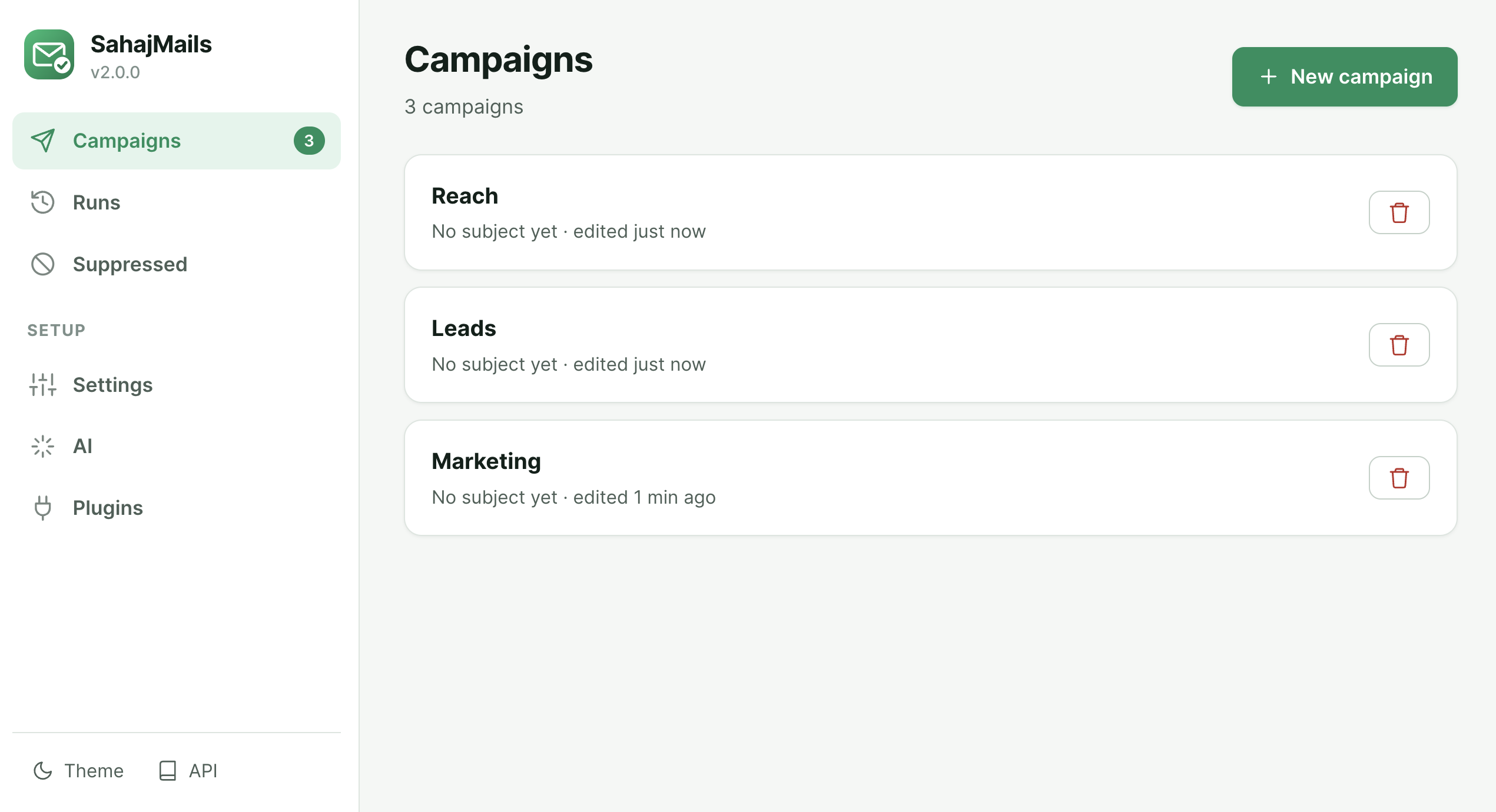
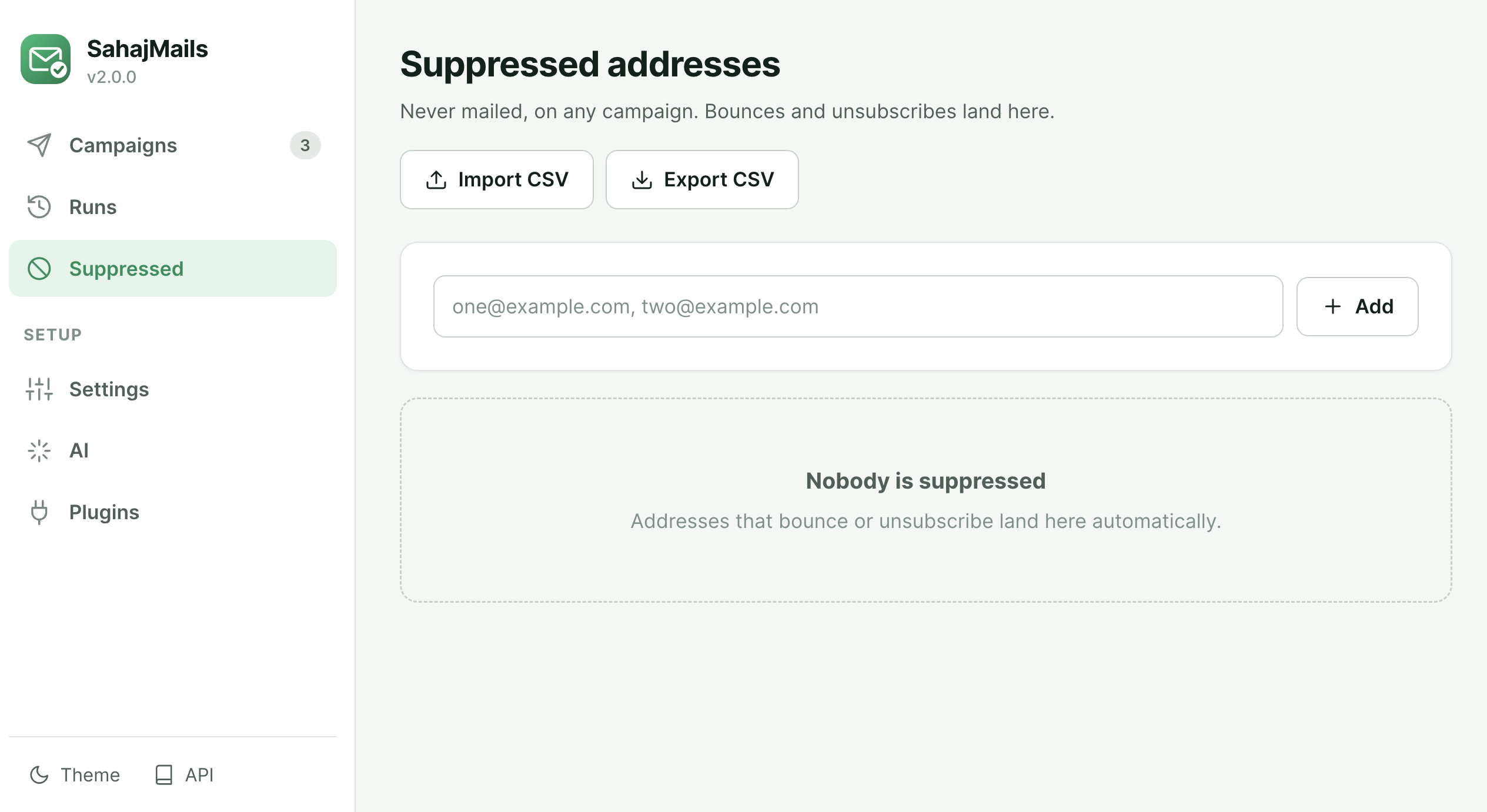
App Preview
| Campaigns & Setup | Execution & Logs |
|---|---|
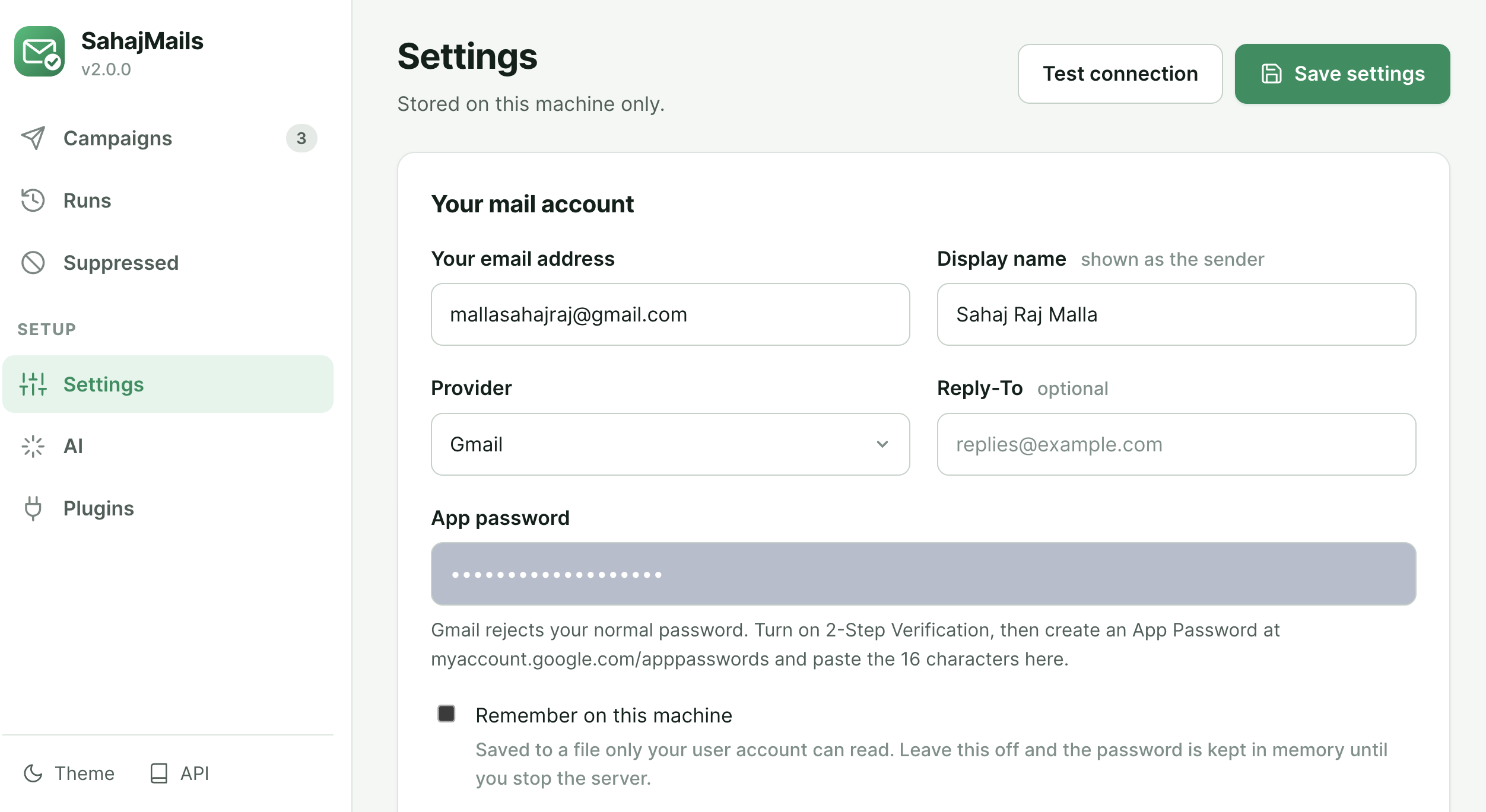 |
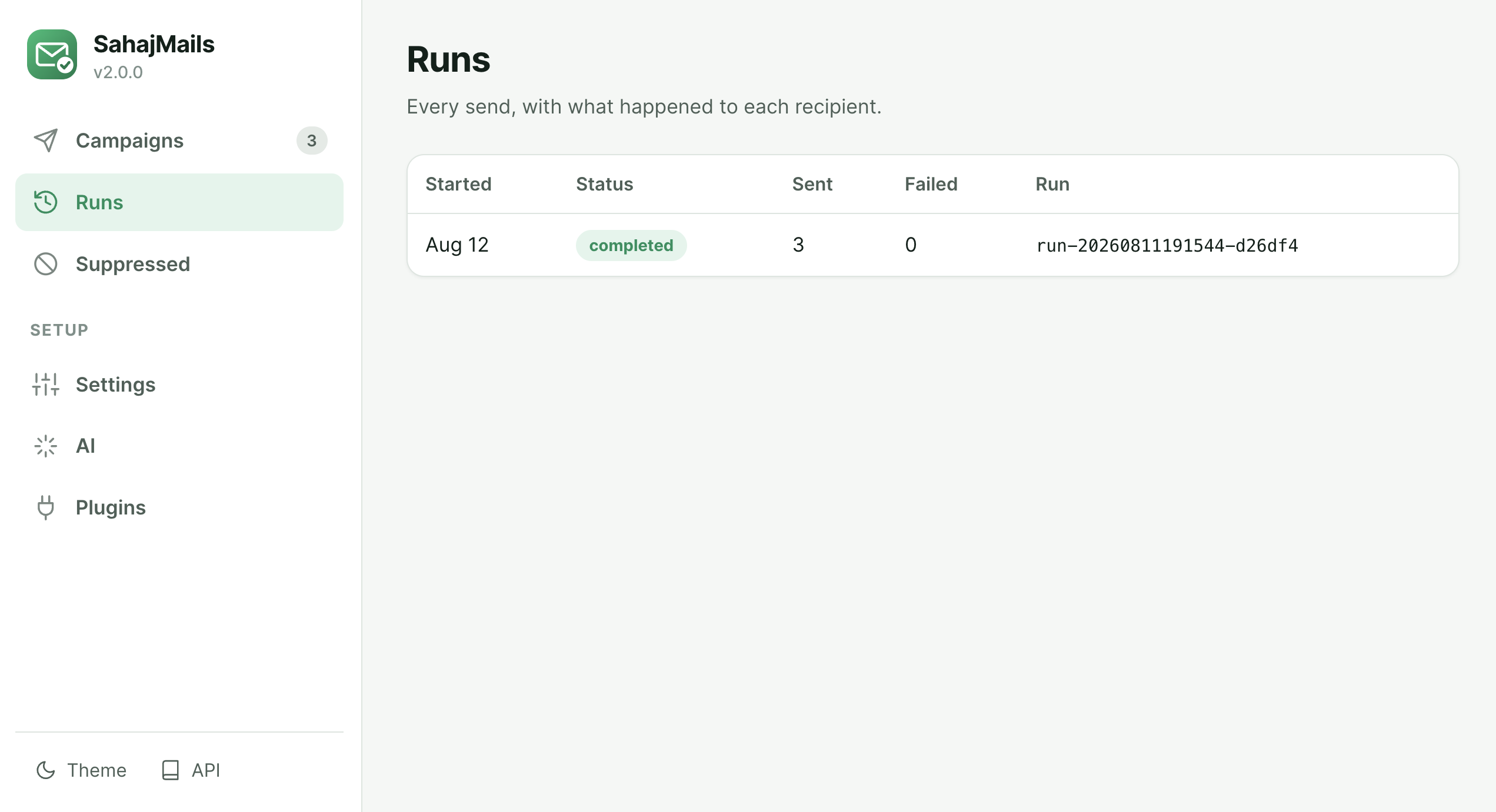 |
| AI Personalization | Plugins & Extensibility |
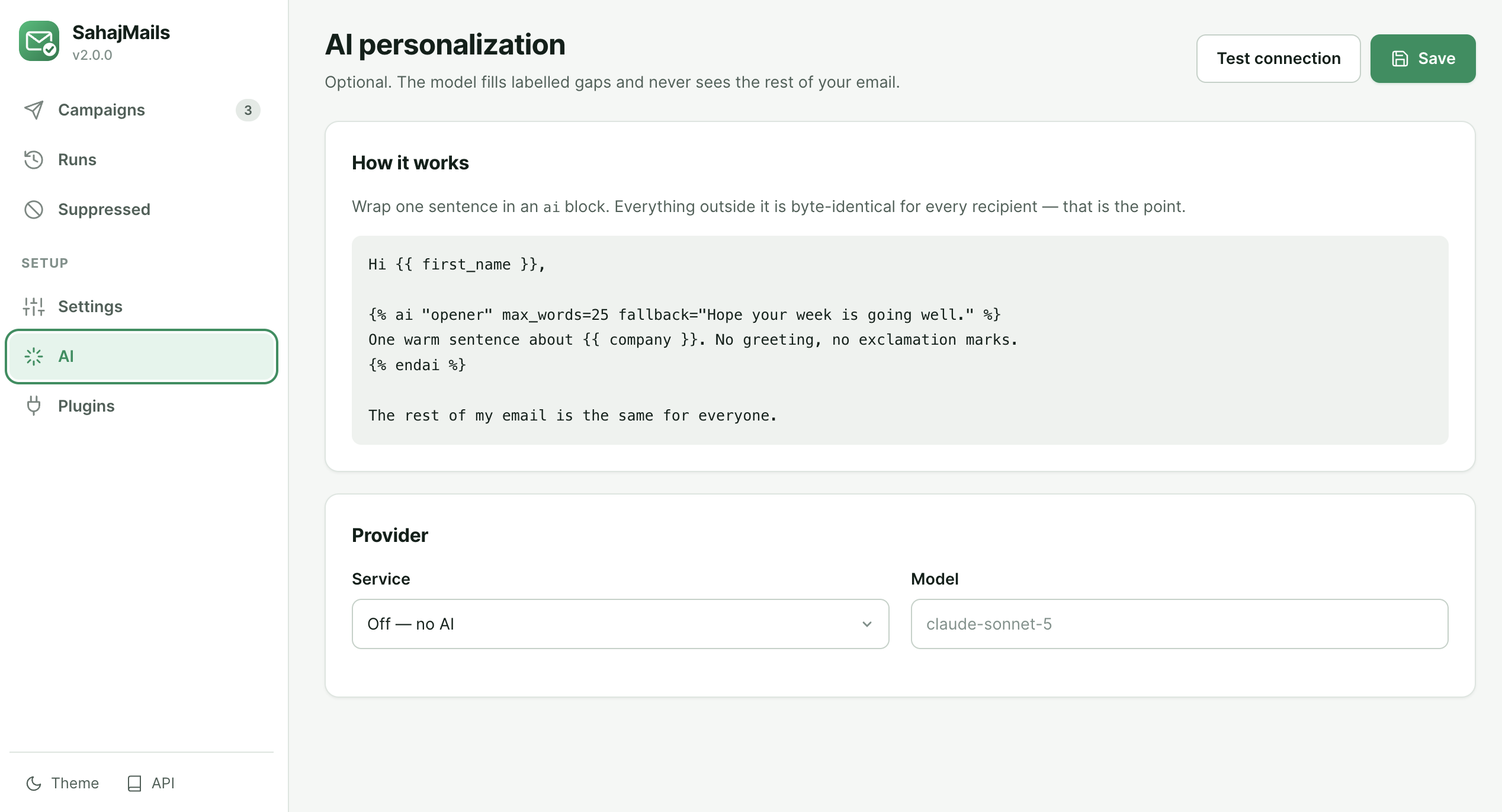 |
 |
| Deliverability | Suppression List |
 |
|
The 60-second version
pip install sahajmails
sahajmails                 # opens http://localhost:8000
- Settings → your address and an app password → Test connection
- New campaign → drop your CSV → write your email → watch the live preview
- Review → pre-flight + send yourself a test
- Send
Prefer a terminal? Everything is a subcommand:
sahajmails init                                   # starter files here
sahajmails check contacts.csv -t email.md -s "Hi {{ first_name }}"
sahajmails send  contacts.csv -t email.md -s "Hi {{ first_name }}" --dry-run
Or import it:
from sahajmails import send

send(contacts="contacts.csv", template="email.md", subject="Hello {{ first_name }}")
Writing the email
Your spreadsheet columns become placeholders. Casing and spacing don't matter —
{{ firstName }}, {{ first_name }} and {{ FIRST_NAME }} are the same column.
Hi {{ first_name | default("there") }},

{% if company %}I saw the news about {{ company }} — congratulations.{% endif %}

The rest of this email is identical for everyone.

Best,
Sahaj
default(...) matters: without it, a blank cell stops the send rather than
quietly mailing "Hi ,". That is deliberate.
AI personalization
Wrap the one sentence you want personalized. Everything outside the block is byte-identical for every recipient — that is enforced by the design, not by asking the model nicely.
Hi {{ first_name }},

{% ai "opener" max_words=25 fallback="Hope your week is going well." %}
One warm sentence about {{ company }}. No greeting, no exclamation marks.
{% endai %}

I'm writing because …
- The model receives only that instruction and that contact's variables.
- Output is capped, stripped of markup, and checked against your banned phrases.
- Anything that fails becomes your
fallback. A flaky API can never block a send. - You review every line before anything is sent, and your edits are used verbatim.
Works with Claude, OpenAI, or any OpenAI-compatible endpoint — including Ollama and LM Studio running locally, so the "nothing leaves your machine" promise stays true.
Documentation
| Getting started | Install, connect, first send |
| AI personalization | Slots, review, cost, local models |
| Deliverability | SPF, DKIM, DMARC, unsubscribe, bounces |
| Providers | Every preset, limits, app passwords |
| CLI reference | Every command and flag |
| Python API | Using it as a library |
| Writing plugins | A worked example |
| Security | What runs where, and how it is protected |
| Troubleshooting | When something goes wrong |
| Migrating from 1.x | What changed and why |
Security in one paragraph
The app binds 127.0.0.1 only. It is protected by a session token, a Host
allowlist (which is what stops DNS-rebinding attacks that same-origin policy does
not), CSRF headers, and a sandboxed template engine that escapes contact data so
a spreadsheet can never inject markup into your mail. Passwords are kept in
memory unless you explicitly ask to store them. Full detail in
docs/security.md; report anything you find via
SECURITY.md.
Contributing
git clone https://github.com/sahajrajmalla/sahajmails.git
cd sahajmails
make install     # needs pip >= 25.1
make check       # ruff, mypy --strict, pytest
See CONTRIBUTING.md. The whole test suite runs offline — there is a built-in SMTP stub and a fake AI backend, so you never need real credentials to develop.
License
MIT — free for personal and commercial use.
1 maintainer

Metadata
1 maintainer
Release files for sahajmails 2.0.2
For a detailed explanation of source distributions (sdists) and built distributions (wheels), please see the package formats documentation.
Source distribution (sdist)
| File | Size | Uploaded | Provenance | Actions |
|---|---|---|---|---|
| sahajmails-2.0.2.tar.gz | 134.8 kB | Without provenance | Details for sahajmails-2.0.2.tar.gz |
Built distribution (wheel)
| File | Interpreter | ABI | Platform | Actions Reset |
|---|---|---|---|---|
| sahajmails-2.0.2-py3-none-any.whl | Python 3 | none | any | Details for sahajmails-2.0.2-py3-none-any.whl |
Total release size: 259.8 kB
Release files / sahajmails-2.0.2.tar.gz
| Download URL | sahajmails-2.0.2.tar.gz |
|---|---|
| Size | 134.8 kB |
| Tags | Source |
|
SHA-256 checksum How to use checksums |
f0446f29985a47a87da76208720c899bf4f124d54dd139dcf5e8f9e71b55d1e2
|
|
BLAKE2b-256 checksum How to use checksums |
b45e6f4800f28711ff2c414ea6abecdc6b5489f35dec5800fa24a864e3379234
|
| Upload date | |
|
Uploaded using Trusted Publishing? What is trusted publishing? |
No |
| Uploaded via |
twine/7.0.0 CPython/3.14.6
|
Release files / sahajmails-2.0.2-py3-none-any.whl
| Download URL | sahajmails-2.0.2-py3-none-any.whl |
|---|---|
| Size | 124.9 kB |
| Tags | Python 3 |
|
SHA-256 checksum How to use checksums |
8fb254a0ea252fd34f1cf9f6dabb7174f5a669da2c2bd5915ee0ce05a1698706
|
|
BLAKE2b-256 checksum How to use checksums |
17de76fe9451895c1627d18b1767f83c947c24915628e386240fb4138266e7b2
|
| Upload date | |
|
Uploaded using Trusted Publishing? What is trusted publishing? |
No |
| Uploaded via |
twine/7.0.0 CPython/3.14.6
|
Security for sahajmails 2.0.2
Provenance
Provenance describes where a file came from. On PyPI, provenance is shared via attestations, which provide a verifiable record of the build or publishing details. View details, limitations and caveats.
No provenance found
None of the files in this release were uploaded with provenance metadata.
A note on package security
PyPI is a repository for distributing packages, not a service for auditing them. While third-party security researchers and our staff do their best to detect and remove malicious packages, PyPI cannot guarantee the quality, security or suitability of any given package.
To learn more about protecting yourself from malicious actors, visit our package security documentation.














