
Salt TUI
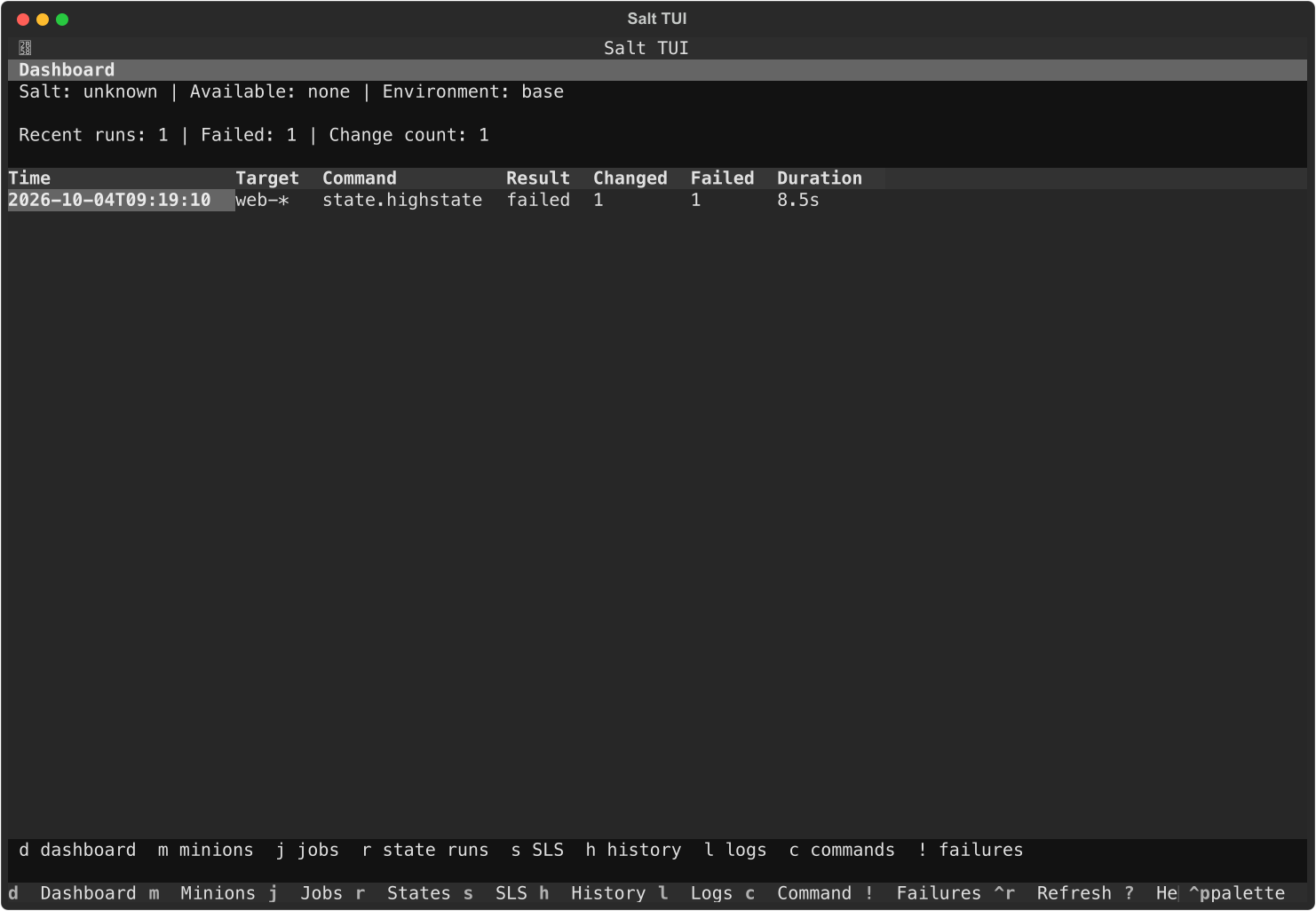
A Textual frontend for Salt CLI operations, structured state returns, local history, and SLS exploration. Salt remains the source of truth for state rendering and execution.
Install
Python 3.11 or newer and pipx are required. The package uses an isolated pipx environment and does not install into Salt's Python runtime. Install from PyPI with:
pipx install salt-tui
salt-tui
Upgrade with pipx upgrade salt-tui and uninstall with pipx uninstall salt-tui. Uninstalling leaves your configuration and history in your user directories. Check an installation without opening the TUI using salt-tui --version or salt-tui --help. Prereleases require an explicit request, such as pipx install --pip-args='--pre' salt-tui.
For a development checkout:
git clone https://github.com/pratik-anurag/salt-tui.git
cd salt-tui
python -m venv .venv
. .venv/bin/activate
python -m pip install -e '.[dev]'
python -m pytest
salt-tui
python -m salt_tui --version
To test a local release artifact, run python -m build and then pipx install ./dist/salt_tui-X.Y.Z-py3-none-any.whl. Replace X.Y.Z with the version you built. Salt CLI executables are discovered at runtime on PATH; Salt is not a Python dependency of this package.
Without Salt binaries, the UI opens with capability information and retains local history and SLS browsing. With salt, master commands are available; salt-call enables local minion commands. The app also detects salt-run and salt-key for their supported views. Live Salt behavior depends on the installed Salt CLI and access to a Salt environment. This package has been exercised on macOS; Linux is used in CI.
Use
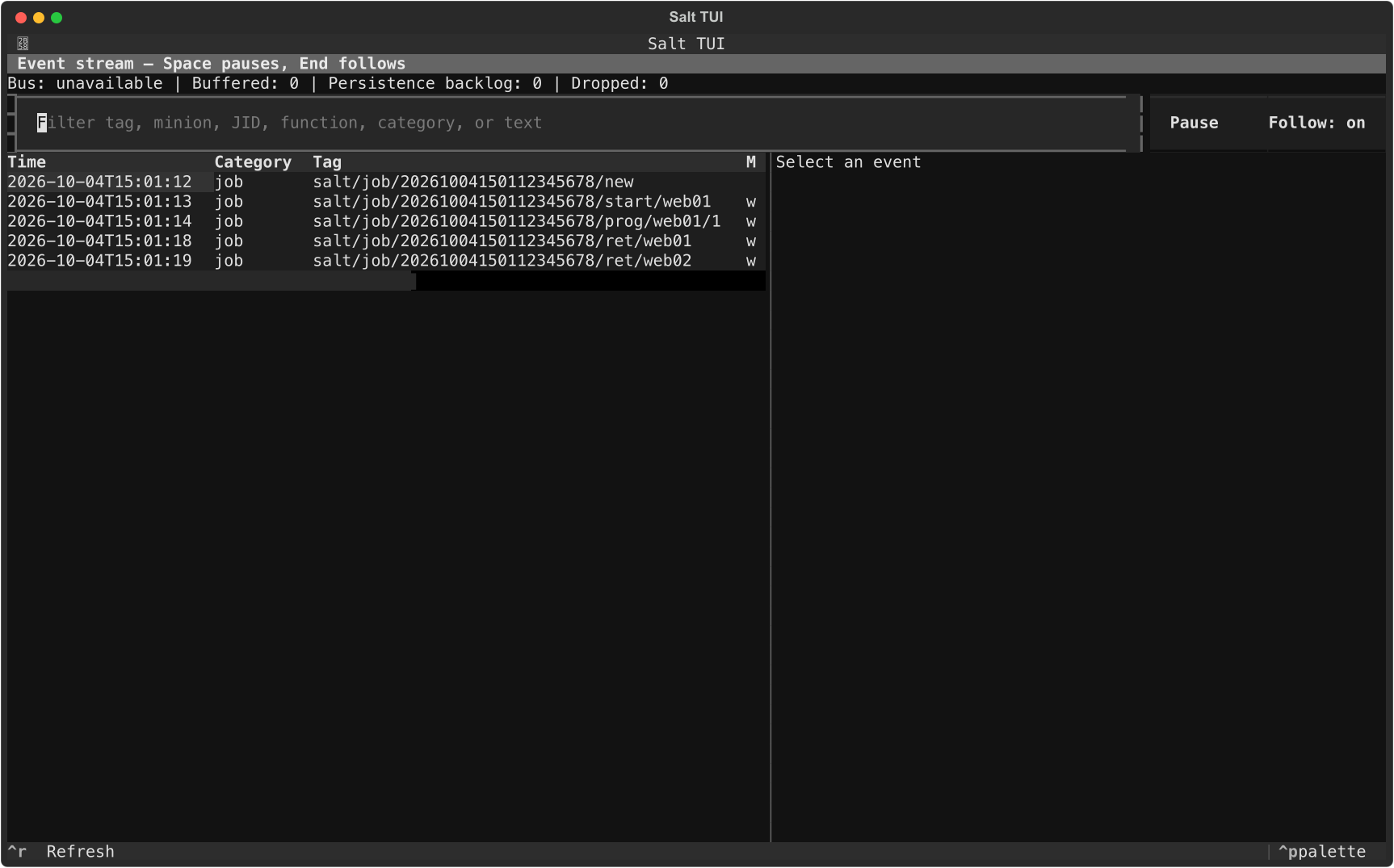
c opens the generic command runner. Enter a normal Salt command, review the exact command preview, then run it. For state changes, a confirmation displays target, action, environment, and test mode. Test first adds test=True to state functions. Run Live publishes a state job asynchronously and opens minion progress when the Salt event bus is available. e opens the event stream and v returns to the selected live run. r opens state results; f and Shift+F visit failed states. h opens persisted history; highlight one run and press x, then another and x to compare state results. s browses configured local file roots and invokes Salt's state.show_sls or state.show_low_sls for compiled views. g opens the compiled dependency graph, where u and n follow connected states and o opens source. j shows Salt runner job data.
Ctrl+M opens a paged state × minion matrix for the selected run, with fleet drift filters and per-state details.
To inspect state files, press s for the SLS Explorer. Its left table lists files under the configured file_roots; use the arrow keys to select one and read its source on the right. Press Shift+Tab to focus an action and Enter to activate it, or click its button. Rendered state runs state.show_sls, Execution steps runs state.show_low_sls, and Dependencies builds a graph from the compiled low state. Press Esc to return to the previous screen. The r screen shows results from a selected run in Salt TUI history; it does not list source files. If the SLS Explorer is empty, set [file_roots] in config.toml to the directory containing your Salt states, such as base = ["/srv/salt"].
Direct entry points open the corresponding screen:
salt-tui sls nginx
salt-tui run state.highstate
salt-tui history
salt-tui failures
salt-tui events
salt-tui intelligence
salt-tui performance
salt-tui runner
salt-tui orchestration
salt-tui targets
salt-tui matrix
salt-tui diagnostics --output ./salt-tui-diagnostics.zip
Configuration is read from ~/.config/salt-tui/config.toml (or $XDG_CONFIG_HOME/salt-tui/config.toml). Copy sample-config.toml and adapt command paths and file roots. History defaults to $XDG_DATA_HOME/salt-tui/history.db or ~/.local/share/salt-tui/history.db. It does not write into Salt's cache.
See architecture, plugin API, keyboard shortcuts, and the release checklist.
1 maintainer

Metadata
1 maintainer
Release files for salt-tui 0.1.3
For a detailed explanation of source distributions (sdists) and built distributions (wheels), please see the package formats documentation.
Source distribution (sdist)
| File | Size | Uploaded | |
|---|---|---|---|
| salt_tui-0.1.3.tar.gz | 277.4 kB | Details |
Built distribution (wheel)
| File | Interpreter | ABI | Platform | Reset |
|---|---|---|---|---|
| salt_tui-0.1.3-py3-none-any.whl | Python 3 | none | any | Details |
Total release size: 350.9 kB
Release files / salt_tui-0.1.3.tar.gz
| Download URL | salt_tui-0.1.3.tar.gz |
|---|---|
| Size | 277.4 kB |
| Tags | Source |
|
SHA-256 checksum How to use checksums |
cd807448fe148781050c24d2201d1ffc5af44fc1121e179690ca1606aba67717
|
|
BLAKE2b-256 checksum How to use checksums |
26cb975f3b5b36f88653eb1f1c42098fd900d1e19b447e8e2c9353eba5f74ba8
|
| Upload date | |
|
Uploaded using Trusted Publishing? What is trusted publishing? |
Yes |
| Uploaded via |
twine/7.0.0 CPython/3.13.14
|
Provenance
Provenance describes where a file came from. On PyPI, provenance is shared via attestations, which provide a verifiable record of the build or publishing details. View details, limitations and caveats.


PyPI Publish Attestation
PyPI verified that this artifact, at this checksum, originated from the publisher listed below.
Signed by GitHub Actions, verified by PyPI on Oct 4, 2026.
Transparency logRelease files / salt_tui-0.1.3-py3-none-any.whl
| Download URL | salt_tui-0.1.3-py3-none-any.whl |
|---|---|
| Size | 73.4 kB |
| Tags | Python 3 |
|
SHA-256 checksum How to use checksums |
af91e9e7f66df09097157150ffa00f7b6ba8ae4d28e5cb870d47a59c50ba3e44
|
|
BLAKE2b-256 checksum How to use checksums |
69d5630c9a2ee03c64c13864b018d516a7be47d1fb3f22a3f61256bc970735a7
|
| Upload date | |
|
Uploaded using Trusted Publishing? What is trusted publishing? |
Yes |
| Uploaded via |
twine/7.0.0 CPython/3.13.14
|
Provenance
Provenance describes where a file came from. On PyPI, provenance is shared via attestations, which provide a verifiable record of the build or publishing details. View details, limitations and caveats.
PyPI Publish Attestation
PyPI verified that this artifact, at this checksum, originated from the publisher listed below.
Signed by GitHub Actions, verified by PyPI on Oct 4, 2026.
Transparency log













