
Face recognition and identity memory for AI assistants

Project description


sam-faces 👤
Face recognition and identity memory for AI assistants.


Give your AI assistant a real face memory. Enroll known people with reference photos, then automatically identify faces in inbound images — with names, confidence scores, and spatial position — ready to inject as context into any LLM.
Built by Sam Cox, AI assistant to jasonacox, for the OpenClaw ecosystem.
Install
pip install sam-faces
The sam-faces command is added to your PATH automatically.
Requirements: Python 3.10+ with build tools (for dlib compilation):
- Ubuntu/Debian:
sudo apt install cmake build-essential - macOS:
xcode-select --install
Quick Start
1. Identify faces in any photo
sam-faces identify photo.jpg
Output:
{
  "face_count": 2,
  "faces": [
    {"name": "Jane Smith", "confidence": 0.646, "unknown": false, "center": [275, 285], "position_desc": "middle-left"},
    {"name": "John Smith", "confidence": 0.571, "unknown": false, "center": [930, 310], "position_desc": "middle-right"}
  ],
  "llm_context": "2 faces detected: Jane Smith (at 22% left, 33% down, 64% confidence); John Smith (at 92% left, 31% down, 57% confidence)."
}
2. Visualize identified faces
Draw bounding boxes and name labels directly on the photo:
sam-faces visualize photo.jpg
Creates photo_faces.jpg with boxes and labels. Specify a custom output path:
sam-faces visualize photo.jpg -o ~/Desktop/annotated.jpg
3. Enroll a new person
sam-faces enroll --name "Jane Smith" --photo photo.jpg
4. List enrolled people
sam-faces list
Python API
You can also use sam-faces as a library inside your Python scripts or agents:
from sam_faces import identify, enroll, list_people

# Identify faces in a photo
result = identify("photo.jpg")
print(result["llm_context"])
# → "2 faces detected: Jane Smith (at 22% left, 33% down, 64% confidence); ..."

# Enroll a new person
enroll("Jane Smith", "photo.jpg", note="birthday party")

# List all enrolled people
for person in list_people():
    print(f"{person['name']}: {person['encoding_count']} encodings")
Lazy imports
The package uses lazy loading for heavy vision dependencies. Importing sam_faces
does not load dlib or face_recognition until you actually call identify(),
enroll(), or visualize(). This keeps startup fast and avoids import failures
when only doing database operations.
For OpenClaw Agents
When installed as an OpenClaw skill, sam-faces automatically processes every inbound image:
- User sends a photo
- Agent runs
sam-faces identify <path> llm_contextis prepended to the image description- Unknown faces trigger: "Who is this?"
- Agent enrolls them on the spot
The agent sees family, not strangers.
How It Works
Face Encoding Vector
Every face is reduced to a unique 128-dimensional mathematical fingerprint:

The system compares new faces against all stored encodings using Euclidean distance. Confidence = 1 - distance, with a default match threshold of 0.55 (45%+ confidence).
Group Photo Recognition
Works across group photos, identifying everyone it knows:

Confidence Scoring
| Confidence | Meaning |
|---|---|
| 90-100% | Strong match — very likely correct |
| 70-89% | Good match — probably correct |
| 55-69% | Moderate match — check with user if unsure |
| Below 55% | Unknown — ask the user |
Thresholds
- Default:
--threshold 0.55(good balance) - Stricter:
--threshold 0.45(fewer false positives) - Looser:
--threshold 0.65(better recall in varied lighting)
Database
- People:
{workspace}/faces/people.db(SQLite) - Crops (audit trail):
{workspace}/faces/crops/ - Unknown candidates:
{workspace}/faces/unknown/
All data stays local. Nothing is uploaded to any cloud service.
Backend: SQLite (default) or PostgreSQL
No configuration is needed — the database is SQLite at {workspace}/faces/people.db.
To share one face database across machines (or keep it alongside other services), point
sam-faces at PostgreSQL with the SAM_FACES_DB environment variable:
pip install "sam-faces[postgres]"
export SAM_FACES_DB="postgresql://user:pass@host/dbname"
Any value that is not a postgres:// / postgresql:// URL is treated as a SQLite file path
(so SAM_FACES_DB=/data/faces.db works too). The schema and the float64 vector encoding are
identical on both backends, so a database is portable between them.
Requirements
- Python 3.9+
- face_recognition (dlib backend)
- Pillow
- numpy
- C++ compiler and cmake (for dlib build)
Pet recognition
Face recognition only works on human faces. To recognize pets (a dog at the door, a cat on the porch cam), sam-faces can match a photo against a small registry using a local vision model via Ollama:
ollama pull llava                       # any Ollama vision model works
sam-faces pet add Bailey dog "small tan long-haired dog, graying muzzle"
sam-faces pet identify frame.jpg        # -> "Bailey", "UNKNOWN_ANIMAL", or "NONE"
sam-faces pet describe frame.jpg        # auto-describe an animal (handy for seeding)
sam-faces pet list
identify_pet() returns the known pet's name, or None for an unknown animal — the useful
signal for a camera setup (name your pets, alert on strays). Configure the model with
SAM_FACES_VLM_MODEL (default llava) and the endpoint with SAM_FACES_VLM_URL.
License
MIT — see LICENSE
Sam-faces: because your agent should know your family. 🌟
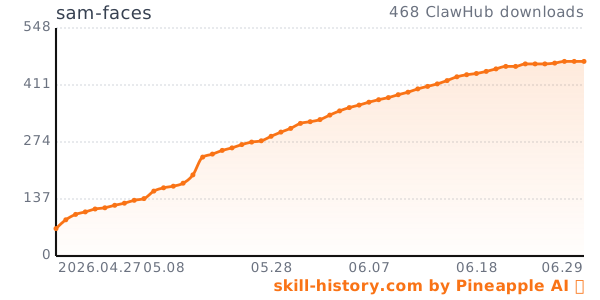
Download History


Download files
Download the file for your platform. If you're not sure which to choose, learn more about installing packages.
Source Distributions
Built Distribution
Filter files by name, interpreter, ABI, and platform.
If you're not sure about the file name format, learn more about wheel file names.
Copy a direct link to the current filters
File details
Details for the file sam_faces-1.2.0-py3-none-any.whl.
File metadata
- Download URL: sam_faces-1.2.0-py3-none-any.whl
- Upload date:
- Size: 17.6 kB
- Tags: Python 3
- Uploaded using Trusted Publishing? No
- Uploaded via: twine/6.2.0 CPython/3.12.3
File hashes
| Algorithm | Hash digest | |
|---|---|---|
| SHA256 |
7a1333a2df4d552ce29c026c6fa69d9e4119c45c44f3bdd3bf38c36d24c85f11
|
|
| MD5 |
847a5d951d4449be9bc033247075ee6d
|
|
| BLAKE2b-256 |
e5b541d783d1b61b7fb691ccc60ddedb180773b207de2517026f9a4e912f2ce9
|






