
Sarcastic Color Scheme
Color scheme for when you want to present some data visualization, but sarcastically.
This is useful for
- presenting bad data where you aren't confident in the results,
- turning in assignments you'd rather not do
- annoying people who care about good dataviz
Features
The code for all the demos can be found here.
Afwul background
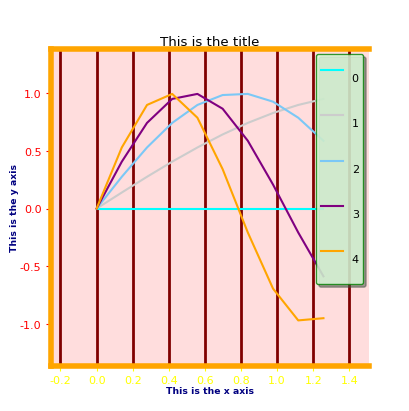
Yes, you saw that correctly, there are two different awful background colors for the plot background and the legend background.
Terrible plot colors
Yes, the colors on display here are cyan, grey, light blue, purple and orange. Yes, that looks terrible.
Bad spacing
You may have noticed the abysmal spacing of the title. Yes, that is deliberate.
Weird inexplicable borders / grid
Yes, you are right that the borders aren't all correctly there.
Colored axes
Yep, the axes are colored, different colors.
Inconsistent Style
This wouldn't be maximally awful if it was consistent, which is why running exactly the same code two more times yields these:
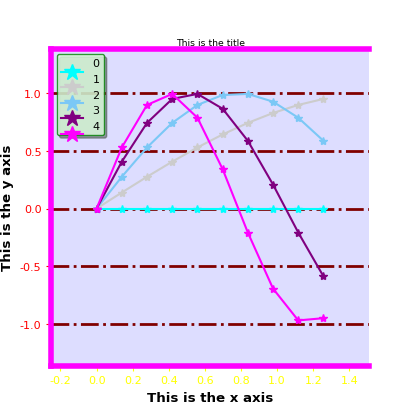
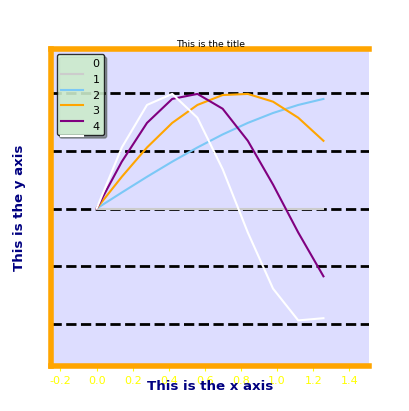
This way, not only is every graph terrible looking, but you can't get used to the style!
How to install and use
You can install this package using the following command
pip install sarcastic-color-scheme
To use it you can run
from sarcastic_color_scheme import sarcastic
and then either run
sarcastic.sarcastic()
to make all subsequent graphs sarcastic (sarcastic.normal() undoes the change), or to make a single graph sarcastic run
with sarcastic:
    # your graph code here
Configurable
If you look at the code you'll notice that you use a context manager to make sure that the sarcasm mode is enabled:
with sarcastic:
    test_graph()
You can also run
sarcastic.sarcastic()
test_graph()
sarcastic.normal()
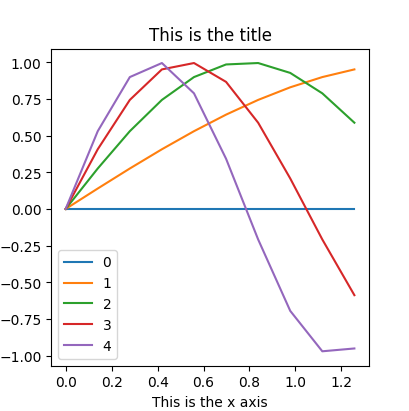
to get the same effect, without the context manager. After the context manager is complete, the styles are reset to where they were before it ran as can be seen in the plot
1 maintainer

Metadata
1 maintainer
Release files for sarcastic-color-scheme 0.2.0
For a detailed explanation of source distributions (sdists) and built distributions (wheels), please see the package formats documentation.
Source distribution (sdist)
| File | Size | Uploaded | |
|---|---|---|---|
| sarcastic-color-scheme-0.2.0.tar.gz | 4.2 kB | Details |
Built distribution (wheel)
| File | Interpreter | ABI | Platform | Reset |
|---|---|---|---|---|
| sarcastic_color_scheme-0.2.0-py3-none-any.whl | Python 3 | none | any | Details |
Total release size: 21.5 kB
Release files / sarcastic-color-scheme-0.2.0.tar.gz
| Download URL | sarcastic-color-scheme-0.2.0.tar.gz |
|---|---|
| Size | 4.2 kB |
| Tags | Source |
|
SHA-256 checksum How to use checksums |
df7689f1b9e0392dfc1c1f41e1a73c89c1bd9f7439c1afb738de4a2cda1fd49c
|
|
BLAKE2b-256 checksum How to use checksums |
5d9d2a21072b856bfe7ae7e349ba2ab7f1cfb8558528c64a8af0565e2750b494
|
| Upload date | |
|
Uploaded using Trusted Publishing? What is trusted publishing? |
No |
| Uploaded via |
twine/3.1.1 pkginfo/1.5.0.1 requests/2.22.0 setuptools/41.0.1 requests-toolbelt/0.9.1 tqdm/4.41.0 CPython/3.6.9
|
Release files / sarcastic_color_scheme-0.2.0-py3-none-any.whl
| Download URL | sarcastic_color_scheme-0.2.0-py3-none-any.whl |
|---|---|
| Size | 17.3 kB |
| Tags | Python 3 |
|
SHA-256 checksum How to use checksums |
cf7b7ecde01c44d3f7b3219c8143167aa25f9b3c18e8e7ee7aa42ea04bbba4b3
|
|
BLAKE2b-256 checksum How to use checksums |
7ec216b2cccafeb013cf8abffa061112a01fdea84804f61a7b2a8f96435bfc53
|
| Upload date | |
|
Uploaded using Trusted Publishing? What is trusted publishing? |
No |
| Uploaded via |
twine/3.1.1 pkginfo/1.5.0.1 requests/2.22.0 setuptools/41.0.1 requests-toolbelt/0.9.1 tqdm/4.41.0 CPython/3.6.9
|














