
Spatial distortions for image augmentations

Project description
saug (Spatial Augmentation)
Spatial distortions for image augmentations
Cite this library:
Oskouei, S., Valla, M., Pedersen, A., Smistad, E., Dale, V.G., Høibø, M., Wahl, S.G.F., Haugum, M.D., Langø, T., Ramnefjell, M.P. and Akslen, L.A., 2024. Segmentation of Non-Small Cell Lung Carcinomas: Introducing DRU-Net and Multi-Lens Distortion. arXiv preprint arXiv:2406.14287.
and

Include both citations!
Overview
This Python library provides a collection of functions to apply various distortion effects to images. These effects range from simple pixelation and mirroring to more complex transformations like elastic and wave distortions, enabling creative alterations of images for artistic or research purposes. The library leverages NumPy for efficient array manipulations, ensuring high performance even for large images.
Dependencies
NumPy: For array operations and mathematical functions. OpenCV (cv2): For image reading and saving functionalities, as well as some image processing tasks.
Functions
This library includes a variety of functions to apply different types of distortions to images. Each function accepts an image (as a NumPy array) as input and returns the distorted image. The main functions include:
elastic_transform: Applies an elastic deformation to the image.
twirl_distortion01 and twirl_distortion02: Apply a twirling effect to parts of the image.
wave_distortion01, wave_distortion02, and wave_distortion: Create wave-like distortions across the image.
pixelate_image: Pixelates a specified region or the entire image.
cartesian_to_polar_image_stretched: Transforms the image from Cartesian to polar coordinates, stretching the pixels.
mirror_effect: Applies a mirroring effect to a specified side of the image.
tilt_shift_effect: Simulates a tilt-shift photography effect, blurring parts of the image while keeping a specific area in focus.
ripple_effect: Creates a ripple effect across the image.
zoom_blur: Applies a zoom blur effect from a specified point.
space_distortion_v1: Distorts the space within the image in a specified direction.
wind_distortion: Simulates the effect of wind on the image.
squeeze_stretch_effect: Applies a squeeze and stretch effect to the image.
smooth_lens_distortion: Applies a smooth lens distortion effect centered around a specified point.
crystallize_distortion: Simulates a crystalline effect by averaging blocks of pixels.
honeycomb_distortion: Applies a honeycomb-like distortion effect across the image.
Usage Examples Below are examples demonstrating how to use some of the functions provided in this library. These examples use a chessboard image as the input, but you can replace it with any image of your choice.
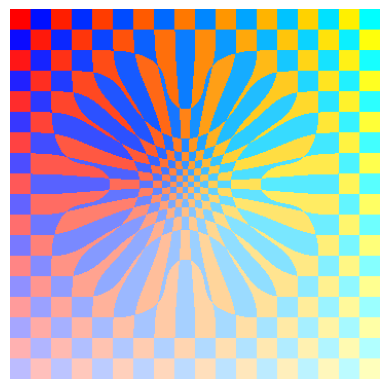
distorted_chessboard = multi_lens_distortion(chessboard, num_lenses=8, radius_range=[120, 190], strength_range=[-0.2, 0.7]):
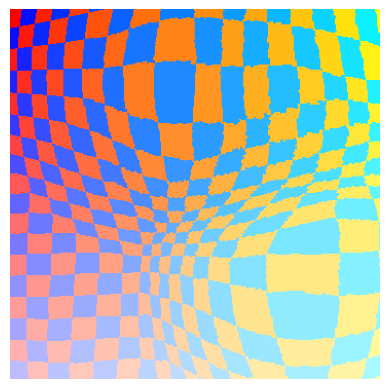
distorted_chessboard = elastic_transform(chessboard, 90, 7)
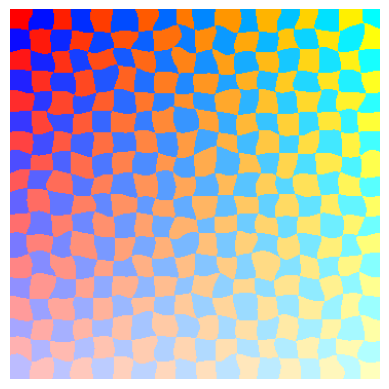
distorted_chessboard = twirl_distortion01(chessboard, (170,270), 200, 0.8)
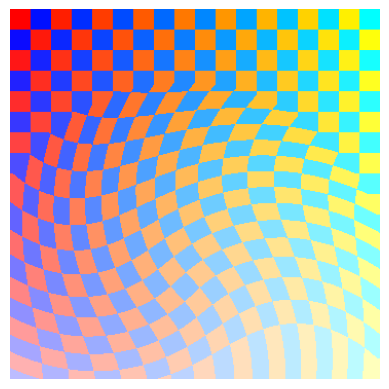
distorted_chessboard = twirl_distortion02(chessboard, (170,170), 10, 0.12)
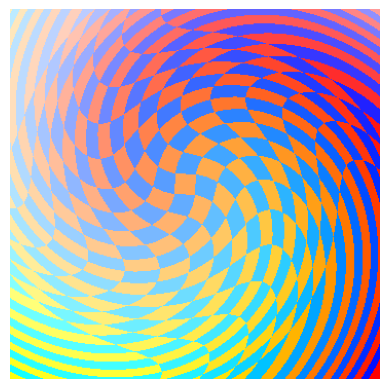
distorted_chessboard = wave_distortion01(chessboard, (170,100), 10, 10)
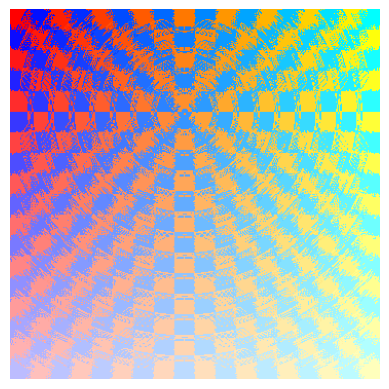
distorted_chessboard = wave_distortion02(chessboard, (170,100), 8, 60)
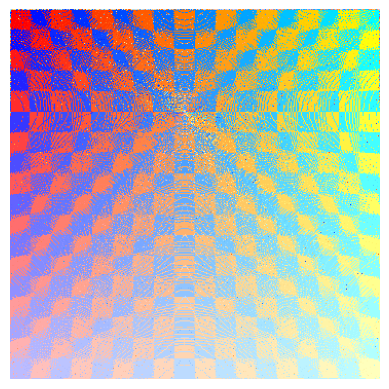
distorted_chessboard = wave_distortion(chessboard, 8, 80)
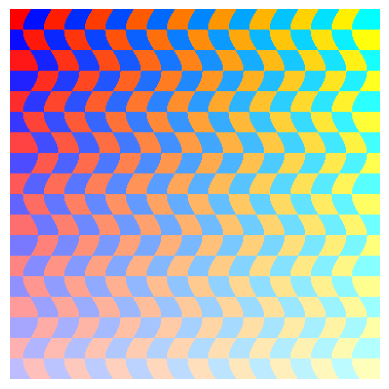
distorted_chessboard = pixelate_image(chessboard, 14, (50, 50, 340, 340))
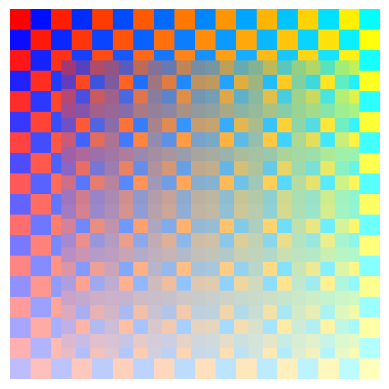
distorted_chessboard = cartesian_to_polar_image_stretched(chessboard, center=None)
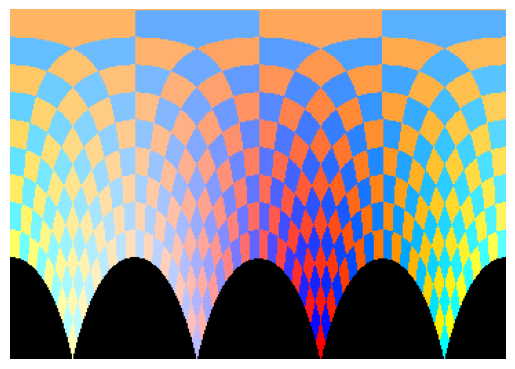
distorted_chessboard = mirror_effect(chessboard, direction='horizontal', mirror_line_position=180, side='right')
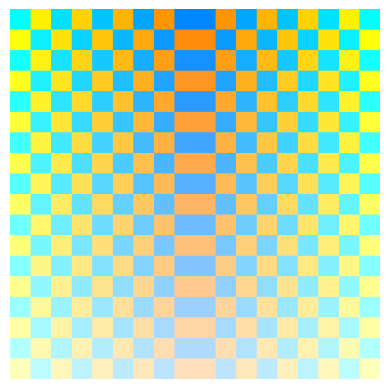
distorted_chessboard = tilt_shift_effect(chessboard, 0.3, 0.7, 5, 0.4)
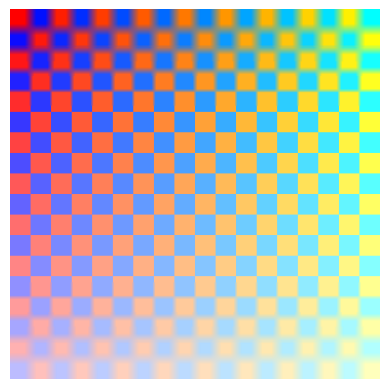
distorted_chessboard = ripple_effect(chessboard, 3, 7)
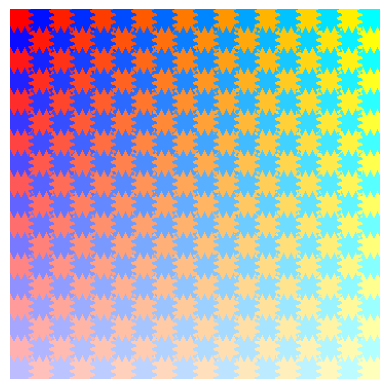
distorted_chessboard = zoom_blur(chessboard, (150, 150), intensity=0.07, blend=0.3)
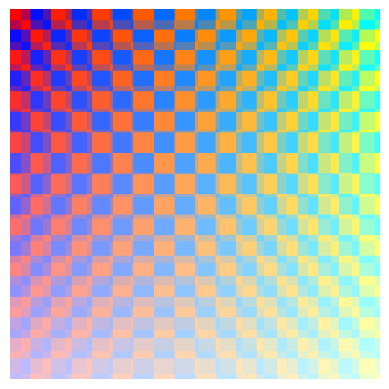
distorted_chessboard = space_distortion_v1(chessboard)
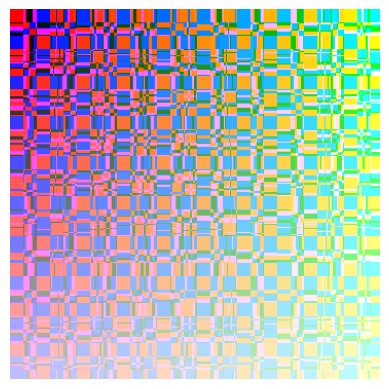
distorted_chessboard = wind_distortion(chessboard, direction=(0.4, -1), strength=21)
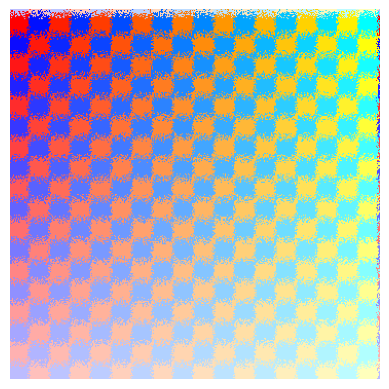
distorted_chessboard = squeeze_stretch_effect(chessboard)
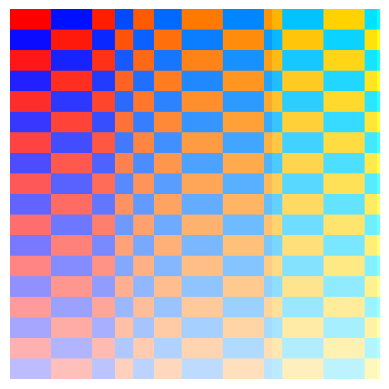
distorted_chessboard = smooth_lens_distortion(chessboard, 200, 200, 150, 1.3)
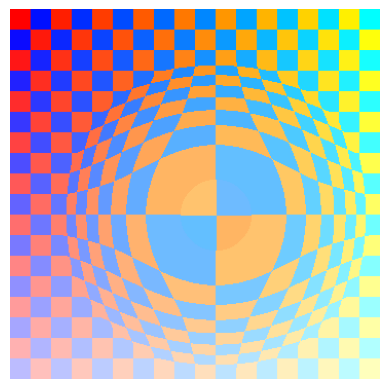
distorted_chessboard = crystallize_distortion(chessboard, crystal_size=27)
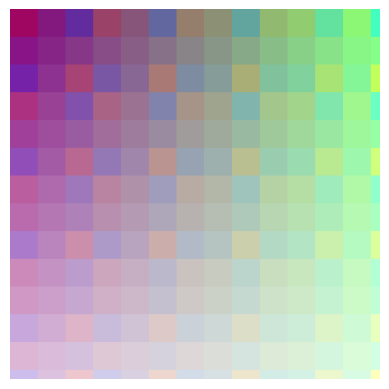
distorted_chessboard = honeycomb_distortion(chessboard)
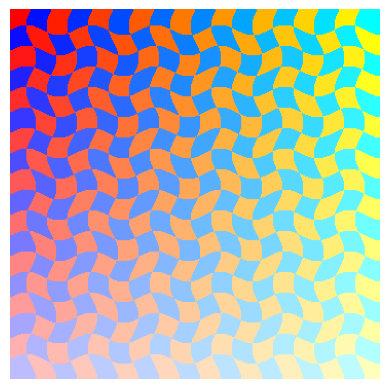
distorted_chessboard = moving_blur(chessboard, 2,0.4, 3)
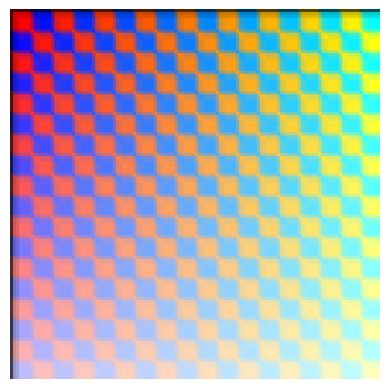
distorted_chessboard = warp_bubbles_effect(chessboard, [(170, 170)], 149, 3)


Download files
Download the file for your platform. If you're not sure which to choose, learn more about installing packages.
Source Distribution
Built Distribution
Filter files by name, interpreter, ABI, and platform.
If you're not sure about the file name format, learn more about wheel file names.
Copy a direct link to the current filters
File details
Details for the file saug-0.0.1.tar.gz.
File metadata
- Download URL: saug-0.0.1.tar.gz
- Upload date:
- Size: 10.8 kB
- Tags: Source
- Uploaded using Trusted Publishing? No
- Uploaded via: twine/5.1.1 CPython/3.10.11
File hashes
| Algorithm | Hash digest | |
|---|---|---|
| SHA256 |
24e1ed5bcc9fd804df0940bb135f2dd277b36dc1de9f13cb6dea6745f523324e
|
|
| MD5 |
d02df5c41759260f350fc00fd816ec33
|
|
| BLAKE2b-256 |
5df248dfc7ba4bd085daf4315131bb8c619c6e103a55c47932b51d8c1a1b6772
|
File details
Details for the file saug-0.0.1-py3-none-any.whl.
File metadata
- Download URL: saug-0.0.1-py3-none-any.whl
- Upload date:
- Size: 11.4 kB
- Tags: Python 3
- Uploaded using Trusted Publishing? No
- Uploaded via: twine/5.1.1 CPython/3.10.11
File hashes
| Algorithm | Hash digest | |
|---|---|---|
| SHA256 |
0b7283524b98e9140c69da688bbae7a0b7f7536c84f9c2a3cb2f16581a152f7a
|
|
| MD5 |
0b30c0362e0650df1ebb7938f7bd0c9f
|
|
| BLAKE2b-256 |
0cdf3cd0e7fb4167af6aaa848c7cd874f1e22f1567fb78c03c2cf3bd2f075bb8
|






