
Saweria QRIS code generator

Project description
Saweria QRIS code generator




[!CAUTION] Using any kind of automation programs on your account can result in your account getting permanently banned by Saweria. Use at your own risk.
Installation
$ pip install saweriaqris Install this package
Usage:
use this within your code example below
creating a code
from saweriaqris import create_payment_qr, paid_status

myqr = create_payment_qr("nindtz", 10000, "Budi", "budi@saweria.co", "Semangat!")
qrcode = myqr[0]
transaction_id = myqr[1]

# Just feed the qrcode to your favourite qr code generator
# transaction_id for matching purpose to your webhook calls
checking transaction status
from saweriaqris import create_payment_qr, paid_status

is_paid = paid_status(transaction_id)

# is_paid is bool value
[!Tip] Best Practice: You are supposed to use Saweria's Webhook Integration to get realtime payment notification to your API.
- Set your Saweria Integration to point to your API (found in Integrations -> Webhook)
- You issue a payment code to your client.
- After successful payment, Saweria will do POST request (Webhook) to your API. Below example POST from Saweria Webhook:
{
	"version": "2022.01",
	"created_at": "2021-01-01T12:00:00+00:00",
	"id": "00000000-0000-0000-0000-000000000000",
	"type": "donation",
	"amount_raw": 69420,
	"cut": 3471,
	"donator_name": "Someguy",
	"donator_email": "someguy@example.com",
	"donator_is_user": false,
	"message": "THIS IS A FAKE MESSAGE! HAVE A GOOD ONE",
	"etc": {
		"amount_to_display": 69420
	}
}
- Parse the JSON from the POST and challenge the id given from Saweria Webhook with the paid_status function.
- Only after it returns True, then you can update accordingly.
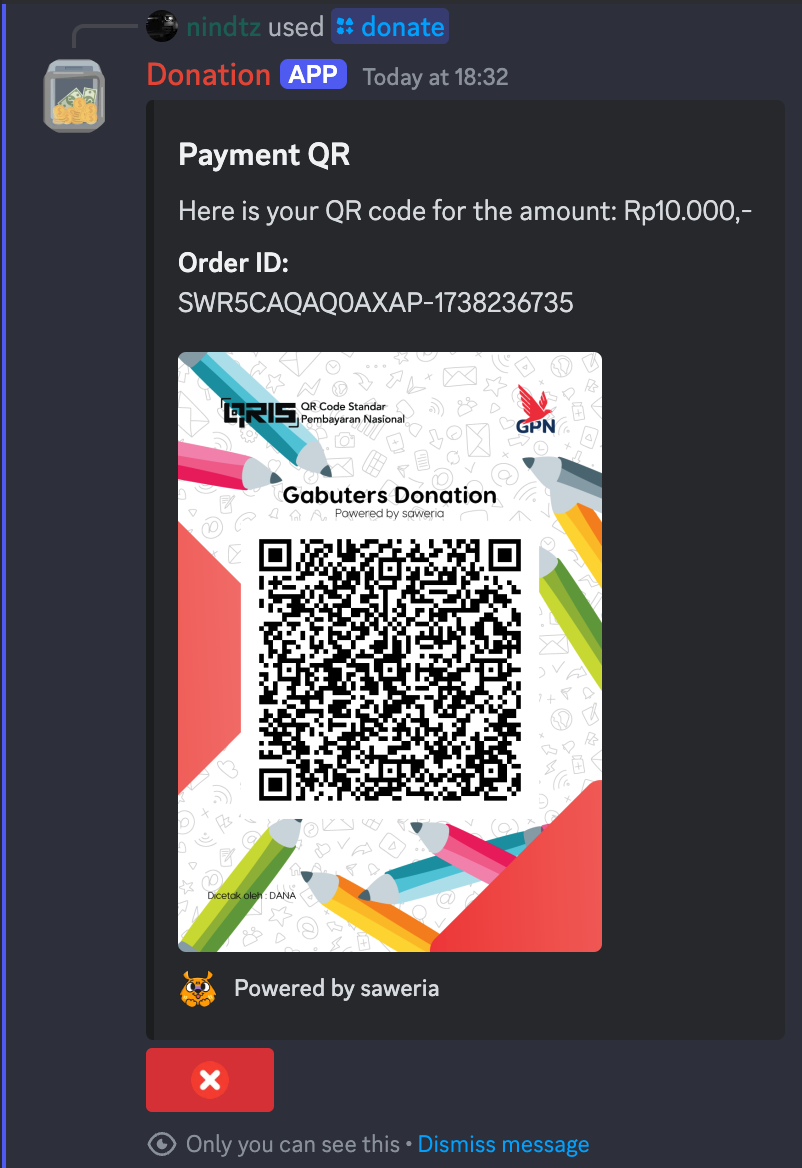
Example use case:
Discord bot Donate QRIS
Thank you
Release history Release notifications | RSS feed


Download files
Download the file for your platform. If you're not sure which to choose, learn more about installing packages.
Source Distribution
Built Distribution
Filter files by name, interpreter, ABI, and platform.
If you're not sure about the file name format, learn more about wheel file names.
Copy a direct link to the current filters
File details
Details for the file saweriaqris-0.1.6.tar.gz.
File metadata
- Download URL: saweriaqris-0.1.6.tar.gz
- Upload date:
- Size: 4.6 kB
- Tags: Source
- Uploaded using Trusted Publishing? No
- Uploaded via: twine/6.1.0 CPython/3.9.21
File hashes
| Algorithm | Hash digest | |
|---|---|---|
| SHA256 |
596f540fe2f0a85d56f8fe743bcfb9d89abd87188dc2cc75673861ba2d918871
|
|
| MD5 |
03577b814da02d6b4e38c8df0b12fcc4
|
|
| BLAKE2b-256 |
e0cafb5f1bd397608ce6ba15a646adb76164c6cb7b5ada9f4d7e0358e585d633
|
File details
Details for the file saweriaqris-0.1.6-py3-none-any.whl.
File metadata
- Download URL: saweriaqris-0.1.6-py3-none-any.whl
- Upload date:
- Size: 4.8 kB
- Tags: Python 3
- Uploaded using Trusted Publishing? No
- Uploaded via: twine/6.1.0 CPython/3.9.21
File hashes
| Algorithm | Hash digest | |
|---|---|---|
| SHA256 |
a76e2ea0489da07b43bc2463f992511118ad8efe686023e7ed260490bd7bc53c
|
|
| MD5 |
27fc336e6e08e1b03b5a01603bc6268e
|
|
| BLAKE2b-256 |
22bbe08ac5b053431c0f4f215dd9785db578d9fd2abc2a1766098a0b624dad1b
|






