
LXMF client for Android, Linux and macOS allowing you to communicate with people or LXMF-compatible systems over Reticulum networks using LoRa, Packet Radio, WiFi, I2P, or anything else Reticulum supports.

Project description
Sideband 
Sideband is an LXMF client for Android, Linux and macOS. It allows you to communicate with other people or LXMF-compatible systems over Reticulum networks using LoRa, Packet Radio, WiFi, I2P, Encrypted QR Paper Messages, or anything else Reticulum supports.
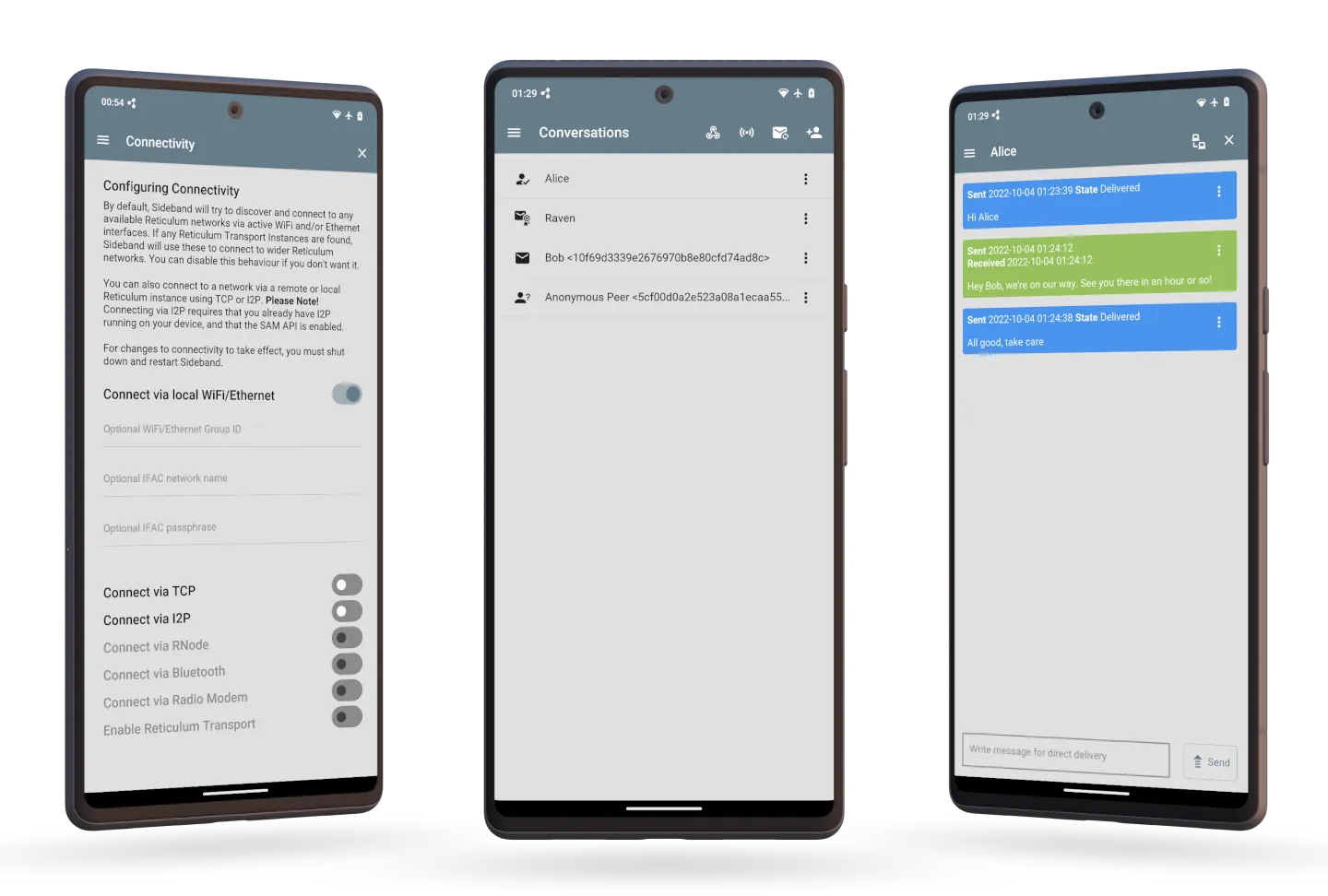
Sideband is completely free, end-to-end encrypted, permission-less, anonymous and infrastructure-less. Sideband uses the peer-to-peer and distributed messaging system LXMF. There is no sign-up, no service providers, no "end-user license agreements", no data theft and no surveillance. You own the system.
This also means that Sideband operates differently than what you might be used to. It does not need a connection to a server on the Internet to function, and you do not have an account anywhere. Please read the Guide section included in the program, to get an understanding of how Sideband differs from other messaging systems.
The program currently includes basic functionality for secure and independent communication, and many useful features are planned for implementation. Sideband is currently released as a beta version. Please help make all the functionality a reality by supporting the development with donations.
Sideband works well with the terminal-based LXMF client Nomad Network, which allows you to easily host Propagation Nodes for your LXMF network, and more.
If you want to help develop this program, get in touch.
Installation On Linux, Android and MacOS
For your Android devices, download an APK on the latest release page.
A DMG file containing a macOS app bundle is also available on the latest release page.
Aditionally, you can install Sideband with pip on Linux and macOS:
# Install Sideband and dependencies on Linux
pip install sbapp

# Install Sideband and dependencies on macOS
pip install "sbapp[macos]"

# Run it
sideband
If you are using an operating system that blocks normal user package installation via pip, you can return pip to normal behaviour by editing the ~/.config/pip/pip.conf file, and adding the following directive in the [global] section:
[global]
break-system-packages = true
Alternatively, you can use the pipx tool to install Sideband in an isolated environment instead:
# Install Sideband on Linux
pipx install sbapp

# Install Sideband on macOS
pip install "sbapp[macos]"

# Optionally install Reticulum utilities
pipx install rns

# Optionally install standalone LXMF utilities
pipx install lxmf
Installation On Windows
It is possible to install and run Sideband on Windows, although some features are not fully functional. If you don't already have Python installed, download and install the latest version of Python.
Important! When asked by the installer, make sure to add the Python program to your PATH environment variables. If you don't do this, you will not be able to use the pip installer, or run the sideband command.
When Python has been installed, you can open a command prompt and install sideband via pip:
pip install sbapp
The Sideband application can now be launched by running the command sideband in the command prompt.
Most importantly, the AutoInterface in Reticulum is not yet supported on Windows. This means that on the first run, Sideband will not be able to automatically find any peers or potential Reticulum Transport Nodes you have on your local network.
When running Sideband for the first time, a default Reticulum configuration file will be created, if you don't already have one. You will have to edit this file, located at C:\Users\USERNAME\.reticulum\config and manually add an interface that provides connectivity to a wider network. If you just want to connect over the Internet, you can add one of the public hubs on the Reticulum Testnet.
Example Paper Message
You can try out the paper messaging functionality by using the following QR-code. It is a paper message sent to the LXMF address 6b3362bd2c1dbf87b66a85f79a8d8c75. To be able to decrypt and read the message, you will need to import the following base32-encoded Reticulum Identity into the app:
3BPTDTQCRZPKJT3TXAJCMQFMOYWIM3OCLKPWMG4HCF2T4CH3YZHVNHNRDU6QAZWV2KBHMWBNT2C62TQEVC5GLFM4MN25VLZFSK3ADRQ=
You can import the identity into Sideband in the Encryption Keys part of the program. After the you have imported the identity, you can scan the following QR-code and open it in the app, where it will be decrypted and added to your messages.

You can also find the entire message in this link:
lxm://azNivSwdv4e2aoX3mo2MdTAozuI7BlzrLlHULmnVgpz3dNT9CMPVwgywzCJP8FVogj5j_kU7j7ywuvBNcr45kRTrd19c3iHenmnSDe4VEd6FuGsAiT0Khzl7T81YZHPTDhRNp0FdhDE9AJ7uphw7zKMyqhHHxOxqrYeBeKF66gpPxDceqjsOApvsSwggjcuHBx9OxOBy05XmnJxA1unCKgvNfOFYc1T47luxoY3c0dLOJnJPwZuFRytx2TXlQNZzOJ28yTEygIfkDqEO9mZi5lgev7XZJ0DvgioQxMIyoCm7lBUzfq66zW3SQj6vHHph7bhr36dLOCFgk4fZA6yia2MlTT9KV66Tn2l8mPNDlvuSAJhwDA_xx2PN9zKadCjo9sItkAp8r-Ss1CzoUWZUAyT1oDw7ly6RrzGBG-e3eM3CL6u1juIeFiHby7_3cON-6VTUuk4xR5nwKlFTu5vsYMVXe5H3VahiDSS4Q1aqX7I
On operating systems that allow for registering custom URI-handlers, you can click the link, and it will be decoded directly in your LXMF client. This works with Sideband on Android.
Support Sideband Development
You can help support the continued development of open, free and private communications systems by donating via one of the following channels:
- Monero:
84FpY1QbxHcgdseePYNmhTHcrgMX4nFfBYtz2GKYToqHVVhJp8Eaw1Z1EedRnKD19b3B8NiLCGVxzKV17UMmmeEsCrPyA5w - Ethereum
0x81F7B979fEa6134bA9FD5c701b3501A2e61E897a - Bitcoin
3CPmacGm34qYvR6XWLVEJmi2aNe3PZqUuq - Ko-Fi: https://ko-fi.com/markqvist
Development Roadmap
- Adding a Nomad Net page browser
- Implementing the Local Broadcasts feature
- Adding a debug log option and viewer
- Adding a Linux .desktop file
- Message sorting mechanism
- Fix I2P status not being displayed correctly when the I2P router disappears unexpectedly
- Adding LXMF sneakernet functionality
License
Unless otherwise noted, this work is licensed under a Creative Commons Attribution-NonCommercial-ShareAlike 4.0 International License.
Permission is hereby granted to use Sideband in binary form, for any and all purposes, and to freely distribute binary copies of the program, so long as no payment or compensation is charged or received for such distribution or use.

Device screenshots generated with deviceframes. Thanks!
Release history Release notifications | RSS feed


Download files
Download the file for your platform. If you're not sure which to choose, learn more about installing packages.
Source Distribution
Built Distribution
Filter files by name, interpreter, ABI, and platform.
If you're not sure about the file name format, learn more about wheel file names.
Copy a direct link to the current filters
File details
Details for the file sbapp-0.7.1.tar.gz.
File metadata
- Download URL: sbapp-0.7.1.tar.gz
- Upload date:
- Size: 3.2 MB
- Tags: Source
- Uploaded using Trusted Publishing? No
- Uploaded via: twine/4.0.2 CPython/3.11.5
File hashes
| Algorithm | Hash digest | |
|---|---|---|
| SHA256 |
e9115996e9034ab09941561a908678045aab554e0d6cd1aeef7bfcd6b973767e
|
|
| MD5 |
61ff991f028e9f58abce424b87b64c84
|
|
| BLAKE2b-256 |
70b6bb769b1b9c6fedf2014e758a4b07064788be78eeb12d109f1729b07cdf90
|
File details
Details for the file sbapp-0.7.1-py3-none-any.whl.
File metadata
- Download URL: sbapp-0.7.1-py3-none-any.whl
- Upload date:
- Size: 3.2 MB
- Tags: Python 3
- Uploaded using Trusted Publishing? No
- Uploaded via: twine/4.0.2 CPython/3.11.5
File hashes
| Algorithm | Hash digest | |
|---|---|---|
| SHA256 |
d97cc0286660e8f4bd28046d4330fdbfd872f4c313d3f3e8697fadd26c0a030a
|
|
| MD5 |
0fb1d4764843a7877e7dfa07ce95de4b
|
|
| BLAKE2b-256 |
d25f74978d3b32d0552f27fc936d209fd30d71e522c0df45a779d809a479b1f7
|






