
sbb_binarization
Document Image Binarization using pre-trained models



Examples
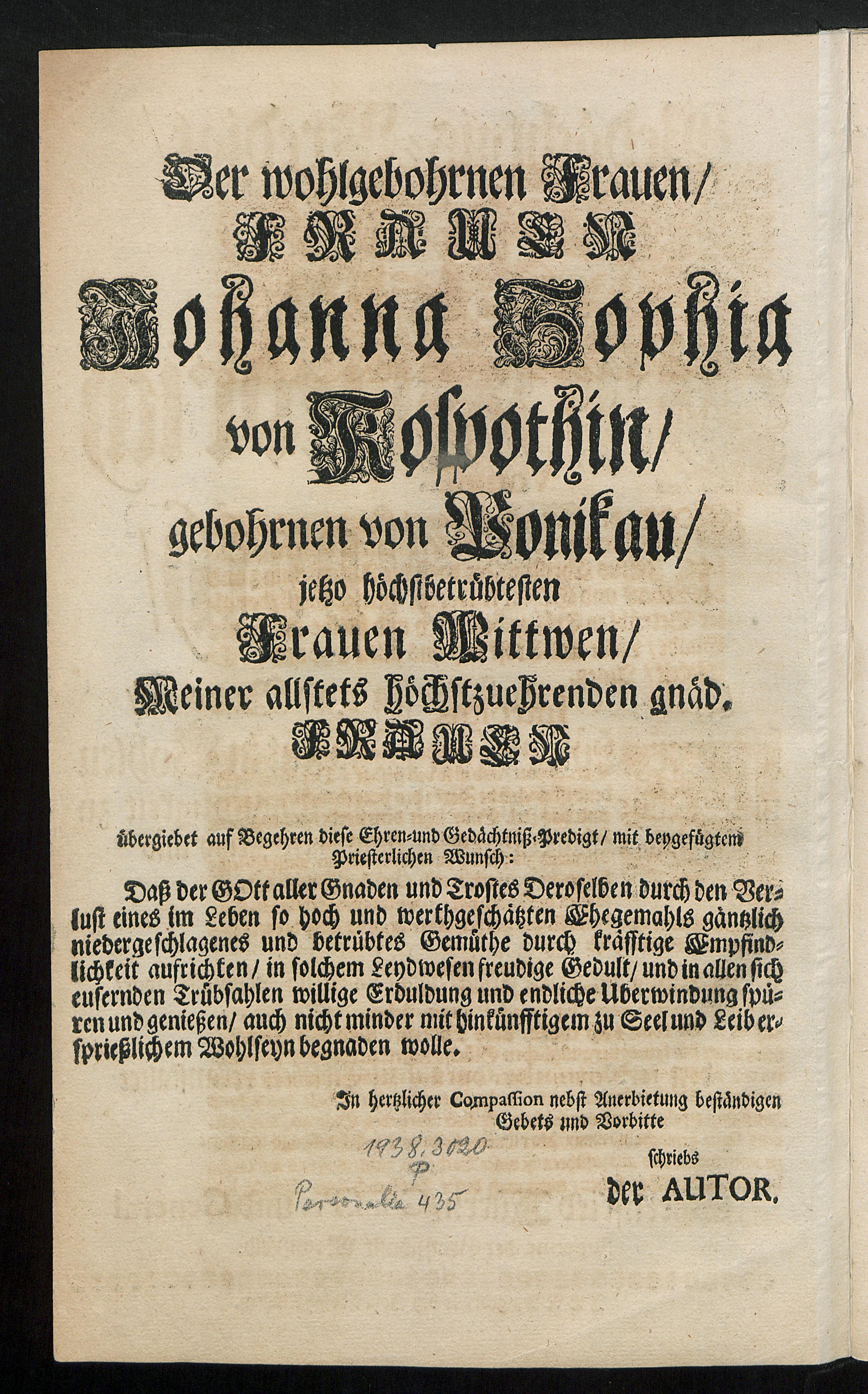


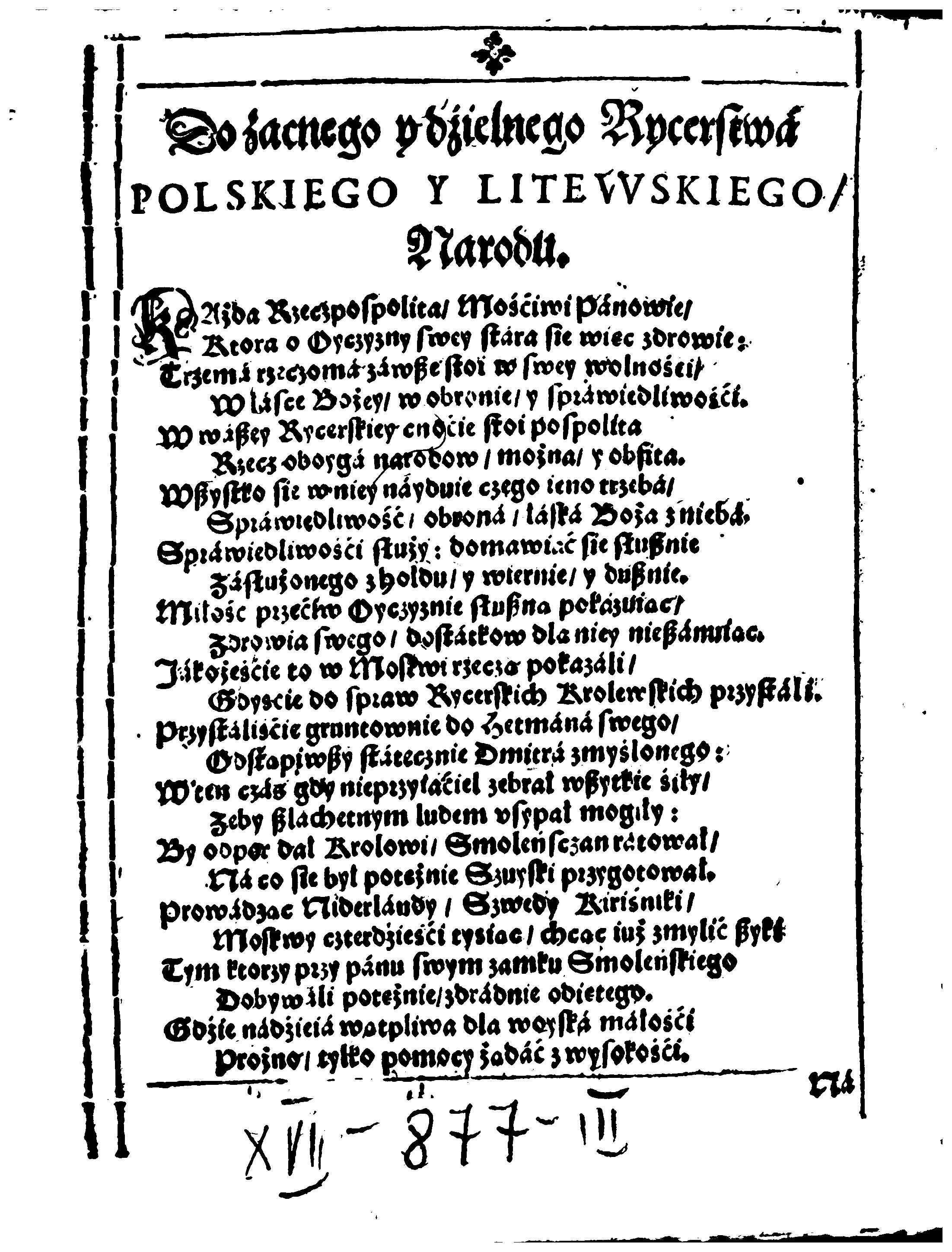
Installation
Python versions 3.7-3.10 are currently supported.
You can either install via
pip install sbb-binarization
or clone the repository, enter it and install (editable) with
git clone git@github.com:qurator-spk/sbb_binarization.git
cd sbb_binarization; pip install -e .
Models
Pre-trained models can be downloaded from the locations below. We also provide the models and model card on 🤗
| Version | Format | Download |
|---|---|---|
| 2021-03-09 | SavedModel |
https://github.com/qurator-spk/sbb_binarization/releases/download/v0.0.11/saved_model_2021_03_09.zip |
| 2021-03-09 | HDF5 |
https://qurator-data.de/sbb_binarization/2021-03-09/models.tar.gz |
| 2020-01-16 | SavedModel |
https://github.com/qurator-spk/sbb_binarization/releases/download/v0.0.11/saved_model_2020_01_16.zip |
| 2020-01-16 | HDF5 |
https://qurator-data.de/sbb_binarization/2020-01-16/models.tar.gz |
With OCR-D, you can use the Resource Manager to deploy models, e.g.
ocrd resmgr download ocrd-sbb-binarize "*"
Usage
sbb_binarize \
  -m <path to directory containing model files> \
  <input image> \
  <output image>
Note: the output image MUST use either .tif or .png as file extension to produce a binary image. Input images can also be JPEG.
Images containing a lot of border noise (black pixels) should be cropped beforehand to improve the quality of results.
Example
sbb_binarize -m /path/to/model/ myimage.tif myimage-bin.tif
To use the OCR-D interface:
ocrd-sbb-binarize -I INPUT_FILE_GRP -O OCR-D-IMG-BIN -P model default
Testing
For simple smoke tests, the following will
-
download models
-
download test data
-
run the OCR-D wrapper (on page and region level):
  make models
  make test
1 maintainer

Metadata
1 maintainer
Release files for sbb-binarization 0.1.0
For a detailed explanation of source distributions (sdists) and built distributions (wheels), please see the package formats documentation.
Source distribution (sdist)
| File | Size | Uploaded | |
|---|---|---|---|
| sbb_binarization-0.1.0.tar.gz | 11.9 kB | Details |
Built distribution (wheel)
| File | Interpreter | ABI | Platform | Reset |
|---|---|---|---|---|
| sbb_binarization-0.1.0-py3-none-any.whl | Python 3 | none | any | Details |
Total release size: 25.2 kB
Release files / sbb_binarization-0.1.0.tar.gz
| Download URL | sbb_binarization-0.1.0.tar.gz |
|---|---|
| Size | 11.9 kB |
| Tags | Source |
|
SHA-256 checksum How to use checksums |
d02749211421744c74e4c45c712fe32b3f1c20864e42f7d0658dafae89322d3d
|
|
BLAKE2b-256 checksum How to use checksums |
2bb9f74633c4990623773eba6fbe36b13dd9bb95fa2330f683f2ad35c04963ae
|
| Upload date | |
|
Uploaded using Trusted Publishing? What is trusted publishing? |
No |
| Uploaded via |
twine/4.0.2 CPython/3.8.16
|
Release files / sbb_binarization-0.1.0-py3-none-any.whl
| Download URL | sbb_binarization-0.1.0-py3-none-any.whl |
|---|---|
| Size | 13.3 kB |
| Tags | Python 3 |
|
SHA-256 checksum How to use checksums |
adb96a25a32924ce3184017796f41df3630ae3c894e95148d693226304422d07
|
|
BLAKE2b-256 checksum How to use checksums |
204a3b6af5a33ae34a3965bbbb77d1c82e81d42990b46c3920a45199b75b06e9
|
| Upload date | |
|
Uploaded using Trusted Publishing? What is trusted publishing? |
No |
| Uploaded via |
twine/4.0.2 CPython/3.8.16
|














