
SBML2HYB
Overview
Hybrid modelling combine parametric functions (derived from knowledge) and nonparametric functions (derived from data) in the same model structure. The sbml2hyb tool is an stand-alone executable application for SBML compatible hybrid modelling. The tool is written in Python and is intended as an interface to convert existing SBML models into a hybrid model (combines mechanistic equations and ML techniques).
The new internal hybrid model format HMOD (intermediate format — enables communication between the essential components of the mechanistic and hybrid models) can be translated to SBML and vice-versa in sbml2hyb. See HMOD file example.





Quick start guide
Installation
- Users have two options to install sbml2hyb:
(i) As a typical stand-alone executable Windows application; download the files. After saving the Windows folder where you prefer on your computer, double-click the executable (sbml2hyb_exe.exe) file to open the tool. It works also on macOS system.
(ii) As a Python package (pip installer); run the following command via pip:
pip install sbml2hyb
- sbml2hyb is written in Python (requires version 3.8 or higher).
- Alternatively, you can clone this GitHub repository to a location on your computer's file system and then run
sbml2hyb.pyfrom the command-line.
After installing the package the user can simply import the library and call it. This is an example on how to use:
from sbml2hyb import sbml2hyb
Package Dependencies
- tkinter 3.10.7
- Pillow 9.0
- libsbml 5.19.6
- Python 3.8.2
- Tensorflow 2.10.0
Getting Started
► How to use SBML2HYB
The users can use sbml2hyb either via the command line interface or via a graphical user interface (GUI) that allows to convert SBML files into HMOD files and vice versa. Once the simple Graphical User Interface (GUI) window opens, click the "Translate SBML file" or "Translate HMOD file" button, to find the SBML or HMOD mechanistic model file you want to convert on the tool, respectively. After few seconds, the user get the final output in the main panel of the GUI. Here, the user can save (click "Save file" button) the standard model file (.xml or .hmod).
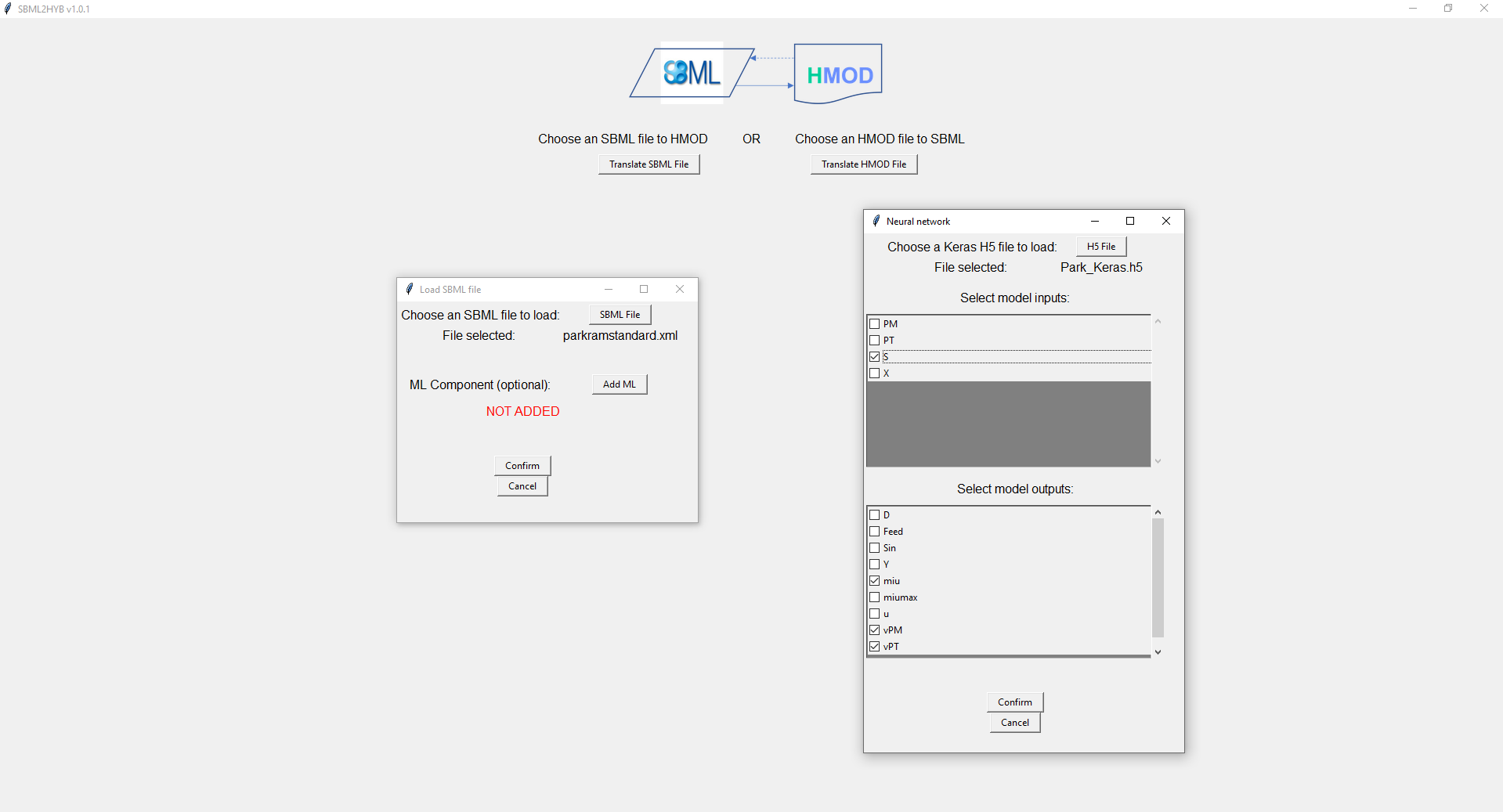
The user can then add the information of the neural network component (Click "Add ML" button) into the HMOD/SBML model format (note that first the user needs to load a mechanistic HMOD/SBML model file). Once the user do this, they need select the "inputs" and "outputs" options of the neural network, and the Keras H5 file (i.e., add the ML component information). Click the "Confirm" button. Finally, the resulting hybrid model in HMOD (or SBML) format can then be reconverted in SBML (or HMOD), respectively. Click "Translate HMOD file" or "Translate SBML file" button.
NOTE: To generate an Keras H5 file that serves as a blueprint of the machine learning segment of a hybrid model, the Keras library from Tensorflow should be used (see instructions and an example as notebook).
Visit also the documentation of the tool hosted on Read the Docs.
► Creating a hybrid SBML model
Example: Park&Ramirez model
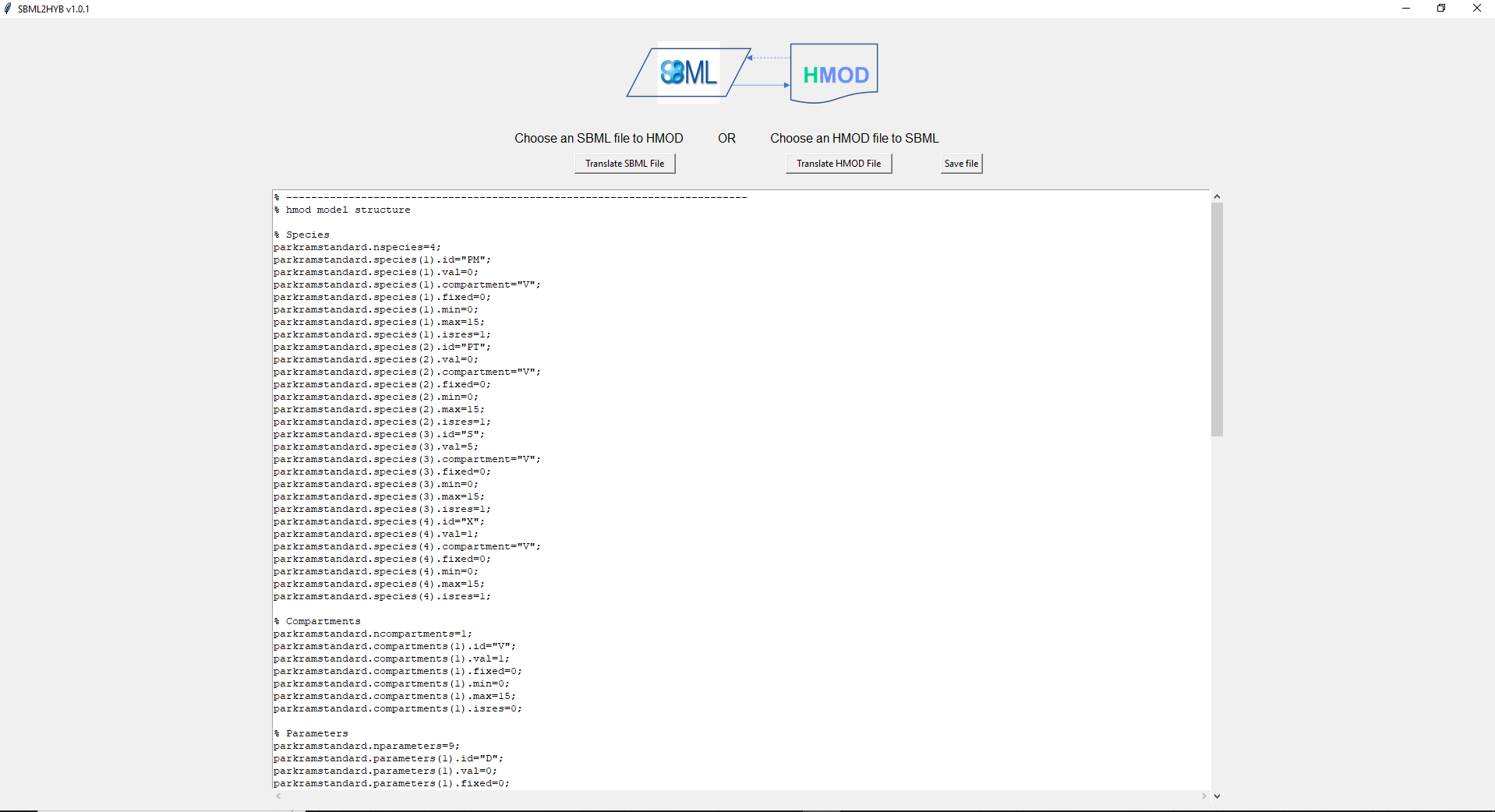
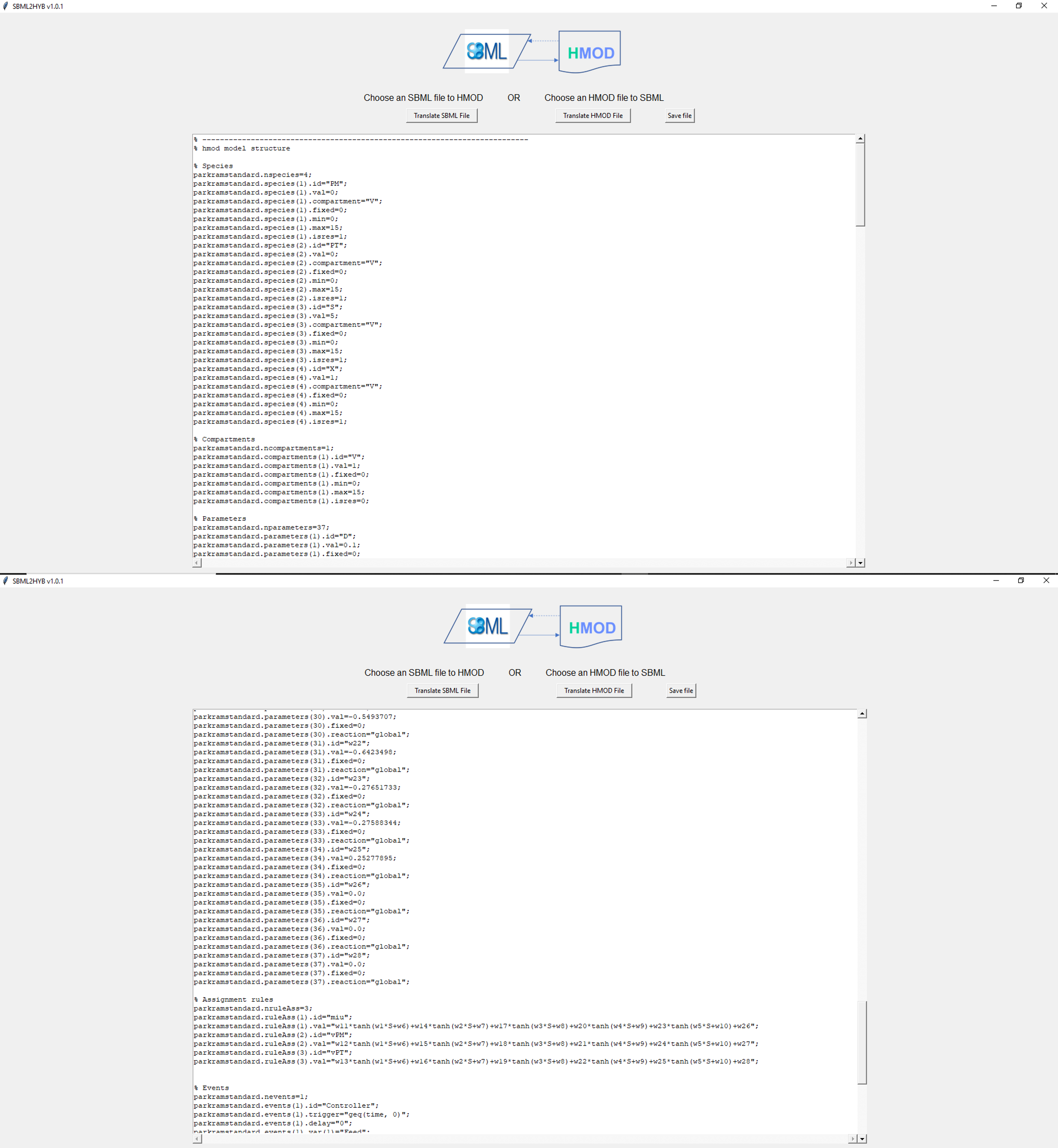
You can view the mechanistic model SBML file input for this example in a separate file. The screenshot below (Figure 1) illustrates the output of the Park&Ramirez mechanistic HMOD model after the SBML conversion. The user select then the model "inputs" (S) and "outputs" (miu, vPM, VPT) options of the neural network, and the Keras H5 file (Figure 2) to convert directly to the hybrid model. You can view the resulting final hybrid HMOD file from the tool here and printscreens below (Figure 3). The hybrid model in HMOD format is then reconverted in the hybrid SBML model.
Developed at
- NOVA School of Science and Technology, Universidade NOVA de Lisboa (since 2021)

Help
If you have any trouble using the tool or suggestions, please contact: rs [dot] costa [at] fct [dot] unl [dot] pt OR open an issue.
License
This work is licensed under a GNU Public License (version 3.0).
1 maintainer

Metadata
1 maintainer
Release files for sbml2hyb 1.0.3
For a detailed explanation of source distributions (sdists) and built distributions (wheels), please see the package formats documentation.
Source distribution (sdist)
| File | Size | Uploaded | |
|---|---|---|---|
| sbml2hyb-1.0.3.tar.gz | 138.3 kB | Details |
Built distribution (wheel)
| File | Interpreter | ABI | Platform | Reset |
|---|---|---|---|---|
| sbml2hyb-1.0.3-py3-none-any.whl | Python 3 | none | any | Details |
Total release size: 275.0 kB
Release files / sbml2hyb-1.0.3.tar.gz
| Download URL | sbml2hyb-1.0.3.tar.gz |
|---|---|
| Size | 138.3 kB |
| Tags | Source |
|
SHA-256 checksum How to use checksums |
4c6c25daa279ee8cf3504e0c0f397975f5307b9a823624fe8ec9a4ddbb4f619c
|
|
BLAKE2b-256 checksum How to use checksums |
3abc337b6245e453e6c2e5e88cff2b4da25edb0f31a82d769a93f28ff4534653
|
| Upload date | |
|
Uploaded using Trusted Publishing? What is trusted publishing? |
No |
| Uploaded via |
twine/4.0.1 CPython/3.8.2
|
Release files / sbml2hyb-1.0.3-py3-none-any.whl
| Download URL | sbml2hyb-1.0.3-py3-none-any.whl |
|---|---|
| Size | 136.7 kB |
| Tags | Python 3 |
|
SHA-256 checksum How to use checksums |
d45f1dfe39ec8adacbc041d2a29b8d7d4d37d6efabff612a4a89e2e8677c700e
|
|
BLAKE2b-256 checksum How to use checksums |
95538bcda860e1cec789f9a5077e55c7b1b9bf20e6aac6bc251a7b31dc3455ff
|
| Upload date | |
|
Uploaded using Trusted Publishing? What is trusted publishing? |
No |
| Uploaded via |
twine/4.0.1 CPython/3.8.2
|














