
scad123d

Import an OpenSCAD design — including third-party libraries like BOSL2 and MCAD — as real, solid geometry in build123d, Python's native CAD kernel. Keep your existing OpenSCAD models and libraries; get fillets, exact STEP export, and everything else that comes from working in a solid-modeling kernel instead of a mesh renderer.
import scad123d
from build123d import export_step, export_stl

# Call one module from a library directly, like a Python function --
# usually what you actually want:
gear = scad123d.import_module("MCAD/involute_gears.scad", "gear")
part = gear(number_of_teeth=12, circular_pitch=8, gear_thickness=6, bore_diameter=5)

# Or import a whole library file's modules at once, as a namespace:
gears = scad123d.import_module("MCAD/involute_gears.scad")
part = gears.gear(number_of_teeth=12, circular_pitch=8, gear_thickness=6, bore_diameter=5)

# Or bring in a whole file's geometry at once:
part = scad123d.import_scad("bracket.scad")

# Export to STEP or STL:
export_step(part, "part.step")
export_stl(part, "part.stl")
Calling an OpenSCAD module returns a normal build123d object, so from there you're just doing build123d.
Installing
scad123d requires Python 3.10 or later and the OpenSCAD program. It's tested on macOS, Windows, and Linux.
pip install scad123d
or
uv add scad123d
You also need the OpenSCAD program
itself installed — scad123d asks the real OpenSCAD to evaluate your file
(so every language feature and every library works), then converts the
result. It looks for OpenSCAD on your $PATH and in the usual install
locations automatically. If your OpenSCAD executable lives somewhere else,
set $SCAD123D_OPENSCAD to point at it directly.
Original OpenSCAD code, now with real solid geometry & easy fillets
OpenSCAD is a great way to describe parts in code, and there's a huge amount of OpenSCAD out there — your own old projects, and libraries like BOSL2 and MCAD that save you from redrawing gears, bearings, and hardware from scratch. But OpenSCAD's own geometry engine works by turning everything into a mesh of flat triangles — even a sphere is secretly hundreds of tiny polygons. That's fine for previewing a design, but it means every curve is an approximation, filleting a rounded corner just rounds a pile of facets instead of the actual surface, and the only thing you can export is that same triangle mesh (as an STL).
build123d is built on OpenCASCADE, the same kind of solid-modeling kernel used by mainstream CAD software (Fusion 360, SolidWorks, FreeCAD). Circles stay circles. A cylinder is a cylinder, not 64 flat rectangles pretending to be one — right up until you actually need a mesh, e.g. for 3D printing.
scad123d bridges the two: it hands your .scad file to the real OpenSCAD
program (so every language feature, every library, works exactly as it
always has), and rebuilds the result as native build123d geometry instead of
a mesh. You get a better kernel underneath code you already have.
STEP & STL Exports
Real STEP export. OpenSCAD can only export a mesh (STL). scad123d lets you export STEP directly from an OpenSCAD design — the standard interchange format nearly every CAD program reads as an actual solid body, with exact curves, not a pile of triangles pretending to be one.
import scad123d
from build123d import export_step, export_stl
# cube_cyl.scad:
# union() {
#   cube([10, 10, 5]);
#   cylinder(h=10, r=3, center=true);
# }
part = scad123d.import_scad("cube_cyl.scad")
export_step(part, "cube_cyl.step")
export_stl(part, "cube_cyl.stl")
Here's one model — a cylinder rising out of a cube — each way, with edges highlighted. OpenSCAD's STL approximates the cylinder as 48 flat panels, and each panel boundary is an edge in the mesh. The scad123d version maintains the true edges of the shape and has just one face for the cylinder.
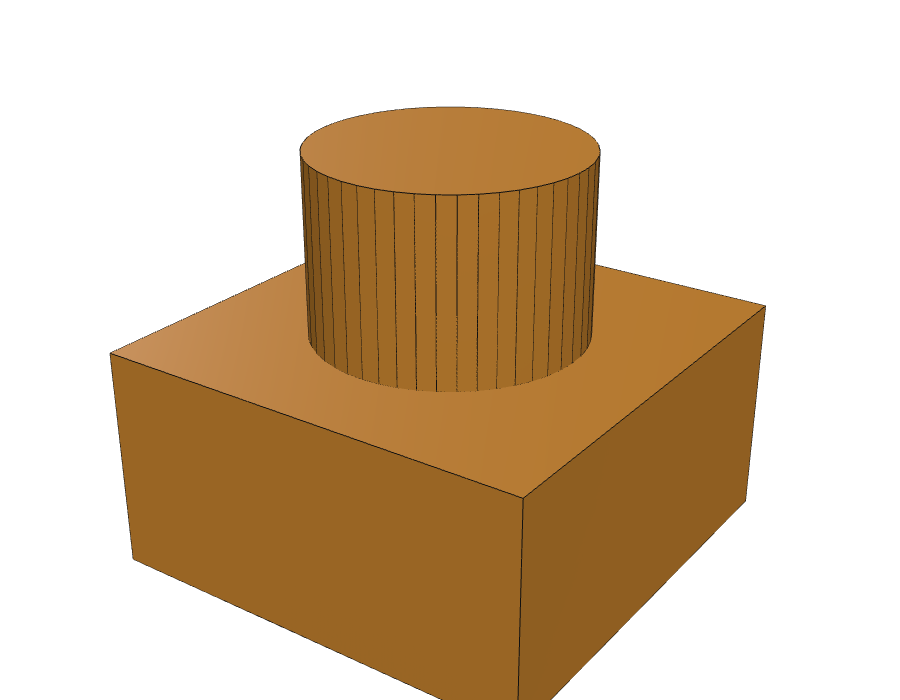
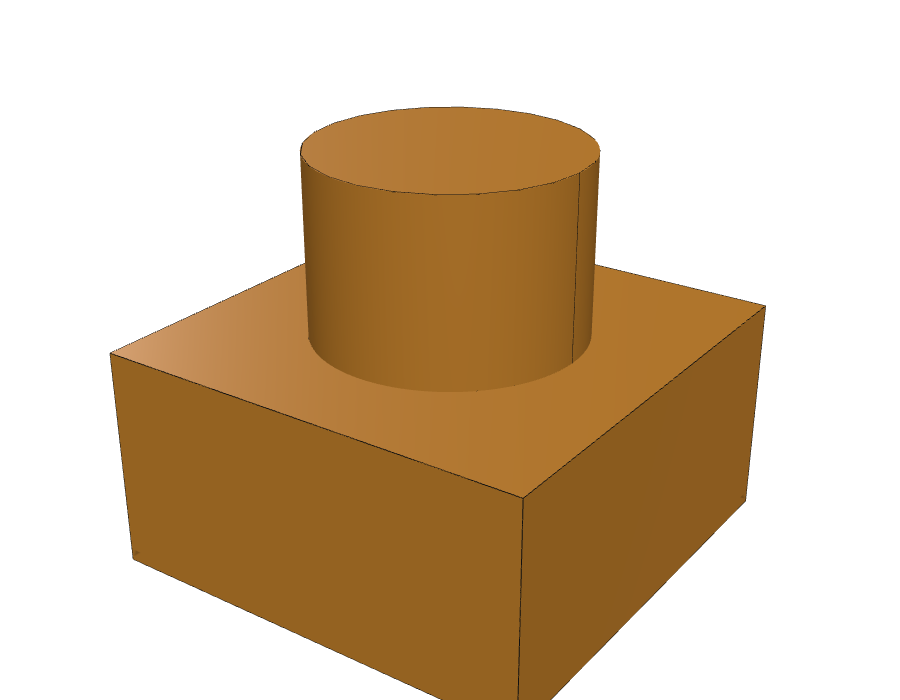
Fillets that behave. Round a corner on a mesh and you round the facets, instead of the surface. Because scad123d keeps the real geometry, you can fillet and chamfer edges normally after importing:
from build123d import fillet, Axis, export_step

part = scad123d.import_scad("bracket.scad")
part = fillet(part.edges().group_by(Axis.Z)[-1], radius=2)
export_step(part, "bracket_fillet.step")
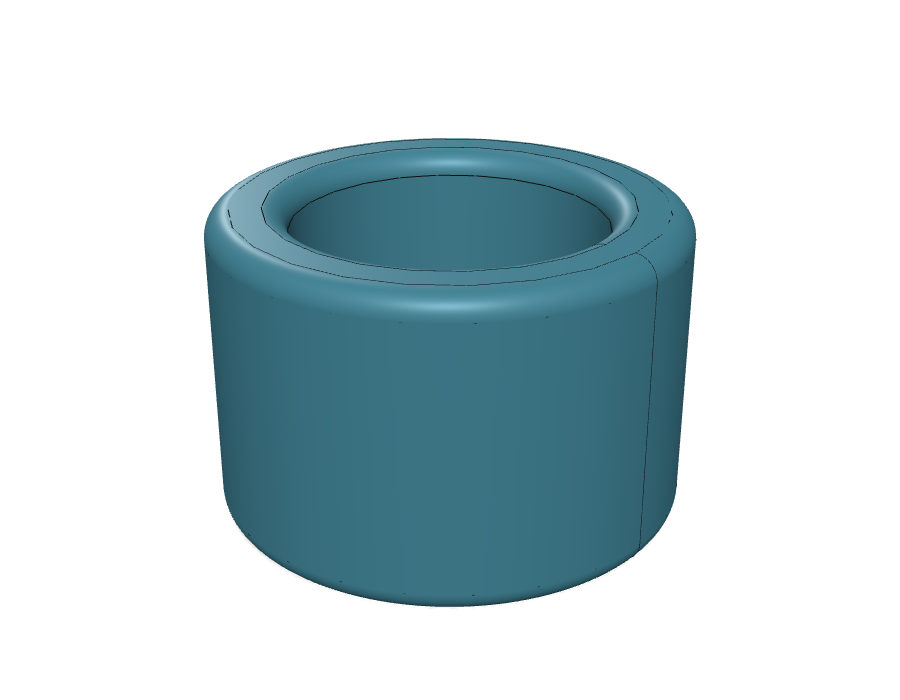
Here's a BOSL2 tube() imported and
then filleted — a smooth, continuous rounded rim, instead of a faceted
approximation of one.
No lost precision. Nothing gets tessellated until you ask for a mesh (e.g. exporting an STL for printing). Curves stay curves through as many operations as you throw at them.
It mixes freely with regular build123d code. The imported part is a plain
Shape — select faces on it, boolean it against something you built natively
in build123d, sweep along one of its edges.
Using libraries: BOSL2 and MCAD
Because scad123d hands your file to the real OpenSCAD, include/use
statements work exactly as they do when you run OpenSCAD directly — install a
library the normal OpenSCAD way (in your
OpenSCAD library folder,
or alongside your project) and reference it like always.
Importing a specific module from a file
Most of the time you want one specific, parameterized module from a
library — a particular gear, a particular bracket — not a whole file.
import_module(path, module_name) calls it directly.
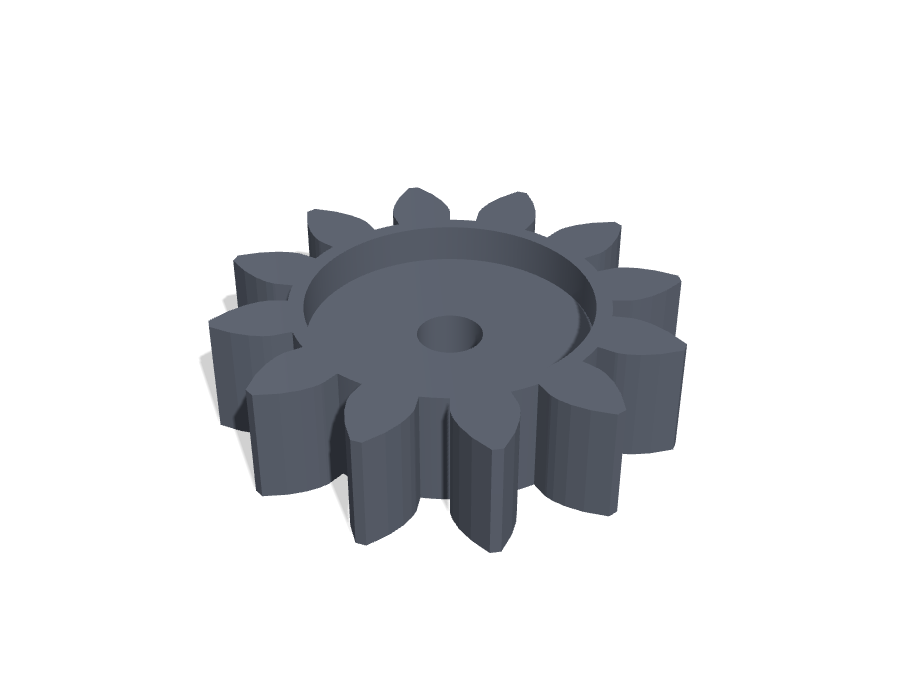
An MCAD gear:
gear = scad123d.import_module("MCAD/involute_gears.scad", "gear")
part = gear(number_of_teeth=12, circular_pitch=8, gear_thickness=6, bore_diameter=5)
Importing all modules from a file
Sometimes an OpenSCAD library contains a number of modules you want to use. Importing the file without specifying a module name returns every module in the file as a namespace instead.
gears = scad123d.import_module("MCAD/involute_gears.scad")
part = gears.gear(number_of_teeth=12, circular_pitch=8, gear_thickness=6, bore_diameter=5)
Importing a complete .scad file with import_scad()
If you already have a complete .scad file that just creates geometry,
import_scad() brings in the whole file's top-level result as a build123d
Shape object:
part = scad123d.import_scad("bracket.scad")
You can also pass values into top-level variables in the file, the same way
OpenSCAD's -D flag does:
part = scad123d.import_scad("bracket.scad", width=40, holes=6)
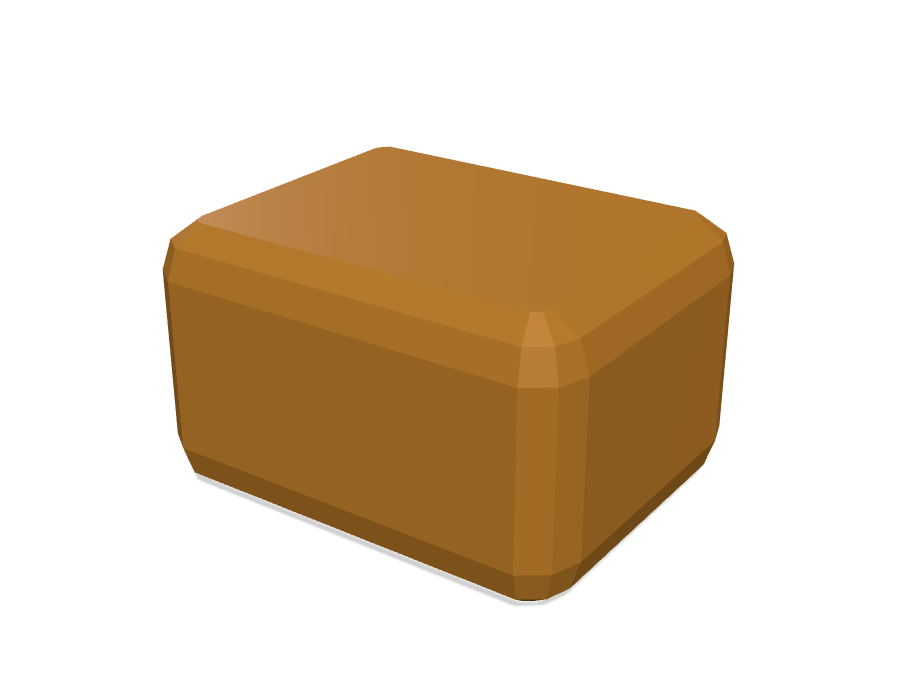
Where this shines: rounding with minkowski()
Rounding a shape with minkowski() (summing it with a small sphere) is
one of the most common things people do in OpenSCAD. OpenSCAD computes it by
meshing everything and finding the sum numerically — the rounded corners come
out as a cluster of small flat facets, not a true curve.
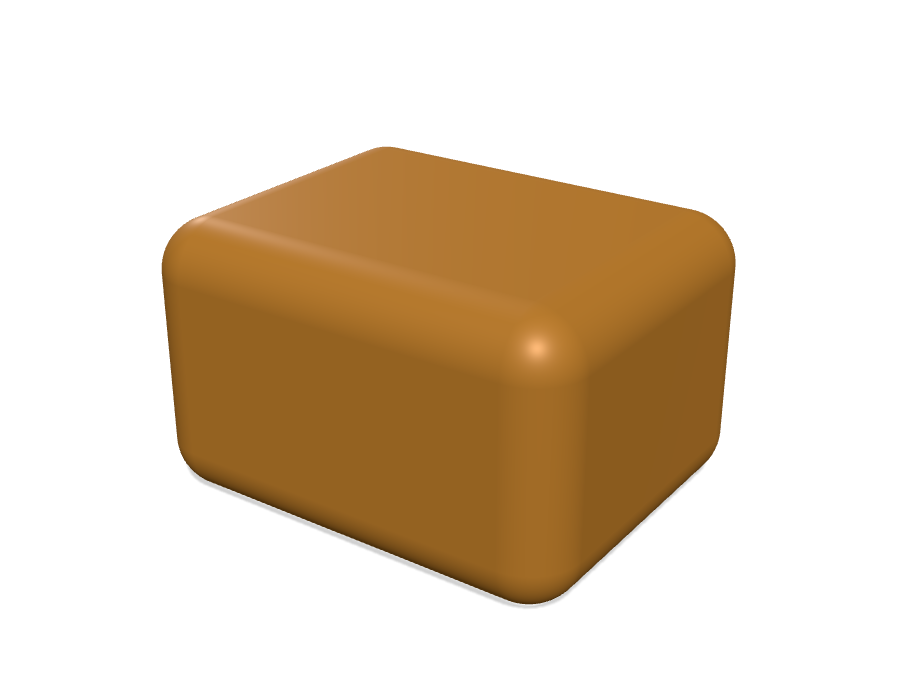
scad123d recognizes this specific, very common pattern and computes it directly as an exact geometric offset instead. The result isn't just cleaner — it's more accurate than OpenSCAD's own answer, and it stays a real curved surface you can select and fillet further, rather than an approximation that's baked in for good. It's often several times faster, too.
Same minkowski() call, OpenSCAD's own result on the left, scad123d's on the
right:
This covers the overwhelming majority of real-world minkowski() calls,
since rounding a shape is what most people use it for.
Incomplete support: hull()
hull() doesn't have as clean an answer, but most real uses are computed
exactly. Any hull of polyhedral children — cubes, polyhedron()s,
extruded polygons, anything flat-faced, in any orientation — is exactly the
convex hull of their vertices, built as real solid geometry. And the
classic curved idioms are recognized specifically — most usefully the
"rounded box built from spheres at each corner":
hull() {
    translate([-10,-7.5,-5]) sphere(r=3);
    translate([ 10,-7.5,-5]) sphere(r=3);
    // ...6 more corners
}
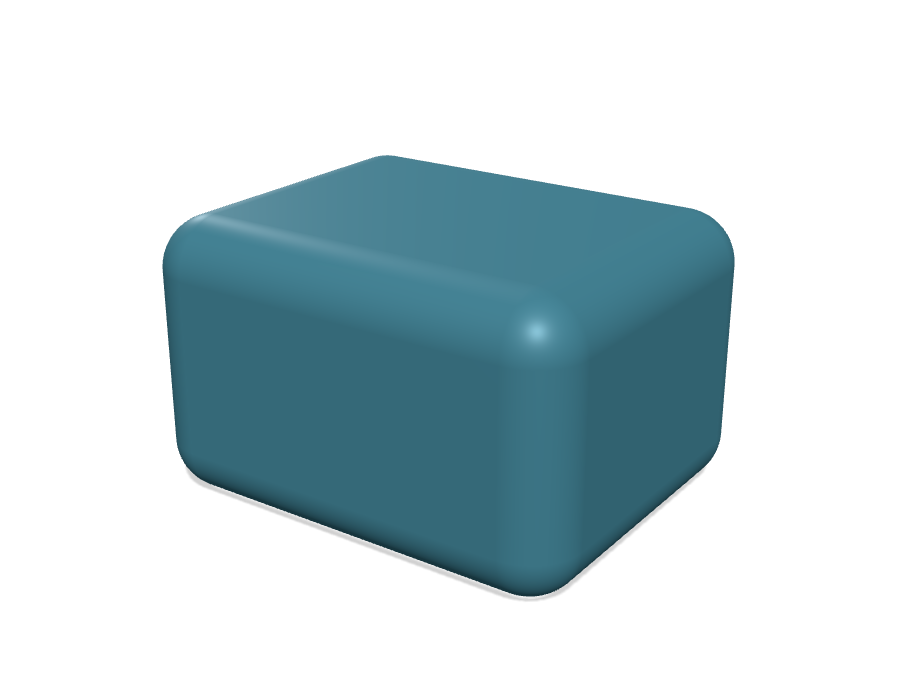
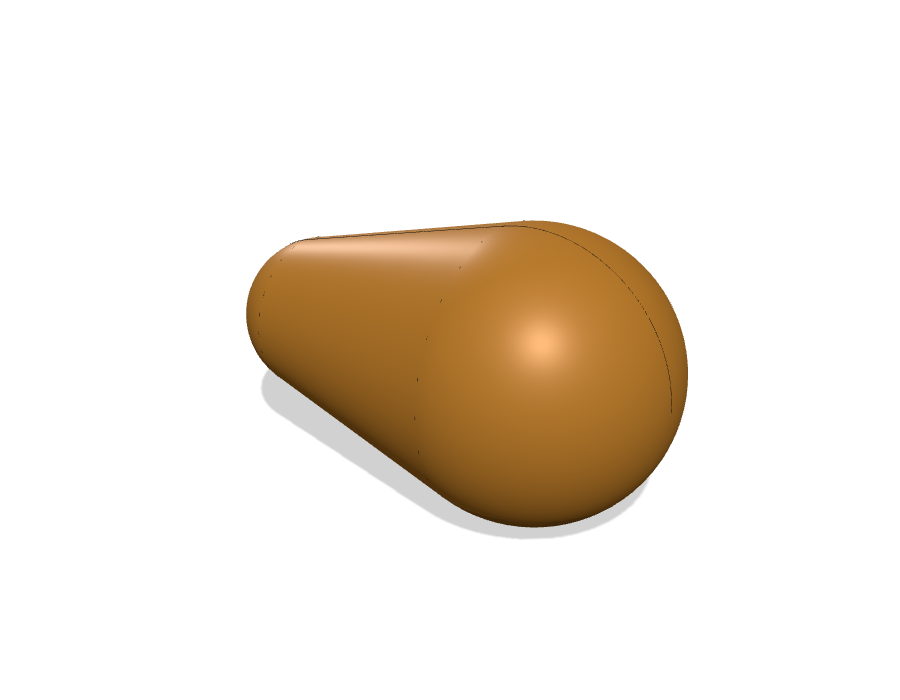
We can hull 2 spheres, but not 3+. A hull of exactly two spheres — any two radii — is computed exactly. But the hull of 3 or more spheres is computed as a mesh.
hull() {                                   // exact: smooth caps + tangent cone
    translate([-8, 0, 0]) sphere(r = 5);
    translate([ 8, 0, 0]) sphere(r = 9);
}
hull() {                                   // no closed form: mesh fallback
    translate([-8,  0, 0]) sphere(r = 5);
    translate([ 8,  0, 0]) sphere(r = 9);
    translate([ 0, 16, 0]) sphere(r = 7);
}
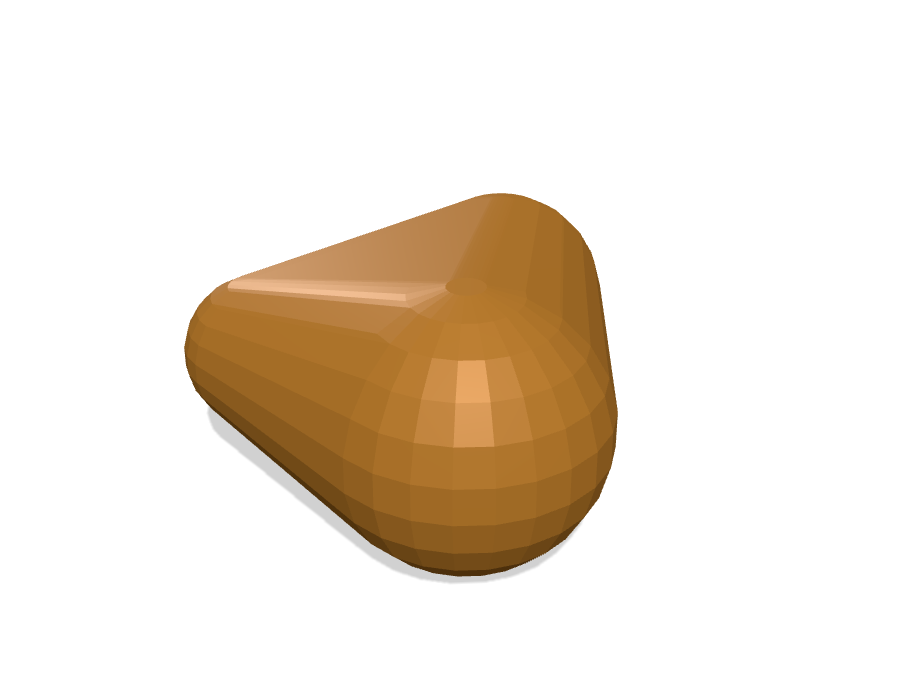
scad123d never refuses to import something — it just tells you, with a warning naming the exact operation, whenever a piece of your model had to fall back to a mesh instead of staying exact. See docs/REFERENCE.md for the full, precise list of what's covered and what isn't, if you want to know exactly where a particular model will land.
A few other things to know
- Cylinders and circles you deliberately made low-poly (a hexagon nut, a 6-sided bolt head) are preserved as the actual polygon you asked for — not smoothed out into a circle. This is a heuristic based on how many sides you asked for, and it's configurable if it ever guesses wrong.
- A few less-common OpenSCAD features —
projection(),surface(), importing a mesh file withimport(),linear_extrude(twist=...)— always take the mesh-fallback path for now. Everything else works normally. import_module()guesses whether to bring a file in viaincludeoruse, based on its content, and gets it right for real libraries like BOSL2 and MCAD — you shouldn't need to think about it. If a call fails complaining about a missing variable, or comes back with extra geometry you didn't ask for, passimport_style="include"/"use"explicitly; see docs/REFERENCE.md for how the guess works and when to override it.- Only import files you trust. scad123d runs the real OpenSCAD interpreter
on your file, and OpenSCAD can
includeother files or read arbitrary paths from disk — the same way running any script you didn't write is a risk. Don't point this at a.scadfile from someone you don't trust. - Just want a STEP file, no Python?
uvx scad2step yourfile.scad -o out.stepdoes exactly that from the command line — see scad2step.
Development
just test      # everything
just test-ci   # only tiers that need no OpenSCAD binary
just fixtures  # regenerate committed .csg fixtures + reference metrics
See docs/REFERENCE.md for exactly how the import works and the precise behavior of every option, and ROADMAP.md for what's planned next.
License
MIT
1 maintainer

Download files
Download the file for your platform. If you're not sure which to choose, learn more about installing packages.
Source Distribution
Built Distribution
Filter files by name, interpreter, ABI, and platform.
If you're not sure about the file name format, learn more about wheel file names.
Copy a direct link to the current filters
File details
Details for the file scad123d-0.3.0.tar.gz.
File metadata
- Download URL: scad123d-0.3.0.tar.gz
- Upload date:
- Size: 1.4 MB
- Tags: Source
- Uploaded using Trusted Publishing? No
- Uploaded via:
uv/0.7.19
File hashes
| Algorithm | Hash digest | |
|---|---|---|
| SHA256 |
44c56f50980f55d627a4faaac712df5e8624d33735cabc95a1423a0cef675d2b
|
|
| MD5 |
2b72dddbc49cd151eb235fbecd3f0875
|
|
| BLAKE2b-256 |
92974b2e5d2861d544fed8ee921936af1d76dc9dd594b62a6039e8935c3df509
|
File details
Details for the file scad123d-0.3.0-py3-none-any.whl.
File metadata
- Download URL: scad123d-0.3.0-py3-none-any.whl
- Upload date:
- Size: 38.0 kB
- Tags: Python 3
- Uploaded using Trusted Publishing? No
- Uploaded via:
uv/0.7.19
File hashes
| Algorithm | Hash digest | |
|---|---|---|
| SHA256 |
cb59575a6bd0cc471da00b15862863eefdcbffc6955d79b52f72fa572b3e52f4
|
|
| MD5 |
cf74e27b54961ebe86a0804765fd6f12
|
|
| BLAKE2b-256 |
f29102d4e693645f15945adff274bcac28d54e3bda15695a847780aacc99aa09
|







