
Dashboard for merging, visualising and filtering network scans

Project description

Scandeavour


Dashboard for merging, visualising and filtering network scans.
🔨 Installation



pipx install scandeavour
✨ Features
- Load Nmap, Nessus and Masscan results (parsers are modular and can be added as plugins)
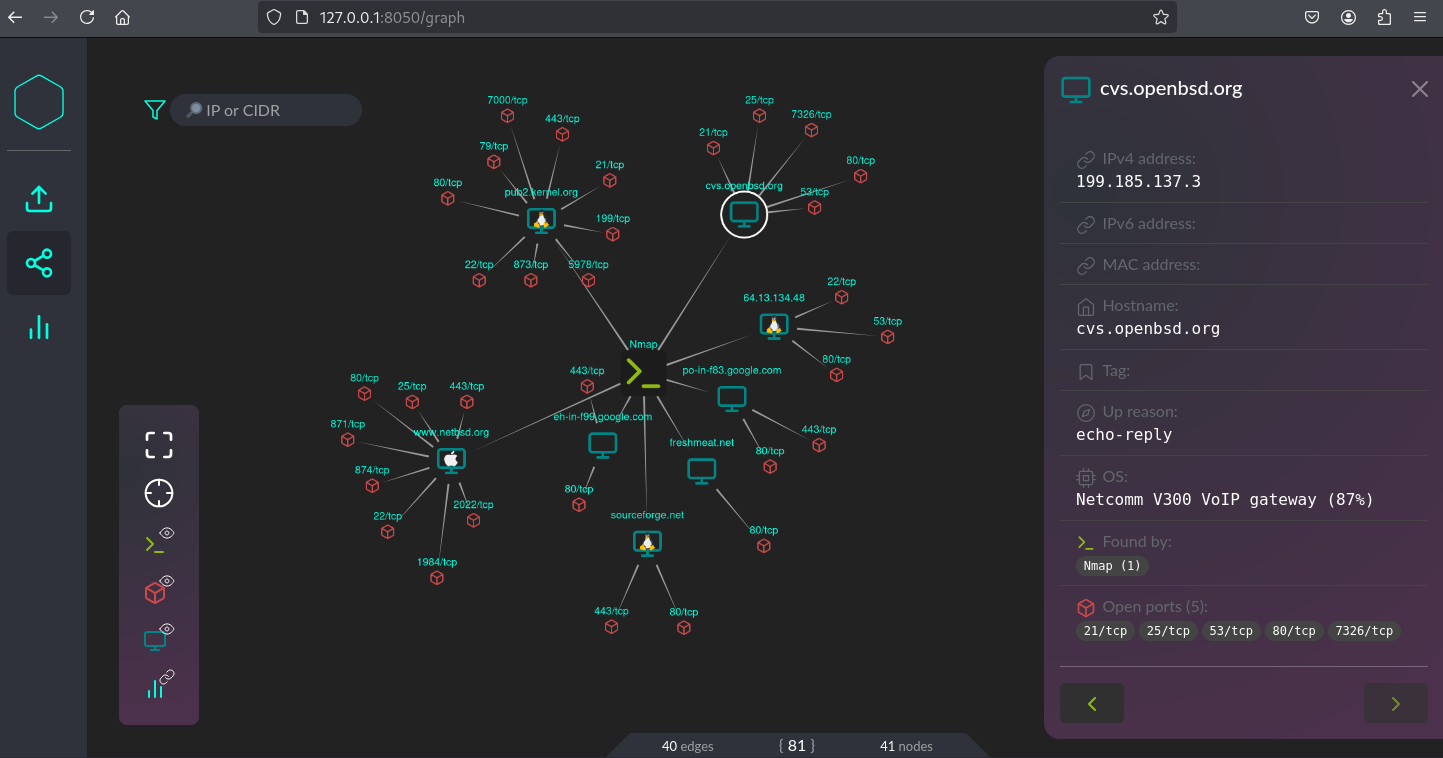
- View scans, hosts and open ports in an interactive graph with details for every node
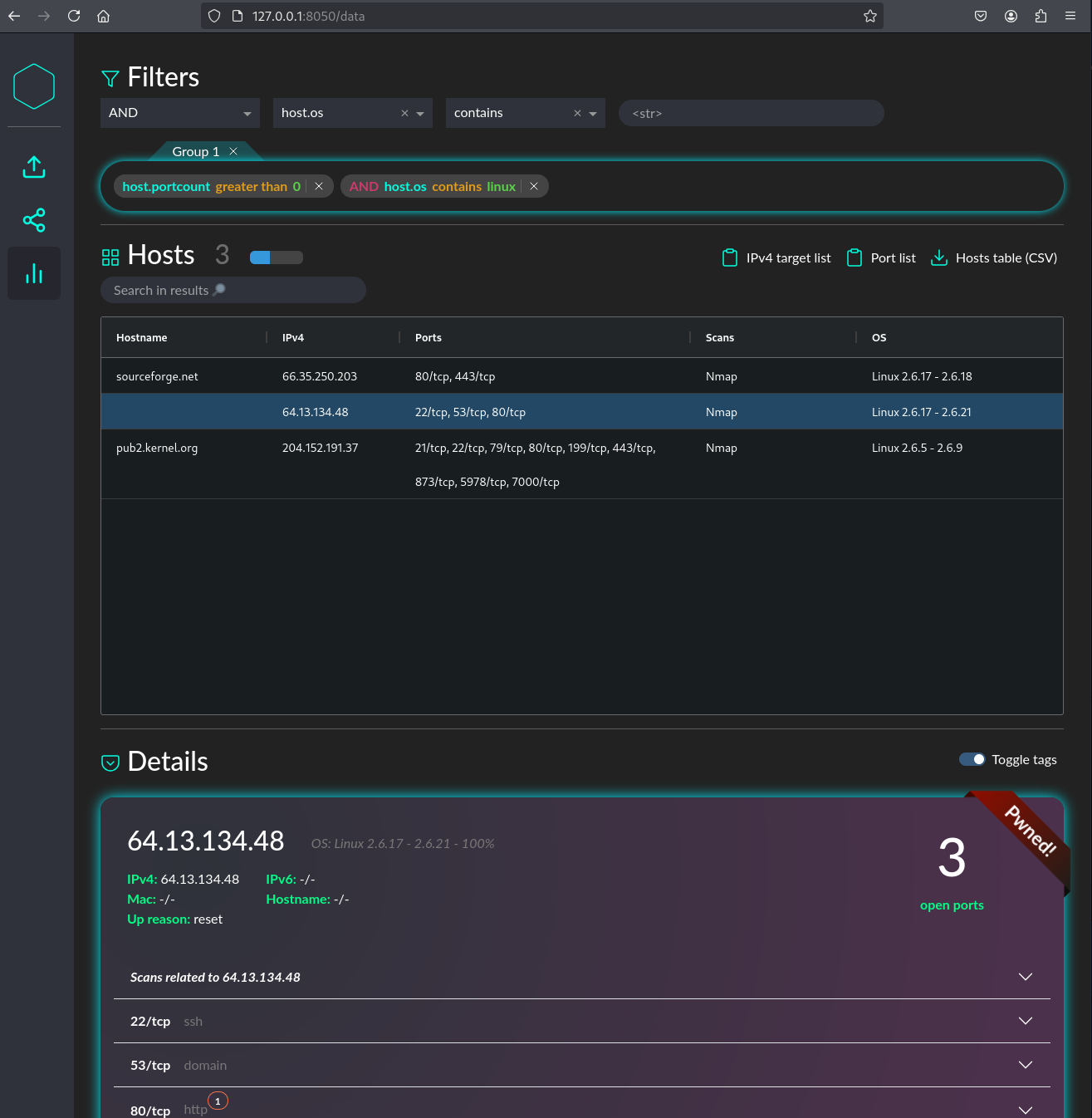
- View all merged hosts in a dashboard
- Expand on host details (i.e. related scans, open ports, script outputs)
- Apply tags to hosts for custom prioritisation
- Chain modular drop-down filters to select relevant hosts based on their address, tag, open ports, script outputs, scans, OS, etc.
- Copy identified hosts and open ports to clipboard for a new scan
- Export hosts, ports and services to a CSV (e.g. for import in Word)
- Offline mode - once installed, no internet connection is required (a browser is required to access the dashboard though)
The following scanner outputs are supported. The main focus of this project lies on nmap but ingestors for other scanners can be integrated easily. Check out the existing ingestors here if you want to extend one or build your own.
| Tool | Source | Scan information | Open ports | Service detection | Script output |
|---|---|---|---|---|---|
| Nmap | nmap -oX <output> |
✔ | ✔ | ✔ | ✔ |
| Nessus | Nessus export | limited | ✔ | ✔ | ✔ |
| Masscan | masscan -oX <output> |
⛔ | ✔ | ⛔ | ⛔ |
| Masscan | masscan | tee <output> |
⛔ | ✔ | ⛔ | ⛔ |
📖 Usage
To visualize your scan results, simply start
scandeavour my_project.db
This will create a new project database (SQLITE) in the current folder. It will be used to store all your merged scans. You can also checkout the database schema if you want to interact with the data manually. The command will also start a Flask webserver running on a local port, exposing the web GUI.
[!WARNING]
Do not run the dashboard with administrative capabilities and do not expose the GUI externally. While special inputs are treated with caution, malicious scan results were not considered during development. The dashboard does also not authenticate users.
-
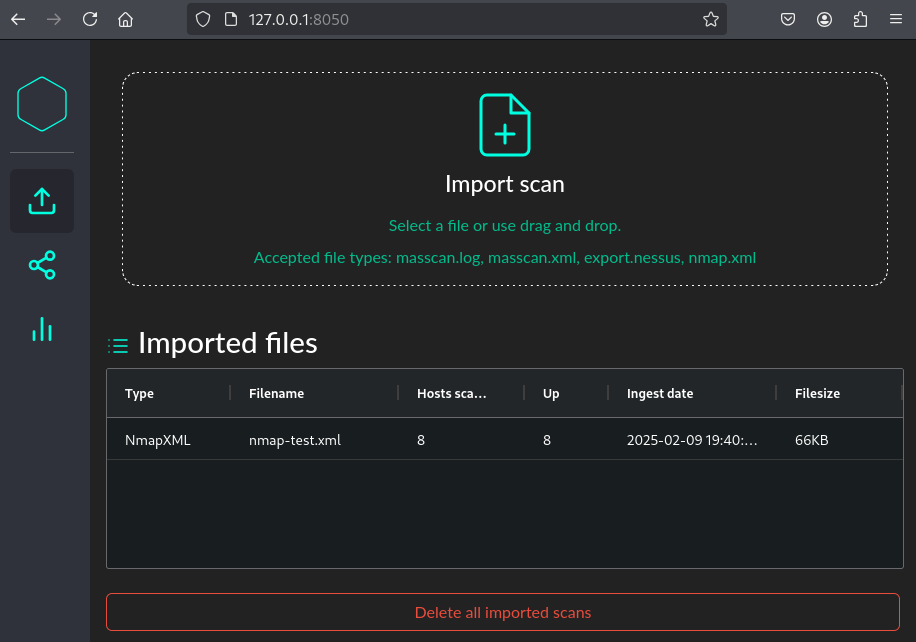
Open http://127.0.0.1:8050/ and start uploading your scan results
-
Switch to the graph tab for an overview
-
Filter data and view hosts details
📃 License and attribution
Code released under the MIT License.
Built using Dash (licensed under MIT), Dash Bootstrap Components (licensed under Apache 2.0), and Bootswatch (licensed under MIT).


Download files
Download the file for your platform. If you're not sure which to choose, learn more about installing packages.
Source Distribution
Built Distribution
Filter files by name, interpreter, ABI, and platform.
If you're not sure about the file name format, learn more about wheel file names.
Copy a direct link to the current filters
File details
Details for the file scandeavour-1.2.1.tar.gz.
File metadata
- Download URL: scandeavour-1.2.1.tar.gz
- Upload date:
- Size: 37.3 MB
- Tags: Source
- Uploaded using Trusted Publishing? No
- Uploaded via: twine/6.1.0 CPython/3.12.8
File hashes
| Algorithm | Hash digest | |
|---|---|---|
| SHA256 |
c4b927575e28a3eced101aa96aeeed499880444169c0f0f9bcc75763b1648b2f
|
|
| MD5 |
27c1bd5c547c0823f7a121a063cc9dd6
|
|
| BLAKE2b-256 |
adb1a95bf91778baf39bf175b78c16cd5235d4a680289dcae05e11ba0756f140
|
File details
Details for the file scandeavour-1.2.1-py3-none-any.whl.
File metadata
- Download URL: scandeavour-1.2.1-py3-none-any.whl
- Upload date:
- Size: 46.9 MB
- Tags: Python 3
- Uploaded using Trusted Publishing? No
- Uploaded via: twine/6.1.0 CPython/3.12.8
File hashes
| Algorithm | Hash digest | |
|---|---|---|
| SHA256 |
38e347779020773aba26e05d9a08eecf947ac6df922ffd1019727d32f1eabd58
|
|
| MD5 |
e03cf91dec287046ecb35d092b5c909f
|
|
| BLAKE2b-256 |
0287640137db79fffb5e3320da3d47eec36bfd9ea4310ca74b15beed78fb3ea1
|






