
scg
Send Your Custom Gmail with Python
第一步
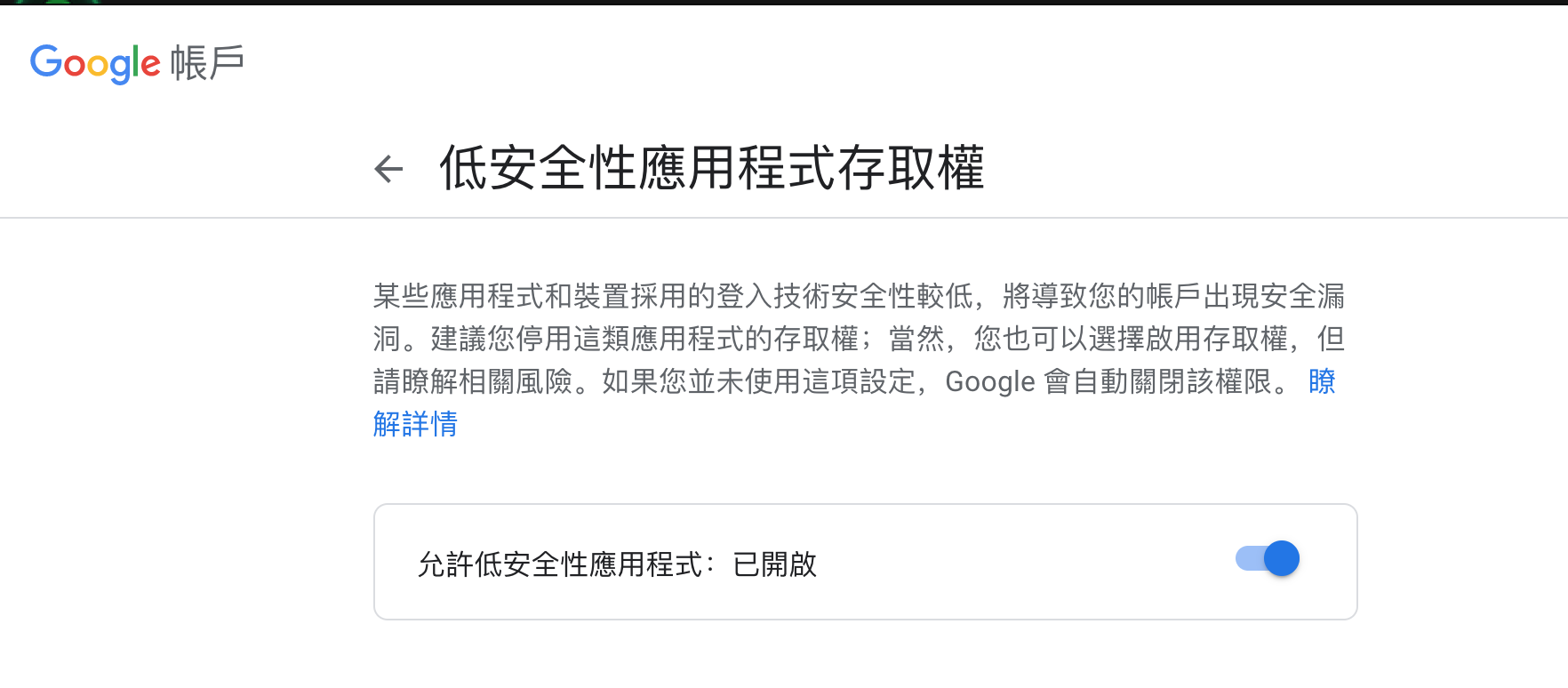
開啟 Google 低安全性 https://myaccount.google.com/lesssecureapps
Install
pip3 install scg
第二步
在 config.py 輸入你的帳號密碼
第三步
在 send_mail.py 修改你要使用的 csv 檔案
第四步
在 helper.py 修改你所要寄信的內容,如果需要使用 html 可以在 HackMD 打完內容後,使用下載成 純HTML。
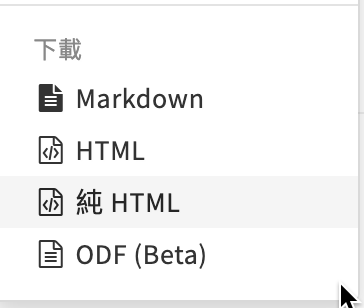
把內容複製貼上 get_mail_content 函數中。
第五步
python3 send_mail.py
1 maintainer

Metadata
1 maintainer
Release files for scg 0.0.4
For a detailed explanation of source distributions (sdists) and built distributions (wheels), please see the package formats documentation.
Source distribution (sdist)
| File | Size | Uploaded | Provenance | |
|---|---|---|---|---|
| scg-0.0.4.tar.gz | 20.5 kB | Without provenance | Details |
Built distribution (wheel)
| File | Interpreter | ABI | Platform | Reset |
|---|---|---|---|---|
| scg-0.0.4-py3-none-any.whl | Python 3 | none | any | Details |
Total release size: 42.6 kB
Release files / scg-0.0.4.tar.gz
| Download URL | scg-0.0.4.tar.gz |
|---|---|
| Size | 20.5 kB |
| Tags | Source |
|
SHA-256 checksum How to use checksums |
af4a39c6d8087a38ff43beef3eebdedf36a5a096384f50af19afe7290e2eba17
|
|
BLAKE2b-256 checksum How to use checksums |
4a7c6d588c55c7944ceddb6d17aee857a49a2649f4f2f92877703c50b0be1427
|
| Upload date | |
|
Uploaded using Trusted Publishing? What is trusted publishing? |
No |
| Uploaded via |
twine/3.7.1 importlib_metadata/4.10.0 pkginfo/1.8.2 requests/2.26.0 requests-toolbelt/0.9.1 tqdm/4.62.3 CPython/3.9.9
|
Release files / scg-0.0.4-py3-none-any.whl
| Download URL | scg-0.0.4-py3-none-any.whl |
|---|---|
| Size | 22.1 kB |
| Tags | Python 3 |
|
SHA-256 checksum How to use checksums |
42fd9348962dfac5187e66d2f6e715f9eb9bdd5e7c97c2c75bde9c1b0a9935d7
|
|
BLAKE2b-256 checksum How to use checksums |
c318042e05ca015756ede665f8e8a7a271a5038189f1e9184b603969f076ad0b
|
| Upload date | |
|
Uploaded using Trusted Publishing? What is trusted publishing? |
No |
| Uploaded via |
twine/3.7.1 importlib_metadata/4.10.0 pkginfo/1.8.2 requests/2.26.0 requests-toolbelt/0.9.1 tqdm/4.62.3 CPython/3.9.9
|
Security for scg 0.0.4
Provenance
Provenance describes where a file came from. On PyPI, provenance is shared via attestations, which provide a verifiable record of the build or publishing details. View details, limitations and caveats.
No provenance found
None of the files in this release were uploaded with provenance metadata.
A note on package security
PyPI is a repository for distributing packages, not a service for auditing them. While third-party security researchers and our staff do their best to detect and remove malicious packages, PyPI cannot guarantee the quality, security or suitability of any given package.
To learn more about protecting yourself from malicious actors, visit our package security documentation.














