
schemify-cli
Build JSON Schemas interactively, and fill JSON data from them, from the command line.
Source: github.com/aaltatan/schemify-cli
A web version runs at schemify.surge.sh (source): the same questions as fields, with the schema updating as you type.
Install
uv tool install schemify-cli
Usage
schemify generate -t Person -o person.schema.json   # ask for the properties, write the schema
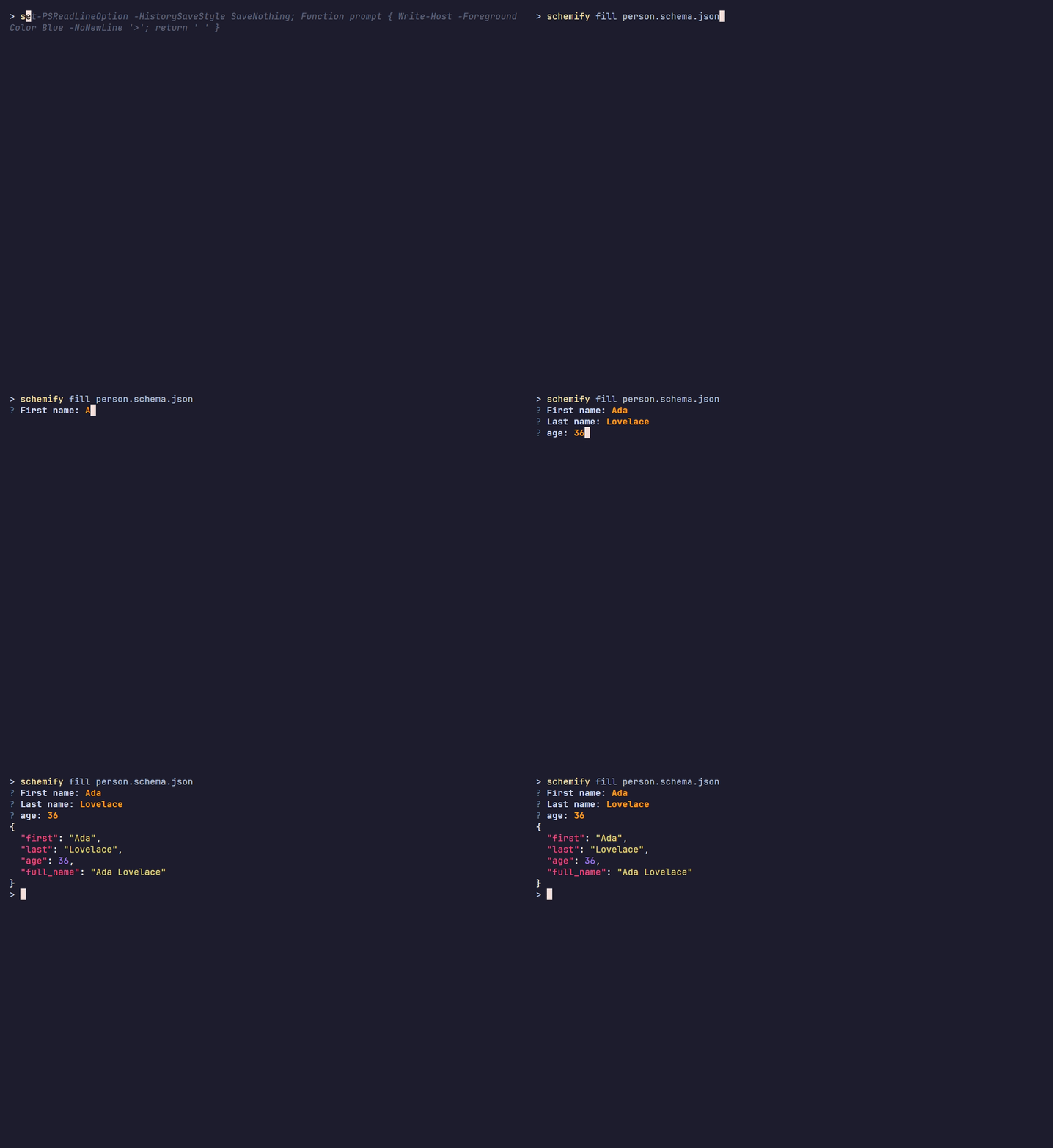
schemify fill person.schema.json -o person.json     # ask for one object matching it
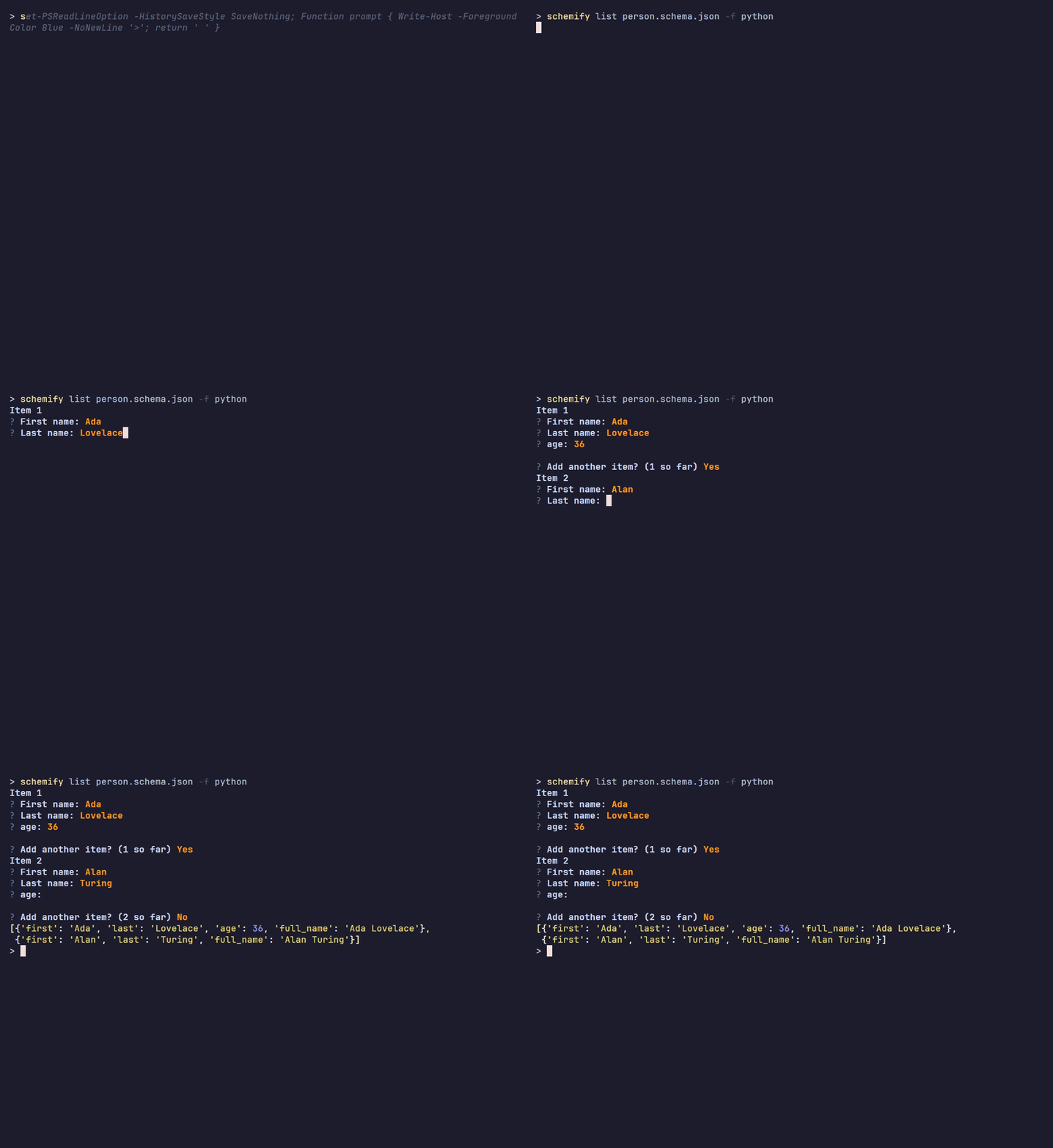
schemify list person.schema.json -f python          # ask for a list of them
generate: a Person with a full_name computed by joining first and last

fill: one object, full_name is computed, not asked
list: several objects, printed as Python
| Command | Alias | Does |
|---|---|---|
generate |
g |
Asks for the properties of an object and builds its JSON Schema (Draft 2020-12) |
fill |
f |
Asks for data matching a schema file, checked against it |
list |
l |
Asks for a list of items, each matching the schema |
-o, --outputsaves to a file (asks before overwriting); without it the result is printed.-f, --formatpicks the output offillandlist:json,pythonorjavascript.
Types: string, integer, number, boolean, date, datetime, enum, array, object,
each with its constraints (length, pattern, format, range, items, ...) and an optional default.
Computed properties
A property with x-compute is not asked in fill, it is computed from the other values:
"full_name": {"type": "string", "x-compute": {"fn": "join", "from": ["first", "middle?", "last"]}}
fn: the computer,from: source paths (a list, or an{alias: path}object fortemplateandexpr),options: extra arguments,default: the value when a source is missing.- Paths are relative to the owning object (
address.city,items[0]), or to the root ($.company).items[*].pricegives every price; a trailing?makes a source optional.
Built-in computers:
- Text: join, concat, template, upper, lower, title, capitalize, trim, replace, slice, initials, slug, length, pad, mask
- Numbers: sum, subtract, multiply, divide, average, min, max, abs, round, percent, percent_of, expr
- Dates: today, now, add_days, add_months, add_years, days_between, age, year, month, day,
weekday, format_date, start_of_month, end_of_month (a date left out or missing with
?is today, computed each run) - Number to words: words (options:
lang,prefix,suffix) - Logic, lookup and misc: coalesce, if_else, equals, lookup, constant, count, count_if, unique, uuid
Reusing it in a typer app
schemify.cli.dependencies.schema exposes typer-di dependencies that load a schema file and ask
for its data: FilledDataArgumentDI and FilledListArgumentDI take the path as an argument,
FilledDataOptionDI and FilledListOptionDI as --js. When the path is optional or comes from
elsewhere, call load_schema(path) and ask_or_abort(schema, ask_data) directly: both report
failures as typer errors.
Development
uv sync
uv run pytest
uv run ruff check . && uv run mypy src
The demo GIFs are recorded with VHS (scoop install vhs
or brew install vhs) and PowerShell (pwsh), from the repository root, generate first since
the others use its schema:
vhs docs/demo/generate.tape && vhs docs/demo/fill.tape && vhs docs/demo/list.tape
After changing generators.py, validators.py or computers.py, run pnpm sync && pnpm check
in the schemify editor so it stays in step.
1 maintainer

Metadata
1 maintainer
Release files for schemify-cli 0.3.0
For a detailed explanation of source distributions (sdists) and built distributions (wheels), please see the package formats documentation.
Source distribution (sdist)
| File | Size | Uploaded | Provenance | Actions |
|---|---|---|---|---|
| schemify_cli-0.3.0.tar.gz | 21.3 kB | Without provenance | Details for schemify_cli-0.3.0.tar.gz |
Built distribution (wheel)
| File | Interpreter | ABI | Platform | Actions Reset |
|---|---|---|---|---|
| schemify_cli-0.3.0-py3-none-any.whl | Python 3 | none | any | Details for schemify_cli-0.3.0-py3-none-any.whl |
Total release size: 47.2 kB
Release files / schemify_cli-0.3.0.tar.gz
| Download URL | schemify_cli-0.3.0.tar.gz |
|---|---|
| Size | 21.3 kB |
| Tags | Source |
|
SHA-256 checksum How to use checksums |
32cafd513c32f9e143d87fb84ef9db7267eeb2644c975144e7bf817ab82c6bf5
|
|
BLAKE2b-256 checksum How to use checksums |
47702472ff38505dd2d4153d366898f0c19618a88de0d9019f62033591af0438
|
| Upload date | |
|
Uploaded using Trusted Publishing? What is trusted publishing? |
No |
| Uploaded via |
uv/0.13.6 {"installer":{"name":"uv","version":"0.13.6","subcommand":["publish"]},"python":null,"implementation":{"name":null,"version":null},"distro":null,"system":{"name":null,"release":null},"cpu":null,"openssl_version":null,"setuptools_version":null,"rustc_version":null,"ci":null}
|
Release files / schemify_cli-0.3.0-py3-none-any.whl
| Download URL | schemify_cli-0.3.0-py3-none-any.whl |
|---|---|
| Size | 26.0 kB |
| Tags | Python 3 |
|
SHA-256 checksum How to use checksums |
8beabc44cf368da5697cd56811a8aa698fbbc141fc34f47407f2431dbbad1590
|
|
BLAKE2b-256 checksum How to use checksums |
2c59ed725883da3de4ff7e5e662b9714eb503d1f892d17ebb6d11cac06f6da06
|
| Upload date | |
|
Uploaded using Trusted Publishing? What is trusted publishing? |
No |
| Uploaded via |
uv/0.13.6 {"installer":{"name":"uv","version":"0.13.6","subcommand":["publish"]},"python":null,"implementation":{"name":null,"version":null},"distro":null,"system":{"name":null,"release":null},"cpu":null,"openssl_version":null,"setuptools_version":null,"rustc_version":null,"ci":null}
|
Security for schemify-cli 0.3.0
Provenance
Provenance describes where a file came from. On PyPI, provenance is shared via attestations, which provide a verifiable record of the build or publishing details. View details, limitations and caveats.
No provenance found
None of the files in this release were uploaded with provenance metadata.
A note on package security
PyPI is a repository for distributing packages, not a service for auditing them. While third-party security researchers and our staff do their best to detect and remove malicious packages, PyPI cannot guarantee the quality, security or suitability of any given package.
To learn more about protecting yourself from malicious actors, visit our package security documentation.














