
MCP Server for the British Science Museum

Project description
A Model Context Protocol Server for the UK Science Museum Group API
This project is a Python MCP (https://modelcontextprotocol.io/introduction) server that allows your LLM to fetch data from the UK Science Museum Group. Info is available at https://github.com/TheScienceMuseum/collectionsonline/wiki/Collections-Online-API#get-search.
It is currently supported by Claude Desktop for MacOS and Windows.
Integrate with Claude Desktop
This guide assumes you are using Homebrew on MacOS for package management.
Download Claude Desktop.
MacOS:
brew install --cask claude
Windows: https://claude.com/download
All you need is to install UV, a Python package/ project manager, then change your Claude Desktop settings to add this MCP.
For MacOS:
brew install uv
For Windows:
powershell -ExecutionPolicy ByPass -c "irm https://astral.sh/uv/install.ps1 | iex"
OR with winget:
winget install --id=astral-sh.uv -e
Other installation options are available at https://docs.astral.sh/uv/getting-started/installation.
To configure Claude Desktop, go to Claude Desktop's settings -> Developer, edit config.
This will create a configuration file at:
macOS: ~/Library/Application Support/Claude/claude_desktop_config.json
Windows: %APPDATA%\Claude\claude_desktop_config.json
Open this file and add this JSON blob as a top level key in the existing JSON config:
"mcpServers": {
    "scienceMuseum": {
      "command": "uvx",
      "args": [
        "science-museum-mcp"
      ]
    }
}
Closing and re-opening Claude Desktop should now start the MCP server. This can be verified by pressing the "+" icon in Claude's prompt input and viewing Connectors. The "scienceMuseum" connector should be activated.
Claude can now be queried. As an example:
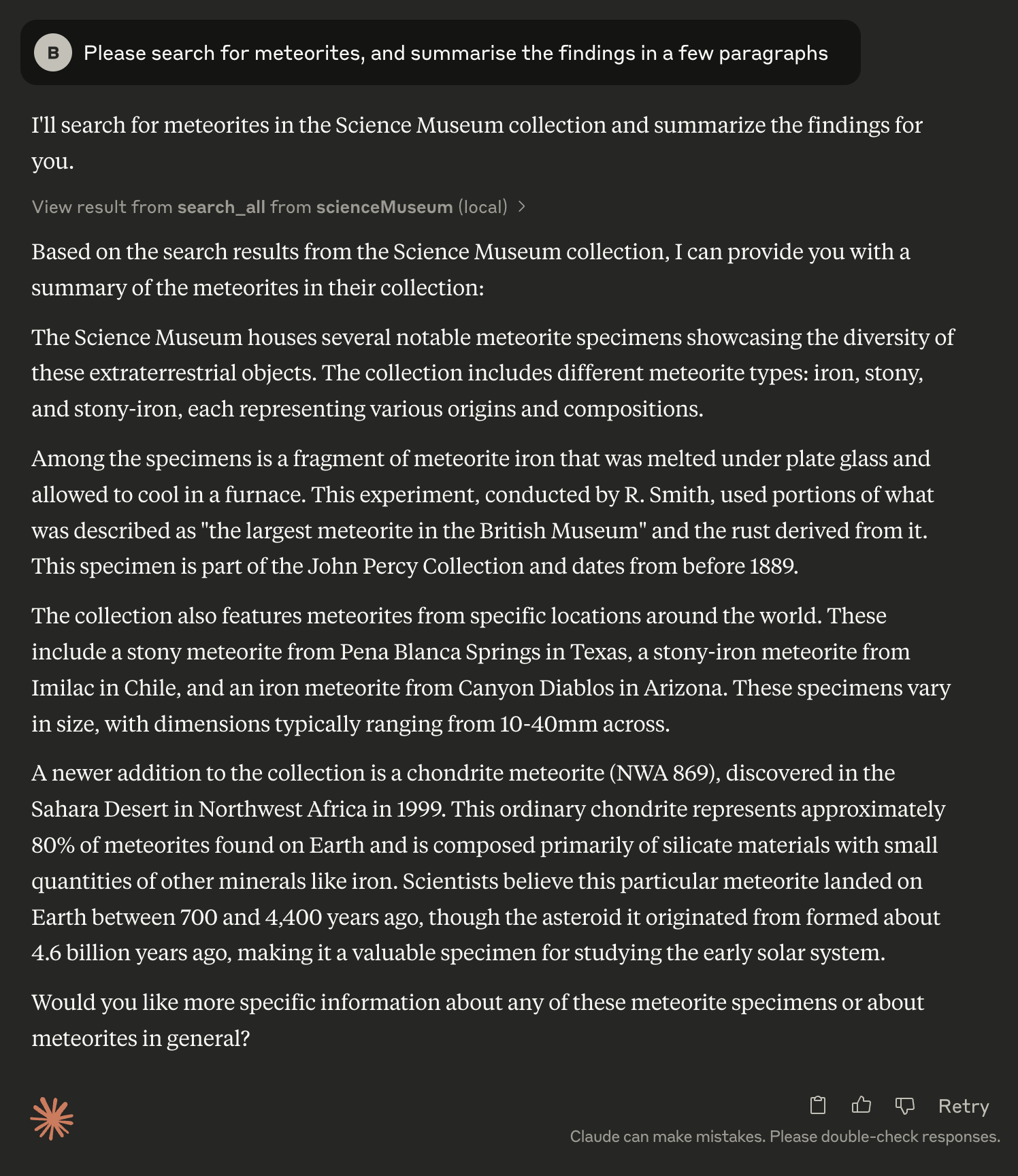
Anthropic's own instructions for this step are here - https://modelcontextprotocol.info/docs/quickstart/user/.
Developing
This section is for anyone who wants to contribute to the codebase.
Setup and Install Dependencies
Clone the repository.
The project is configured to use uv (Install link: https://docs.astral.sh/uv/#installation) for dependency management and building. It uses npx (Install link: https://www.npmjs.com/package/npx) to run the MCP inspector.
Create a virtual env with
uv venv
And install dependencies with
uv pip install -r pyproject.toml
Run the inspector with
./inspector.sh
The inspector should output the localhost URL for accessing its UI.
Running Unit Tests
source .venv/bin/activate
pytest
Publishing
This is currently a manual process I can do. This will be changed to a Github action if the project gets any development from now on.


Download files
Download the file for your platform. If you're not sure which to choose, learn more about installing packages.
Source Distribution
Built Distribution
Filter files by name, interpreter, ABI, and platform.
If you're not sure about the file name format, learn more about wheel file names.
Copy a direct link to the current filters
File details
Details for the file science_museum_mcp-1.0.1.tar.gz.
File metadata
- Download URL: science_museum_mcp-1.0.1.tar.gz
- Upload date:
- Size: 8.0 kB
- Tags: Source
- Uploaded using Trusted Publishing? No
- Uploaded via: uv/0.6.14
File hashes
| Algorithm | Hash digest | |
|---|---|---|
| SHA256 |
7659678c3584f9730e0c08360f2cf1b0bbf463996fc31d7e0aa2324287975010
|
|
| MD5 |
21d5adfc580f5afd3b08e4ab5b18931c
|
|
| BLAKE2b-256 |
a5c12d7e3bcc9063d49b9cabe0ade26aa7b7df6f028e0731a027c0ab2d90a0d0
|
File details
Details for the file science_museum_mcp-1.0.1-py3-none-any.whl.
File metadata
- Download URL: science_museum_mcp-1.0.1-py3-none-any.whl
- Upload date:
- Size: 7.5 kB
- Tags: Python 3
- Uploaded using Trusted Publishing? No
- Uploaded via: uv/0.6.14
File hashes
| Algorithm | Hash digest | |
|---|---|---|
| SHA256 |
9df1e6cfa19d17ab9a848610f63ac19f946895faa8c0961582ac531f067bb963
|
|
| MD5 |
f0d81cb5c1d26ae9078b8ae9c4952ba0
|
|
| BLAKE2b-256 |
603eec977cd714d4d362d8b59e57d3550c9a20662e4d8bc00ef8f443afaf2a52
|






