
Deep research and writing tool - combines AI-driven deep research with well-formatted written outputs. Generates publication-ready scientific documents with verified citations.

Project description
Claude Scientific Writer






🚀 Looking for more advanced capabilities? For end-to-end scientific writing, deep scientific search, advanced image generation and enterprise solutions, visit www.k-dense.ai
Stay up to date: Follow K-Dense on X, LinkedIn, and YouTube for new features, release announcements, walkthroughs, research workflow demos, and examples you can use with Scientific Writer.
A deep research and writing tool that combines the power of AI-driven deep research with well-formatted written outputs. Generate publication-ready scientific papers, reports, posters, grant proposals, literature reviews, and more academic documents—all backed by real-time literature search and verified citations.
Scientific Writer performs comprehensive research before writing, ensuring every claim is supported by real, verifiable sources. Features include real-time research lookup and web search powered by the Parallel Chat API, intelligent paper detection, comprehensive document conversion, and AI-powered diagram generation with Nano Banana Pro. You have the option of using it as a claude code plugin, python package or a native CLI
Quick Start
Prerequisites
- Python 3.10-3.12
- ANTHROPIC_API_KEY (required)
- PARALLEL_API_KEY (required for research lookup, web search, and deep research)
- OPENROUTER_API_KEY (optional, for AI image generation: schematics, figures, slides, and infographics)
Installation Options
Option 1: Claude Code Plugin (Recommended) ⭐
The easiest way to use Scientific Writer is as a Claude Code plugin. See the Plugin Installation section below.
Option 2: Install from PyPI (CLI/API Usage)
pip install scientific-writer
Option 3: Install from source with uv
git clone https://github.com/K-Dense-AI/claude-scientific-writer.git
cd claude-scientific-writer
uv sync
Configure API keys
# .env file (recommended) — see .env.example for the full list
echo "ANTHROPIC_API_KEY=your_key" > .env
echo "PARALLEL_API_KEY=your_parallel_key" >> .env            # research lookup and web search
echo "OPENROUTER_API_KEY=your_openrouter_key" >> .env        # optional: AI image generation
# or export in your shell
export ANTHROPIC_API_KEY='your_key'
Usage Options
Use as Plugin (Recommended)
After installing the plugin and running /claude-scientific-writer:scientific-writer-init, simply ask Claude:
> Create a Nature paper on CRISPR gene editing. Present experimental_data.csv
  (efficiency across 5 cell lines), include Western_blot.png and flow_cytometry.png
  showing 87% editing efficiency (p<0.001). Compare with literature benchmarks.

> Generate an NSF grant proposal presenting preliminary data from quantum_results.csv
  (99.2% gate fidelity), circuit_topology.png, and error_rates.csv.
  Include 5-year timeline with milestones_budget.xlsx.

> @research-lookup Find papers on mRNA vaccine efficacy (2022-2024). Compare
  with our trial_outcomes.csv (n=500, 94% efficacy) and antibody_titers.png.
Use the CLI
# If installed via pip
scientific-writer

# If installed from source with uv
uv run scientific-writer
Use the Python API
import asyncio
from scientific_writer import generate_paper

async def main():
    # Detailed prompt with specific data and figures
    async for update in generate_paper(
        query=(
            "Create a Nature paper on CRISPR gene editing. "
            "Present editing_efficiency.csv (5 cell lines, n=200 cells each). "
            "Include Western blot (protein_knockout.png) showing target depletion, "
            "flow cytometry data (editing_percentages.png) with 87% efficiency in HEK293, "
            "and off_target_analysis.csv showing <0.1% off-target effects. "
            "Compare results to published Cas9 benchmarks (typically 70-75% efficiency)."
        ),
        data_files=[
            "editing_efficiency.csv",
            "protein_knockout.png",
            "editing_percentages.png",
            "off_target_analysis.csv"
        ]
    ):
        if update["type"] == "progress":
            print(f"[{update['stage']}] {update['message']}")
        else:
            print(f"✓ PDF: {update['files']['pdf_final']}")
            print(f"  Figures: {len(update.get('figures', []))} included")

asyncio.run(main())
🎯 Use as a Claude Code Plugin (Recommended)
Scientific Writer works best as a Claude Code (Cursor) plugin, providing seamless access to all scientific writing capabilities directly in your IDE. No CLI required!
Quick Start - Plugin Installation
-
Add the plugin marketplace in Claude Code:
/plugin marketplace add https://github.com/K-Dense-AI/claude-scientific-writer
-
Install the plugin:
/plugin install claude-scientific-writer
-
Restart Claude Code when prompted.
-
Initialize in your project:
/claude-scientific-writer:scientific-writer-init
This creates a
CLAUDE.mdfile with comprehensive scientific writing instructions and makes all 25 skills available. -
Start using immediately:
# Create papers with data and figures
> Create a Nature paper on CRISPR gene editing. Present knockout_efficiency.csv
  (5 cell lines tested), include Western blot (protein_levels.png) and flow
  cytometry data (editing_rates.png). Highlight 87% efficiency in HEK293 cells.

> Write an NSF grant proposal for quantum computing. Present preliminary results
  from gate_fidelity.csv (99.2% fidelity), include circuit_diagram.png and
  error_analysis.png. Compare to state-of-art 95% baseline.

> Generate conference poster. Feature results from clinical_trial.csv
  (n=150), survival_curves.png, biomarker_heatmap.png, and mechanism_diagram.svg.

# Use specific skills with research data
> @research-lookup Find papers on mRNA vaccine efficacy (2022-2024). Compare
  with our trial_data.csv showing 94% efficacy and antibody_titers.xlsx.

> @peer-review Evaluate this manuscript. Reference sample size in methods.csv
  (n=30) and effect_sizes.png. Assess if statistical power is adequate.

> @clinical-reports Create case report for autoimmune disorder. Include patient_labs.xlsx
  (6 months data), MRI_scans/ folder, treatment_timeline.csv showing response.
Why Use the Plugin?
- ✅ No CLI Required - Everything works directly in Claude Code
- ✅ Instant Access - All 25 skills available immediately
- ✅ IDE Integration - Files created and edited in your project
- ✅ Context Aware - Skills understand your project structure
- ✅ Seamless Workflow - No switching between tools
Available Skills
When installed as a plugin, you get instant access to:
scientific-schematics- AI diagram generation with Nano Banana Pro (CONSORT, neural networks, pathways)research-lookup- Real-time literature searchpeer-review- Systematic manuscript evaluationcitation-management- BibTeX and reference handlingclinical-reports- Medical documentation standardsresearch-grants- NSF, NIH, DOE proposal supportscientific-slides- Research presentationslatex-posters- Conference poster generationhypothesis-generation- Scientific hypothesis developmentmarket-research-reports- Comprehensive 50+ page market analysis reports with visuals- And 15 more specialized skills...
For local plugin development and testing, see the Development Guide.
Features
📝 Document Generation
- Scientific papers with IMRaD structure (Nature, Science, NeurIPS, etc.)
- Clinical reports (case reports, diagnostic reports, trial reports, patient documentation)
- Research posters using LaTeX (beamerposter, tikzposter, baposter)
- Grant proposals (NSF, NIH, DOE, DARPA) with agency-specific formatting
- Literature reviews with systematic citation management
- Scientific schematics powered by Nano Banana Pro (CONSORT diagrams, neural architectures, biological pathways, circuit diagrams)
🤖 AI-Powered Capabilities
- Real-time research lookup powered by the Parallel Chat API
- AI-powered diagram generation with Nano Banana Pro - create any scientific diagram from natural language descriptions
- Intelligent paper detection - automatically identifies references to existing papers
- Peer review feedback with quantitative ScholarEval framework (8-dimension scoring)
- Iterative editing with context-aware revision suggestions
🔧 Developer-Friendly
- Programmatic API - Full async Python API with type hints
- CLI interface - Interactive command-line tool with progress tracking
- Progress streaming - Real-time updates during generation
- Comprehensive results - JSON output with metadata, file paths, citations
📦 Data & File Integration
- Automatic data handling - Drop files in
data/, auto-sorted tofigures/ordata/ - Document conversion - PDF, DOCX, PPTX, XLSX to Markdown with MarkItDown
- Bibliography management - Automatic BibTeX generation and citation formatting
- Figure integration - Images automatically referenced and organized
Typical Workflow
CLI Usage
- Place figures and data in
data/at the project root (images →figures/, files →data/automatically) - Run
scientific-writerand describe what you want - Follow progress updates; outputs saved to
writing_outputs/<timestamp>_<topic>/
# Start a new paper with figures and data
> Create a Nature paper on CRISPR gene editing. Include experimental_results.csv showing knockout efficiency across 5 cell lines. Reference figure1.png (Western blot) and figure2.png (flow cytometry data) in the results section. Discuss the 87% efficiency improvement observed in HEK293 cells.

# Continue editing with additional research results
> Add a methods section describing the experimental setup used to generate the data in results_table.csv. Reference the protocols for transfection, selection, and validation shown in microscopy_images/ folder.

# Grant proposal with preliminary data
> Write an NSF proposal for quantum computing research. Present preliminary results from quantum_fidelity.csv showing 99.2% gate fidelity. Include circuit_diagram.png and error_rates.png figures. Emphasize the breakthrough results compared to current state-of-art (95% fidelity).

# Research poster with comprehensive figures
> Generate a conference poster from my paper. Feature dose_response_graph.png as the central figure. Include mechanism_schematic.png, compare_treatments.png, and statistical_analysis.png. Highlight the p<0.001 significance for the primary outcome shown in the results.

# Clinical case report with patient data
> Create a clinical case report for rare disease presentation. Reference patient_timeline.csv showing symptom progression over 6 months. Include diagnostic_images/ (CT scans, MRI). Discuss lab_values.xlsx showing elevated biomarkers and treatment response documented in follow_up_data.csv.

# Literature review with meta-analysis
> Create a literature review on machine learning in healthcare. Reference the comparison in studies_comparison.csv covering 50 papers. Include forest_plot.png showing pooled effect sizes and quality_assessment.png from bias analysis. Synthesize the findings showing diagnostic accuracy (AUC 0.89), treatment prediction (accuracy 82%), and risk stratification results.
API Usage
import asyncio
from scientific_writer import generate_paper

async def main():
    async for update in generate_paper(
        query="Create a NeurIPS paper on transformers",
        data_files=["results.csv", "figure.png"],
        output_dir="./my_papers",
        track_token_usage=True  # Optional: track token consumption
    ):
        if update["type"] == "progress":
            print(f"[{update['stage']}] {update['message']}")
        else:
            print(f"✓ PDF: {update['files']['pdf_final']}")
            # Token usage available when track_token_usage=True
            if "token_usage" in update:
                print(f"  Tokens used: {update['token_usage']['total_tokens']:,}")

asyncio.run(main())
Quick Reference
Common Commands
| Task | Command Example |
|---|---|
| Scientific Paper | > Create a Nature paper on CRISPR gene editing. Present knockout efficiency data from results.csv (5 cell lines tested). Include Western blot (figure1.png) and flow cytometry (figure2.png) showing 87% efficiency in HEK293 cells. Compare with published benchmarks. |
| Clinical Report | > Create a clinical case report for rare mitochondrial disease. Include patient_timeline.csv (6-month progression), diagnostic_scans/ folder (MRI, CT images), and lab_values.xlsx showing elevated lactate (8.2 mmol/L) and creatine kinase (450 U/L). Describe treatment response. |
| Grant Proposal | > Write an NSF proposal for quantum error correction research. Present preliminary data from gate_fidelity.csv showing 99.2% fidelity (vs 95% state-of-art). Include circuit_topology.png, error_rates_comparison.png, and scalability_projections.csv for 100-qubit systems. |
| Research Poster | > Generate an A0 conference poster. Highlight findings from efficacy_study.csv (n=150 patients, 40% response rate). Feature mechanism_diagram.png, survival_curves.png, biomarker_heatmap.png, and statistical_forest_plot.png (p<0.001 primary endpoint). |
| Literature Review | > Create a systematic review on AI in drug discovery. Reference studies_database.csv (127 papers, 2020-2024). Include success_rates_meta.png (pooled OR=2.3, 95% CI 1.8-2.9), publication_trends.png, and therapeutic_areas_breakdown.csv showing oncology dominance (45% of studies). |
| Peer Review | > Evaluate this manuscript using ScholarEval. Reference figures (power_analysis.png shows n=30, underpowered), review statistics in results_table.csv, assess methodology against CONSORT standards, verify citations match claims. |
| Hypothesis Paper | > Generate research hypotheses on aging interventions. Reference transcriptomics_data.csv (15,000 genes across tissues), pathway_enrichment.png, and longevity_correlations.csv. Propose 5 testable hypotheses linking NAD+ metabolism, senescence, and lifespan extension. |
| Continue Editing | > Add methods section describing the protocols used to generate binding_assay.csv data. Include equipment specs, statistical tests used (t-tests in stats_summary.csv), and sample size justification from power_calculation.xlsx |
| Find Existing Paper | > Find the CRISPR paper and add discussion of limitations shown in off_target_analysis.csv and efficiency_variation.png across different cell types |
Research Lookup Examples
# Recent research with data integration (auto-triggers research lookup)
> Create a paper on recent advances in quantum computing (2024). Compare published values with our gate_fidelity_results.csv (99.2% for 2-qubit gates). Include our error_correction_benchmarks.png and cite papers achieving >98% fidelity.

# Fact verification with experimental context
> What are the current success rates for CAR-T therapy in B-cell lymphoma? Compare with our clinical_trial_outcomes.csv (n=45 patients, 62% complete response). How do our results compare to published JULIET and ZUMA trials?
File Handling
# 1. Drop all your research files in the data/ folder at the project root
cp experimental_data.csv western_blot.png statistical_summary.xlsx ~/Documents/claude-scientific-writer/data/

# 2. Files are automatically sorted by type:
#    Images (png, jpg, svg, tif, pdf figures) → figures/
#    Data files (csv, json, txt, xlsx, tsv) → data/
#    Documents (pdf, docx, pptx) → converted to markdown

# 3. Reference files (or whole folders) explicitly in your prompt with specific details
> Create a NeurIPS paper on deep learning optimization. Include training_curves.csv showing convergence after 50 epochs, accuracy_comparison.png (our method: 94.2% vs baseline: 89.1%), and architecture_diagram.svg in methods.
For more extensive API examples (multiple data files, clinical trial reports, token tracking), see the API Reference.
Plugin Testing (Local Development)
For developers working on the plugin or testing it locally, see the Development Guide, which covers setting up a local test marketplace, installing the plugin from a local checkout, verifying the plugin structure, and troubleshooting installation issues. Step-by-step manual test instructions live in TESTING_INSTRUCTIONS.md.
📄 Example Outputs
Want to see what Scientific Writer can create? Check out real examples in the docs/examples/ directory!
| Document Type | Example | Description |
|---|---|---|
| Research Paper | Coming soon | Full scientific papers with IMRaD structure |
| Grant Proposal | NSF Proposal | Complete NSF grant with budget and timeline |
| Research Poster | Conference Poster | LaTeX-generated academic poster |
| Presentation Slides | AI Scientist Talk | Professional research presentation |
| Clinical Report | Treatment Plan | Patient treatment documentation |
| Clinical Decision Support | Breast Cancer | Evidence-based clinical recommendations |
| Hypothesis Generation | AI Weather Prediction | Research hypothesis development |
| Market Research | Agentic AI Report | Industry analysis and market insights |
🎯 Browse the examples to see formatting, structure, and quality before starting your own projects!
Documentation
User Guides
- 📖 Complete Features Guide - Comprehensive overview of all capabilities
- 🔧 API Reference - Full programmatic API documentation
- 🎯 Skills Overview - All available skills and tools
- 🐛 Troubleshooting - Common issues and solutions
Developer Resources
- 🤝 Contributing Guide - Dev setup, tests, and PR guidelines
- 💻 Development Guide - Architecture and plugin development
- 🛠️ Skill Authoring Guide - How to write and register a new skill
- 📦 Releasing Guide - Versioning and publishing
- 📋 Release Notes - Version history and updates
- 🤖 System Instructions - Agent instructions (advanced)
Use with Gemini CLI and Other Agents
The skills in this repository follow the Claude Code SKILL.md format. Each skill is a self-contained prompt file that tells an AI agent how to perform a specific task.
Manual approach
To use any skill with another agent (Gemini CLI, Aider, Continue, etc.):
- Open the relevant
skills/<skill-name>/SKILL.mdfile. - Copy the content below the YAML frontmatter (everything after the closing
---). - Paste it into your agent's system prompt, custom instructions file, or equivalent configuration.
For example, to use the scientific-writing skill in Gemini CLI:
# Copy skill content to Gemini CLI system prompt file
tail -n +6 skills/scientific-writing/SKILL.md > ~/.gemini/system_prompt.md
gemini "Write a Nature paper on CRISPR off-target effects"
Claude Code-specific features
The following SKILL.md frontmatter fields are Claude Code-specific and can be safely ignored by other agents:
| Field | Claude Code behaviour | Other agents |
|---|---|---|
allowed-tools |
Restricts which tools the agent may call; written as a space-separated string (e.g. allowed-tools: Read Write Edit Bash) |
Ignore or map to your agent's tool-permission system |
hooks |
Runs shell commands before/after skill execution | Ignore or implement equivalent pre/post hooks manually |
version |
Used by Claude Code marketplace | Informational only |
All skill content (instructions, workflows, code examples) is agent-agnostic and works with any sufficiently capable LLM.
Versioning and Publishing (short)
Use uv and the helper scripts:
- Bump version (keeps pyproject + init in sync):
uv run scripts/bump_version.py [patch|minor|major] - Build and publish:
uv run scripts/publish.py(or--bump patch|minor|major) See docs/RELEASING.md for prerequisites, dry runs, tagging, and verification.
Migration
v1.x -> v2.0
- CLI remains unchanged (scientific-writer).
- New programmatic API: from scientific_writer import generate_paper.
- Legacy single-file script is replaced by a proper package; no action needed for CLI users.
Research backend (v2.13+)
- Research lookup, web search, and deep research now use parallel-cli and the Parallel Chat API. Set
PARALLEL_API_KEYto keep research lookup working. OPENROUTER_API_KEYis no longer used for research lookup. It remains optional and is only needed for the AI image generation skills (generate-image, scientific-schematics, scientific-slides, infographics, and markitdown AI features).
License
MIT - see LICENSE.
Support
- Open an issue on GitHub
- See docs/TROUBLESHOOTING.md for common problems
💬 Join Our Community!
Follow us for updates: X · LinkedIn · YouTube
Want to connect with other researchers, share tips, and get help in real-time? Join our vibrant Slack community! 🎉
Whether you're writing your first paper, exploring advanced features, or just want to chat about scientific writing and AI, we'd love to have you! Get faster support, share your success stories, and collaborate with fellow users.
👉 Join the K-Dense Community on Slack 👈
We're excited to meet you! 🚀
⭐ Show Your Support
If you find this project helpful for your research or work, please consider giving it a star on GitHub! It helps others discover the tool and motivates continued development. Thank you! 🙏

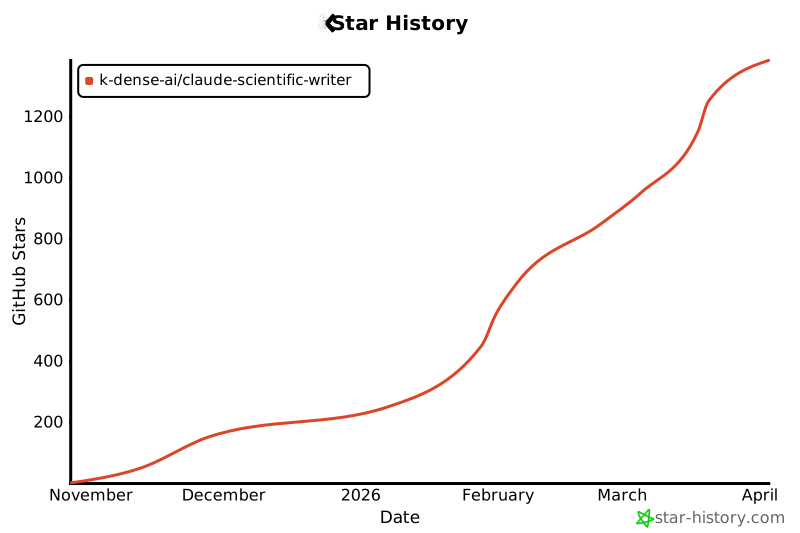
Star History
Release history Release notifications | RSS feed


Download files
Download the file for your platform. If you're not sure which to choose, learn more about installing packages.
Source Distribution
Built Distribution
Filter files by name, interpreter, ABI, and platform.
If you're not sure about the file name format, learn more about wheel file names.
Copy a direct link to the current filters
File details
Details for the file scientific_writer-2.16.0.tar.gz.
File metadata
- Download URL: scientific_writer-2.16.0.tar.gz
- Upload date:
- Size: 7.7 MB
- Tags: Source
- Uploaded using Trusted Publishing? Yes
- Uploaded via: uv/0.11.26 {"installer":{"name":"uv","version":"0.11.26","subcommand":["publish"]},"python":null,"implementation":{"name":null,"version":null},"distro":{"name":"Ubuntu","version":"24.04","id":"noble","libc":null},"system":{"name":null,"release":null},"cpu":null,"openssl_version":null,"setuptools_version":null,"rustc_version":null,"ci":true}
File hashes
| Algorithm | Hash digest | |
|---|---|---|
| SHA256 |
5a1ef512e978621659e6886ec838e5c9e7fe7a74dbe1110bbb1c300b0f1a2242
|
|
| MD5 |
8e25bd7cff3d6afaafd8d91cd33644cd
|
|
| BLAKE2b-256 |
05306f875db4eeebf2371d4f8a481efc3b511225a07e3a833e88873d6b0b0c1c
|
File details
Details for the file scientific_writer-2.16.0-py3-none-any.whl.
File metadata
- Download URL: scientific_writer-2.16.0-py3-none-any.whl
- Upload date:
- Size: 1.9 MB
- Tags: Python 3
- Uploaded using Trusted Publishing? Yes
- Uploaded via: uv/0.11.26 {"installer":{"name":"uv","version":"0.11.26","subcommand":["publish"]},"python":null,"implementation":{"name":null,"version":null},"distro":{"name":"Ubuntu","version":"24.04","id":"noble","libc":null},"system":{"name":null,"release":null},"cpu":null,"openssl_version":null,"setuptools_version":null,"rustc_version":null,"ci":true}
File hashes
| Algorithm | Hash digest | |
|---|---|---|
| SHA256 |
54d747892a3a556a56488ecaf96c4a623551613fce9f3db4d217c14c3b65982b
|
|
| MD5 |
ebb23a558f41525fe8b105e2b108b683
|
|
| BLAKE2b-256 |
5bd4b08355307ef2bb4fa51e0d307b0f842eb11d36179fe327f895318846950d
|






