
scify
Why should your IDE have all the fun? Wrap your real shell in a sci-fi dashboard.
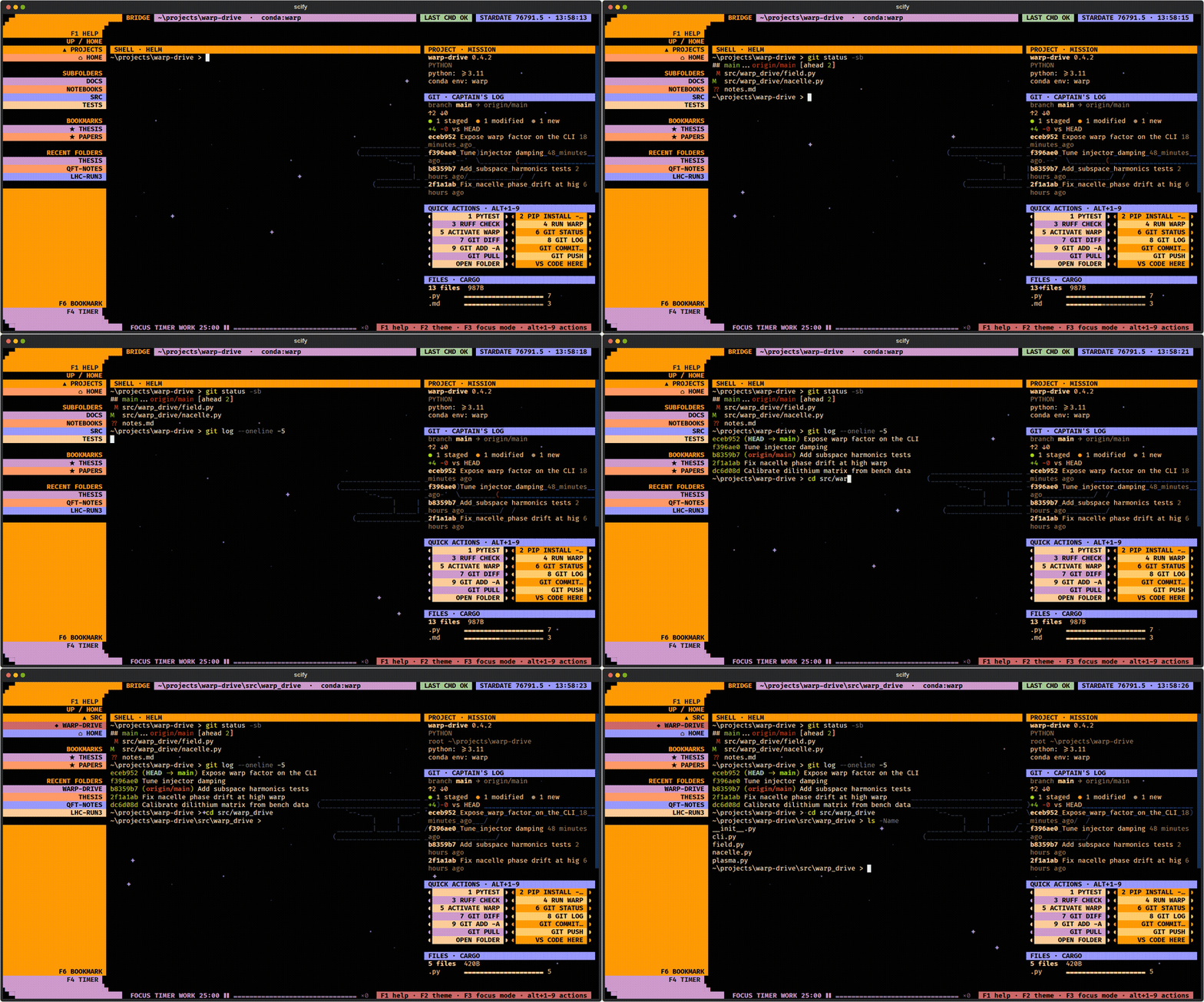
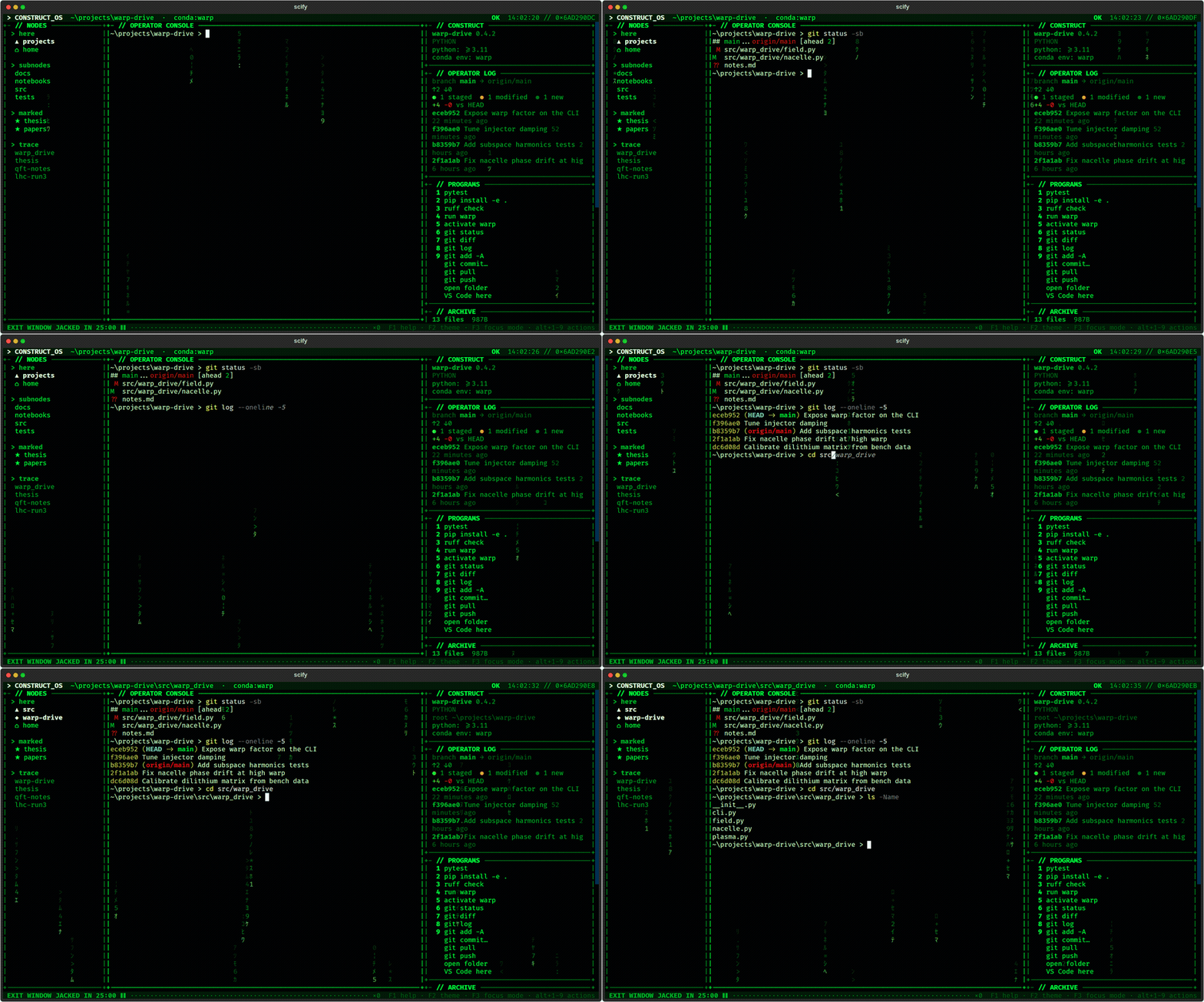
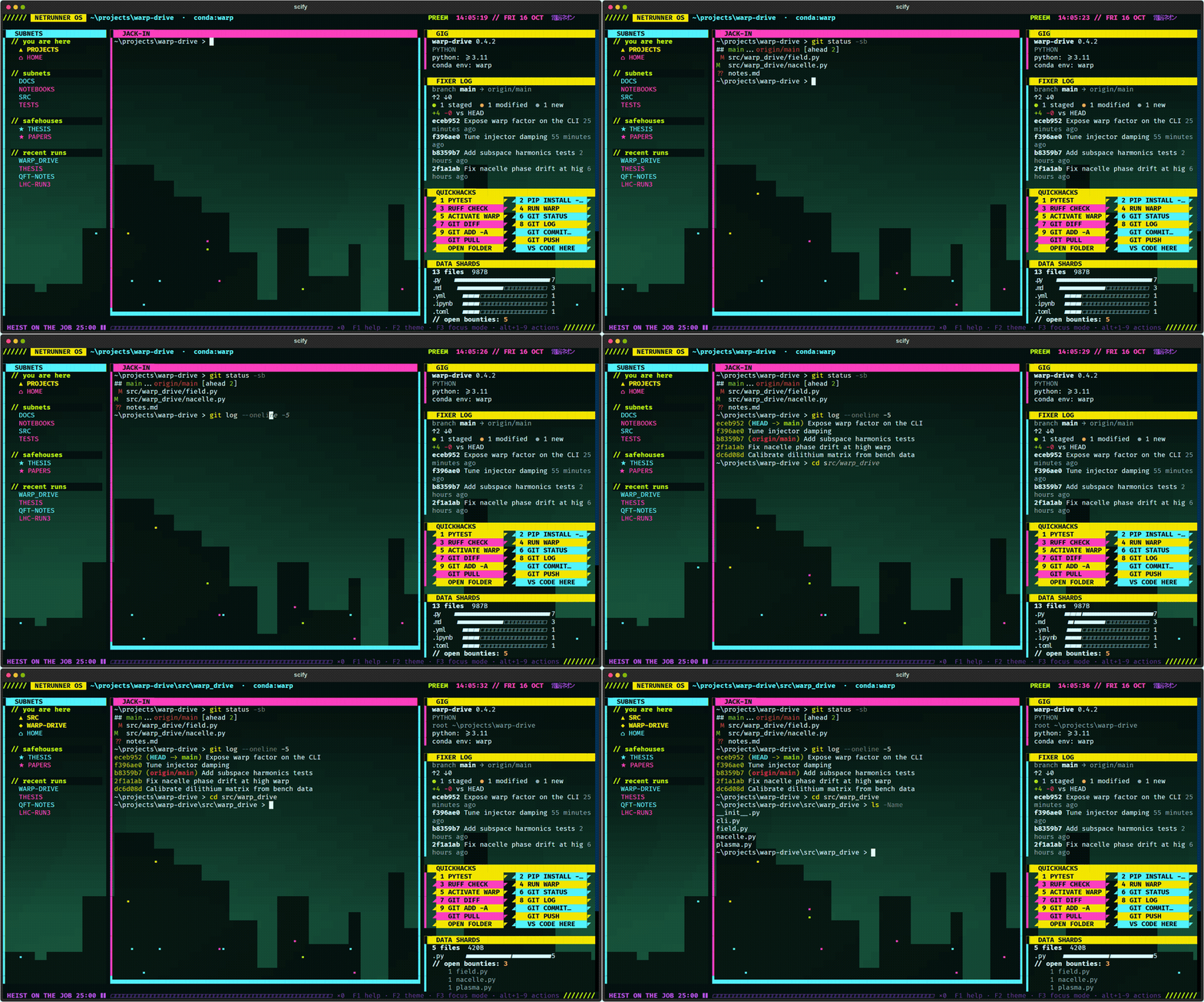
Your usual shell (PowerShell, cmd, bash, zsh, fish) runs in the middle. As you cd, the panels around it show the folder you're in: subfolders, git status, project type and environment, one-click commands, TODOs and recently changed files.
Install
pip install scify
Needs Python 3.10+.
- Windows: if
pipisn't found, usepy -m pip install scify. - macOS / Linux: if
pipisn't found, usepython3 -m pip install scify. If pip refuses with "externally-managed-environment" (Homebrew Python, Debian/Ubuntu, Fedora), usepipx install scifyor uv instead.
No suitable Python, or just want to try it? uv fetches one for you:
uvx scify               # try it without installing
uv tool install scify   # install it
For the best look use a modern terminal with true colour, e.g. Windows Terminal, iTerm2, WezTerm, Kitty, Ghostty or GNOME Terminal, and a font with block characters (Cascadia Mono, JetBrains Mono, Fira Code).
Use
scify                 # LCARS theme, your usual shell, current folder
scify matrix          # pick a theme: lcars, matrix, cyberpunk
scify -s bash         # pick the shell: pwsh, powershell, cmd, bash, zsh, fish
scify -C ~/projects   # start in another folder
Type exit in the shell to leave.
Controls
Everything you type goes to the shell, except:
| Key | Does |
|---|---|
| F1 | help |
| F2 | next theme |
| F3 | focus mode: hide the panels |
| F4 / F5 | start-pause / reset the focus timer |
| F6 | bookmark / unbookmark the current folder |
| F7 | refresh the panels |
| Alt+1…9 | run quick action 1–9 |
| Ctrl+Q | quit |
With the mouse: click a folder to cd there, click a quick action to run it, click a recent file to paste its path at the prompt.
On macOS, F-keys may need fn, and Alt+1…9 needs "Option as Meta" (iTerm2: Profiles → Keys; Terminal: Settings → Profiles → Keyboard).
A fan-made project, not affiliated with or endorsed by any franchise. MIT licensed.
1 maintainer

Metadata
1 maintainer
Release files for scify 0.1.0
For a detailed explanation of source distributions (sdists) and built distributions (wheels), please see the package formats documentation.
Source distribution (sdist)
| File | Size | Uploaded | |
|---|---|---|---|
| scify-0.1.0.tar.gz | 40.8 kB | Details |
Built distribution (wheel)
| File | Interpreter | ABI | Platform | Reset |
|---|---|---|---|---|
| scify-0.1.0-py3-none-any.whl | Python 3 | none | any | Details |
Total release size: 92.2 kB
Release files / scify-0.1.0.tar.gz
| Download URL | scify-0.1.0.tar.gz |
|---|---|
| Size | 40.8 kB |
| Tags | Source |
|
SHA-256 checksum How to use checksums |
80c4c72c88ad7bef6a6505f3c9d64455601b86be45044309253db2cb2f4766e4
|
|
BLAKE2b-256 checksum How to use checksums |
c5818795bc2a56b50457349331bf398694ea4058eeabd85ac693cab03086c0e9
|
| Upload date | |
|
Uploaded using Trusted Publishing? What is trusted publishing? |
Yes |
| Uploaded via |
twine/7.0.0 CPython/3.13.14
|
Provenance
Provenance describes where a file came from. On PyPI, provenance is shared via attestations, which provide a verifiable record of the build or publishing details. View details, limitations and caveats.


PyPI Publish Attestation
PyPI verified that this artifact, at this checksum, originated from the publisher listed below.
Signed by GitHub Actions, verified by PyPI on Oct 19, 2026.
Transparency logRelease files / scify-0.1.0-py3-none-any.whl
| Download URL | scify-0.1.0-py3-none-any.whl |
|---|---|
| Size | 51.4 kB |
| Tags | Python 3 |
|
SHA-256 checksum How to use checksums |
3549062cff724398415fa0894454aff5ff2dc32d28393944a64de853cdd85a1a
|
|
BLAKE2b-256 checksum How to use checksums |
7562a8e3caf41650e087035ed1a3559d000c3539c8e725c3d36b336c8ea0dda7
|
| Upload date | |
|
Uploaded using Trusted Publishing? What is trusted publishing? |
Yes |
| Uploaded via |
twine/7.0.0 CPython/3.13.14
|
Provenance
Provenance describes where a file came from. On PyPI, provenance is shared via attestations, which provide a verifiable record of the build or publishing details. View details, limitations and caveats.
PyPI Publish Attestation
PyPI verified that this artifact, at this checksum, originated from the publisher listed below.
Signed by GitHub Actions, verified by PyPI on Oct 19, 2026.
Transparency log













