

SciLibra
Your scientific articles, PDFs and notes - organised, searchable and safely backed up.
A free, open-source desktop app for researchers: BibTeX + PDF library, built-in PDF reader & annotator,
and one-click Google Drive backup.





Features · Screenshots · Installation · Quick start · Google Drive backup · Author
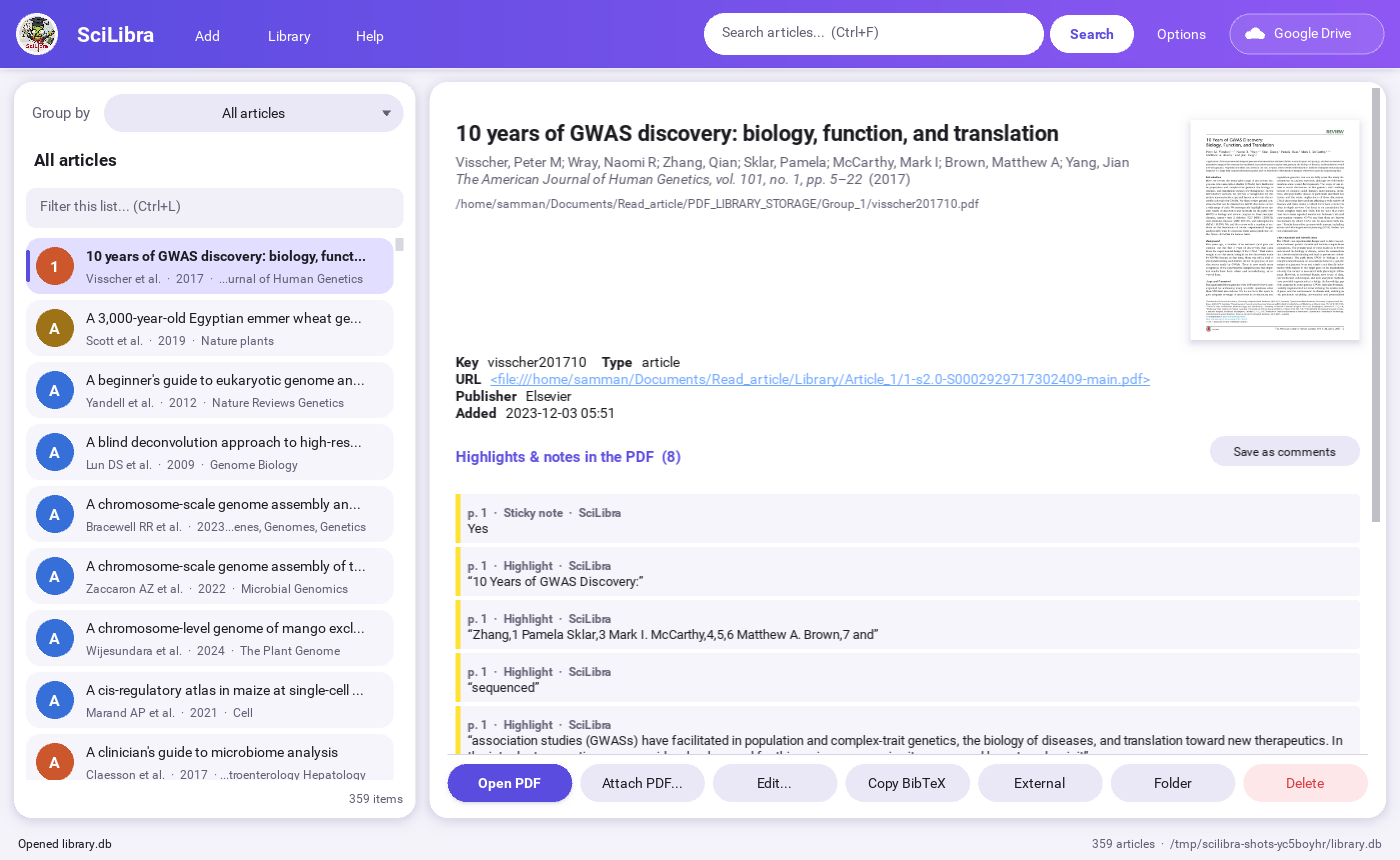
✨ Features
📸 Screenshots
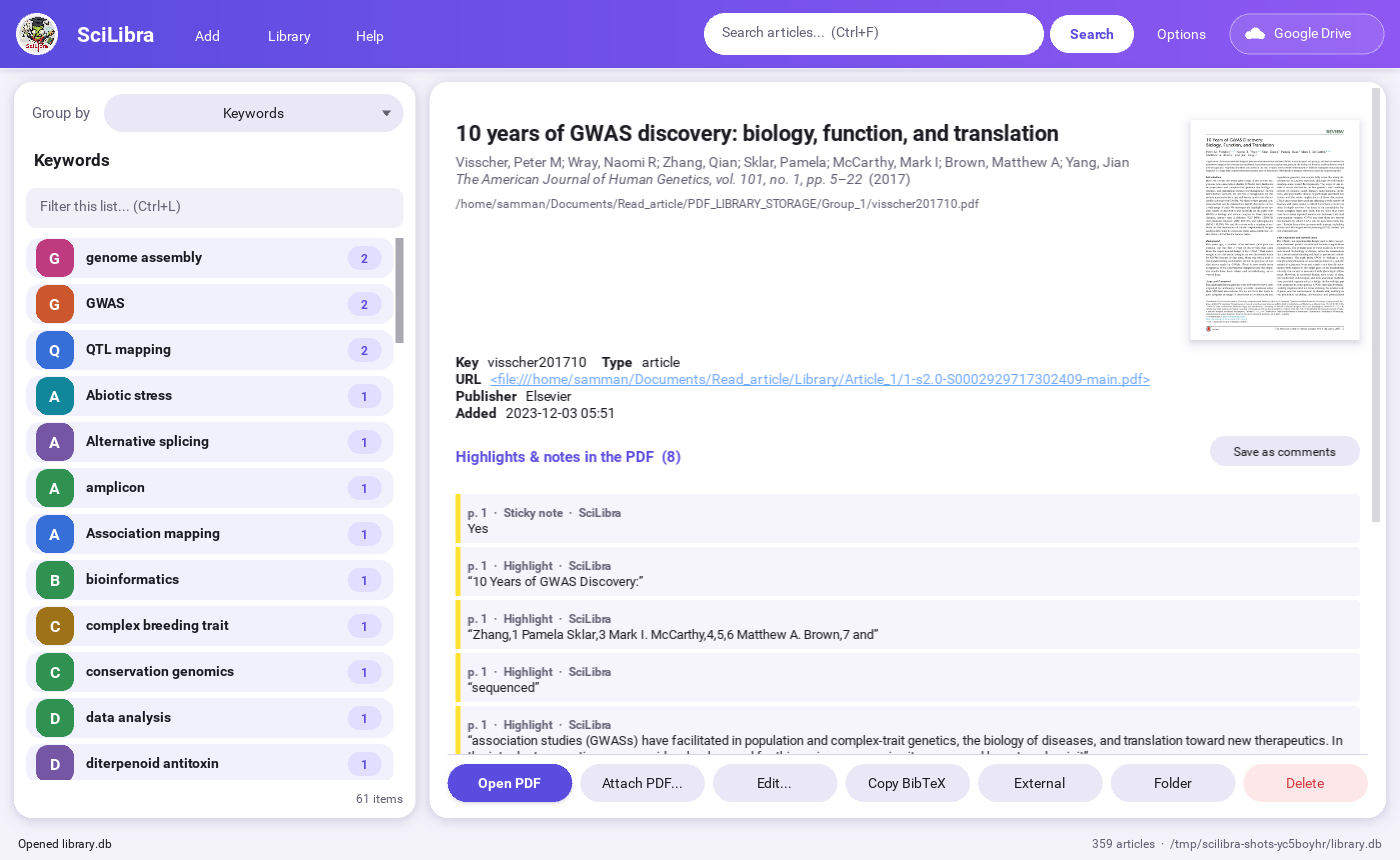 Browse by keywords, tag groups, authors, year or journal |
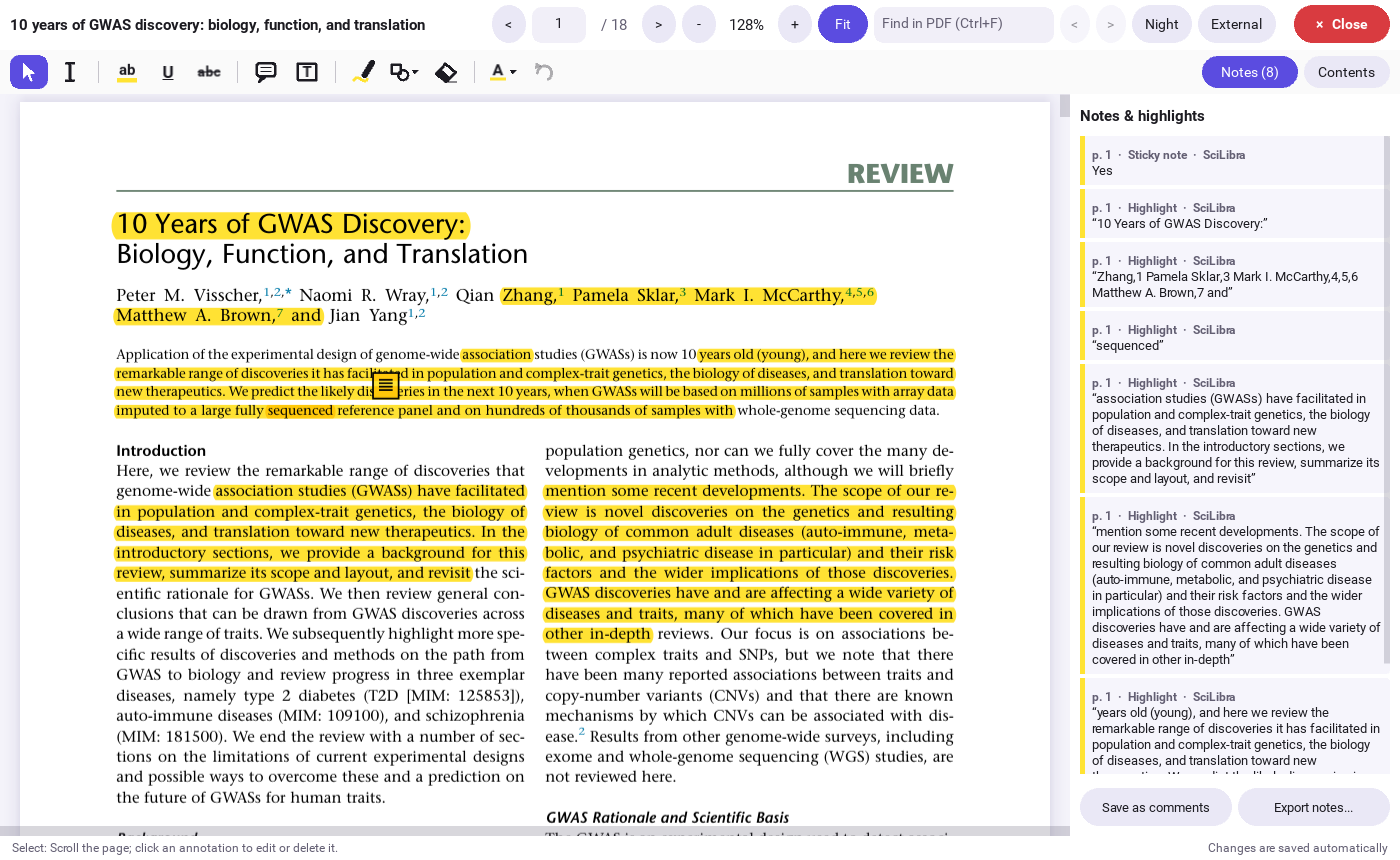 Built-in reader with highlights and notes |
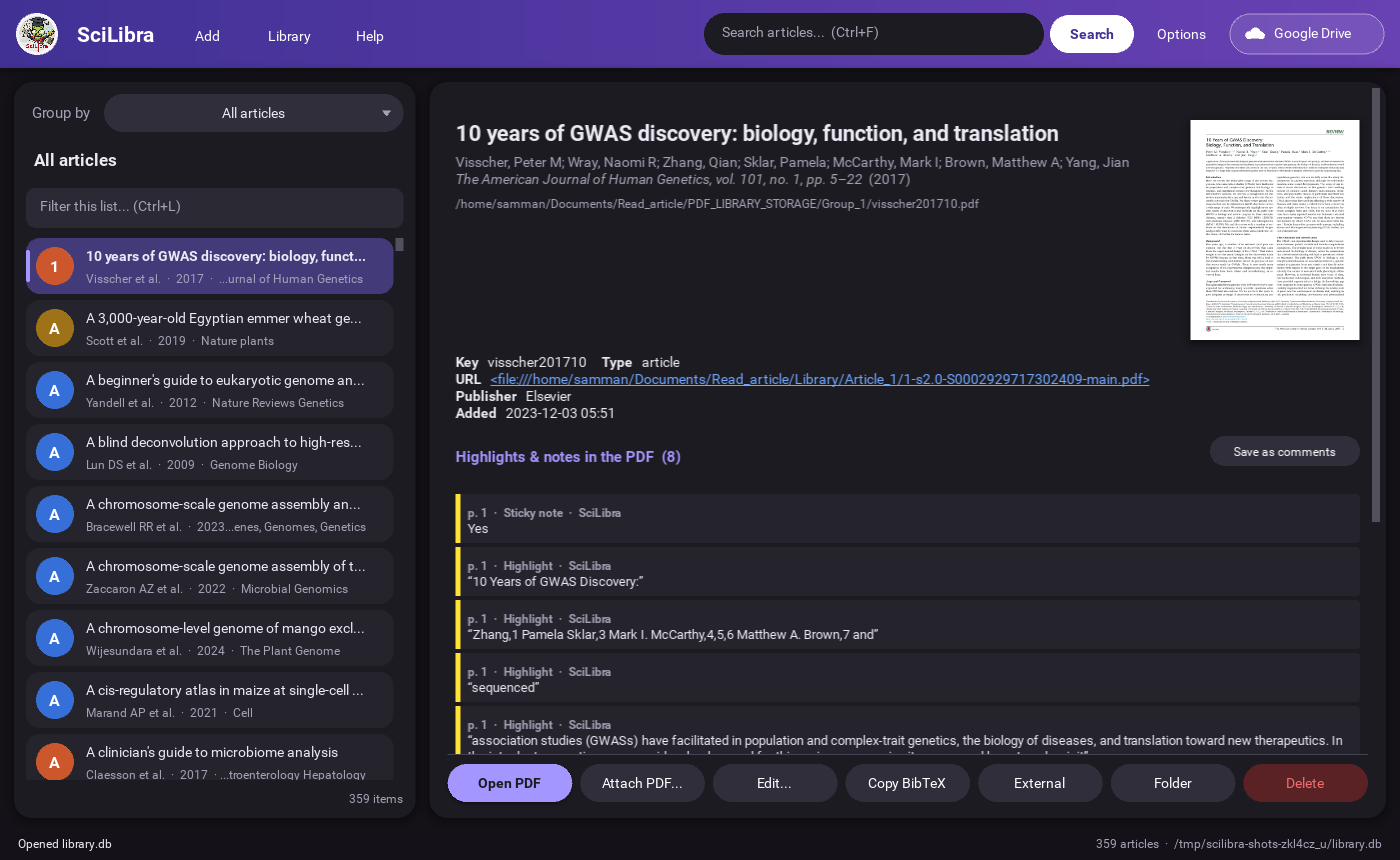 Dark theme |
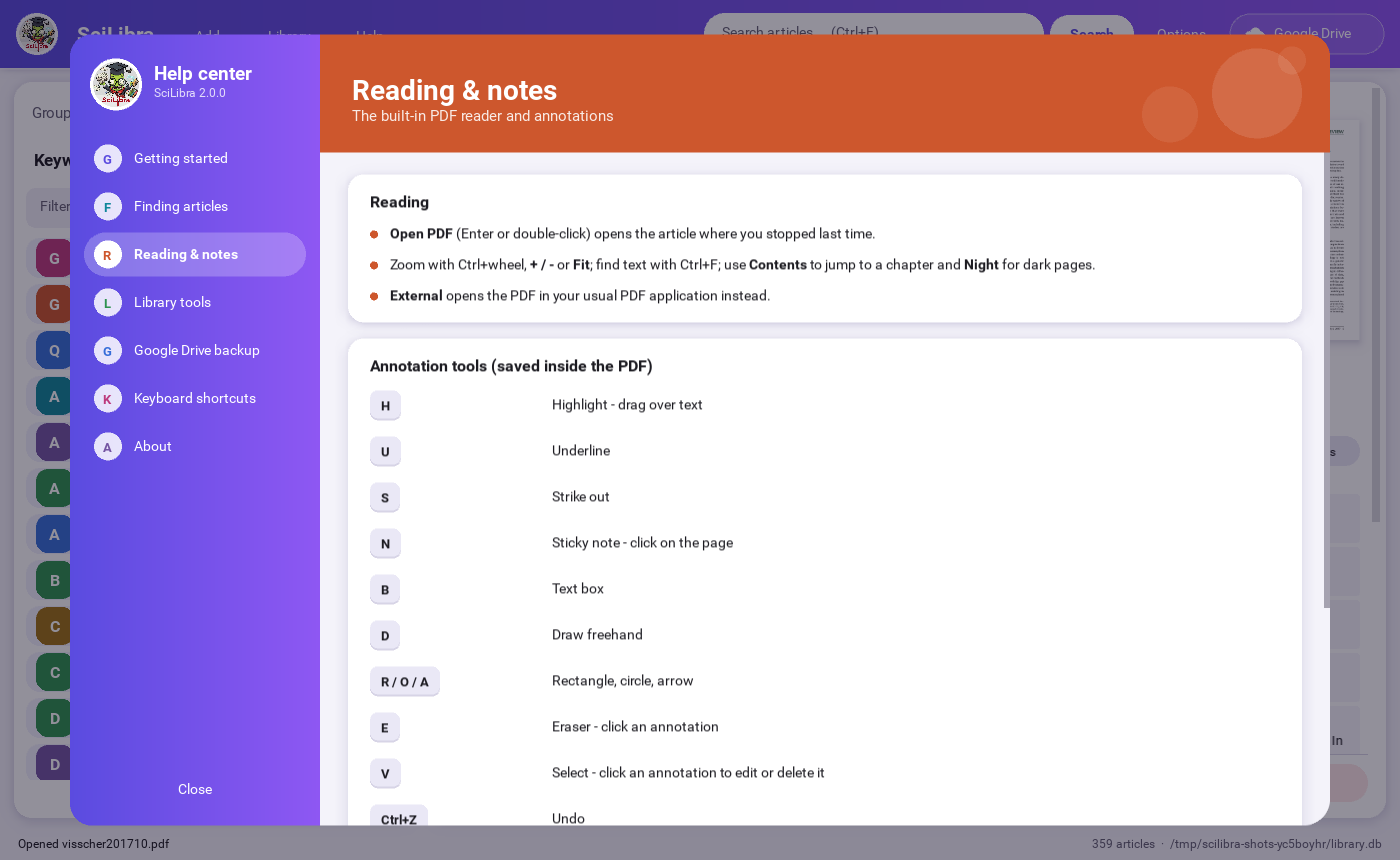 Help center |
 Start screen |
 About |
🚀 Installation
Requires Python 3.9 or newer. Install from PyPI:
pip install scilibra
scilibra                            # start it (or: python -m scilibra)
scilibra path/to/other-library.db   # open another library
Tip: install it in its own environment, e.g. pipx install scilibra or a virtual environment.
Install from source
git clone https://github.com/AlsammanAlsamman/SciLibra.git
cd SciLibra
python3 -m venv .venv
.venv/bin/pip install -e .          # Windows: .venv\Scripts\pip install -e .
.venv/bin/scilibra
Your library lives in ~/.local/share/scilibra/library.db (Windows: %APPDATA%\SciLibra,
macOS: ~/Library/Application Support/SciLibra). Set SCILIBRA_HOME to use another folder.
Desktop shortcut (Linux)
Edit the paths in SciLibra.desktop, then:
cp SciLibra.desktop ~/.local/share/applications/
Coming from SciLibra 1.x?
On the first start, an existing scilibraLibrary.db in the current folder or the project folder is copied
to the location above and upgraded. The original file is not changed, and a backup of the pre-upgrade copy
is kept next to it.
🧭 Quick start
- Add › Import BibTeX file (or Add › Add PDF files).
- PDFs somewhere else? Library › Link PDF folder connects PDFs named
<key>.pdfin that folder and its sub-folders. For other file names use Attach PDF… - Choose Group by › Keywords (or Tag groups, Authors…) and click a group to open it.
- Select an article to see its details - double-click it to read and annotate the PDF.
- Press Google Drive (top right) to switch on the backup.
Everything is also explained inside the app: Help › How to use SciLibra.
⌨️ Keyboard shortcuts
| Main window | PDF reader | ||
|---|---|---|---|
Ctrl+F |
Search the library | H U S |
Highlight · underline · strike |
Ctrl+L |
Filter the list | N B |
Sticky note · text box |
Ctrl+I |
Import BibTeX | D R O A L |
Pen · rectangle · ellipse · arrow · line |
Ctrl+N |
New article | E V T |
Eraser · select · select text |
Ctrl+E |
Edit | Ctrl+Z |
Undo |
Ctrl+O / Enter |
Open the PDF | Ctrl+F |
Find in the PDF |
↑ ↓ |
Move in the list | PgUp PgDn |
Previous / next page |
Esc |
Back | Esc |
Close the reader |
☁️ Google Drive backup
Press Google Drive › Sign in with Google. Your browser opens: choose your account, tick "See, edit, create and delete only the specific Google Drive files you use with this app" and press Continue. The button turns green and the backup starts.
What is stored in the SciLibra folder on your Drive:
SciLibra/
├── library.db                      the whole library: details, keywords, tag groups, comments, previews
├── Backups/library-YYYY-MM-DD.db   one copy per day, last 10 days
└── PDFs/<key>.pdf                  every PDF, including your highlights and notes
After the first backup only what changed is uploaded - a few seconds after each change and when you close SciLibra. Temporary Google errors are retried automatically. Restore from Drive… sets up the same library, with all PDFs, on another computer.
Privacy: SciLibra only gets access to the files it creates itself (drive.file) - never to your other
files. Your sign-in is stored only on your computer, and you can remove it at any time with Sign out or at
myaccount.google.com/permissions.
For maintainers: the OAuth client
The OAuth client (type Desktop app) ships as scilibra/assets/google_client.dat. To replace it, download
the client JSON from Google Cloud Console and run
python -c "from scilibra.core.gdrive import bundle_client_file as b; b('client_secret.json', 'scilibra/assets/google_client.dat')"
Never commit the JSON itself (it is git-ignored). Users can also use their own client with Load client file… in the Google Drive dialog.
🛠️ Development
.venv/bin/pip install -e ".[test]"
.venv/bin/python -m pytest                        # core tests + end-to-end GUI scenario
.venv/bin/python tests/gui_scenario.py shots/     # run the GUI scenario and keep its screenshots
.venv/bin/python tools/make_screenshots.py        # refresh the README screenshots (add --dark for dark)
Project layout
scilibra/
  core/            GUI-independent logic (usable from scripts)
    models.py      Article data model
    database.py    SQLite storage, schema upgrades (compatible with 1.x libraries)
    bibtex.py      BibTeX import/export
    pdf.py         first-page previews, DOI detection, reading annotations (PyMuPDF)
    annotate.py    creating/editing annotations and saving them into the PDF
    crossref.py    DOI -> metadata (Crossref REST API)
    gdrive.py      Google Drive sign-in, backup and restore
    library.py     high-level operations: import, link PDFs, search, duplicates, statistics
  gui/             Kivy user interface
    app.py         main window           viewer.py      PDF reader / annotator
    theme.py       colours (light/dark)  widgets.py     hover, rounded fields
    splash.py      start screen          helpcenter.py  Help center and About
    layout.kv      the look of everything
  config.py        settings and data locations
tests/             pytest suite and GUI scenario
tools/             screenshot generator
Using the core from Python:
from scilibra.core import Library
lib = Library("my.db")
lib.import_bibtex_file("refs.bib")
print(lib.search("GWAS").keys)
lib.export_bibtex("out.bib")
👤 The author
 |
Alsamman M. Alsamman - creator of SciLibra 📧 smahmoud [at] ageri.sci.eg · A.Alsamman [at] cgiar.org · SammanMohammed [at] gmail.com Found a bug or have an idea? Open an issue. |
📄 License
MIT License. The software comes with no warranty - use at your own risk. This software is not intended for commercial use.
1 maintainer

Metadata
1 maintainer
Release files for scilibra 2.0.0
For a detailed explanation of source distributions (sdists) and built distributions (wheels), please see the package formats documentation.
Source distribution (sdist)
| File | Size | Uploaded | |
|---|---|---|---|
| scilibra-2.0.0.tar.gz | 644.4 kB | Details |
Built distribution (wheel)
| File | Interpreter | ABI | Platform | Reset |
|---|---|---|---|---|
| scilibra-2.0.0-py3-none-any.whl | Python 3 | none | any | Details |
Total release size: 1.3 MB
Release files / scilibra-2.0.0.tar.gz
| Download URL | scilibra-2.0.0.tar.gz |
|---|---|
| Size | 644.4 kB |
| Tags | Source |
|
SHA-256 checksum How to use checksums |
8375fdb8868844c99385f3183a4efe49c301fdb8b8dab53ec3ff0956db73fe50
|
|
BLAKE2b-256 checksum How to use checksums |
441920fe636a4513350e7e3ac8ba94ab8bf41f68634d4a77d4ebcc4eebc17d27
|
| Upload date | |
|
Uploaded using Trusted Publishing? What is trusted publishing? |
No |
| Uploaded via |
twine/7.0.0 CPython/3.12.3
|
Release files / scilibra-2.0.0-py3-none-any.whl
| Download URL | scilibra-2.0.0-py3-none-any.whl |
|---|---|
| Size | 634.8 kB |
| Tags | Python 3 |
|
SHA-256 checksum How to use checksums |
f4c46d63d2d1d5bf3b57d3fe94817ae270f6d80df44063b275aa06897f6dd15a
|
|
BLAKE2b-256 checksum How to use checksums |
5bf96524a065b2c13c7683a5bce553c7eaf79addc5d77fa7afe57fef5050d37d
|
| Upload date | |
|
Uploaded using Trusted Publishing? What is trusted publishing? |
No |
| Uploaded via |
twine/7.0.0 CPython/3.12.3
|














