






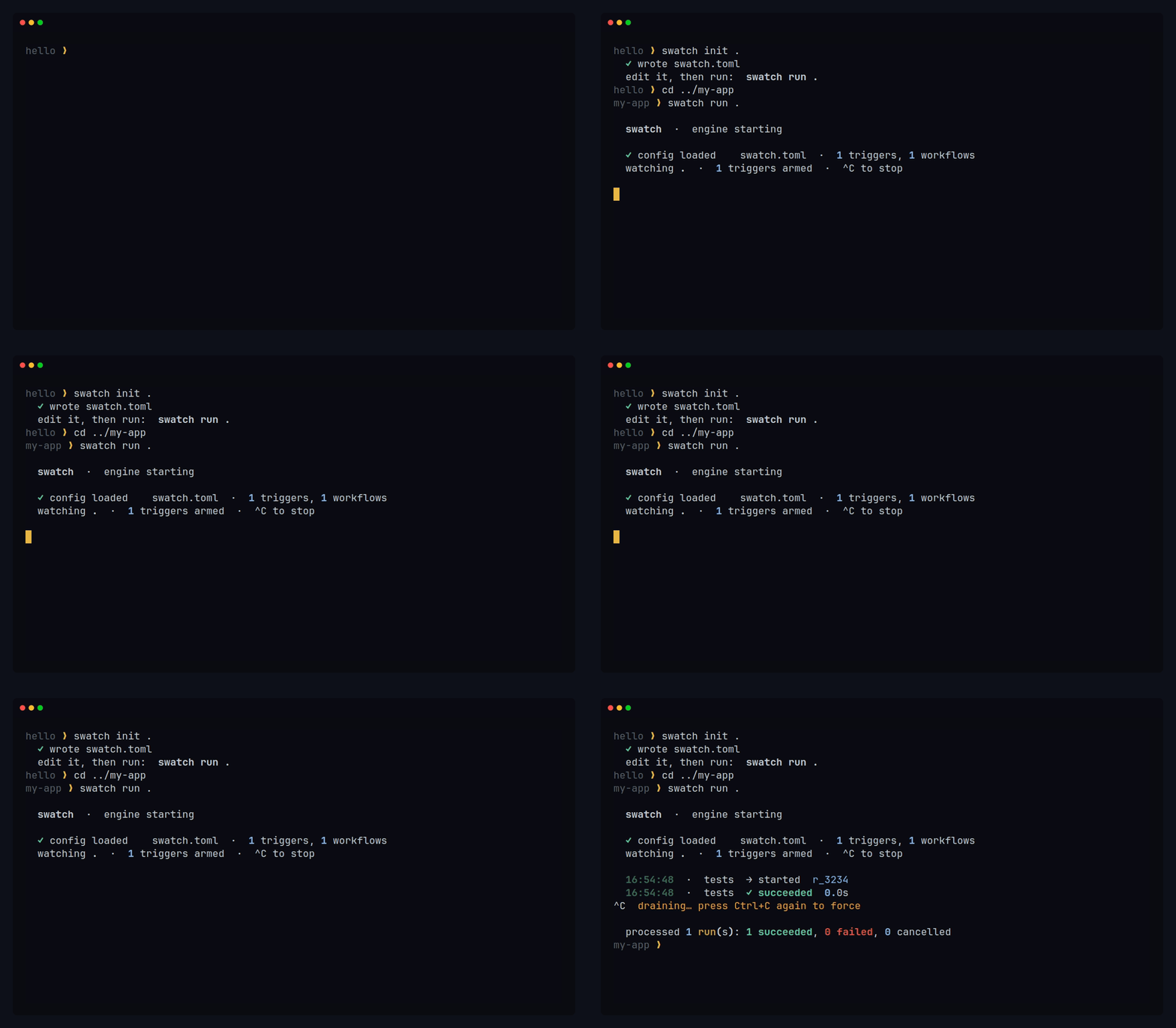
ScorpioWatch sits between "something happened" and "the right work ran, safely, with a record of it": it watches your files, matches changes against Triggers you declare, and runs your commands — async top to bottom, never through a shell, one run per save.
It is language-agnostic by design. A Trigger matches paths by glob and runs any command
(an argv list) as a subprocess. The engine knows nothing about languages or toolchains: point
it at Python, Node, Rust, Go, or all of them in one monorepo, and supply the command.
Install
pip install scorpiowatch
[!IMPORTANT] The distribution is
scorpiowatch; the command and the import areswatch. This split is deliberate —pip install scorpiowatchgives you aswatchexecutable, aswatch.tomlconfig file, andimport swatchin Python. If you are looking for ascorpiowatchcommand, there isn't one.
| Install with | pip install scorpiowatch |
| Run as | swatch run . |
| Configure in | swatch.toml |
| Import as | import swatch |
Requires Python 3.12+.
Quickstart
swatch init .        # scaffold a starter swatch.toml
$EDITOR swatch.toml  # point it at your project's real command
swatch run .         # watch, and run on every change
swatch init writes a language-neutral starter: one working trigger plus commented,
ready-to-uncomment examples for Python, JS/TS, Rust, Go, and a two-language full-stack setup.
Replace the command with yours:
[[trigger]]
name = "tests"
source = "filesystem"
patterns = ["**/*.py"]

  [trigger.workflow]
  steps = [
    { command = ["pytest", "-q"], timeout_s = 60, env_allowlist = ["PATH"] },
  ]
Then swatch run . and save a file:
  swatch  ·  engine starting

  ✓ config loaded    swatch.toml  ·  1 triggers, 1 workflows
  watching .  ·  1 triggers armed  ·  ^C to stop

  02:04:43  ·  tests  → started  r_5c1f
  02:04:44  ·  tests  ✓ succeeded  0.9s
  02:04:47  ·  tests  → started  r_8b69
  02:04:48  ·  tests  ✓ succeeded  0.9s
Your program's own output is deliberately absent there. The default view is
quiet-on-success, loud-on-failure: while a step runs you get a single transient liveness
line, and only when a step fails is its output printed — framed, so the program's voice stays
visually distinct from the engine's. --verbose streams everything; --json emits one event
per line for machines.
[!NOTE]
env_allowlistis worth understanding early. A step's child process starts from a fully scrubbed environment — it inherits nothing, which is a security property. But the environment is also how the OS finds the program you named, so withoutPATHa barepytestis not found at all. Allowlist what a step genuinely needs; nothing else leaks through.
One config, several languages
A polyglot monorepo is not a special case — it is two triggers, each with its own cwd:
[[trigger]]
name = "frontend"
source = "filesystem"
patterns = ["frontend/**/*.ts", "frontend/**/*.tsx"]

  [trigger.workflow]
  steps = [
    { name = "test", command = ["npm", "test"], cwd = "frontend", timeout_s = 300 },
  ]

[[trigger]]
name = "backend"
source = "filesystem"
patterns = ["backend/**/*.py"]

  [trigger.workflow]
  steps = [
    { name = "test", command = ["pytest", "-q"], cwd = "backend", timeout_s = 300 },
  ]
cwd defaults to the watched root when unset. More in examples/ — a
local-dev config, this full-stack one, and the
demo project the animation above records against.
What v0.1.0 actually does
Everything listed here ships today and is exercised by the test suite.
- Async-native throughout. Every stage is
async; theEventBusis bounded with explicit backpressure. No polling, noto_thread, no silent drops. - Safe execution, by construction. Every step runs through
asyncio.create_subprocess_execwithshell=False— argv lists, never a shell string. Noshell=Trueexists anywhere in the codebase, so command injection is not a bug class here. - Scrubbed environments. A step's child inherits only what its
env_allowlistnames. - Opt-in timeouts with real teardown.
timeout_sper step; on expiry the whole process group is terminated, not just the direct child. - Bounded output capture. stdout and stderr are drained concurrently and streamed as they are produced, with a capped tail retained — a runaway process cannot exhaust memory.
- Leading-edge cooldown, on by default. The burst of filesystem events one editor save
produces collapses into a single Run, per
(trigger, path). Tunable per trigger. - Glob triggers.
**spans directories,*stays within a path segment; patterns are normalized to forward slashes so a config written on one OS matches on another. - Four output modes from one code path. Default,
--verbose,--quiet, and--jsonare renderings of the same events — they cannot drift apart. - CI-friendly.
--onceprocesses the first matching batch and exits with a meaningful code. - Typed and covered.
mypy --strictclean, 100% test coverage, an import-linter contract enforcing the layered architecture.
Not yet — these are roadmap, not features. Cron/webhook/queue/git triggers, the MCP
gateway, the TUI, the daemon, the durable EventStore, parallel DAG workflows, plugins,
metrics, and OpenTelemetry are all designed and documented, but not implemented in 0.1.0.
See the roadmap for what lands when.
Command surface
v0.1.0 ships two commands. (check, doctor, list, history, mcp, and tui are
specified in UI_DESIGN.md §4.2 but arrive in later versions.)
| Command | |
|---|---|
swatch init [PATH] |
Scaffold a starter swatch.toml into PATH (default .) |
swatch run [PATH] |
Watch PATH and run each Trigger's Workflow on a match |
| Flag | |
|---|---|
--config, -c |
Path to the config (default: PATH/swatch.toml) |
--once |
Process the first matching batch, then exit |
--verbose, -v |
Stream all subprocess output, plus full engine records |
--quiet, -q |
Only the final tally, plus any failure's output |
--json |
Machine output: one JSON event per line |
--force, -f |
(init) Overwrite an existing swatch.toml |
Exit codes: 0 success · 1 a Run failed · 2 config error · 3 usage error · 4 startup
failure · 130 interrupted.
Documentation
The docs/ set is the substance behind all of the above.
| SCORPIOWATCH.md | Project overview and the index to everything else |
| ARCHITECTURE.md | Layered architecture, data flow, deployment topologies |
| EXECUTION_MODEL.md | Run lifecycle, concurrency, retries, exit codes |
| SECURITY_MODEL.md | Threat model, trust boundaries, subprocess safety |
| UI_DESIGN.md | The design system, CLI output conventions, TUI spec |
| ROADMAP.md | Version roadmap, release strategy, LTS bands |
| DECISION_LOG.md | Architectural Decision Records — the why |
| CODING_STANDARD.md | Style, typing, testing, forbidden patterns |
Status
v0.1.0 — early release. The engine described above is real, tested, and works; the API is
not frozen and there are no stability guarantees yet. Filesystem watching is exercised on
Linux, macOS, and Windows, with Linux the CI-gated target for this version and the other two
advisory (ROADMAP.md).
Issues and discussion: github.com/scorpiocodex/scorpiowatch.
License
MIT © ScorpioCodeX
1 maintainer

Metadata
1 maintainer
Release files for scorpiowatch 0.1.0
For a detailed explanation of source distributions (sdists) and built distributions (wheels), please see the package formats documentation.
Source distribution (sdist)
| File | Size | Uploaded | |
|---|---|---|---|
| scorpiowatch-0.1.0.tar.gz | 171.7 kB | Details |
Built distribution (wheel)
| File | Interpreter | ABI | Platform | Reset |
|---|---|---|---|---|
| scorpiowatch-0.1.0-py3-none-any.whl | Python 3 | none | any | Details |
Total release size: 235.2 kB
Release files / scorpiowatch-0.1.0.tar.gz
| Download URL | scorpiowatch-0.1.0.tar.gz |
|---|---|
| Size | 171.7 kB |
| Tags | Source |
|
SHA-256 checksum How to use checksums |
74fbf90da6d87a1e7051b9166449670e694978cfcf56aa90b0f905179b095246
|
|
BLAKE2b-256 checksum How to use checksums |
65731c4735493b69211ac3325740e68df2b9374b2cd4cd3d61d2f5e630752de6
|
| Upload date | |
|
Uploaded using Trusted Publishing? What is trusted publishing? |
Yes |
| Uploaded via |
twine/7.0.0 CPython/3.13.14
|
Provenance
Provenance describes where a file came from. On PyPI, provenance is shared via attestations, which provide a verifiable record of the build or publishing details. View details, limitations and caveats.


PyPI Publish Attestation
PyPI verified that this artifact, at this checksum, originated from the publisher listed below.
Signed by GitHub Actions, verified by PyPI on Aug 6, 2026.
Transparency logRelease files / scorpiowatch-0.1.0-py3-none-any.whl
| Download URL | scorpiowatch-0.1.0-py3-none-any.whl |
|---|---|
| Size | 63.5 kB |
| Tags | Python 3 |
|
SHA-256 checksum How to use checksums |
1f9042a092a5a73ce16b3c639a70602235a7e23f376de1ceff4ebdd0e314e6ee
|
|
BLAKE2b-256 checksum How to use checksums |
10fcbaee48274b021f3549aa5004f3440db902de7a6137149277ebf98568ad27
|
| Upload date | |
|
Uploaded using Trusted Publishing? What is trusted publishing? |
Yes |
| Uploaded via |
twine/7.0.0 CPython/3.13.14
|
Provenance
Provenance describes where a file came from. On PyPI, provenance is shared via attestations, which provide a verifiable record of the build or publishing details. View details, limitations and caveats.
PyPI Publish Attestation
PyPI verified that this artifact, at this checksum, originated from the publisher listed below.
Signed by GitHub Actions, verified by PyPI on Aug 6, 2026.
Transparency log












