
sdvplot 











Team logos, wordmarks, headshots and colors for Python plots and tables, from the SportsDataverse logo archive. It
resolves team abbreviations, names and provider ids across 28 leagues and picks the right era's mark for a season. Colors
and logos work with any library through palette(), team_colors(), logo_url() and logo_image(), and the
add_logos(), add_wordmarks() and add_headshots() adapters draw them on matplotlib (and seaborn), plotnine, plotly,
altair, bokeh, holoviews, great_tables, folium and pygal plots, tables and maps. sdvplot.great_tables also ports
sdvplotR's table themes, cell styling, legends and image export, and surface() draws a league's field, court or rink
in a team's colors. The Python counterpart to sdvplotR.
Installation
pip install sdvplot
# or
uv add sdvplot
Plotting libraries are optional extras, for example
pip install "sdvplot[mpl]". Each extra adds the libraries for one feature: [svg] lets logo_image()
rasterize SVG marks. With [mpl], [plotnine], [plotly], [altair], [bokeh], [holoviews], [tables],
[folium] or [pygal], add_logos(), add_wordmarks() and add_headshots() draw on that library's plots, tables and
maps; axis_logos() works on matplotlib, seaborn, plotnine, Plotly and Altair. [surfaces] is for surface(), and
[reactable] and [plottable] add column helpers (sdvplot.reactable, sdvplot.plottable). sdvplot.pydeck
builds deck.gl layers (team logos, team-colored arcs, sportypy surfaces) for pydeck, and sdvplot.perspective
Perspective viewer configs in team colors and a logo column (Python 3.11+).
| Extra | Adds |
|---|---|
[mpl] |
matplotlib |
[plotnine] |
plotnine |
[plotly] |
plotly |
[altair] |
altair |
[bokeh] |
bokeh |
[holoviews] |
holoviews |
[tables] |
great_tables |
[reactable] |
reactable (reactable-py) |
[folium] |
folium |
[svg] |
resvg-py, for SVG marks |
[surfaces] |
sportypy and mplsoccer |
[plottable] |
plottable |
[pygal] |
pygal |
[pydeck] |
pydeck, for sdvplot.pydeck's layers and deck() |
[perspective] |
perspective-python (with its Jupyter widget), for sdvplot.perspective; Python 3.11+ |
[all] |
everything above |
JavaScript / TypeScript
The same colors, logos, wordmarks and headshots are on npm as
@sportsdataverse/sdvplot, with integrations for Observable
Plot, D3, React, Chart.js, Plotly, Vega-Lite and ECharts, plus shot charts and linked interactivity. Its siblings
@sportsdataverse/sporty (playing surfaces) and
@sportsdataverse/sdvtables (tables) ship from the same
sdvplot-js repo. Docs for all three:
plot.sportsdataverse.org.
npm install @sportsdataverse/sdvplot
Usage
Team identity, colors and marks:
import sdvplot

sdvplot.resolve(["LV", "OAK", "Las Vegas Raiders"], "nfl")  # ['13', '13', '13']
sdvplot.palette("nfl", teams=["LV", "KC"])  # {'LV': '#000000', 'KC': '#e31837'}
sdvplot.logo_url("OAK", "nfl", season=2010)  # the Oakland-era mark
img = sdvplot.logo_image("LV", "nfl", size=128)  # a PIL image
Logos on a plot, here the 2024 AFC playoff field in seed order:
import matplotlib.pyplot as plt
import sdvplot

seeds = ["KC", "BUF", "BAL", "HOU", "LAC", "PIT", "DEN"]
x = list(range(1, 8))
fig, ax = plt.subplots(figsize=(8, 1.6))
sdvplot.add_logos(ax, x, [0] * 7, seeds, league="nfl", height=0.7)
ax.set(xlim=(0.5, 7.5), ylim=(-1, 1), xticks=x, yticks=[], title="2024 AFC playoff seeds")
Colors work in any library that takes a {value: color} mapping, for example seaborn:
sns.barplot(data=df, x="team", y="epa", hue="team", palette=sdvplot.palette("nfl", teams=df["team"])).
teams() records where each team's colors come from in color_source: nflverse or espn when that source
publishes them, logo when they are derived from the team's archived logo because no source does, and fallback for
a placeholder that is not the team's colors (cbbplotR on the conference rows teams(league, include_conferences=True)
adds).
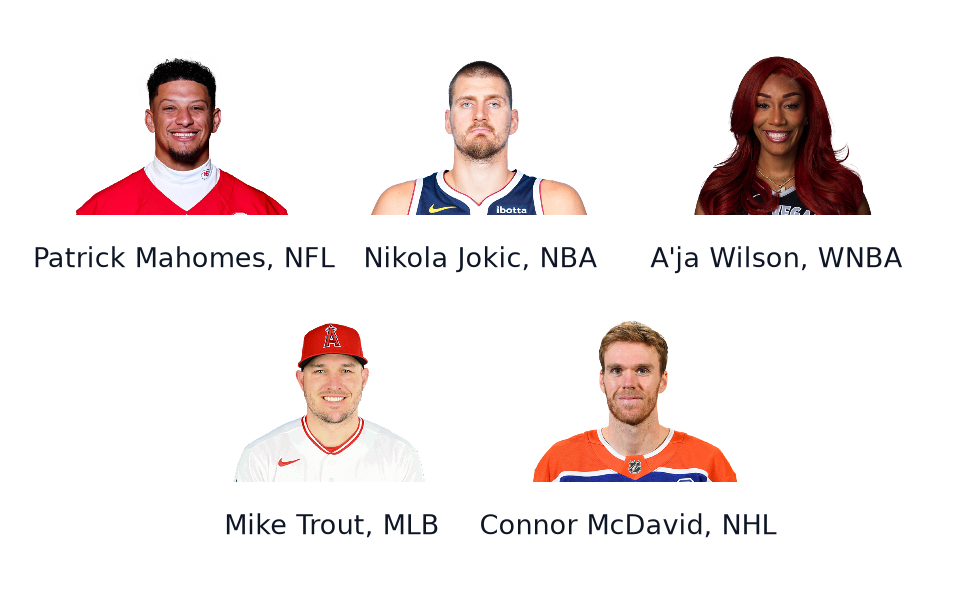
From the gallery, each drawn by sdvplot from the logo archive:
 |
 |
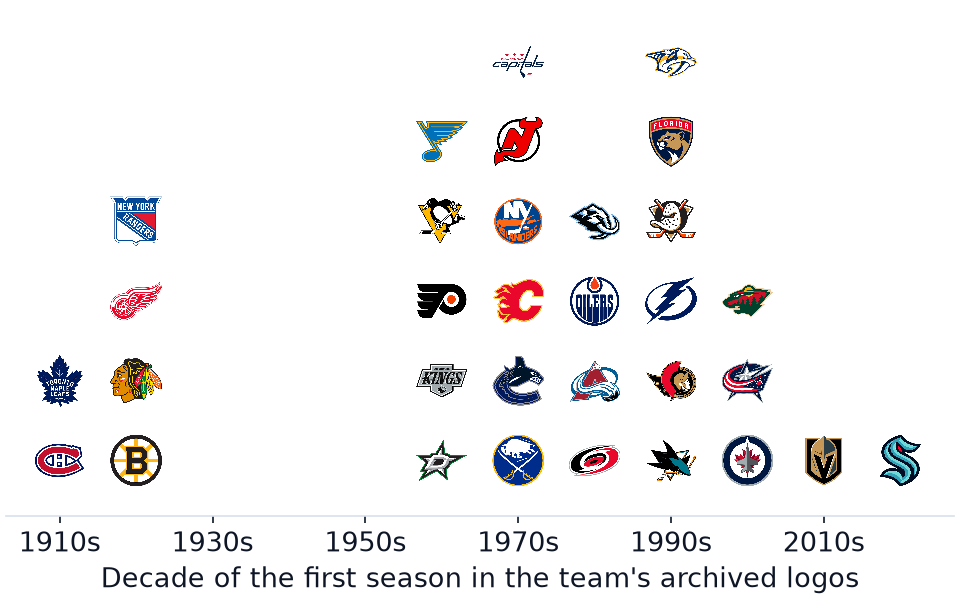
add_logos() as scatter points: NHL teams by the decade their archived logos begin |
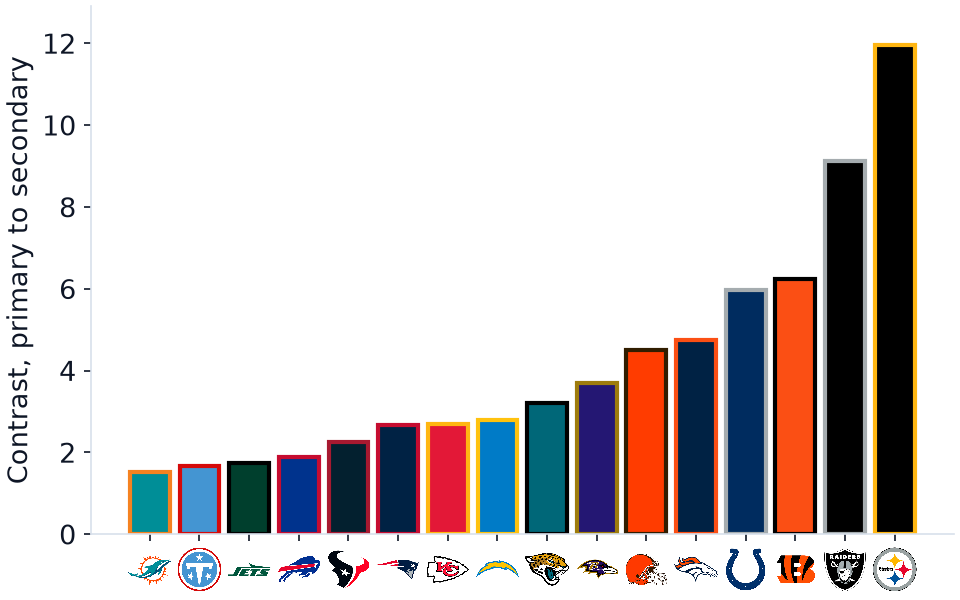
Each AFC team's two colors from palette(), their contrast as the height, axis_logos() on the axis |
 |
 |
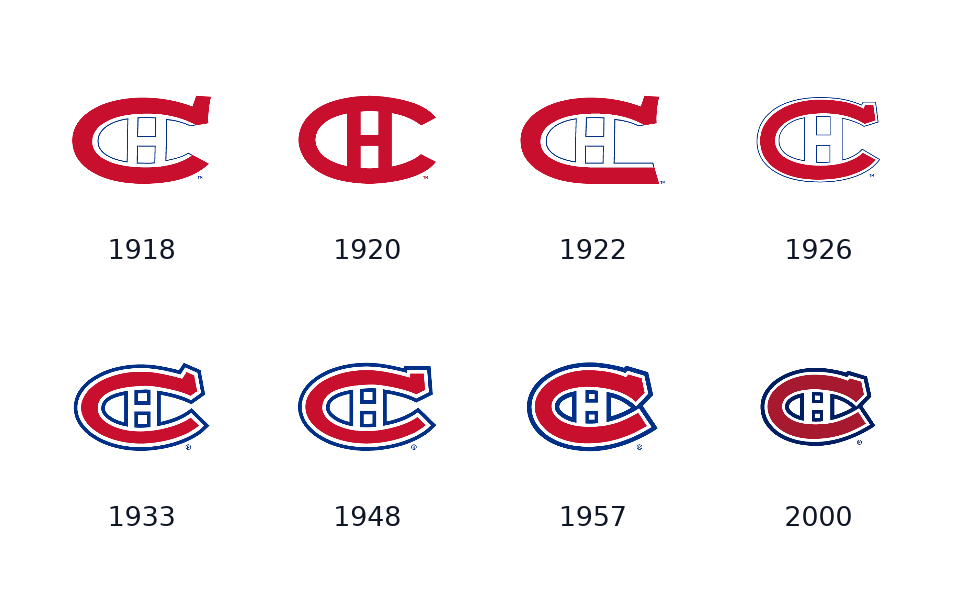
One add_logos() call with season=: the mark Montreal used each season |
add_headshots() with ESPN athlete ids, one player from each of five leagues |
Documentation
The sdvplot documentation website has the
getting started guide, the
API reference and the
gallery, plus:
League tutorials: NFL · CFB · NBA · WNBA · MBB · WBB · MLB · NHL · PWHL · Soccer · Cricket
Cookbooks: Matplotlib logos · Colors and themes · Tables · Interactive web · plotnine · Surfaces and shot charts
Recipes, leaderboards and automation: Head-to-head card · CFB conference table · NFL weekly leaderboard · Social game-day graphics
The changelog lists every release, and contributing covers development.
Environment variables
SDVPLOT_CACHE_DIR: cache root.SDVPLOT_CACHE_TTL: cache lifetime in days (default 7).SDVPLOT_LIVE_TESTS=1: enable the network tests.
Cheat sheet
A printable four-page reference for sdvplot: team identity and colours, the nine plotting adapters, the great_tables toolkit, surfaces and coordinates, in four colour themes, light and dark.
📄 Download the sdvplot cheat sheet (PDF)
Browse the other SportsDataverse cheat sheets at sportsdataverse.org/cheatsheets.
Logos, trademarks and data
Team names, logos, wordmarks and player headshots are trademarks or copyrighted works of their respective leagues, teams, schools and other rights holders. sdvplot is not affiliated with, sponsored by or endorsed by any of them, and using sdvplot to draw a mark grants no right to use it. The package ships no logo files: the wheel carries only an index of team names, ids and colors, and marks are fetched at runtime from the SportsDataverse logo archive, headshots from ESPN (or, for NFL gsis ids, the URLs in nflverse's player table). Use of any mark in your own work is governed by that owner's terms, and following them is your responsibility. The MIT license covers the sdvplot code only; team data belongs to its respective owners and sources.
The SportsDataverse
sdvplot draws the pictures; the companion packages fetch the data.
| Package | Sport / Scope |
|---|---|
| sportsdataverse-py | SportsDataverse data for Python: NFL, CFB, NBA, WNBA, MBB, WBB, MLB, NHL, PWHL, soccer and more |
| sdvplotR | The R package this one mirrors |
| sdvplot-js | The JavaScript port: @sportsdataverse/sdvplot, @sportsdataverse/sporty and @sportsdataverse/sdvtables on npm |
| sportypy | Playing-surface plots for Python |
| nflreadpy | nflverse data loaders for Python |
| sportsdataverse-R · sportsdataverse.js | R and Node.js |
See the full ecosystem at sportsdataverse.org.
Follow the SportsDataverse on X and star this repo


Our Authors


Citations
To cite sdvplot in publications, use:
BibTeX Citation
@misc{gilani_2026_sdvplot,
  author = {Gilani, Saiem},
  title = {sdvplot: Team logos, wordmarks, headshots and colors for Python plots and tables},
  url = {https://sdvplot.sportsdataverse.org},
  year = {2026}
}
1 maintainer

Metadata
1 maintainer
Release files for sdvplot 0.1.1
For a detailed explanation of source distributions (sdists) and built distributions (wheels), please see the package formats documentation.
Source distribution (sdist)
| File | Size | Uploaded | Provenance | Actions |
|---|---|---|---|---|
| sdvplot-0.1.1.tar.gz | 1.1 MB | With provenance | Details for sdvplot-0.1.1.tar.gz |
Built distribution (wheel)
| File | Interpreter | ABI | Platform | Actions Reset |
|---|---|---|---|---|
| sdvplot-0.1.1-py3-none-any.whl | Python 3 | none | any | Details for sdvplot-0.1.1-py3-none-any.whl |
Total release size: 1.7 MB
Release files / sdvplot-0.1.1.tar.gz
| Download URL | sdvplot-0.1.1.tar.gz |
|---|---|
| Size | 1.1 MB |
| Tags | Source |
|
SHA-256 checksum How to use checksums |
5c4393222b8db4c0111a04736cfaa0271910ba29d91b87bcf439958f24134ff4
|
|
BLAKE2b-256 checksum How to use checksums |
5545b4c8e7b6dc19ad15f6f683b0dd11e5d1e676612ed757b1af80c424ac9b34
|
| Upload date | |
|
Uploaded using Trusted Publishing? What is trusted publishing? |
Yes |
| Uploaded via |
twine/7.0.0 CPython/3.13.14
|
Provenance
Provenance describes where a file came from. On PyPI, provenance is shared via attestations, which provide a verifiable record of the build or publishing details. View details, limitations and caveats.


PyPI Publish Attestation
PyPI verified that this artifact, at this checksum, originated from the publisher listed below.
Signed by GitHub Actions, verified by PyPI on Oct 26, 2026.
Transparency logRelease files / sdvplot-0.1.1-py3-none-any.whl
| Download URL | sdvplot-0.1.1-py3-none-any.whl |
|---|---|
| Size | 661.7 kB |
| Tags | Python 3 |
|
SHA-256 checksum How to use checksums |
6c686648845091e3e3db808019a924c93c16e355a9520b58008320bc958a16e5
|
|
BLAKE2b-256 checksum How to use checksums |
84642441484c7707d7f7e50aad19ceb4a38f94b28bb36b824cb223c425debbae
|
| Upload date | |
|
Uploaded using Trusted Publishing? What is trusted publishing? |
Yes |
| Uploaded via |
twine/7.0.0 CPython/3.13.14
|
Provenance
Provenance describes where a file came from. On PyPI, provenance is shared via attestations, which provide a verifiable record of the build or publishing details. View details, limitations and caveats.
PyPI Publish Attestation
PyPI verified that this artifact, at this checksum, originated from the publisher listed below.
Signed by GitHub Actions, verified by PyPI on Oct 26, 2026.
Transparency logSecurity for sdvplot 0.1.1
Provenance
Provenance describes where a file came from. On PyPI, provenance is shared via attestations, which provide a verifiable record of the build or publishing details. View details, limitations and caveats.
Full provenance
Both files in this release have been uploaded with provenance metadata.
Attestation for sdvplot-0.1.1.tar.gz
PyPI Publish Attestation
PyPI verified that this artifact, at this checksum, originated from the publisher listed below.
Signed by GitHub Actions, verified by PyPI on Oct 26, 2026.
Transparency logA note on package security
PyPI is a repository for distributing packages, not a service for auditing them. While third-party security researchers and our staff do their best to detect and remove malicious packages, PyPI cannot guarantee the quality, security or suitability of any given package.
To learn more about protecting yourself from malicious actors, visit our package security documentation.














