
Pre-release
This release is a pre-release and may not be stable for production use.
Secbot (Python)




Secbot is an AI-powered security automation CLI for authorized security testing, research, and education.
Security notice: use this tool only in environments where you have explicit authorization. Unauthorized scanning, exploitation, and control actions may violate laws or regulations.
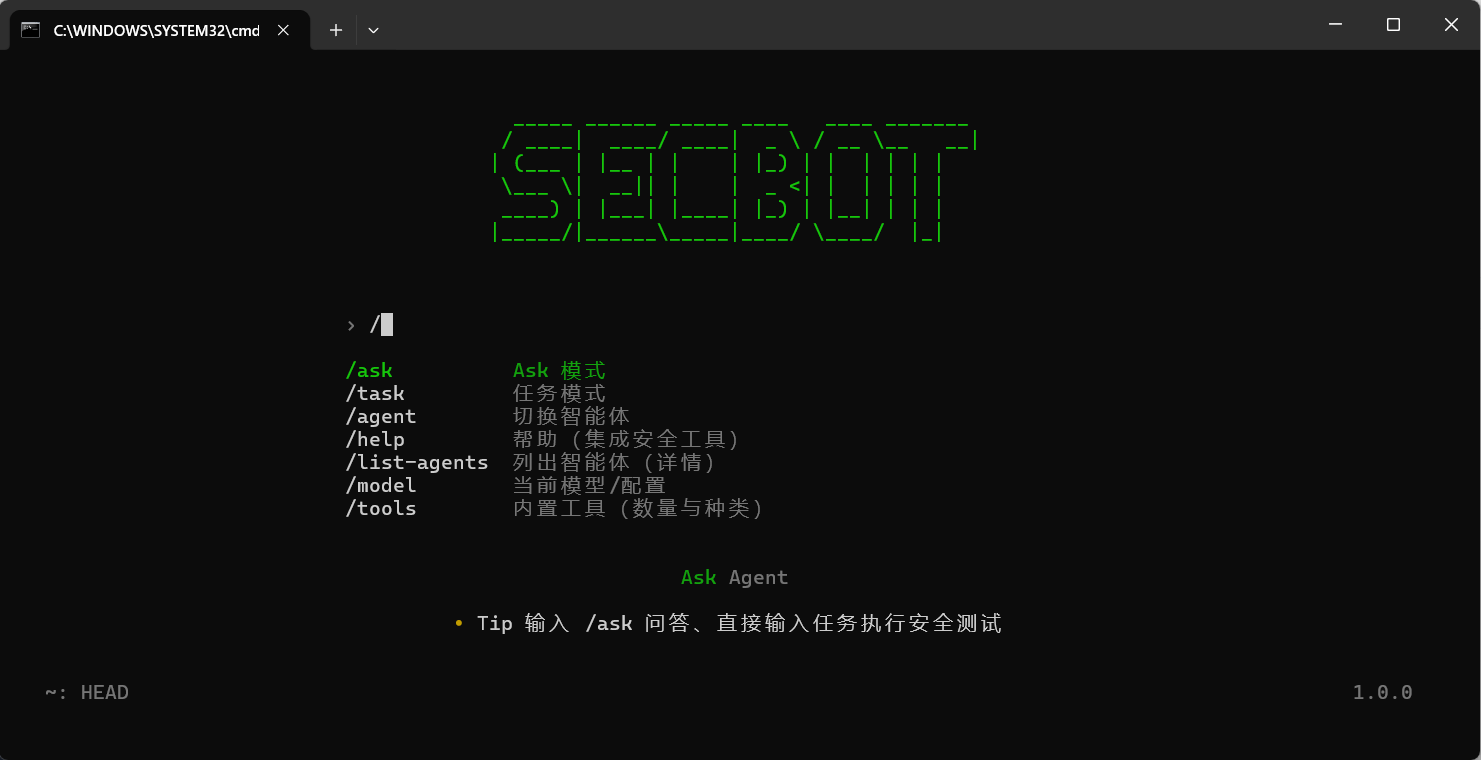
Why This Package
- CLI-first workflow built on
Typer + Rich, with one-shot and interactive operation. - Optional FastAPI server mode for REST/SSE integration in automation pipelines.
- Multi-agent execution flow (
secbot-cliandsuperhackbot) for plan, execute, and summarize loops. - Security toolchain covering network, web, OSINT, defense scan, reporting, and system utilities.
- Multi-provider LLM backends including Ollama, DeepSeek, OpenAI-compatible APIs, and more.
Requirements
- Python
>= 3.10 pip(oruv)- Optional: Ollama for local models
Install
Install from PyPI (recommended)
pip install secbot
If you want beta/pre-release versions:
pip install --pre secbot
Install with uv
uv pip install secbot
Install from source
git clone https://github.com/iammm0/secbot.git
cd secbot
uv sync
uv pip install -e .
Quick Start
1. Configure environment variables
Create a .env file in your working directory:
# Cloud model backend (recommended)
LLM_PROVIDER=deepseek
DEEPSEEK_API_KEY=sk-your-api-key
DEEPSEEK_MODEL=deepseek-reasoner

# Optional local backend (Ollama)
# LLM_PROVIDER=ollama
# OLLAMA_BASE_URL=http://localhost:11434
# OLLAMA_MODEL=gemma3:1b
# OLLAMA_EMBEDDING_MODEL=nomic-embed-text
2. Run the CLI
# Interactive mode
secbot

# One-shot task
secbot "扫描 192.168.1.1 的开放端口"

# Q&A mode
secbot --ask "什么是 XSS 攻击?"

# Expert agent
secbot --agent superhackbot

# Switch backend/model
secbot model
3. Start API server (optional)
secbot server
CLI Commands
| Command | Description |
|---|---|
secbot |
Start interactive mode |
secbot "<task>" |
Run a single task |
secbot --ask "<question>" |
Ask security questions |
secbot --agent superhackbot |
Use expert agent mode |
secbot model |
Configure provider/model/API keys |
secbot server |
Run FastAPI backend |
secbot version |
Show installed version |
Common Environment Variables
| Variable | Purpose | Default |
|---|---|---|
LLM_PROVIDER |
Active model provider | deepseek |
DEEPSEEK_API_KEY |
DeepSeek API key | None |
DEEPSEEK_MODEL |
DeepSeek model | deepseek-reasoner |
OLLAMA_BASE_URL |
Ollama endpoint | http://localhost:11434 |
OLLAMA_MODEL |
Ollama generation model | gemma3:1b |
OLLAMA_EMBEDDING_MODEL |
Ollama embedding model | nomic-embed-text |
DATABASE_URL |
SQLite database URL | sqlite:///./data/secbot.db |
LOG_LEVEL |
Log level | INFO |
Documentation
- Quickstart
- API Reference
- LLM Providers
- Ollama Setup
- Deployment
- Release Guide
- Database Guide
- Security Warning
Project Links
- Homepage: https://github.com/iammm0/secbot
- Issue Tracker: https://github.com/iammm0/secbot/issues
- Releases: https://github.com/iammm0/secbot/releases
- PyPI: https://pypi.org/project/secbot/
License
This project is licensed under MIT. See LICENSE for details.
1 maintainer

Metadata
1 maintainer
Release files for secbot 1.10.1b2
For a detailed explanation of source distributions (sdists) and built distributions (wheels), please see the package formats documentation.
Source distribution (sdist)
| File | Size | Uploaded | |
|---|---|---|---|
| secbot-1.10.1b2.tar.gz | 363.4 kB | Details |
Built distribution (wheel)
| File | Interpreter | ABI | Platform | Reset |
|---|---|---|---|---|
| secbot-1.10.1b2-py3-none-any.whl | Python 3 | none | any | Details |
Total release size: 789.8 kB
Release files / secbot-1.10.1b2.tar.gz
| Download URL | secbot-1.10.1b2.tar.gz |
|---|---|
| Size | 363.4 kB |
| Tags | Source |
|
SHA-256 checksum How to use checksums |
133632e8240fe75bb715428ff0c059e4e7d6441cd0bcffc8118d4428de72c9cd
|
|
BLAKE2b-256 checksum How to use checksums |
9f3d84ca18415834ab99580329ae7b7a21f1eba8f2fba5959d578307cca9032f
|
| Upload date | |
|
Uploaded using Trusted Publishing? What is trusted publishing? |
No |
| Uploaded via |
twine/6.2.0 CPython/3.13.9
|
Release files / secbot-1.10.1b2-py3-none-any.whl
| Download URL | secbot-1.10.1b2-py3-none-any.whl |
|---|---|
| Size | 426.4 kB |
| Tags | Python 3 |
|
SHA-256 checksum How to use checksums |
a3ccb6073f7822ba10ceab647e52266d9dffbd8c6362c71e0df2e1bc2a30c8cd
|
|
BLAKE2b-256 checksum How to use checksums |
b7ae4d3c54430ff0094a7cf14a0283195c3db30e8c90ad9187de8ddbc811055b
|
| Upload date | |
|
Uploaded using Trusted Publishing? What is trusted publishing? |
No |
| Uploaded via |
twine/6.2.0 CPython/3.13.9
|














