
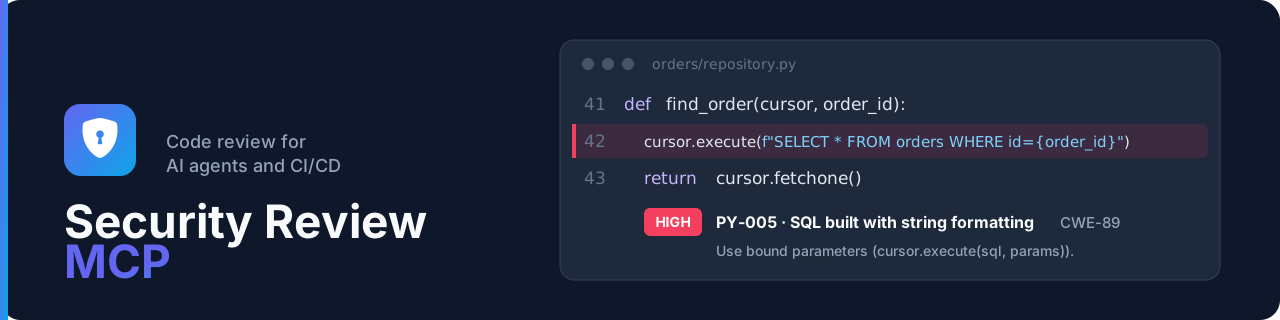
Security Review MCP







MCP server for security-oriented code review (vulnerabilities and misconfigurations), usable from VS Code / Copilot, Claude or a CI/CD agent. It provides review prompts, checklists, a pattern scan with focused Tree-sitter checks for request-to-SQL flows (Python, Java, Go, C#, Rust, Node.js), Angular DOM flows and unchecked message origins, an offline dependency analysis and a report database (SQLite or PostgreSQL) usable in pipelines.
📖 Full documentation: https://cyr-ius.github.io/security-review-mcp/
Capabilities
| Prompts | security-review, api-security-review, configuration-review, codebase-review, dependency-review, triage-report, development-standards |
| Tools | checklists, scan_code, scan_dependencies, saving and reading of reports with their checklist coverage (grouped by a normalized project name), status proposals (propose_finding_status: an agent never closes a finding), project posture and gate, SARIF export, trends, rule management |
| CLI | security-review-mcp (MCP server, enroll) and security-review-controller (serve, db, advisories, rules, token, user, audit), exit codes 0 / 1 / 2 |
| Pipelines | security-review-ci (gate, sarif, trend, scan-code, scan-deps, which store their reports through the API): lightweight client of the REST API for Jenkins, GitLab or GitHub, with a ci token restricted to the selected projects, no database driver, installed alone without Python (uv tool install security-review-ci); on a workstation (commit hook), with a personal ci token |
| Rules | More than 200 rules and more than 120 checklist items: Python, Java, Go, C#, Rust, TypeScript / Node.js backend, Angular, Docker, Kubernetes, configuration, GitLab CI, Jenkins, Spring, FastAPI, prompt injection aimed at AI assistants (hidden characters, injected instructions; read guard hook for Claude Code), copied into the database at first start, plus your own rules and checklists (TOML import/export from the CLI or the web interface) |
| Development standards | conventions by technology managed in the web interface (TOML import/export) and handed to the AI assistant before it codes (prompt, get_development_standards / list_development_standards tools, resources) |
| Vulnerabilities | manifests, lockfiles and CycloneDX SBOMs checked against an OSV database (PyPI, npm, Maven, Go, crates.io, NuGet) imported offline or updated every day by the controller, optional proxy |
| Transport | HTTP (shared server) or stdio (local mode), with optional Bearer tokens stored in the database (token CLI) with expiry and rotation, and TLS (optionally mutual) |
| Audit and metrics | audit log of triage decisions, tokens and enrollments, and Prometheus metrics on /metrics (metrics token) |
| Connectors | findings sent to Jira or ServiceNow, each connector switched on in the web interface, by hand or automatically above a severity threshold, one ticket per issue; third-party connectors for other tools |
| Deployment | MCP server and controller (REST API, web interface) separated on a shared database, Alembic migrations, Docker Compose and Kubernetes examples |
| Enrollment | an MCP client without a token requests its project (request_enrollment MCP tool or enroll CLI), an administrator approves it, then the user creates a personal MCP token in the web interface; a refused token gets a 401 that says how to get a new one |
| Web interface | in English, French or Spanish: dashboard, triage by a person (reason, approver and expiry of the accepted risks and false positives), risk acceptances to renew or remove, with append-only comments, per-project list of open findings for an expert review, management of rules, checklists, tokens (per project or for all projects), report language, outgoing proxy (OSV and OIDC) and OSV updates, local or OIDC user accounts, the only ones to open the interface (tokens are for machines: MCP agents, pipelines, scripts; personal or role API tokens for the REST API and Swagger, personal MCP tokens on the projects of the user, with the mcp-user role; initial admin account in the logs), optional OpenID Connect OIDC login, configurable in the interface, with accounts created on the fly, and roles, groups and permissions (groups matched by name with the OIDC groups claim, roles per project given to groups, never directly to accounts) |
Details: how a review works (rules, checklists, standards, AGENTS.md),
prompts and tools,
whole codebase scan,
dependencies,
gate,
SARIF,
trends.
Quick start
The product runs as two services sharing one database: the MCP server
(security-review-mcp), used by the agents and the CI, and the controller
(security-review-controller), used by people: web interface, REST API, tokens and accounts.
See two services, two roles.
pip install security-review-mcp        # Python ≥ 3.14; [postgres] extra for PostgreSQL

# from the same directory (shared SQLite file)
security-review-controller db upgrade                              # schema (Alembic)
security-review-controller user create admin --group administrators   # web interface account
security-review-controller token create --label alice              # token of the agent
security-review-controller serve --port 8080                       # /ui interface and REST API
security-review-mcp serve --transport streamable-http --port 8000  # /mcp endpoint

security-review-ci gate --url http://localhost:8080 --project portal  # block a pipeline (ci token: SECREVIEW_TOKEN)
Host configuration (VS Code with a token, .vscode/mcp.json; Claude and .mcp.json: see
connecting the host):
{
  "servers": {
    "security-review": {
      "type": "http",
      "url": "http://127.0.0.1:8000/mcp",
      "headers": { "Authorization": "Bearer ${input:secreview-token}" }
    }
  },
  "inputs": [
    { "id": "secreview-token", "type": "promptString", "description": "Token", "password": true }
  ]
}
Step by step: deploying the server,
connecting the host (VS Code, Claude, enrollment).
Other cases: offline installation,
local stdio mode,
HTTP, authentication and TLS,
Docker images (ghcr.io/cyr-ius/security-review-mcp, docker.io/cyrius44/security-review-mcp) and Docker Compose with PostgreSQL,
architecture and Kubernetes,
SECREVIEW_* variables.
Limits
The scan produces leads, with false positives. Its Tree-sitter checks cover only simple local flows inside one file. It replaces neither a full SAST or SCA analysis, nor a human review. See security and limits.
Contributing
uv sync --extra dev && uv run pytest && uv run ruff check .
Development happens on dev, and a version is released by pushing a vX.Y.Z tag on master.
See the contribution guide and
AGENTS.md (instructions for AI agents).
Security and license
Report a vulnerability privately, as described in SECURITY.md. The project is
distributed under the Apache 2.0 license.
1 maintainer

Metadata
1 maintainer
Release files for security-review-mcp 2.0.0
For a detailed explanation of source distributions (sdists) and built distributions (wheels), please see the package formats documentation.
Source distribution (sdist)
| File | Size | Uploaded | Provenance | |
|---|---|---|---|---|
| security_review_mcp-2.0.0.tar.gz | 1.6 MB | With provenance | Details |
Built distribution (wheel)
| File | Interpreter | ABI | Platform | Reset |
|---|---|---|---|---|
| security_review_mcp-2.0.0-py3-none-any.whl | Python 3 | none | any | Details |
Total release size: 3.1 MB
Release files / security_review_mcp-2.0.0.tar.gz
| Download URL | security_review_mcp-2.0.0.tar.gz |
|---|---|
| Size | 1.6 MB |
| Tags | Source |
|
SHA-256 checksum How to use checksums |
0481267727539522898ac2f3566c1881ca1f9d16fddd413d9e2f2acbb601bdb0
|
|
BLAKE2b-256 checksum How to use checksums |
bfad868a93365986cd3e3179758d1fc51907632e537d5ade69f4b09ac40d3590
|
| Upload date | |
|
Uploaded using Trusted Publishing? What is trusted publishing? |
Yes |
| Uploaded via |
twine/7.0.0 CPython/3.13.14
|
Provenance
Provenance describes where a file came from. On PyPI, provenance is shared via attestations, which provide a verifiable record of the build or publishing details. View details, limitations and caveats.


PyPI Publish Attestation
PyPI verified that this artifact, at this checksum, originated from the publisher listed below.
Signed by GitHub Actions, verified by PyPI on Oct 24, 2026.
Transparency logRelease files / security_review_mcp-2.0.0-py3-none-any.whl
| Download URL | security_review_mcp-2.0.0-py3-none-any.whl |
|---|---|
| Size | 1.5 MB |
| Tags | Python 3 |
|
SHA-256 checksum How to use checksums |
bff1bfff48244c29543fbc55ecbe5d1805b411b616961cbb912990914bc16b3f
|
|
BLAKE2b-256 checksum How to use checksums |
83356bf24712ae61b84c6680afa5b41e27ca983a0a8c31ce8a4946500d02a864
|
| Upload date | |
|
Uploaded using Trusted Publishing? What is trusted publishing? |
Yes |
| Uploaded via |
twine/7.0.0 CPython/3.13.14
|
Provenance
Provenance describes where a file came from. On PyPI, provenance is shared via attestations, which provide a verifiable record of the build or publishing details. View details, limitations and caveats.
PyPI Publish Attestation
PyPI verified that this artifact, at this checksum, originated from the publisher listed below.
Signed by GitHub Actions, verified by PyPI on Oct 24, 2026.
Transparency logSecurity for security-review-mcp 2.0.0
Provenance
Provenance describes where a file came from. On PyPI, provenance is shared via attestations, which provide a verifiable record of the build or publishing details. View details, limitations and caveats.
Full provenance
All 2 files in this release have been uploaded with provenance metadata.
Attestation for security_review_mcp-2.0.0.tar.gz
PyPI Publish Attestation
PyPI verified that this artifact, at this checksum, originated from the publisher listed below.
Signed by GitHub Actions, verified by PyPI on Oct 24, 2026.
Transparency logA note on package security
PyPI is a repository for distributing packages, not a service for auditing them. While third-party security researchers and our staff do their best to detect and remove malicious packages, PyPI cannot guarantee the quality, security or suitability of any given package.
To learn more about protecting yourself from malicious actors, visit our package security documentation.














