
sed4onnx
Simple ONNX constant encoder/decoder.
https://github.com/PINTO0309/simple-onnx-processing-tools



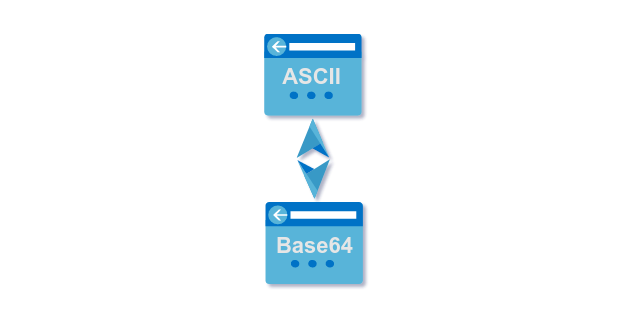
Key concept
- Since the constant values in the JSON files generated by onnx2json are Base64-encoded values, ASCII <-> Base64 conversion is required when rewriting JSON constant values.
- After writing the converted Base64 strings to JSON using this tool, json2onnx can be used to regenerate the constant-modified ONNX file.
1. Setup
1-1. HostPC
### option
$ echo export PATH="~/.local/bin:$PATH" >> ~/.bashrc \
&& source ~/.bashrc

### run
$ pip install -U sed4onnx
1-2. Docker
https://github.com/PINTO0309/simple-onnx-processing-tools#docker
2. CLI Usage
$ sed4onnx -h

usage:
    sed4onnx [-h]
    -cs CONSTANT_STRING
    [-d {float16,float32,float64,uint8,int8,int16,int32,int64,string}]
    [-m {encode,decode}]

optional arguments:
  -h, --help
        show this help message and exit.

  -cs CONSTANT_STRING, --constant_string CONSTANT_STRING
        Strings to be encoded and decoded for ONNX constants.

  -d {float16,float32,float64,uint8,int8,int16,int32,int64,string}, \
    --dtype {float16,float32,float64,uint8,int8,int16,int32,int64,string}
        Data type.

  -m {encode,decode}, --mode {encode,decode}
        encode: Converts the string specified in constant_string to a Base64 format string
                that can be embedded in ONNX constants.
        decode: Converts a Base64 string specified in constant_string to ASCII like
                Numpy string or pure string.
3. In-script Usage
>>> from sed4onnx import encode
>>> from sed4onnx import decode
>>> help(encode)

Help on function encode in module sed4onnx.onnx_constant_encoder_decoder:

encode(constant_string: str) -> str

    Parameters
    ----------
    constant_string: str
        ASCII string to be encoded.

    dtype: str
        'float16' or 'float32' or 'float64' or 'uint8'
        or 'int8' or 'int16' or 'int32' or 'int64' or 'string'

    Returns
    -------
    encoded_string: str
        Base64-encoded ASCII string.


>>> help(decode)
Help on function decode in module sed4onnx.onnx_constant_encoder_decoder:

decode(constant_string: str, dtype: str) -> numpy.ndarray

    Parameters
    ----------
    constant_string: str
        Base64 string to be decoded.

    dtype: str
        'float16' or 'float32' or 'float64' or 'uint8'
        or 'int8' or 'int16' or 'int32' or 'int64' or 'string'

    Returns
    -------
    decoded_ndarray: np.ndarray
        Base64-decoded numpy.ndarray.
4. CLI Execution
$ sed4onnx \
--constant_string [-1,3,224,224] \
--dtype int64 \
--mode encode

$ sed4onnx \
--constant_string '//////////8DAAAAAAAAAOAAAAAAAAAA4AAAAAAAAAA=' \
--dtype int64 \
--mode decode
5. In-script Execution
from sed4onnx import encode
from sed4onnx import decode

base64_string = encode(
  constant_string='[-1,3,224,224]',
  dtype='int64',
)

numpy_ndarray = decode(
  constant_string='//////////8DAAAAAAAAAOAAAAAAAAAA4AAAAAAAAAA=',
  dtype='int64',
)
6. Sample
$ sed4onnx \
--constant_string [-1,3,224,224] \
--dtype int64 \
--mode encode

//////////8DAAAAAAAAAOAAAAAAAAAA4AAAAAAAAAA=


$ sed4onnx \
--constant_string '//////////8DAAAAAAAAAOAAAAAAAAAA4AAAAAAAAAA=' \
--dtype int64 \
--mode decode

[-1,3,224,224]
7. Reference
- https://github.com/onnx/onnx/blob/main/docs/Operators.md
- https://docs.nvidia.com/deeplearning/tensorrt/onnx-graphsurgeon/docs/index.html
- https://github.com/NVIDIA/TensorRT/tree/main/tools/onnx-graphsurgeon
- https://github.com/PINTO0309/simple-onnx-processing-tools
- https://github.com/PINTO0309/PINTO_model_zoo
8. Issues
https://github.com/PINTO0309/simple-onnx-processing-tools/issues
1 maintainer

Metadata
1 maintainer
Release files for sed4onnx 1.0.5
For a detailed explanation of source distributions (sdists) and built distributions (wheels), please see the package formats documentation.
Source distribution (sdist)
| File | Size | Uploaded | |
|---|---|---|---|
| sed4onnx-1.0.5.tar.gz | 4.9 kB | Details |
Built distribution (wheel)
| File | Interpreter | ABI | Platform | Reset |
|---|---|---|---|---|
| sed4onnx-1.0.5-py3-none-any.whl | Python 3 | none | any | Details |
Total release size: 10.6 kB
Release files / sed4onnx-1.0.5.tar.gz
| Download URL | sed4onnx-1.0.5.tar.gz |
|---|---|
| Size | 4.9 kB |
| Tags | Source |
|
SHA-256 checksum How to use checksums |
14949a1adfc7287ed9857be6a623f73700c26b27cfeb7f76975aac689557f62b
|
|
BLAKE2b-256 checksum How to use checksums |
6ec52fe3b9c5c966512a75284f90d662af516b2e1d03a33f93c368d8a0bfabae
|
| Upload date | |
|
Uploaded using Trusted Publishing? What is trusted publishing? |
No |
| Uploaded via |
twine/4.0.2 CPython/3.9.16
|
Release files / sed4onnx-1.0.5-py3-none-any.whl
| Download URL | sed4onnx-1.0.5-py3-none-any.whl |
|---|---|
| Size | 5.7 kB |
| Tags | Python 3 |
|
SHA-256 checksum How to use checksums |
db80a1c229d7783bed1c88efc868867bd0dfe7180605546d0b05f8aa15c2a50e
|
|
BLAKE2b-256 checksum How to use checksums |
c2370dd964355edff208522bbe978e82c5eefc1105536afd52a41ce9063b7812
|
| Upload date | |
|
Uploaded using Trusted Publishing? What is trusted publishing? |
No |
| Uploaded via |
twine/4.0.2 CPython/3.9.16
|














