
Seks




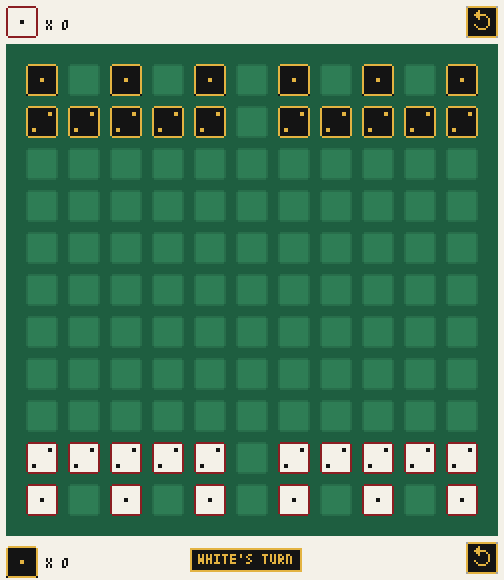
Seks is a two-player abstract strategy game played with dice on an 11×11 board. Every die is a piece whose face tells how far it can travel. Moving spends that strength, so a player keeps choosing between advancing now and charging dice up for later. It is built with Pyxel.
Installation
Seks needs Python 3.12 or newer. The easiest way to install the game is as a standalone tool:
uv tool install seks # or: pipx install seks
A plain pip install seks works too.
Usage
Start the game with:
seks
python -m seks does the same thing. To run it from a clone of this
repository, use uv run seks.
| Action | Control |
|---|---|
| Select one of your dice | Left click on it |
| Move the selected die | Left click on a highlighted cell |
| Increment the selected die | Left click on it again |
| Switch the selection | Left click on another of your dice |
| Cancel the selection | Left click anywhere else |
| Undo the last play | Click the ↺ button in a corner of the screen (at most once per second; holding it undoes a single play) |
| Save / load the board | Ctrl+S / Ctrl+L (uses game.save in the current directory) |
| Start a new game after a win | Left click anywhere |
| Quit | Esc |
Themes
Pick a color theme with --theme:
seks --theme catppuccin-mocha
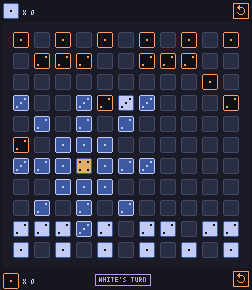
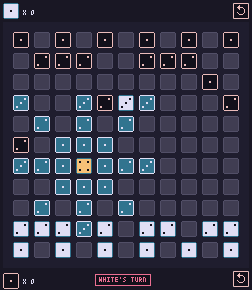
The default theme is felt, and classic has the original colors of the
game. Run seks --help to list all themes.
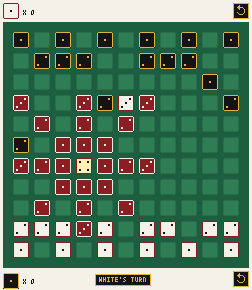 felt |
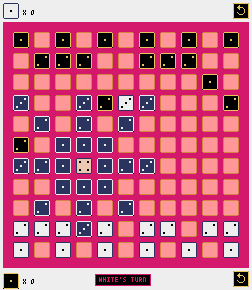 classic |
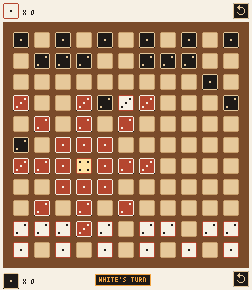 wood |
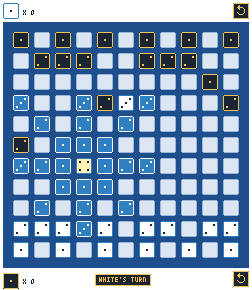 azulejo |
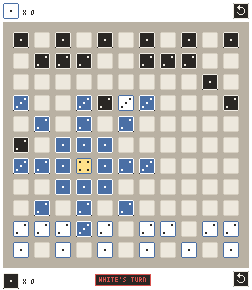 paper |
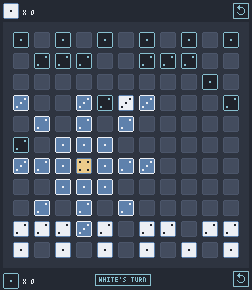 nord |
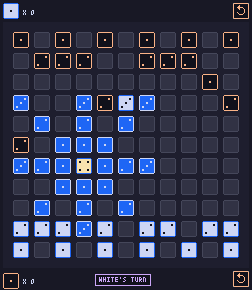 catppuccin-mocha |
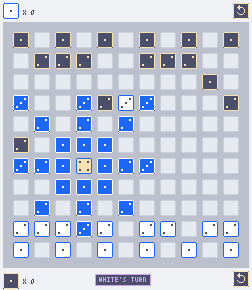 catppuccin-latte |
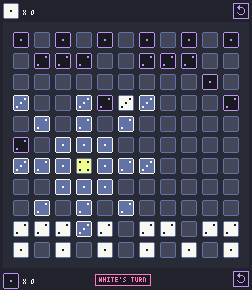 dracula |
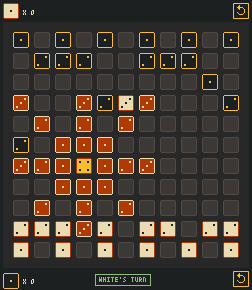 gruvbox |
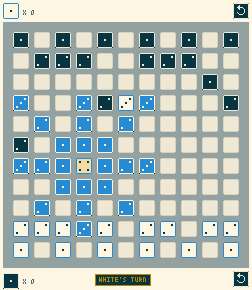 solarized |
 tokyo-night |
 rose-pine |
Rules
Setup
The board has 11 columns and 11 rows. Each player starts with 16 dice:
- 6 dice showing 1 on their back row, on every other cell;
- 10 dice showing 2 on the row in front of it, which is full except for the center column.
White starts at the bottom of the screen and Black at the top. White plays first, and the players take turns after that.
Your turn
On your turn, click one of your dice to select it, then do exactly one of the following.
1. Move. A die moves in a straight line in any of the 8 directions (orthogonal or diagonal) by at most as many cells as its value. It cannot jump over other dice or land on an occupied cell. After the move, the die shows the number of cells it traveled: a 4 that moves 2 cells becomes a 2.
When you select a die, every cell it can reach is highlighted, and the number shown on each cell is the value the die will have if it lands there. The selected die itself shows a preview of its incremented value (see below).
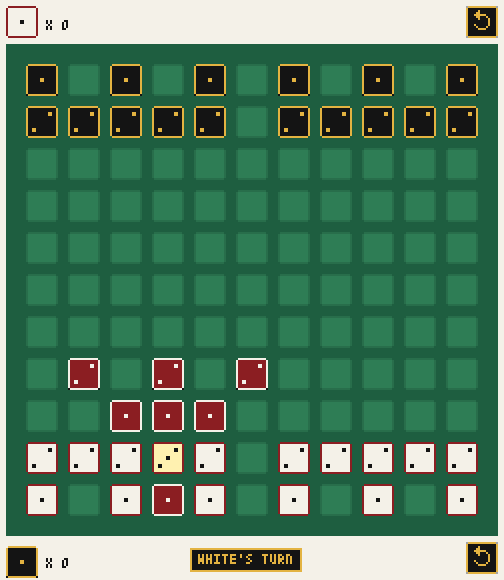
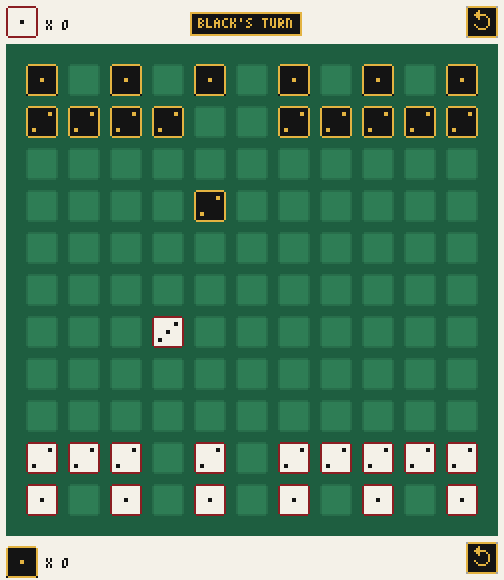
Left: a white 2 is selected and can move one or two cells. Right: later on, a white 3 moved three cells forward and still shows 3.
2. Increment. Click the selected die again to add 1 to its value. This uses up your turn. A die can reach at most 6. Clicking a selected 6 again only cancels the selection.
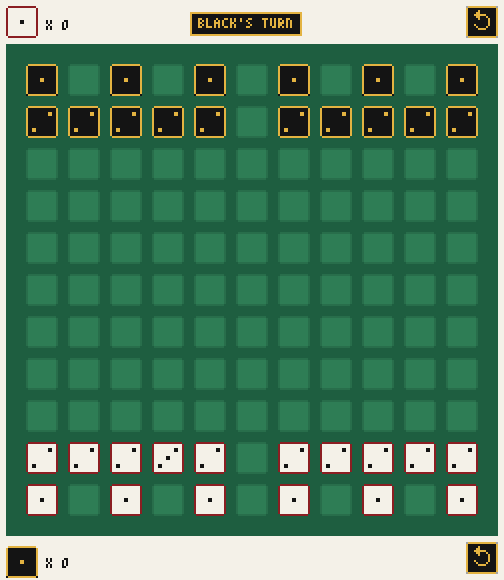
White spent its first turn turning a 2 into a 3.
Captures
Captures are custodial: after you move a die, every enemy die that sits orthogonally next to the cell where it landed (up, down, left or right) and has one of your dice directly on its other side is captured and removed from the board.
- A single move can capture in several directions at once.
- Diagonal neighbors are never captured.
- Only the player who moves captures: moving a die between two enemy dice is safe.
- Incrementing a die never captures.
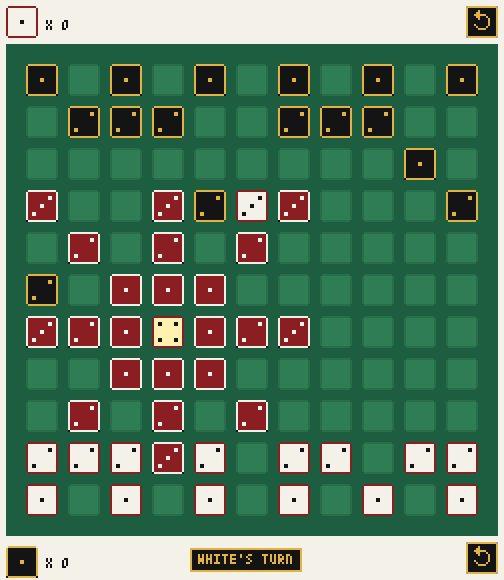
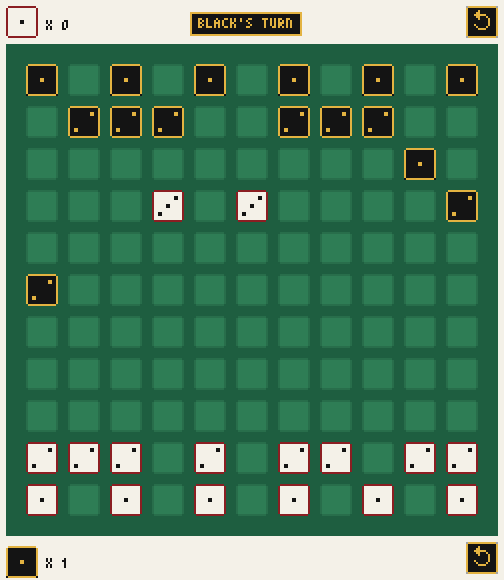
The black 2 is flanked on its right by a white 3. White moves the other 3 up to the left of the black die and captures it.
The counters on the left side of the screen show how many dice each player has lost. The top counter counts White's losses and the bottom one counts Black's.
Winning
You win as soon as one of your dice moves onto the opponent's back row: the top row for White, the bottom row for Black.
You also win when, after your play, your opponent cannot play: they have lost every die, or each of their dice is a 6 with no free cell to move to.
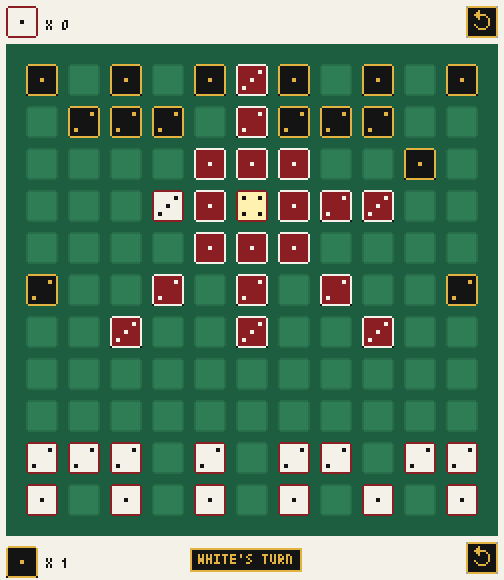
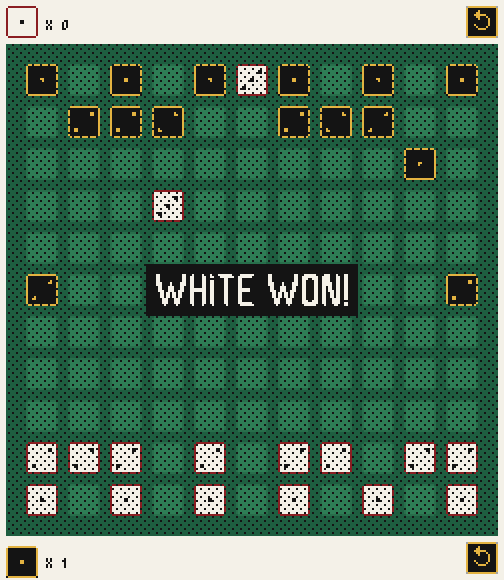
The center column starts with a gap in the second row. This white 3 uses it to reach the top row and win.
Development
The project uses uv and taskipy:
git clone https://github.com/fabiommendes/seks.git
cd seks
uv sync
uv run task --list
The main tasks are task test, task lint, task docs, task ci and
task release. task screenshots plays a scripted game and regenerates the
images in this README. See CONTRIBUTING.md
for details.
About the name
Seks means "six" in Danish, Norwegian and Faroese, after the highest face of a die.
License
Seks is released under the MIT License.
1 maintainer

Metadata
1 maintainer
Release files for seks 0.1.0
For a detailed explanation of source distributions (sdists) and built distributions (wheels), please see the package formats documentation.
Source distribution (sdist)
| File | Size | Uploaded | |
|---|---|---|---|
| seks-0.1.0.tar.gz | 24.5 kB | Details |
Built distribution (wheel)
| File | Interpreter | ABI | Platform | Reset |
|---|---|---|---|---|
| seks-0.1.0-py3-none-any.whl | Python 3 | none | any | Details |
Total release size: 44.7 kB
Release files / seks-0.1.0.tar.gz
| Download URL | seks-0.1.0.tar.gz |
|---|---|
| Size | 24.5 kB |
| Tags | Source |
|
SHA-256 checksum How to use checksums |
bc7acf647712fa23979241a6777d41d51e57c0557f321f6dc1fb970b100f114c
|
|
BLAKE2b-256 checksum How to use checksums |
8bf9b612cff5012eed0a36e8142870e6f161ca9cf9e7cbf429b425285cc35acb
|
| Upload date | |
|
Uploaded using Trusted Publishing? What is trusted publishing? |
Yes |
| Uploaded via |
twine/7.0.0 CPython/3.13.14
|
Provenance
Provenance describes where a file came from. On PyPI, provenance is shared via attestations, which provide a verifiable record of the build or publishing details. View details, limitations and caveats.


PyPI Publish Attestation
PyPI verified that this artifact, at this checksum, originated from the publisher listed below.
Signed by GitHub Actions, verified by PyPI on Sep 29, 2026.
Transparency logRelease files / seks-0.1.0-py3-none-any.whl
| Download URL | seks-0.1.0-py3-none-any.whl |
|---|---|
| Size | 20.2 kB |
| Tags | Python 3 |
|
SHA-256 checksum How to use checksums |
cccb13b6636d7ae27fc37cd9589c81f5d5b8fbd46c9c4ed0e22772fd71710857
|
|
BLAKE2b-256 checksum How to use checksums |
b8d495d51a4b893b0778642eb3c0c06f941c3abe4547c61d42c89af931e1b723
|
| Upload date | |
|
Uploaded using Trusted Publishing? What is trusted publishing? |
Yes |
| Uploaded via |
twine/7.0.0 CPython/3.13.14
|
Provenance
Provenance describes where a file came from. On PyPI, provenance is shared via attestations, which provide a verifiable record of the build or publishing details. View details, limitations and caveats.
PyPI Publish Attestation
PyPI verified that this artifact, at this checksum, originated from the publisher listed below.
Signed by GitHub Actions, verified by PyPI on Sep 29, 2026.
Transparency log












