
Seldom automation testing framework based on unittest.

Project description



Seldom is an automation testing framework based on unittest.
seldom 是基于unittest 的自动化测试框架。
Features
⭐ web/app/api全功能测试框架
⭐ 提供脚手架快速创建自动化项目
⭐ 集成XTestRunner测试报告,现代美观
⭐ 提供丰富的断言
⭐ 提供强大的数据驱动
⭐ 平台化支持
Install
pip install seldom
If you want to keep up with the latest version, you can install with GitHub/Gitee repository url:
> pip install -U git+https://github.com/SeldomQA/seldom.git@master
> pip install -U git+https://gitee.com/fnngj/seldom.git@master
🤖 Quick Start
1、查看帮助:
seldom --help

 Usage: seldom [OPTIONS]

 seldom CLI.


╭─ Options ────────────────────────────────────────────────────────────────────────────────────────╮
│ --version             -v                 Show version.                                           │
│ --project-api         -api      TEXT     Create a project of API type. [default: None]           │
│ --project-app         -app      TEXT     Create a project of App type [default: None]            │
│ --project-web         -web      TEXT     Create a project of Web type [default: None]            │
│ --clear-cache         -cc                Clear all caches of seldom.                             │
│ --log-level           -ll       TEXT     Set the log level [TRACE |DEBUG | INFO | SUCCESS |      │
│                                          WARNING | ERROR].                                       │
│                                          [default: None]                                         │
│ --mod                 -m        TEXT     Run tests modules, classes or even individual test      │
│                                          methods from the command line.                          │
│                                          [default: None]                                         │
│ --path                -p        TEXT     Run test case file path. [default: None]                │
│ --env                 -e        TEXT     Set the Seldom run environment `Seldom.env`.            │
│                                          [default: None]                                         │
│ --browser             -b        TEXT     The browser that runs the Web UI automation tests       │
│                                          [chrome | edge | firefox | chromium]. Need the --path.  │
│                                          [default: None]                                         │
│ --base-url            -u        TEXT     The base-url that runs the HTTP automation tests. Need  │
│                                          the --path.                                             │
│                                          [default: None]                                         │
│ --debug               -d                 Debug mode. Need the --path/--mod.                      │
│ --rerun               -rr       INTEGER  The number of times a use case failed to run again.     │
│                                          Need the --path.                                        │
│                                          [default: 0]                                            │
│ --report              -r        TEXT     Set the test report for output. Need the --path.        │
│                                          [default: None]                                         │
│ --collect             -c                 Collect project test cases. Need the --path.            │
│ --level               -l        TEXT     Parse the level of use cases [data | case]. Need the    │
│                                          --path.                                                 │
│                                          [default: data]                                         │
│ --case-json           -j        TEXT     Test case files. Need the --path. [default: None]       │
│ --har2case            -h2c      TEXT     HAR file converts an seldom test case. [default: None]  │
│ --swagger2case        -s2c      TEXT     Swagger file converts an seldom test case.              │
│                                          [default: None]                                         │
│ --api-excel                     TEXT     Run the api test cases in the excel file.               │
│                                          [default: None]                                         │
│ --install-completion                     Install completion for the current shell.               │
│ --show-completion                        Show completion for the current shell, to copy it or    │
│                                          customize the installation.                             │
│ --help                                   Show this message and exit.                             │
╰──────────────────────────────────────────────────────────────────────────────────────────────────╯
2、创建项目:
> seldom -api myapi  # API automation test project.
> seldom -app myapp  # or App automation test project.
> seldom -web myweb  # or Web automation test project.
目录结构如下:
myweb/
├── test_dir/
│   ├── __init__.py
│   └── test_sample.py
├── test_data/
│   └── data.json
├── reports/
└── confrun.py
test_dir/测试用例目录。test_data/测试数据文件目录。reports/测试报告目录。confrun.py运行配置文件。
3、运行项目:
-
❌️ 在
PyCharm中右键执行。 -
✔️ 通过命令行工具执行。
> seldom -p test_dir # 运行 test_dir 测试目录


              __    __
   ________  / /___/ /___  ____ ____
  / ___/ _ \/ / __  / __ \/ __ ` ___/
 (__  )  __/ / /_/ / /_/ / / / / / /
/____/\___/_/\__,_/\____/_/ /_/ /_/  v3.x.x
-----------------------------------------
                             @itest.info
...

2022-04-30 18:37:36 log.py | INFO | ✅ Find 1 element: id=sb_form_q  -> input 'seldom'.
2022-04-30 18:37:39 log.py | INFO | 👀 assertIn title: seldom - 搜索.
.52022-04-30 18:37:39 log.py | INFO | 📖 https://cn.bing.com
2022-04-30 18:37:41 log.py | INFO | ✅ Find 1 element: id=sb_form_q  -> input 'poium'.
2022-04-30 18:37:42 log.py | INFO | 👀 assertIn title: poium - 搜索.
.62022-04-30 18:37:42 log.py | INFO | 📖 https://cn.bing.com
2022-04-30 18:37:43 log.py | INFO | ✅ Find 1 element: id=sb_form_q  -> input 'XTestRunner'.
2022-04-30 18:37:44 log.py | INFO | 👀 assertIn title: XTestRunner - 搜索.
.72022-04-30 18:37:44 log.py | INFO | 📖 http://www.itest.info
2022-04-30 18:37:52 log.py | INFO | 👀 assertIn url: http://www.itest.info/.
.82022-04-30 18:37:52 log.py | SUCCESS | generated html file: file:///D:\mypro\reports\2022_04_30_18_37_29_result.html
2022-04-30 18:37:52 log.py | SUCCESS | generated log file: file:///D:\mypro\reports\seldom_log.log
4、查看报告
你可以到 mypro\reports\ 目录查看测试报告。

🔬 Demo
seldom继承unittest单元测试框架,完全遵循unittest编写用例规范。
demo 提供了丰富实例,帮你快速了解seldom的用法。
Web UI 测试
import seldom
from seldom import Steps


class BaiduTest(seldom.TestCase):

    def test_case_one(self):
        """a simple test case """
        self.open("https://www.baidu.com")
        self.type(id_="kw", text="seldom")
        self.click(css="#su")
        self.assertTitle("seldom_百度搜索")

    def test_case_two(self):
        """method chaining """
        Steps().open("https://www.baidu.com").find("#kw").type("seldom").find("#su").click()
        self.assertTitle("seldom_百度搜索")


if __name__ == '__main__':
    seldom.main(browser="chrome")
说明:
seldom.main()通过browser指定运行的浏览器。
HTTP 测试
seldom 2.0 支持HTTP测试
import seldom


class TestRequest(seldom.TestCase):

    def test_put_method(self):
        self.put('/put', data={'key': 'value'})
        self.assertStatusCode(200)

    def test_post_method(self):
        self.post('/post', data={'key': 'value'})
        self.assertStatusCode(200)

    def test_get_method(self):
        payload = {'key1': 'value1', 'key2': 'value2'}
        self.get("/get", params=payload)
        self.assertStatusCode(200)

    def test_delete_method(self):
        self.delete('/delete')
        self.assertStatusCode(200)


if __name__ == '__main__':
    seldom.main(base_url="http://httpbin.org")
说明:
seldom.main()通过base_url指定接口项目基本URL地址。
App 测试
seldom 3.0 支持App测试
import seldom
from seldom.appium_lab.keyboard import KeyEvent
from seldom.appium_lab.android import UiAutomator2Options


class TestBingApp(seldom.TestCase):

    def start(self):
        self.ke = KeyEvent(self.driver)

    def test_bing_search(self):
        """
        test bing App search
        """
        self.sleep(2)
        self.click(id_="com.microsoft.bing:id/sa_hp_header_search_box")
        self.type(id_="com.microsoft.bing:id/sapphire_search_header_input", text="seldomQA")
        self.ke.press_key("ENTER")
        self.sleep(1)
        elem = self.get_elements(xpath='//android.widget.TextView')
        self.assertIn("seldom", elem[0].text.lower())


if __name__ == '__main__':
    capabilities = {
        'deviceName': 'ELS-AN00',
        'automationName': 'UiAutomator2',
        'platformName': 'Android',
        'appPackage': 'com.microsoft.bing',
        'appActivity': 'com.microsoft.sapphire.app.main.MainSapphireActivity',
        'noReset': True,
    }
    options = UiAutomator2Options().load_capabilities(capabilities)
    seldom.main(app_server="http://127.0.0.1:4723", app_info=options, debug=True)
说明:
seldom.main()通过app_info指定App信息;app_server指定appium server 地址。
📖 Document
项目实例
B站实战视频:
https://www.bilibili.com/video/BV1QHQVYoEHC
基于seldom的web UI自动化项目:
https://github.com/SeldomQA/seldom-web-testing
基于seldom的接口自动化项目:
https://github.com/defnngj/seldom-api-testing
微信(WeChat)
相关书籍推荐, 基于 SeldomQA 相关开源项目,虫师 编著。

欢迎添加微信,交流和反馈问题。

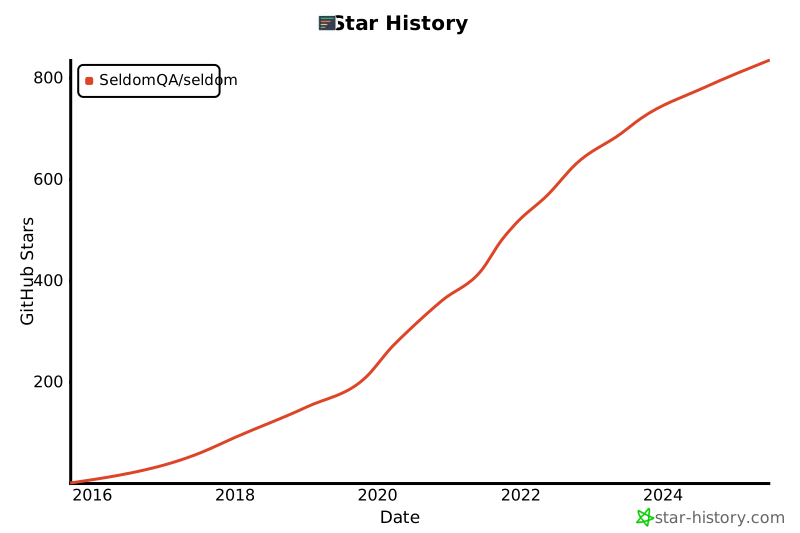
Star History
感谢
感谢从以下项目中得到思路和帮助。
贡献者

交流
QQ群:948994709
Release history Release notifications | RSS feed


Download files
Download the file for your platform. If you're not sure which to choose, learn more about installing packages.
Source Distribution
Built Distribution
Filter files by name, interpreter, ABI, and platform.
If you're not sure about the file name format, learn more about wheel file names.
Copy a direct link to the current filters
File details
Details for the file seldom-3.14.2.tar.gz.
File metadata
- Download URL: seldom-3.14.2.tar.gz
- Upload date:
- Size: 107.0 kB
- Tags: Source
- Uploaded using Trusted Publishing? No
- Uploaded via: twine/6.2.0 CPython/3.14.0
File hashes
| Algorithm | Hash digest | |
|---|---|---|
| SHA256 |
860887e5f911203859e68301985d037bb8939a3f52bfd2265b890281982537ef
|
|
| MD5 |
3a781cb8a319cc20f658965fe4b069f2
|
|
| BLAKE2b-256 |
3380c81e212fcc0ad5492a557073161fa6dcb859198708575e76ade19d405c40
|
File details
Details for the file seldom-3.14.2-py3-none-any.whl.
File metadata
- Download URL: seldom-3.14.2-py3-none-any.whl
- Upload date:
- Size: 133.5 kB
- Tags: Python 3
- Uploaded using Trusted Publishing? No
- Uploaded via: twine/6.2.0 CPython/3.14.0
File hashes
| Algorithm | Hash digest | |
|---|---|---|
| SHA256 |
6b0d2bc65c26eb995524fff239fd7e3532508951fd286344b6c9bf3b09cc1ab8
|
|
| MD5 |
754770f0df13fdf68b8a3c34008db273
|
|
| BLAKE2b-256 |
5b2125b3affa493fedd4d9fb132ca2074d6e695e61cabce4445fb63a8f7a1af7
|






