
Selenium-recaptcha-solver
You can use this package to solve ReCAPTCHA challenges with selenium.
It supports single-step and multi-step audio solving for ReCAPTCHA V2 with >90% success rate.
Please use this package responsibly and for non-exploitative ends.
Notice: This project is no longer being maintained.
Requirements
Python 3.7+
Main dependencies:
- SpeechRecognition python package to transcribe speech
- Pydub for file conversions
- Requests for HTTP requests
- Selenium for web driver
If you're getting an error related to FFmpeg not being installed or in your PATH, get it here: https://ffmpeg.org/download.html
If the error persists, make sure FFmpeg is properly installed for your OS and in your PATH.
Installation
python -m pip install selenium-recaptcha-solver
Usage example with ReCAPTCHA demo site
from selenium_recaptcha_solver import RecaptchaSolver
from selenium.webdriver.common.by import By
from selenium import webdriver
from selenium.webdriver.chrome.options import Options


test_ua = 'Mozilla/5.0 (Windows NT 4.0; WOW64) AppleWebKit/537.36 (KHTML, like Gecko) Chrome/37.0.2049.0 Safari/537.36'

options = Options()

options.add_argument("--headless")  # Remove this if you want to see the browser (Headless makes the chromedriver not have a GUI)
options.add_argument("--window-size=1920,1080")

options.add_argument(f'--user-agent={test_ua}')

options.add_argument('--no-sandbox')
options.add_argument("--disable-extensions")

test_driver = webdriver.Chrome(options=options)

solver = RecaptchaSolver(driver=test_driver)

test_driver.get('https://www.google.com/recaptcha/api2/demo')

recaptcha_iframe = test_driver.find_element(By.XPATH, '//iframe[@title="reCAPTCHA"]')

solver.click_recaptcha_v2(iframe=recaptcha_iframe)
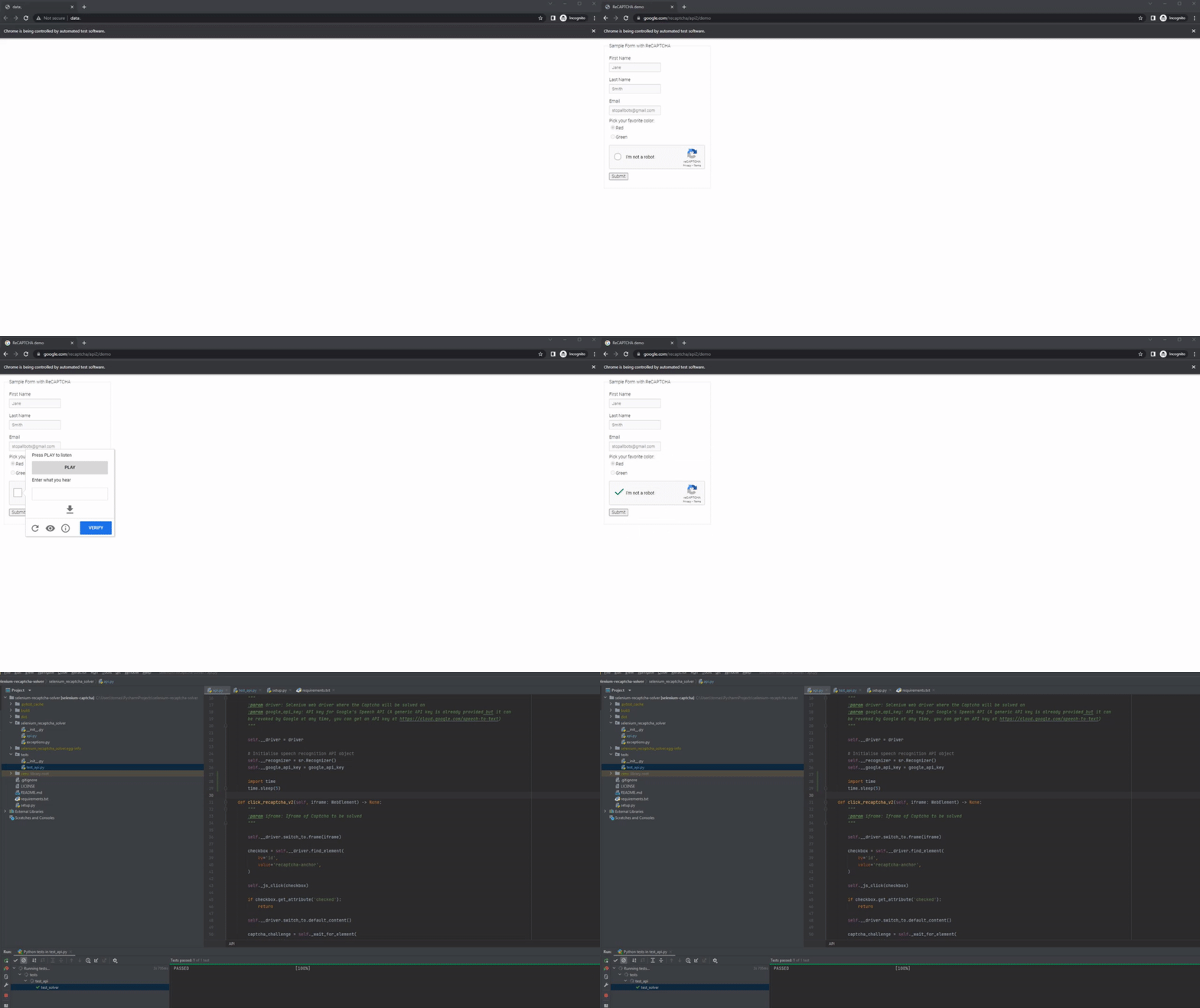
You can check a detailed use case in the tests folder of this project (Its execution is shown below in the demonstration chapter).
Demonstration
Avoiding detection
To decrease your chances of ReCAPTCHA detecting automated queries, try the following:
- Use a custom user-agent header (Make sure it's not a headless user-agent!)
- Use a hard-to-detect web driver
- Use proxies to avoid IP blacklisting
An example of a good user-agent: Mozilla/5.0 (Windows NT 4.0; WOW64) AppleWebKit/537.36 (KHTML, like Gecko) Chrome/37.0.2049.0 Safari/537.36
An example of a bad user-agent: are Mozilla/5.0 (X11; Linux x86_64) AppleWebKit/537.36 (KHTML, like Gecko) HeadlessChrome/92.0.4512.0 Safari/537.36
Note the last part of the user-agent; the headless specification is usually there.
Questions
If the documentation hasn't covered something, or you have questions about how to use the package or how it works, please reach out.
1 maintainer

Metadata
1 maintainer
Release files for selenium-recaptcha-solver 1.9.1
For a detailed explanation of source distributions (sdists) and built distributions (wheels), please see the package formats documentation.
Source distribution (sdist)
| File | Size | Uploaded | |
|---|---|---|---|
| selenium_recaptcha_solver-1.9.1.tar.gz | 7.5 kB | Details |
Built distribution (wheel)
| File | Interpreter | ABI | Platform | Reset |
|---|---|---|---|---|
| selenium_recaptcha_solver-1.9.1-py3-none-any.whl | Python 3 | none | any | Details |
Total release size: 15.8 kB
Release files / selenium_recaptcha_solver-1.9.1.tar.gz
| Download URL | selenium_recaptcha_solver-1.9.1.tar.gz |
|---|---|
| Size | 7.5 kB |
| Tags | Source |
|
SHA-256 checksum How to use checksums |
0e64c79e02c0affbd5b1efe92406bfc5e1506a98eab178da067958ecf9de17d6
|
|
BLAKE2b-256 checksum How to use checksums |
6735356697968b45daec128fc92e7afcbe1d5303838b5aa23ede750332221b07
|
| Upload date | |
|
Uploaded using Trusted Publishing? What is trusted publishing? |
No |
| Uploaded via |
twine/6.2.0 CPython/3.9.6
|
Release files / selenium_recaptcha_solver-1.9.1-py3-none-any.whl
| Download URL | selenium_recaptcha_solver-1.9.1-py3-none-any.whl |
|---|---|
| Size | 8.4 kB |
| Tags | Python 3 |
|
SHA-256 checksum How to use checksums |
b3fdea1806f767f87ff11a00e93da600b439d8dfafeeb2beaff4dfcdc77c3767
|
|
BLAKE2b-256 checksum How to use checksums |
297015a89f26970bfda3b268debdfe83e27fb9f975bbe13349b1dd90aa31f86b
|
| Upload date | |
|
Uploaded using Trusted Publishing? What is trusted publishing? |
No |
| Uploaded via |
twine/6.2.0 CPython/3.9.6
|














