
SHL — Self-Healing Localization
Your app speaks English. Your users don't. Add a new menu item. SHL translates it automatically. No
xgettext. No.pofiles. Nomsgfmt. No manual work.


The self-healing loop
- You add
ui_text("Settings", "Settings")to your code. - You start your app.
- SHL scans your source, finds the new key, translates it, and saves it.
- Next time the user opens the menu, the translation is already there.
Missing key → translate → save → ready.
This is what "self-healing" means: the library notices what's missing
and fixes it — without you having to run a build step, update a .pot
file, or wait for a translator.
Why SHL?
Most localization libraries assume you will maintain translation files by hand. SHL assumes the opposite: missing translations are a bug, and bugs should fix themselves.
Why SHL?
- Automatic — missing keys are created and translated on first use.
- Self-healing — add a new string, and the translation is ready on the next startup. No manual step.
- Eager, not lazy — translations are done at startup, not when the user opens a menu. No UI lag.
- Resilient — if one provider fails, the next one takes over.
- Offline-capable — works without API keys (local translation).
- Zero-dependency core — no GUI, no ORM, no framework.
- gettext-style API, JSON under the hood —
L("key")andui_text(...)feel familiar, but translations live in plainlocales/<lang>.jsonfiles. No.poparsing, no.mocompilation. - Works alongside gettext — the scanner already recognizes
_(),gettext(), andngettext()calls. - 10 providers — Local, MyMemory, DeepL, Google, Microsoft, LibreTranslate, LibreTranslate Community, Papago, Yandex, DetectLanguage.
The ecosystem
SHL is more than one library. It is a small ecosystem of optional tools that share the same core.
| Component | What it does | Needs | Link |
|---|---|---|---|
shl |
The library itself | Python 3.10+ | Codeberg |
shl-gui |
GTK4 management GUI for locales and providers | GTK4 (optional) | Codeberg |
| SHL Policy Editor (bundled) | Tkinter-based editor for config.json |
Tkinter (stdlib) | Codeberg |
| SHL Policy Editor (standalone) | Full GTK4 visual editor for provider policy | GTK4 | Codeberg |
| Digital Guestbook | Demo application: a multilingual guestbook for hotels | Flet | Codeberg |
You only need shl. The rest are optional.
Quick Start
Installation
pip install self-healing-localization
2. Configure a provider (optional)
SHL works without API keys — it falls back to a local provider if available. For the best results, create a .env file in your project root with at least one provider:
# Free tier — good for small projects
MYMEMORY_EMAIL=your@email.com

# Or: best quality (paid)
# DEEPL_API_KEY=your-api-key

# Or: self-hosted
# LIBRETRANSLATE_API_KEY=your-api-key
# LIBRETRANSLATE_URL=http://localhost:5000
If you don't have any API keys, SHL will still work — but translations may be limited to the local provider.
Note: SHL works out of the box with the local provider. For better quality, add a
.envfile with an API key.
Three-line example
from shl.engine import LocalizationEngine

engine = LocalizationEngine(base_lang="eng", lang_code="fin")
print(engine.ui_text("greeting", "Hello!"))
And locales/fin.json now contains:
{
    "greeting": "Hei!"
}
That's it. The key "greeting" did not exist, so SHL created it, translated "Hello!" → "Hei!", and saved the result. The next time the app runs, the translation is read from disk — no network call.
What just happened?
LocalizationEngine(lang_code="fin")— user wants Finnish UI.ui_text("greeting", "Hello!")— the key"greeting"is not inlocales/fin.json.- SHL asks the provider router for a translation:
"Hello!"→"Hei!". - The result is saved to
locales/fin.jsonwith the key"greeting". - Next run:
ui_text("greeting", "Hello!")returns"Hei!"directly from disk — no provider call.
This is the self-healing loop: missing key → translate → save → reuse.
This is the self-healing loop: missing key → translate → save → reuse.
With machine translation enabled
from shl.engine import LocalizationEngine

config = {"m_translation_enabled": True}
engine = LocalizationEngine(lang_code="fin", config=config)
print(engine.ui_text("greeting", "Hello!"))
Output:
Hei!
That's it. The key "greeting" did not exist in locales/fin.json, so SHL created it, translated "Hello!" → "Hei!", and saved the result. The next time the app runs, the translation is read from disk — no network call.
Limitations
- SHL does not translate user-generated content. If your users write messages, comments, or reviews, those stay in the language they were written in. SHL is a localization library, not a content translation service.
- SHL does not modify user data or configuration files. It only operates on the application's own localization layer.
- Machine translation quality depends on the provider. Review translations before shipping.
- Some providers require paid subscriptions or API keys.
- SHL is in beta. APIs may change before 1.0.
Documentation
- Canonical Repository (Codeberg): https://codeberg.org/lahtis/Self_Healing_Localization
- GitHub Mirror: https://github.com/lahtis/Self-Healing-Localization
- Documentation: https://codeberg.org/lahtis/Self_Healing_Localization/src/branch/main/docs
- Full guide: https://codeberg.org/lahtis/Self_Healing_Localization/src/branch/main/docs/guide.md
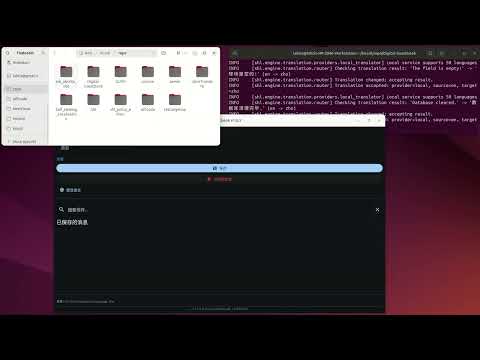
- Demo video: https://www.youtube.com/watch?v=t5veRZtt3dU
- SHL Policy Editor: https://codeberg.org/lahtis/shl_policy_editor
Contributing
Contributions are welcome.
This project aims to become a new standard for open‑source localization — simple, automatic, and self‑maintaining.
License
MIT License — free for personal and commercial use.
Vision
Localization should never be a burden.
With SHL, any project can become multilingual — automatically, reliably, and without manual maintenance.
No more missing translations. No more incomplete language packs. Localization that heals itself.
#localization • #i18n • #l10n • #self-healing • #translation • #multilingual #json • #python • #developer-tools • #automation • #templates • #cli #ai-assisted • #language-files • #internationalization • #localization-engine
1 maintainer

Metadata
1 maintainer
Release files for self-healing-localization 0.4.0
For a detailed explanation of source distributions (sdists) and built distributions (wheels), please see the package formats documentation.
Source distribution (sdist)
| File | Size | Uploaded | Provenance | Actions |
|---|---|---|---|---|
| self_healing_localization-0.4.0.tar.gz | 806.5 kB | Without provenance | Details for self_healing_localization-0.4.0.tar.gz |
Built distribution (wheel)
| File | Interpreter | ABI | Platform | Actions Reset |
|---|---|---|---|---|
| self_healing_localization-0.4.0-py3-none-any.whl | Python 3 | none | any | Details for self_healing_localization-0.4.0-py3-none-any.whl |
Total release size: 1.4 MB
Release files / self_healing_localization-0.4.0.tar.gz
| Download URL | self_healing_localization-0.4.0.tar.gz |
|---|---|
| Size | 806.5 kB |
| Tags | Source |
|
SHA-256 checksum How to use checksums |
517b4d119acbb5cd1aa223d8624f3525eaa7bf269edbf7ada2b8b8861f6cfe24
|
|
BLAKE2b-256 checksum How to use checksums |
b02dbf4348727ed772fe8424edea9f30f9cc3bbfeac3d59943045668c44cce18
|
| Upload date | |
|
Uploaded using Trusted Publishing? What is trusted publishing? |
No |
| Uploaded via |
twine/7.0.0 CPython/3.12.3
|
Release files / self_healing_localization-0.4.0-py3-none-any.whl
| Download URL | self_healing_localization-0.4.0-py3-none-any.whl |
|---|---|
| Size | 627.6 kB |
| Tags | Python 3 |
|
SHA-256 checksum How to use checksums |
3d4a6648cf8539ec246d5370fd81c0ce6dd12f0a50c00b66138fe2e6bd0d0da8
|
|
BLAKE2b-256 checksum How to use checksums |
1ba535c531cbee51abf3518089fb9c761a73c75510e922bd235f5b2157b60da8
|
| Upload date | |
|
Uploaded using Trusted Publishing? What is trusted publishing? |
No |
| Uploaded via |
twine/7.0.0 CPython/3.12.3
|
Security for self-healing-localization 0.4.0
Provenance
Provenance describes where a file came from. On PyPI, provenance is shared via attestations, which provide a verifiable record of the build or publishing details. View details, limitations and caveats.
No provenance found
None of the files in this release were uploaded with provenance metadata.
A note on package security
PyPI is a repository for distributing packages, not a service for auditing them. While third-party security researchers and our staff do their best to detect and remove malicious packages, PyPI cannot guarantee the quality, security or suitability of any given package.
To learn more about protecting yourself from malicious actors, visit our package security documentation.














