
Semantic Deduplicator [alpha]
Consolidate your list of items based on their meaning, not just keywords
pip install semantic_deduplicator
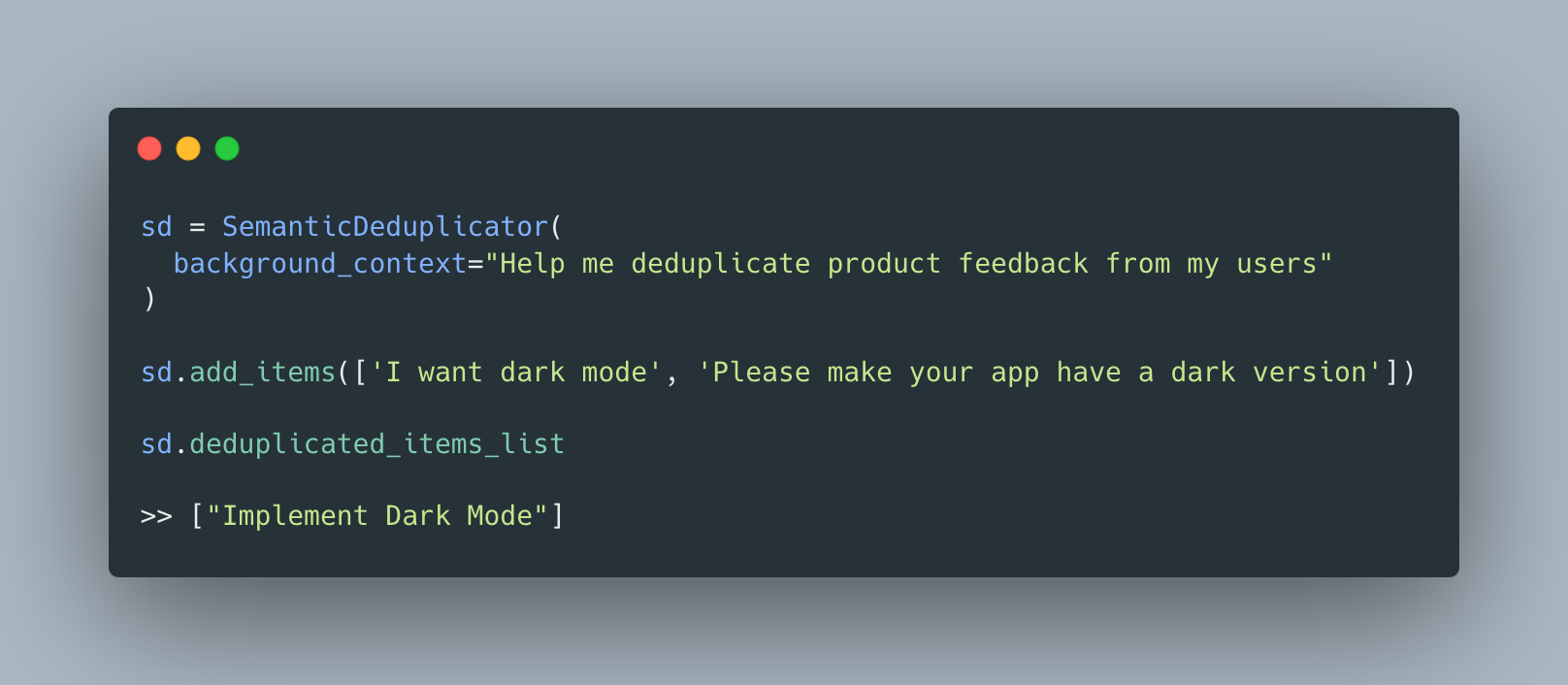
The Semantic Deduplicator is a lightweight LLM driven package that takes a list of items and consolidates them based off of their semantic meaning
One of the most annoy parts about list management is overlapping items. It can be a pain to manually go through a list and combine items. This isn't so hard when the items match exactly, but when you have unstructured data this can be a big pain.
Areas of application:
- Parsing Customer Feedback
- Joining Grocery Lists
- Parsing Employee Surveys
- Combining social media comments
SemanticDeduplicators's goal is to ease the pain of list management.
This package currently only works with OpenAI models. There are more on the roadmap
Quick Start
from semantic_deduplicator import SemanticDeduplicator

sd = SemanticDeduplicator(
    background_context="""
        You are helping me consolidate my to do list
    """,
    openai_api_key = '...' # Or set env variable
)

sd.add_single_item("Go to the grocery store")
sd.add_single_item("Pick up laundry")
sd.add_single_item("Head over to the grocery store to get food")

sd.deduplicated_items_list

>> [DeduplicatedItem("Purchase groceries"), DeduplicatedItem("Collect laundry")]

sd.get_formatted_deduplicated_list(type='string_list')

>> "Purchase groceries, Collect laundry"
Community
To ask questions, share ideas, or just chat with like-minded developers, join me on Twitter!
Core Components
There are 3 key concepts to consider:
- 🧩 Add, delete
- 🤝 Similarity Scores
- 🪄 deduplicated_items_list
- 📚 Background Context
🧩 Add, Delete
You have a list, you want to add items, to it, we get it!
There are 3 ways to do this
sd.add_single_item()(recommended) : This will add a single item to your deduplicated list. It assumes there is only 1 point of interest in your data point. For example: "I want dark mode" only has one interesting data point but "I want dark mode and your app is slow" has two. If you have multiple items in your submission, usesd.add_itemsd.add_single_item("I want dark mode")
sd.add_item(): This will first parse your submission for points of interest and then add those to your deduplicated list. There is a bit of information loss w/ the first parsing step so only use this if necessarysd.add_item("I want dark mode and your app is too slow")
sd.add_single_items(): This takes a list and iterativelysd.add_single_itemsd.add_single_items(["My original input from the user", "My 2nd input from a user"])
similarly, you can semantically delete an item by passing in user feedback once more.
sd.delete_item_from_string(["I would love to have this feature in your app!"])
If you would like to delete from your deduplicated_items_list by index, pop the item.
sd.deduplicated_items_list.pop(1)
🤝 Similarity Scores
At the core of thie package is the ability to compare items on your list semantically rather than by matching strings or keywords.
This is done in a hybrid approach (not to be confused with hybrid search in retrieval). First a Cosine Similarity Check followed by a LLM similarity check
Similarity Check Steps:
-
Cosine Similiary Check
This package first checks the cosine similarity a new item has to the rest of the items already present in the deduplicated_items_list. It does this to reduce the number of items that need to be manually checked by the next step. The default value for minimum cosine similarity is .75. You can adjust this score by editing the
cosine_similarity_thresholdon your parent object. The lower the score, the more items which will be included in Step #2sd.cosine_similarity_threshold = .6
-
LLM Similarity Check
With the similar candidates that are returned from Step 1, we move onto a Language Model Similarity check. This is to more accurately determine whether or not two items should be combined. We ask the language model how similar two items are based on their names with regards to the
background_context. The default value is .8 (0-1 scale). The higher the number, the more strict you'll be with matching items.sd.llm_similarity_threshold = .9
The existing item with the highest similarity score will be combined with your new item.
📚 Deduplicated Items List
Finally, the end result is held within deduplicated_items_list
sd.deduplicated_items_list

>> ['Your 1st item', 'Your 2nd item']
📚 Background Context
Without context it is difficult for your model to know how items should be combined. Adding background_context will let your model know more about your expected output. When debugging, start by adding more details here first.
Good background context descriptions include
- What you want in your output
- What you don't want in your output
- Your goal
- Formatting points
See the Product Feedback Consolidation below for an example
Examples
Product Feedback Consolidation
from semantic_deduplicator import SemanticDeduplicator

sd = SemanticDeduplicator(
    background_context="""
        You are helping me deduplicate feature requests for a product.
        Please make sure to stay concise.
        Remove the first-person pronouns and focusing on the specific functionalities or improvements.
        Stripping away the "I" or "my" references to make the requests more general and applicable to a broader audience.
        Create clear and direct feature requests that can be easily understood and implemented by developers or relevant parties.
        Do not use puncutation
    """
)

sd.add_single_item("Please speed up your app, it is very slow")
sd.add_single_item("It's also tough to find my friends on the home page")
sd.add_single_item("I want dark mode")
sd.add_single_item("I wish there was a darker version of your app")
sd.add_single_item("I wish there was a button to change my settings")
sd.add_single_item("How do I change my profile picture?")
sd.add_single_item("Your app is awesome! But I wish I could invite my friends easily")
sd.add_single_items(["I don't see a spot to put my credit card", "I can't figure out how to invite my friends"])
sd.delete_item_from_string("users have been requesting dark mode")

sd.deduplicated_items_list

>> [DeduplicatedItem("Improve application speed"),
>>  DeduplicatedItem("Improve visibility of friends on the home page"),
>>  DeduplicatedItem("Addition of a button to alter settings"),
>>  DeduplicatedItem("Change profile picture feature"),
>>  DeduplicatedItem("Enhance friend invitation functionality on app"),
>>  DeduplicatedItem("Add space for credit card input")]
Grocery Lists
from semantic_deduplicator import SemanticDeduplicator

sd = SemanticDeduplicator(
    background_context="""
        You are a helpful bot that consolidates grocery items for me as I'm about to go to the store.
        Combine like items
        Do not combine items based on their use case. Your focus is to combine them based on the item.
    """
)

sd.add_single_item("Berries")
sd.add_single_item("Milk for cereal")
sd.add_single_item("Milk for drinking")

sd.deduplicated_items_list

>> [DeduplicatedItem("Berries"), DeduplicatedItem("Milk")]
Notes
Disclaimer
This package is in alpha and not claiming to be fast, cheap, or 100% accurate.
Please be mindful of api costs
1 maintainer

Metadata
1 maintainer
Release files for semantic_deduplicator 0.0.3
For a detailed explanation of source distributions (sdists) and built distributions (wheels), please see the package formats documentation.
Source distribution (sdist)
| File | Size | Uploaded | Provenance | |
|---|---|---|---|---|
| semantic_deduplicator-0.0.3.tar.gz | 12.3 kB | Without provenance | Details |
Built distribution (wheel)
| File | Interpreter | ABI | Platform | Reset |
|---|---|---|---|---|
| semantic_deduplicator-0.0.3-py3-none-any.whl | Python 3 | none | any | Details |
Total release size: 23.2 kB
Release files / semantic_deduplicator-0.0.3.tar.gz
| Download URL | semantic_deduplicator-0.0.3.tar.gz |
|---|---|
| Size | 12.3 kB |
| Tags | Source |
|
SHA-256 checksum How to use checksums |
d661aa6e42741aed2d6501b408b0d17acee0b84e204356b3a94fcebb72d5b064
|
|
BLAKE2b-256 checksum How to use checksums |
ade4d138516e003bd8b33e8a0440b1548c246b7f847c393a0827167144d4dfda
|
| Upload date | |
|
Uploaded using Trusted Publishing? What is trusted publishing? |
No |
| Uploaded via |
poetry/1.6.1 CPython/3.11.1 Darwin/22.6.0
|
Release files / semantic_deduplicator-0.0.3-py3-none-any.whl
| Download URL | semantic_deduplicator-0.0.3-py3-none-any.whl |
|---|---|
| Size | 10.9 kB |
| Tags | Python 3 |
|
SHA-256 checksum How to use checksums |
36cbc0b2b19ecd57d814880a73e9f90341ed906de8e995baea88147301e4a4aa
|
|
BLAKE2b-256 checksum How to use checksums |
514bb61ae129d85afa1b1d3957bfd289628cce18dc8596afb965e4a1a6a2bd27
|
| Upload date | |
|
Uploaded using Trusted Publishing? What is trusted publishing? |
No |
| Uploaded via |
poetry/1.6.1 CPython/3.11.1 Darwin/22.6.0
|
Security for semantic_deduplicator 0.0.3
Provenance
Provenance describes where a file came from. On PyPI, provenance is shared via attestations, which provide a verifiable record of the build or publishing details. View details, limitations and caveats.
No provenance found
None of the files in this release were uploaded with provenance metadata.
A note on package security
PyPI is a repository for distributing packages, not a service for auditing them. While third-party security researchers and our staff do their best to detect and remove malicious packages, PyPI cannot guarantee the quality, security or suitability of any given package.
To learn more about protecting yourself from malicious actors, visit our package security documentation.














