
⚠️ The Semgrep MCP server has been moved from a standalone repo to the main semgrep repository! ⚠️
This repository has been deprecated, and further updates to the Semgrep MCP server will be made via the official semgrep binary.





Semgrep MCP Server








A Model Context Protocol (MCP) server for using Semgrep to scan code for security vulnerabilities. Secure your vibe coding! 😅
Model Context Protocol (MCP) is a standardized API for LLMs, Agents, and IDEs like Cursor, VS Code, Windsurf, or anything that supports MCP, to get specialized help, get context, and harness the power of tools. Semgrep is a fast, deterministic static analysis tool that semantically understands many languages and comes with over 5,000 rules. 🛠️
[!NOTE] This beta project is under active development. We would love your feedback, bug reports, feature requests, and code. Join the
#mcpcommunity Slack channel!
Contents
- Semgrep MCP Server
Getting started
Run the Python package as a CLI command using uv:
uvx semgrep-mcp # see --help for more options
Or, run as a Docker container:
docker run -i --rm ghcr.io/semgrep/mcp -t stdio
Cursor
Example mcp.json
{
  "mcpServers": {
    "semgrep": {
      "command": "uvx",
      "args": ["semgrep-mcp"],
      "env": {
        "SEMGREP_APP_TOKEN": "<token>"
      }
    }
  }
}
Add an instruction to your .cursor/rules to use automatically:
Always scan code generated using Semgrep for security vulnerabilities
ChatGPT
- Go to the Connector Settings page (direct link)
- Name the connection
Semgrep - Set MCP Server URL to
https://mcp.semgrep.ai/sse - Set Authentication to
No authentication - Check the I trust this application checkbox
- Click Create
See more details at the official docs.
Hosted Server
[!WARNING] mcp.semgrep.ai is an experimental server that may break unexpectedly. It will rapidly gain new functionality.🚀
Cursor
- Cmd + Shift + J to open Cursor Settings
- Select MCP Tools
- Click New MCP Server.
{
  "mcpServers": {
    "semgrep": {
      "type": "streamable-http",
      "url": "https://mcp.semgrep.ai/mcp"
    }
  }
}
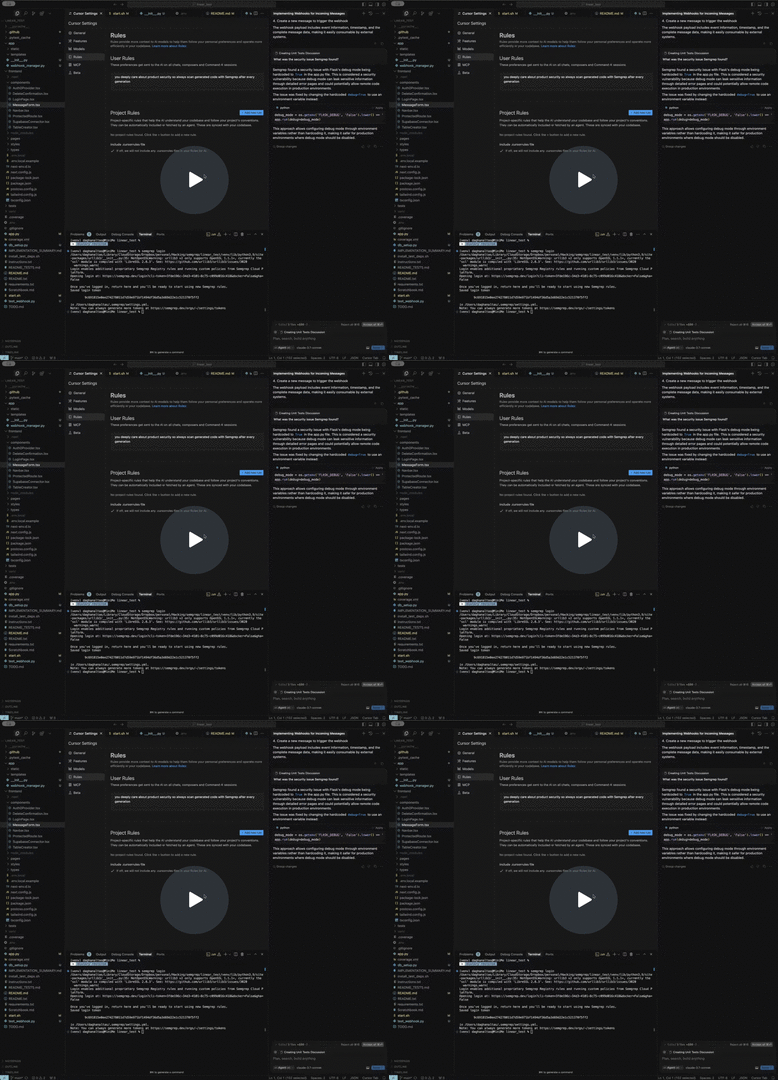
Demo
API
Tools
Enable LLMs to perform actions, make deterministic computations, and interact with external services.
Scan Code
security_check: Scan code for security vulnerabilitiessemgrep_scan: Scan code files for security vulnerabilities with a given config stringsemgrep_scan_with_custom_rule: Scan code files using a custom Semgrep rule
Understand Code
get_abstract_syntax_tree: Output the Abstract Syntax Tree (AST) of code
Cloud Platform (login and Semgrep token required)
semgrep_findings: Fetch Semgrep findings from the Semgrep AppSec Platform API
Meta
supported_languages: Return the list of languages Semgrep supportssemgrep_rule_schema: Fetches the latest semgrep rule JSON Schema
Prompts
Reusable prompts to standardize common LLM interactions.
write_custom_semgrep_rule: Return a prompt to help write a Semgrep rule
Resources
Expose data and content to LLMs
semgrep://rule/schema: Specification of the Semgrep rule YAML syntax using JSON schemasemgrep://rule/{rule_id}/yaml: Full Semgrep rule in YAML format from the Semgrep registry
Usage
This Python package is published to PyPI as semgrep-mcp and can be installed and run with pip, pipx, uv, poetry, or any Python package manager.
$ pipx install semgrep-mcp
$ semgrep-mcp --help

Usage: semgrep-mcp [OPTIONS]

  Entry point for the MCP server

  Supports both stdio and sse transports. For stdio, it will read from stdin
  and write to stdout. For sse, it will start an HTTP server on port 8000.

Options:
  -v, --version                Show version and exit.
  -t, --transport [stdio|sse]  Transport protocol to use (stdio or sse)
  -h, --help                   Show this message and exit.
Standard Input/Output (stdio)
The stdio transport enables communication through standard input and output streams. This is particularly useful for local integrations and command-line tools. See the spec for more details.
Python
semgrep-mcp
By default, the Python package will run in stdio mode. Because it's using the standard input and output streams, it will look like the tool is hanging without any output, but this is expected.
Docker
This server is published to Github's Container Registry (ghcr.io/semgrep/mcp)
docker run -i --rm ghcr.io/semgrep/mcp -t stdio
By default, the Docker container is in SSE mode, so you will have to include -t stdio after the image name and run with -i to run in interactive mode.
Streamable HTTP
Streamable HTTP enables streaming responses over JSON RPC via HTTP POST requests. See the spec for more details.
By default, the server listens on 127.0.0.1:8000/mcp for client connections. To change any of this, set FASTMCP_* environment variables. The server must be running for clients to connect to it.
Python
semgrep-mcp -t streamable-http
By default, the Python package will run in stdio mode, so you will have to include -t streamable-http.
Docker
docker run -p 8000:0000 ghcr.io/semgrep/mcp
Server-sent events (SSE)
[!WARNING] The MCP communiity considers this a legacy transport portcol and is really intended for backwards compatibility. Streamable HTTP is the recommended replacement.
SSE transport enables server-to-client streaming with Server-Send Events for client-to-server and server-to-client communication. See the spec for more details.
By default, the server listens on 127.0.0.1:8000/sse for client connections. To change any of this, set FASTMCP_* environment variables. The server must be running for clients to connect to it.
Python
semgrep-mcp -t sse
By default, the Python package will run in stdio mode, so you will have to include -t sse.
Docker
docker run -p 8000:0000 ghcr.io/semgrep/mcp -t sse
Semgrep AppSec Platform
Optionally, to connect to Semgrep AppSec Platform:
- Login or sign up
- Generate a token from Settings
- Add the token to your environment variables:
-
CLI (
export SEMGREP_APP_TOKEN=<token>) -
Docker (
docker run -e SEMGREP_APP_TOKEN=<token>) -
MCP config JSON
-
    "env": {
      "SEMGREP_APP_TOKEN": "<token>"
    }
[!TIP] Please reach out for support if needed. ☎️
Integrations
Cursor IDE
Add the following JSON block to your ~/.cursor/mcp.json global or .cursor/mcp.json project-specific configuration file:
{
  "mcpServers": {
    "semgrep": {
      "command": "uvx",
      "args": ["semgrep-mcp"]
    }
  }
}

See cursor docs for more info.
VS Code / Copilot
Click the install buttons at the top of this README for the quickest installation.
Manual Configuration
Add the following JSON block to your User Settings (JSON) file in VS Code. You can do this by pressing Ctrl + Shift + P and typing Preferences: Open User Settings (JSON).
{
  "mcp": {
    "servers": {
      "semgrep": {
        "command": "uvx",
        "args": ["semgrep-mcp"]
      }
    }
  }
}
Optionally, you can add it to a file called .vscode/mcp.json in your workspace:
{
  "servers": {
    "semgrep": {
      "command": "uvx",
        "args": ["semgrep-mcp"]
    }
  }
}
Using Docker
{
  "mcp": {
    "servers": {
      "semgrep": {
        "command": "docker",
        "args": [
          "run",
          "-i",
          "--rm",
          "ghcr.io/semgrep/mcp",
          "-t",
          "stdio"
        ]
      }
    }
  }
}
See VS Code docs for more info.
Windsurf
Add the following JSON block to your ~/.codeium/windsurf/mcp_config.json file:
{
  "mcpServers": {
    "semgrep": {
      "command": "uvx",
      "args": ["semgrep-mcp"]
    }
  }
}
See Windsurf docs for more info.
Claude Desktop
Here is a short video showing Claude Desktop using this server to write a custom rule.
Add the following JSON block to your claude_desktop_config.json file:
{
  "mcpServers": {
    "semgrep": {
      "command": "uvx",
      "args": ["semgrep-mcp"]
    }
  }
}
See Anthropic docs for more info.
Claude Code
claude mcp add semgrep uvx semgrep-mcp
See Claude Code docs for more info.
OpenAI
See the offical docs:
Agents SDK
async with MCPServerStdio(
    params={
        "command": "uvx",
        "args": ["semgrep-mcp"],
    }
) as server:
    tools = await server.list_tools()
See OpenAI Agents SDK docs for more info.
Custom clients
Example Python SSE client
See a full example in examples/sse_client.py
from mcp.client.session import ClientSession
from mcp.client.sse import sse_client


async def main():
    async with sse_client("http://localhost:8000/sse") as (read_stream, write_stream):
        async with ClientSession(read_stream, write_stream) as session:
            await session.initialize()
            results = await session.call_tool(
                "semgrep_scan",
                {
                    "code_files": [
                        {
                            "path": "hello_world.py",
                            "content": "def hello(): print('Hello, World!')",
                        }
                    ]
                },
            )
            print(results)
[!TIP] Some client libraries want the
URL: http://localhost:8000/sse and others only want theHOST:localhost:8000. Try out theURLin a web browser to confirm the server is running, and there are no network issues.
See official SDK docs for more info.
Contributing, community, and running from source
[!NOTE] We love your feedback, bug reports, feature requests, and code. Join the
#mcpcommunity Slack channel!
See CONTRIBUTING.md for more info and details on how to run from the MCP server from source code.
Similar tools 🔍
- semgrep-vscode - Official VS Code extension
- semgrep-intellij - IntelliJ plugin
Community projects 🌟
- semgrep-rules - The official collection of Semgrep rules
- mcp-server-semgrep - Original inspiration written by Szowesgad and stefanskiasan
MCP server registries
Made with ❤️ by the Semgrep Team
1 maintainer

Metadata
1 maintainer
Release files for semgrep-mcp 0.9.0
For a detailed explanation of source distributions (sdists) and built distributions (wheels), please see the package formats documentation.
Source distribution (sdist)
| File | Size | Uploaded | |
|---|---|---|---|
| semgrep_mcp-0.9.0.tar.gz | 438.6 kB | Details |
Built distribution (wheel)
| File | Interpreter | ABI | Platform | Reset |
|---|---|---|---|---|
| semgrep_mcp-0.9.0-py3-none-any.whl | Python 3 | none | any | Details |
Total release size: 770.1 kB
Release files / semgrep_mcp-0.9.0.tar.gz
| Download URL | semgrep_mcp-0.9.0.tar.gz |
|---|---|
| Size | 438.6 kB |
| Tags | Source |
|
SHA-256 checksum How to use checksums |
1376d5e4a7aebef81058e169053a315671dc61b1321f78bf8edd6e44e71b993f
|
|
BLAKE2b-256 checksum How to use checksums |
4c0adc7f8aad02844a1ec251172bf462bd762d57d8ba58b5ff565840f0236a82
|
| Upload date | |
|
Uploaded using Trusted Publishing? What is trusted publishing? |
Yes |
| Uploaded via |
twine/6.1.0 CPython/3.12.9
|
Provenance
Provenance describes where a file came from. On PyPI, provenance is shared via attestations, which provide a verifiable record of the build or publishing details. View details, limitations and caveats.


PyPI Publish Attestation
PyPI verified that this artifact, at this checksum, originated from the publisher listed below.
Signed by GitHub Actions, verified by PyPI on Sep 29, 2025.
Transparency logRelease files / semgrep_mcp-0.9.0-py3-none-any.whl
| Download URL | semgrep_mcp-0.9.0-py3-none-any.whl |
|---|---|
| Size | 331.5 kB |
| Tags | Python 3 |
|
SHA-256 checksum How to use checksums |
2c4bd4feb85958a39def5ca26905ce4511b08f537bccc5d7fc24f7ba1167bdc0
|
|
BLAKE2b-256 checksum How to use checksums |
5f820c12b91c86896c660356d2f5b0dd80994dce1aefadb8b46c48d26a1fb240
|
| Upload date | |
|
Uploaded using Trusted Publishing? What is trusted publishing? |
Yes |
| Uploaded via |
twine/6.1.0 CPython/3.12.9
|
Provenance
Provenance describes where a file came from. On PyPI, provenance is shared via attestations, which provide a verifiable record of the build or publishing details. View details, limitations and caveats.
PyPI Publish Attestation
PyPI verified that this artifact, at this checksum, originated from the publisher listed below.
Signed by GitHub Actions, verified by PyPI on Sep 29, 2025.
Transparency log













