
ADB sendevent - press multiple keys at the same time, control the duration of each event!
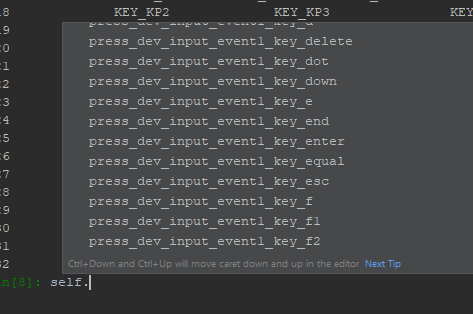
Take a look at the video to see what the code below does:
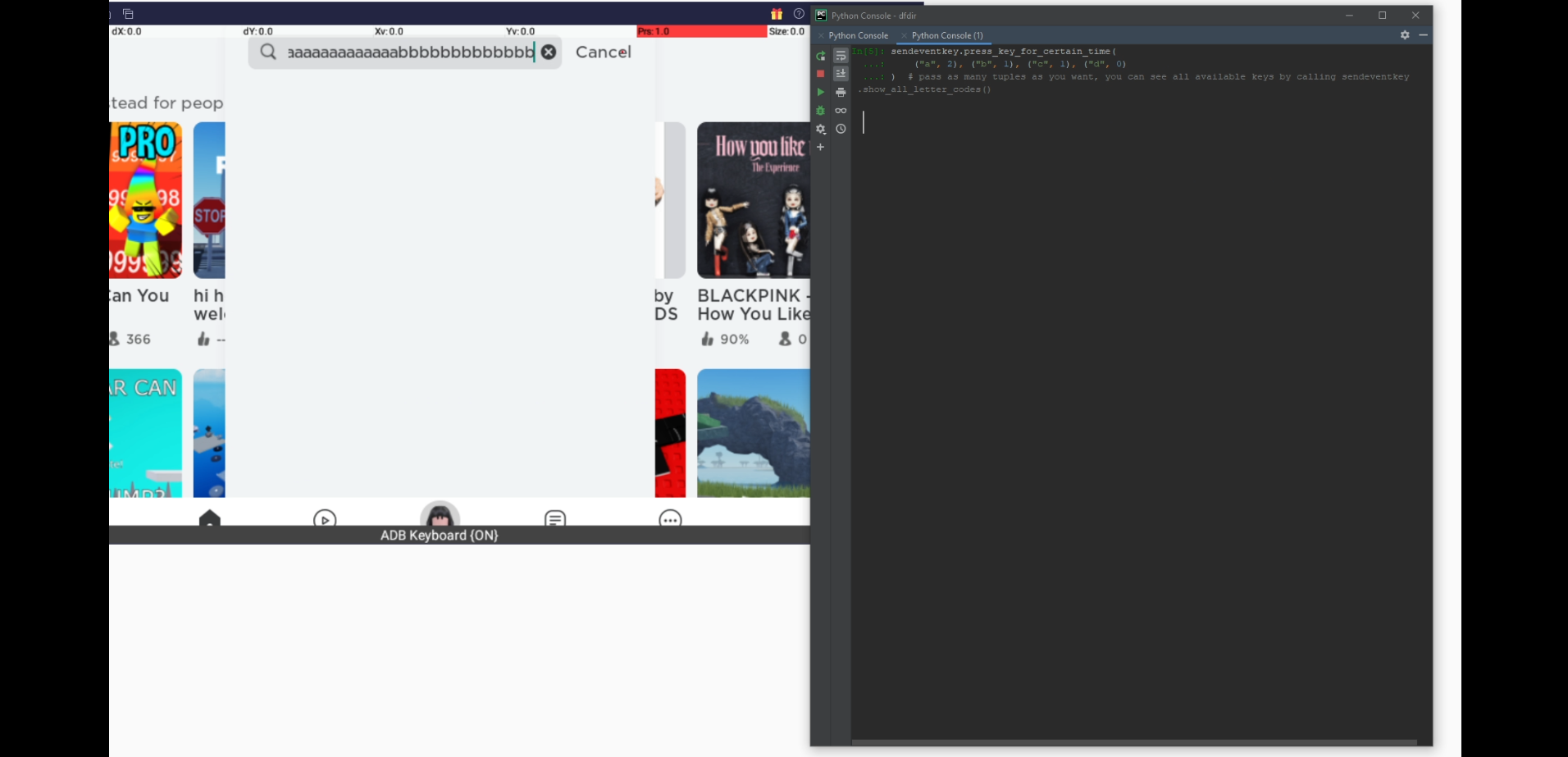
https://www.youtube.com/watch?v=GO2XsvI6TZk
$pip install sendevent-getevent-keyboard


from time import sleep

from sendevent_getevent_keyboard import SendEventKeystrokes


sendeventkey = SendEventKeystrokes(

    adb_path="C:\\Users\\Gamer\\AppData\\Local\\Android\\Sdk\\platform-tools\\adb.exe",

    deviceserial="localhost:5735",

    sdcard="/storage/emulated/0/",  # it is probably better to pass the path than the symlink

    tmp_folder_on_sd_card="AUTOMAT",  # The folder will be created if it doesn't exist. All temp files will be stored there

    exit_keys="ctrl+x",  # If you want to interrupt adb

)


sendeventkey.connect_to_adb()


sleep(3)

# KEY_LEFTSHIFT + KEY_1 will result in "!" / Pass as many keys as you want. You can see a complete list by calling:

# SendEventKeystrokes.show_all_letter_codes() Keys on the left will get some additional execution time.

sendeventkey.press_multiple_keys_at_the_same_time(

    keylist=["KEY_LEFTSHIFT", "KEY_1"], time_to_press=0.5

)


# For the method SendEventKeystrokes.write_text() only these keys are available:

# https://android.googlesource.com/platform/external/kernel-headers/+/8bc979c0f7b0b30b579b38712a091e7d2037c77e/original/uapi/linux/input.h

# If there are special characters, like ä/ö/ü, they will be normalized before sending the keystrokes. (ä - a / ü - u / ö - o)

# Characters will be sent as lower case. Using this method, you cannot send upper case letters.

sendeventkey.write_text(

    textlist=["Hi my friend, how are you", "ENTER"],

    speed=4,  # used for the chunk calculation (or how many sendevents are passed at the time)

    nosleep=False,  # if False, there will be no sleep between sending the letter chunks

    add_to_sleep_time=(0.01, 0.05),  # random sleep range

)

sleep(3)

sendeventkey.press_key_for_certain_time(

    ("a", 2), ("b", 1), ("c", 1), ("d", 0)

)  # pass as many tuples as you want, you can see all available keys by calling SendEventKeystrokes.show_all_letter_codes()

sleep(3)


# If you want to repeat the same action over and over again, create a DataFrame, this will save a little bit of time for future executions

df = sendeventkey.get_keystrokes_df_for_text(

    textlist=["text to reuse", "right", "ENTER"],

    speed=4,  # "right" and "ENTER" are not interpreted as text, but as control keys

)

# Execute the keystrokes By the way: if nosleep is True, add_to_sleep_time will be ignored

sendeventkey.write_text_df(df, nosleep=True, add_to_sleep_time=(1, 2))


"""

sendeventkey.show_all_letter_codes()

                     0                   1                     2                     3                  4

0            ABS_BRAKE             ABS_GAS             ABS_HAT0X             ABS_HAT0Y  ABS_MT_POSITION_X

1    ABS_MT_POSITION_Y              ABS_RZ                 ABS_X                 ABS_Y              ABS_Z

2             BTN_EAST         BTN_GAMEPAD             BTN_MOUSE             BTN_NORTH         BTN_SELECT

3            BTN_START          BTN_THUMBL            BTN_THUMBR                BTN_TL            BTN_TL2

4               BTN_TR             BTN_TR2              BTN_WEST                 KEY_0              KEY_1

5            KEY_102ND               KEY_2                 KEY_3                 KEY_4              KEY_5

6                KEY_6               KEY_7                 KEY_8                 KEY_9              KEY_A

7       KEY_APOSTROPHE               KEY_B              KEY_BACK         KEY_BACKSLASH      KEY_BACKSPACE

8        KEY_BOOKMARKS               KEY_C              KEY_CALC          KEY_CAPSLOCK          KEY_COMMA

9          KEY_COMPOSE        KEY_COMPUTER                 KEY_D            KEY_DELETE            KEY_DOT

10            KEY_DOWN               KEY_E               KEY_END             KEY_ENTER          KEY_EQUAL

11             KEY_ESC               KEY_F                KEY_F1               KEY_F10            KEY_F11

12             KEY_F12             KEY_F13               KEY_F14               KEY_F15             KEY_F2

13              KEY_F3              KEY_F4                KEY_F5                KEY_F6             KEY_F7

14              KEY_F8              KEY_F9           KEY_FORWARD                 KEY_G          KEY_GRAVE

15               KEY_H         KEY_HANGEUL             KEY_HANJA            KEY_HENKAN       KEY_HIRAGANA

...

"""


# most of the keystrokes can be executed easily because almost all of them have their method.

# You only have to pass the duration when calling them


sendeventkey.press_dev_input_event10_u(2)  # Will press the button for 2 seconds

dir(sendeventkey)

# ....

# 'press_dev_input_event10_tr2',

# 'press_dev_input_event10_u',

# 'press_dev_input_event10_up',

# 'press_dev_input_event10_v',

# 'press_dev_input_event10_volumedown',

# 'press_dev_input_event10_volumeup',

# 'press_dev_input_event10_w',

# 'press_dev_input_event10_wakeup',

# 'press_dev_input_event10_west',

# 'press_dev_input_event10_x',

# 'press_dev_input_event10_y',

# 'press_dev_input_event10_yen',

# 'press_dev_input_event10_z',

# 'press_dev_input_event10_zenkakuhankaku',

# 'press_dev_input_event11_a',

# 'press_dev_input_event11_abs_brake',

# 'press_dev_input_event11_abs_gas',

# 'press_dev_input_event11_abs_hat0x',

# 'press_dev_input_event11_abs_hat0y',

# 'press_dev_input_event11_abs_mt_position_x',

# 'press_dev_input_event11_abs_mt_position_y',

# 'press_dev_input_event11_abs_rz',

# 'press_dev_input_event11_abs_x',

# 'press_dev_input_event11_abs_y',

# 'press_dev_input_event11_abs_z',

# 'press_dev_input_event11_apostrophe',

# 'press_dev_input_event11_b',

# 'press_dev_input_event11_back',

# 'press_dev_input_event11_backslash',

# 'press_dev_input_event11_backspace',

# ....
Tested against Windows 10 / Python 3.9.13 / BlueStacks 5
It should also work with any rooted Android device, but
since my cell phone is not rooted, and I have no intention of rooting it,
I cannot test the module against a physical Android device.
(I would be grateful for any feedback)
1 maintainer

Metadata
1 maintainer
Release files for sendevent-getevent-keyboard 0.10
For a detailed explanation of source distributions (sdists) and built distributions (wheels), please see the package formats documentation.
Source distribution (sdist)
| File | Size | Uploaded | |
|---|---|---|---|
| sendevent_getevent_keyboard-0.10.tar.gz | 24.3 kB | Details |
Built distribution (wheel)
| File | Interpreter | ABI | Platform | Reset |
|---|---|---|---|---|
| sendevent_getevent_keyboard-0.10-py3-none-any.whl | Python 3 | none | any | Details |
Total release size: 49.2 kB
Release files / sendevent_getevent_keyboard-0.10.tar.gz
| Download URL | sendevent_getevent_keyboard-0.10.tar.gz |
|---|---|
| Size | 24.3 kB |
| Tags | Source |
|
SHA-256 checksum How to use checksums |
07c08335e149f3648cb56f3e3e1168bb2cfa02a731a2ed80f91f5554af4af80c
|
|
BLAKE2b-256 checksum How to use checksums |
d78da6e052f5c5b230a1da52aeee038a9a612e92a844d9daaf80288dca1f3c20
|
| Upload date | |
|
Uploaded using Trusted Publishing? What is trusted publishing? |
No |
| Uploaded via |
twine/4.0.1 CPython/3.9.13
|
Release files / sendevent_getevent_keyboard-0.10-py3-none-any.whl
| Download URL | sendevent_getevent_keyboard-0.10-py3-none-any.whl |
|---|---|
| Size | 24.9 kB |
| Tags | Python 3 |
|
SHA-256 checksum How to use checksums |
0f85379b7002dc2b573ae2743aefd6ddce4e10733d9cc4be22269bea5396dd4f
|
|
BLAKE2b-256 checksum How to use checksums |
bd1093bde8a32f5218e56544a65a6dd64de8f6c80aa93d29eb0957e57bb78588
|
| Upload date | |
|
Uploaded using Trusted Publishing? What is trusted publishing? |
No |
| Uploaded via |
twine/4.0.1 CPython/3.9.13
|













