
sendevent without using sendevent - Android
Tested against Windows 10 / Python 3.11 / Anaconda / Bluestacks 5
pip install sendeventonroids
Cython and a C compiler must be installed! Root is necessary!
Execution via ADB (code below - start_on_device=False)
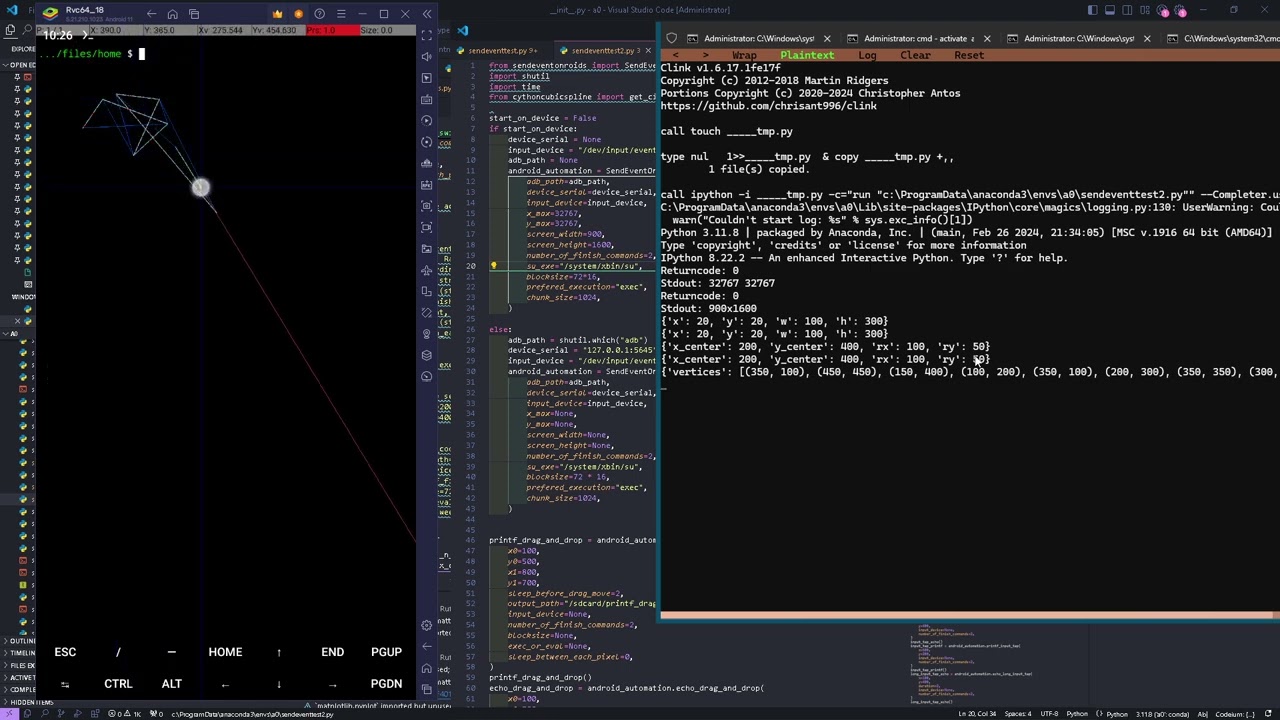
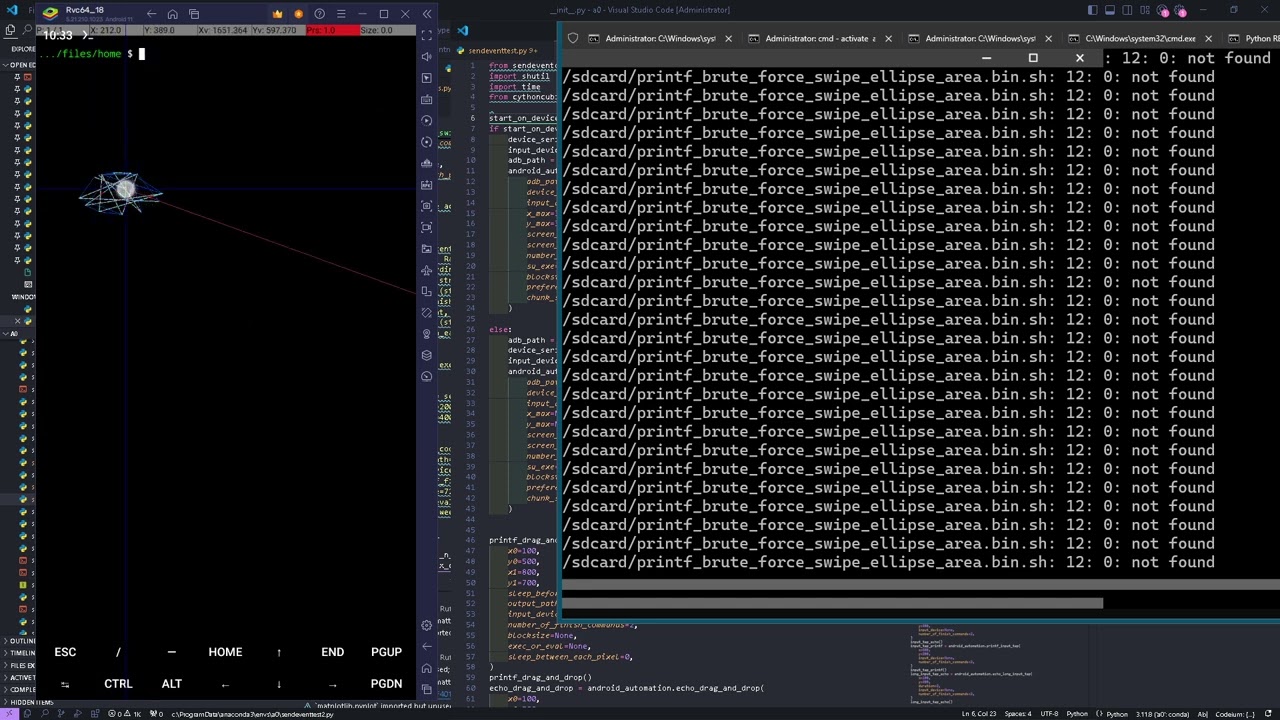
Execution directly on the emulator (code below - start_on_device=True)
from sendeventonroids import SendEventOnRoids, modulecfg
import shutil
import time
from cythoncubicspline import get_circle_coordinates

start_on_device = False
if start_on_device:
    device_serial = None
    input_device = "/dev/input/event4"
    adb_path = None
    android_automation = SendEventOnRoids(
        adb_path=adb_path,
        device_serial=device_serial,
        input_device=input_device,
        x_max=32767,
        y_max=32767,
        screen_width=900,
        screen_height=1600,
        number_of_finish_commands=2,
        su_exe="/system/xbin/su",
        blocksize=72 * 16,
        prefered_execution="exec",
        chunk_size=1024,
    )

else:
    adb_path = shutil.which("adb")
    device_serial = "127.0.0.1:5645"
    input_device = "/dev/input/event4"
    android_automation = SendEventOnRoids(
        adb_path=adb_path,
        device_serial=device_serial,
        input_device=input_device,
        x_max=None,
        y_max=None,
        screen_width=None,
        screen_height=None,
        number_of_finish_commands=2,
        su_exe="/system/xbin/su",
        blocksize=72 * 16,
        prefered_execution="exec",
        chunk_size=1024,
    )


printf_drag_and_drop = android_automation.printf_drag_and_drop(
    x0=100,
    y0=500,
    x1=800,
    y1=700,
    sleep_before_drag_move=2,
    output_path="/sdcard/printf_drag_and_drop.bin",
    input_device=None,
    number_of_finish_commands=2,
    blocksize=None,
    exec_or_eval=None,
    sleep_between_each_pixel=0,
)
printf_drag_and_drop()
echo_drag_and_drop = android_automation.echo_drag_and_drop(
    x0=100,
    y0=500,
    x1=800,
    y1=700,
    sleep_before_drag_move=2,
    output_path="/sdcard/echo_drag_and_drop.bin",
    input_device=None,
    number_of_finish_commands=2,
    blocksize=None,
    exec_or_eval=None,
    sleep_between_each_pixel=0,
)
echo_drag_and_drop()
printf_swipe_through_a_couple_of_coordinates = (
    android_automation.printf_swipe_through_a_couple_of_coordinates(
        coordinates=[
            (150, 150),
            (550, 450),
            (650, 350),
            (750, 1200),
            (250, 200),
        ],
        output_path="/sdcard/printf_swipe_through_a_couple_of_coordinates.bin",
        input_device=None,
        number_of_finish_commands=2,
        blocksize=None,
        exec_or_eval=None,
        sleep_between_each_pixel=0,
    )
)
printf_swipe_through_a_couple_of_coordinates()

echo_swipe_through_a_couple_of_coordinates = (
    android_automation.echo_swipe_through_a_couple_of_coordinates(
        coordinates=[
            (10, 11),
            (100, 100),
            (500, 300),
            (600, 200),
            (700, 1100),
            (200, 100),
        ],
        output_path="/sdcard/echo_swipe_through_a_couple_of_coordinates.bin",
        input_device=None,
        number_of_finish_commands=2,
        blocksize=None,
        exec_or_eval=None,
        sleep_between_each_pixel=0,
    )
)
echo_swipe_through_a_couple_of_coordinates()

swipecmd = android_automation.printf_swipe_from_one_coordinate_to_another(
    x0=100,
    y0=500,
    x1=200,
    y1=700,
    output_path="/sdcard/printf_swipe_from_one_coordinate_to_another.bin",
    input_device=None,
    number_of_finish_commands=2,
    blocksize=None,
    exec_or_eval=None,
    sleep_between_each_pixel=0,
)
swipecmd()
swipecmd = android_automation.echo_swipe_from_one_coordinate_to_another(
    x0=10,
    y0=50,
    x1=200,
    y1=300,
    output_path="/sdcard/echo_swipe_from_one_coordinate_to_another.bin",
    input_device=None,
    number_of_finish_commands=2,
    blocksize=None,
    exec_or_eval=None,
    sleep_between_each_pixel=0,
)
swipecmd()

input_tap_echo = android_automation.echo_input_tap(
    x=300,
    y=400,
    input_device=None,
    number_of_finish_commands=2,
)
input_tap_echo()
input_tap_printf = android_automation.printf_input_tap(
    x=600,
    y=200,
    input_device=None,
    number_of_finish_commands=2,
)
input_tap_printf()
long_input_tap_echo = android_automation.echo_long_input_tap(
    x=100,
    y=400,
    duration=2,
    input_device=None,
    number_of_finish_commands=2,
)
long_input_tap_echo()
time.sleep(1)
input_tap_echo()
input_tap_printf()
time.sleep(1)
long_input_tap_printf = android_automation.printf_long_input_tap(
    x=600,
    y=600,
    duration=2,
    input_device=None,
    number_of_finish_commands=2,
)
long_input_tap_printf()
input_tap_printf()
input_tap_printf()

circle_coords = get_circle_coordinates(x=500, y=500, r=30)

printf_swipe_through_continuous_coordinates = (
    android_automation.printf_swipe_through_continuous_coordinates(
        coordinates=circle_coords,
        output_path="/sdcard/printf_swipe_through_continuous_coordinates.bin",
        input_device=None,
        number_of_finish_commands=2,
        blocksize=None,
        exec_or_eval=None,
        sleep_between_each_pixel=0,
    )
)
printf_swipe_through_continuous_coordinates()
input_tap_printf()
echo_swipe_through_continuous_coordinates = (
    android_automation.echo_swipe_through_continuous_coordinates(
        coordinates=circle_coords,
        output_path="/sdcard/echo_swipe_through_continuous_coordinates.bin",
        input_device=None,
        number_of_finish_commands=2,
        blocksize=None,
        exec_or_eval=None,
        sleep_between_each_pixel=0,
    )
)
echo_swipe_through_continuous_coordinates()

exampledata = android_automation.echo_brute_force_swipe_rectangle_area(
    x=20,
    y=20,
    width=100,
    height=300,
    numer_of_coordinates=30,
    output_path="/sdcard/echo_brute_force_swipe_rectangle_area.bin",
    input_device=None,
    number_of_finish_commands=2,
    blocksize=None,
    exec_or_eval=None,
    sleep_between_each_pixel=0,
)
exampledata()
exampledata = android_automation.printf_brute_force_swipe_rectangle_area(
    x=20,
    y=20,
    width=100,
    height=300,
    numer_of_coordinates=30,
    output_path="/sdcard/printf_brute_force_swipe_rectangle_area.bin",
    input_device=None,
    number_of_finish_commands=2,
    blocksize=None,
    exec_or_eval=None,
    sleep_between_each_pixel=0,
)
exampledata()
exampledata = android_automation.echo_brute_force_swipe_ellipse_area(
    x_center=200,
    y_center=400,
    rx=100,
    ry=50,
    numer_of_coordinates=30,
    output_path="/sdcard/echo_brute_force_swipe_ellipse_area.bin",
    input_device=None,
    number_of_finish_commands=2,
    blocksize=None,
    exec_or_eval=None,
    sleep_between_each_pixel=0,
)
exampledata()
exampledata = android_automation.printf_brute_force_swipe_ellipse_area(
    x_center=200,
    y_center=400,
    rx=100,
    ry=50,
    numer_of_coordinates=30,
    output_path="/sdcard/printf_brute_force_swipe_ellipse_area.bin",
    input_device=None,
    number_of_finish_commands=2,
    blocksize=None,
    exec_or_eval=None,
    sleep_between_each_pixel=0,
)
exampledata()
exampledata = android_automation.echo_brute_force_swipe_polygon_area(
    vertices=[
        (350, 100),
        (450, 450),
        (150, 400),
        (100, 200),
        (350, 100),
        (200, 300),
        (350, 350),
        (300, 200),
        (200, 300),
    ],
    numer_of_coordinates=30,
    output_path="/sdcard/echo_brute_force_swipe_polygon_area.bin",
    input_device=None,
    number_of_finish_commands=2,
    blocksize=None,
    exec_or_eval=None,
    sleep_between_each_pixel=0,
)
exampledata()
exampledata = android_automation.printf_brute_force_swipe_polygon_area(
    vertices=[
        (350, 100),
        (450, 450),
        (150, 400),
        (100, 200),
        (350, 100),
        (200, 300),
        (350, 350),
        (300, 200),
        (200, 300),
    ],
    numer_of_coordinates=30,
    output_path="/sdcard/printf_brute_force_swipe_polygon_area.bin",
    input_device=None,
    number_of_finish_commands=2,
    blocksize=None,
    exec_or_eval=None,
    sleep_between_each_pixel=0,
)
exampledata()
exampledata = android_automation.echo_brute_force_swipe_circle_area(
    x=500,
    y=500,
    radius=150,
    numer_of_coordinates=30,
    output_path="/sdcard/echo_brute_force_swipe_circle_area.bin",
    input_device=None,
    number_of_finish_commands=2,
    blocksize=None,
    exec_or_eval=None,
    sleep_between_each_pixel=0,
)
exampledata()
exampledata = android_automation.printf_brute_force_swipe_circle_area(
    x=500,
    y=500,
    radius=150,
    numer_of_coordinates=30,
    output_path="/sdcard/printf_brute_force_swipe_circle_area.bin",
    input_device=None,
    number_of_finish_commands=2,
    blocksize=None,
    exec_or_eval=None,
    sleep_between_each_pixel=0,
)
exampledata()
class SendEventOnRoids(builtins.object)
| SendEventOnRoids(adb_path=None, device_serial=None, input_device='/dev/input/event4', x_max=None, y_max=None, screen_width=None, screen_height=None, number_of_finish_commands=2, su_exe='su', blocksize=72, prefered_execution: Literal['exec', 'eval'] = 'exec', chunk_size=1024) -> None
|
| This module provides tools for handling advanced commands for simulating user inputs on Android devices.
| It includes two main classes:
|
| 1. CodeExec: Executes shell commands on the Android device via adb.
| 2. SendEventOnRoids: Handles advanced gestures and command sequences such as taps, swipes, and drags using adb commands.
|
| Classes:
| CodeExec: Manages and executes a single adb command.
| SendEventOnRoids: Facilitates the creation of complex adb command sequences.
|
| Methods defined here:
|
| __init__(self, adb_path=None, device_serial=None, input_device='/dev/input/event4', x_max=None, y_max=None, screen_width=None, screen_height=None, number_of_finish_commands=2, su_exe='su', blocksize=72, prefered_execution: Literal['exec', 'eval'] = 'exec', chunk_size=1024) -> None
| Initializes an instance of SendEventOnRoids, setting up the Android Debug Bridge (ADB) environment
| for executing touch and swipe commands on a connected Android device.
|
| Args:
| adb_path (str, optional): The full path to the adb executable. If None, it will assume adb is in the system path.
| device_serial (str, optional): The serial number of the target Android device. If None, ADB commands will target the only connected device.
| input_device (str, optional): The device file for the input device in the Android filesystem. Defaults to '/dev/input/event4', commonly used for touchscreen inputs.
| x_max (int, optional): The maximum x-coordinate for the device's touchscreen. Needed for coordinate scaling.
| y_max (int, optional): The maximum y-coordinate for the device's touchscreen. Needed for coordinate scaling.
| screen_width (int, optional): The actual screen width in pixels of the Android device.
| screen_height (int, optional): The actual screen height in pixels of the Android device.
| number_of_finish_commands (int, optional): The number of 'finish' commands (zero bytes) to send after executing touch or swipe actions. This helps ensure that all actions are registered correctly on the device.
| su_exe (str, optional): The command to execute 'superuser' actions, always needed. Defaults to 'su'.
| blocksize (int, optional): The size of each block of data sent in a command, this controls the speed of the command, ajust it in steps of 72.
| prefered_execution (str, optional): Preferred method of executing the ADB commands, can be 'exec' (default) or 'eval' (slower) for evaluating expressions.
| chunk_size (int, optional): The size of data chunks processed at one time during execution, relevant when handling large sets of commands or data (swipes).
|
| Example:
| start_on_device = False
| if start_on_device: # you can do that if you installed python as root on your device -> https://github.com/hansalemaos/termuxfree
| device_serial = None
| input_device = "/dev/input/event4"
| adb_path = None
| android_automation = SendEventOnRoids(
| adb_path=adb_path,
| device_serial=device_serial,
| input_device=input_device,
| x_max=32767,
| y_max=32767,
| screen_width=900,
| screen_height=1600,
| number_of_finish_commands=2,
| su_exe="/system/xbin/su",
| blocksize=72,
| prefered_execution="exec",
| chunk_size=1024,
| )
|
| else: # via adb
| adb_path = shutil.which("adb")
| device_serial = "127.0.0.1:5645"
| input_device = "/dev/input/event4"
| android_automation = SendEventOnRoids(
| adb_path=adb_path,
| device_serial=device_serial,
| input_device=input_device,
| x_max=None,
| y_max=None,
| screen_width=None,
| screen_height=None,
| number_of_finish_commands=2,
| su_exe="/system/xbin/su",
| blocksize=72,
| prefered_execution="exec",
| chunk_size=1024,
| )
|
| echo_brute_force_swipe_circle_area(self, x, y, radius, numer_of_coordinates=100, output_path='/sdcard/echo_brute_force_swipe_circle_area.bin', input_device=None, number_of_finish_commands=2, blocksize=None, exec_or_eval=None, sleep_between_each_pixel=0)
| Simulates a swipe over a circular area by generating multiple coordinates along the circumference of the circle using echo commands.
|
| Args:
| x, y (int): Center coordinates of the circle.
| radius (int): Radius of the circle.
| numer_of_coordinates (int): Number of coordinates to generate along the circle for swiping.
| output_path (str): Path on the device to store the command data.
| input_device (str, optional): The input device path in the Android system. Defaults to class attribute.
| number_of_finish_commands (int): Number of times to finalize the command.
| blocksize (int, optional): Size of data blocks to write in each action. Defaults to class attribute.
| exec_or_eval (str, optional): Execution method, can be 'exec' or 'eval'. Defaults to class attribute.
| sleep_between_each_pixel (int, optional): Sleep duration in seconds between swipe actions.
|
| Returns:
| CodeExec: An executable command object ready to be executed.
|
| Example:
| exampledata = self.echo_brute_force_swipe_circle_area(
| x=500,
| y=500,
| radius=150,
| numer_of_coordinates=30,
| output_path="/sdcard/echo_brute_force_swipe_circle_area.bin",
| input_device=None,
| number_of_finish_commands=2,
| blocksize=72 * 8,
| exec_or_eval=None,
| sleep_between_each_pixel=0,
| )
| exampledata()
|
| echo_brute_force_swipe_ellipse_area(self, x_center, y_center, rx, ry, numer_of_coordinates=100, output_path='/sdcard/echo_brute_force_swipe_ellipse_area.bin', input_device=None, number_of_finish_commands=2, blocksize=None, exec_or_eval=None, sleep_between_each_pixel=0)
| Simulates a swipe across an elliptical area by generating numerous coordinates within the ellipse and executing echo commands for each.
|
| Args:
| x_center, y_center (int): Center coordinates of the ellipse.
| rx, ry (int): Radii of the ellipse along the x and y axes.
| numer_of_coordinates (int): Number of coordinates to generate within the ellipse for swiping.
| output_path (str): Path on the device to store the command data.
| input_device (str, optional): The input device path in the Android system. Defaults to class attribute.
| number_of_finish_commands (int): Number of times to finalize the command.
| blocksize (int, optional): Size of data blocks to write in each action. Defaults to class attribute.
| exec_or_eval (str, optional): Execution method, can be 'exec' or 'eval'. Defaults to class attribute.
| sleep_between_each_pixel (int, optional): Sleep duration in seconds between swipe actions.
|
| Returns:
| CodeExec: An executable command object ready to be executed.
|
| Example:
| exampledata = self.echo_brute_force_swipe_ellipse_area(
| x_center=200,
| y_center=400,
| rx=100,
| ry=50,
| numer_of_coordinates=30,
| output_path="/sdcard/echo_brute_force_swipe_ellipse_area.bin",
| input_device=None,
| number_of_finish_commands=2,
| blocksize=72 * 8,
| exec_or_eval=None,
| sleep_between_each_pixel=0,
| )
| exampledata()
|
| echo_brute_force_swipe_polygon_area(self, vertices, numer_of_coordinates=100, output_path='/sdcard/echo_brute_force_swipe_polygon_area.bin', input_device=None, number_of_finish_commands=2, blocksize=None, exec_or_eval=None, sleep_between_each_pixel=0)
| Simulates a swipe over a polygonal area by generating multiple coordinates along the edges defined by the given vertices using echo commands.
|
| Args:
| vertices (list of tuple): List of (x, y) tuples defining the vertices of the polygon.
| numer_of_coordinates (int): Number of coordinates to generate along the polygon for swiping.
| output_path (str): Path on the device to store the command data.
| input_device (str, optional): The input device path in the Android system. Defaults to class attribute.
| number_of_finish_commands (int): Number of times to finalize the command.
| blocksize (int, optional): Size of data blocks to write in each action. Defaults to class attribute.
| exec_or_eval (str, optional): Execution method, can be 'exec' or 'eval'. Defaults to class attribute.
| sleep_between_each_pixel (int, optional): Sleep duration in seconds between swipe actions.
|
| Returns:
| CodeExec: An executable command object ready to be executed.
|
| Example:
| exampledata = self.echo_brute_force_swipe_polygon_area(
| vertices=[
| (350, 100),
| (450, 450),
| (150, 400),
| (100, 200),
| (350, 100),
| (200, 300),
| (350, 350),
| (300, 200),
| (200, 300),
| ],
| numer_of_coordinates=30,
| output_path="/sdcard/echo_brute_force_swipe_polygon_area.bin",
| input_device=None,
| number_of_finish_commands=2,
| blocksize=72 * 8,
| exec_or_eval=None,
| sleep_between_each_pixel=0,
| )
| exampledata()
|
| echo_brute_force_swipe_rectangle_area(self, x, y, width, height, numer_of_coordinates=100, output_path='/sdcard/echo_brute_force_swipe_rectangle_area.bin', input_device=None, number_of_finish_commands=2, blocksize=None, exec_or_eval=None, sleep_between_each_pixel=0)
| Simulates a swipe across a rectangular area, generating numerous coordinates within the rectangle and executing echo commands for each.
|
| Args:
| x, y (int): Top-left corner of the rectangle.
| width, height (int): Dimensions of the rectangle.
| numer_of_coordinates (int): Number of coordinates to generate within the rectangle for swiping.
| output_path (str): Path on the device to store the command data.
| input_device (str, optional): The input device path in the Android system. Defaults to class attribute.
| number_of_finish_commands (int): Number of times to finalize the command.
| blocksize (int, optional): Size of data blocks to write in each action. Defaults to class attribute.
| exec_or_eval (str, optional): Execution method, can be 'exec' or 'eval'. Defaults to class attribute.
| sleep_between_each_pixel (int, optional): Sleep duration in seconds between swipe actions.
|
| Returns:
| CodeExec: An executable command object ready to be executed.
|
| Example:
| exampledata = self.echo_brute_force_swipe_rectangle_area(
| x=20,
| y=20,
| width=100,
| height=300,
| numer_of_coordinates=30,
| output_path="/sdcard/echo_brute_force_swipe_rectangle_area.bin",
| input_device=None,
| number_of_finish_commands=2,
| blocksize=72 * 8,
| exec_or_eval=None,
| sleep_between_each_pixel=0,
| )
| exampledata()
|
| echo_drag_and_drop(self, x0, y0, x1, y1, sleep_before_drag_move=2, output_path='/sdcard/echo_drag_and_drop.bin', input_device=None, number_of_finish_commands=2, blocksize=None, exec_or_eval=None, sleep_between_each_pixel=0)
| Simulates a drag-and-drop action from one coordinate to another using echo commands.
|
| Args:
| x0, y0 (int): Starting coordinates of the drag.
| x1, y1 (int): Ending coordinates of the drag.
| sleep_before_drag_move (int): Sleep duration in seconds before starting the drag move.
| output_path (str): Path on the device to store the command data.
| input_device (str, optional): The input device path in the Android system. Defaults to class attribute.
| number_of_finish_commands (int): Number of times to finalize the command.
| blocksize (int, optional): Size of data blocks to write in each action. Defaults to class attribute.
| exec_or_eval (str, optional): Execution method, can be 'exec' or 'eval'. Defaults to class attribute.
| sleep_between_each_pixel (int, optional): Sleep duration in seconds between drag actions.
|
| Returns:
| CodeExec: An executable command object ready to be executed.
|
| Example:
| echo_drag_and_drop = self.echo_drag_and_drop(
| x0=100,
| y0=500,
| x1=800,
| y1=700,
| sleep_before_drag_move=2,
| output_path="/sdcard/echo_drag_and_drop.bin",
| input_device=None,
| number_of_finish_commands=2,
| blocksize=4 * 72,
| exec_or_eval=None,
| sleep_between_each_pixel=0,
| )
| echo_drag_and_drop()
|
| echo_input_tap(self, x, y, input_device=None, number_of_finish_commands=2)
| Simulates a tap on the Android device at a specified (x, y) coordinate using echo commands
|
| Args:
| x (int): X-coordinate where the tap will occur.
| y (int): Y-coordinate where the tap will occur.
| input_device (str, optional): The input device path in the Android system. Defaults to class attribute.
| number_of_finish_commands (int): How many times the command should finalize (sending zero bytes). Defaults to 2.
|
| Returns:
| CodeExec: An executable command object ready to be executed.
|
| Example:
| input_tap_echo = self.echo_input_tap(
| x=300,
| y=400,
| input_device=None,
| number_of_finish_commands=2,
| )
| input_tap_echo()
|
| echo_long_input_tap(self, x, y, duration=2, input_device=None, number_of_finish_commands=2)
| Simulates a long tap on the Android device at a specified (x, y) coordinate using echo commands
|
| Args:
| x (int): X-coordinate where the long tap will occur.
| y (int): Y-coordinate where the long tap will occur.
| duration (int): Duration of the long tap in seconds. Defaults to 2 seconds.
| input_device (str, optional): The input device path in the Android system. Defaults to class attribute.
| number_of_finish_commands (int): How many times the command should finalize (sending zero bytes). Defaults to 2.
|
| Returns:
| CodeExec: An executable command object ready to be executed.
|
| Example:
| long_input_tap_echo = self.echo_long_input_tap(
| x=100,
| y=400,
| duration=2,
| input_device=None,
| number_of_finish_commands=2,
| )
| long_input_tap_echo()
|
| echo_swipe_from_one_coordinate_to_another(self, x0, y0, x1, y1, output_path='/sdcard/echo_swipe_from_one_coordinate_to_another.bin', input_device=None, number_of_finish_commands=2, blocksize=None, exec_or_eval=None, sleep_between_each_pixel=0)
|
| echo_swipe_through_a_couple_of_coordinates(self, coordinates, output_path='/sdcard/echo_swipe_through_a_couple_of_coordinates.bin', input_device=None, number_of_finish_commands=2, blocksize=None, exec_or_eval=None, sleep_between_each_pixel=0)
| Executes a swipe through a set of specified coordinates using echo commands, suitable for drawing arbitrary paths on the device screen.
|
| Args:
| coordinates (list of tuple): List of (x, y) coordinates to swipe through.
| output_path (str): Path on the device to store the swipe command data.
| input_device (str, optional): The input device path in the Android system. Defaults to class attribute.
| number_of_finish_commands (int): Number of times to finalize the command.
| blocksize (int, optional): Size of data blocks to write in each swipe. Defaults to class attribute.
| exec_or_eval (str, optional): Execution method, can be 'exec' or 'eval'. Defaults to class attribute.
| sleep_between_each_pixel (int, optional): Sleep duration in seconds between swipe actions.
|
| Returns:
| CodeExec: An executable command object ready to be executed.
|
| Example:
| echo_swipe_through_a_couple_of_coordinates = (
| self.echo_swipe_through_a_couple_of_coordinates(
| coordinates=[
| (10, 11),
| (100, 100),
| (500, 300),
| (600, 200),
| (700, 1100),
| (200, 100),
| ],
| output_path="/sdcard/echo_swipe_through_a_couple_of_coordinates.bin",
| input_device=None,
| number_of_finish_commands=2,
| blocksize=10 * 72,
| exec_or_eval=None,
| sleep_between_each_pixel=0,
| )
| )
| echo_swipe_through_a_couple_of_coordinates()
|
| echo_swipe_through_continuous_coordinates(self, coordinates, output_path='/sdcard/echo_swipe_through_continuous_coordinates.bin', input_device=None, number_of_finish_commands=2, blocksize=None, exec_or_eval=None, sleep_between_each_pixel=0)
| Executes a swipe through a sequence of continuous coordinates using echo commands.
|
| Args:
| coordinates (list of tuple): List of (x, y) coordinates to swipe through.
| output_path (str): Path on the device to store the swipe command data.
| input_device (str, optional): The input device path in the Android system. Defaults to class attribute.
| number_of_finish_commands (int): Number of times to finalize the command.
| blocksize (int, optional): Size of data blocks to write in each swipe. Defaults to class attribute.
| exec_or_eval (str, optional): Execution method, can be 'exec' or 'eval'. Defaults to class attribute.
| sleep_between_each_pixel (int, optional): Sleep duration in seconds between swipe actions.
|
| Returns:
| CodeExec: An executable command object ready to be executed.
|
| Example:
| echo_swipe_through_continuous_coordinates = (
| self.echo_swipe_through_continuous_coordinates(
| coordinates=circle_coords,
| output_path="/sdcard/echo_swipe_through_continuous_coordinates.bin",
| input_device=None,
| number_of_finish_commands=2,
| blocksize=72 * 10,
| exec_or_eval=None,
| sleep_between_each_pixel=0,
| )
| )
| echo_swipe_through_continuous_coordinates()
|
| printf_brute_force_swipe_circle_area(self, x, y, radius, numer_of_coordinates=100, output_path='/sdcard/printf_brute_force_swipe_circle_area.bin', input_device=None, number_of_finish_commands=2, blocksize=None, exec_or_eval=None, sleep_between_each_pixel=0)
| Simulates a swipe over a circular area by generating multiple coordinates along the circumference of the circle using printf commands.
|
| Args:
| x, y (int): Center coordinates of the circle.
| radius (int): Radius of the circle.
| numer_of_coordinates (int): Number of coordinates to generate along the circle for swiping.
| output_path (str): Path on the device to store the command data.
| input_device (str, optional): The input device path in the Android system. Defaults to class attribute.
| number_of_finish_commands (int): Number of times to finalize the command.
| blocksize (int, optional): Size of data blocks to write in each action. Defaults to class attribute.
| exec_or_eval (str, optional): Execution method, can be 'exec' or 'eval'. Defaults to class attribute.
| sleep_between_each_pixel (int, optional): Sleep duration in seconds between swipe actions.
|
| Returns:
| CodeExec: An executable command object ready to be executed.
|
| Example:
| exampledata = self.printf_brute_force_swipe_circle_area(
| x=500,
| y=500,
| radius=150,
| numer_of_coordinates=30,
| output_path="/sdcard/printf_brute_force_swipe_circle_area.bin",
| input_device=None,
| number_of_finish_commands=2,
| blocksize=72 * 8,
| exec_or_eval=None,
| sleep_between_each_pixel=0,
| )
| exampledata()
|
| printf_brute_force_swipe_ellipse_area(self, x_center, y_center, rx, ry, numer_of_coordinates=100, output_path='/sdcard/printf_brute_force_swipe_ellipse_area.bin', input_device=None, number_of_finish_commands=2, blocksize=None, exec_or_eval=None, sleep_between_each_pixel=0)
| Simulates a swipe across an elliptical area by generating numerous coordinates within the ellipse and executing printf commands for each.
|
| Args:
| x_center, y_center (int): Center coordinates of the ellipse.
| rx, ry (int): Radii of the ellipse along the x and y axes.
| numer_of_coordinates (int): Number of coordinates to generate within the ellipse for swiping.
| output_path (str): Path on the device to store the command data.
| input_device (str, optional): The input device path in the Android system. Defaults to class attribute.
| number_of_finish_commands (int): Number of times to finalize the command.
| blocksize (int, optional): Size of data blocks to write in each action. Defaults to class attribute.
| exec_or_eval (str, optional): Execution method, can be 'exec' or 'eval'. Defaults to class attribute.
| sleep_between_each_pixel (int, optional): Sleep duration in seconds between swipe actions.
|
| Returns:
| CodeExec: An executable command object ready to be executed.
|
| Example:
| exampledata = self.printf_brute_force_swipe_ellipse_area(
| x_center=200,
| y_center=400,
| rx=100,
| ry=50,
| numer_of_coordinates=30,
| output_path="/sdcard/printf_brute_force_swipe_ellipse_area.bin",
| input_device=None,
| number_of_finish_commands=2,
| blocksize=72 * 8,
| exec_or_eval=None,
| sleep_between_each_pixel=0,
| )
| exampledata()
|
| printf_brute_force_swipe_polygon_area(self, vertices, numer_of_coordinates=100, output_path='/sdcard/printf_brute_force_swipe_polygon_area.bin', input_device=None, number_of_finish_commands=2, blocksize=None, exec_or_eval=None, sleep_between_each_pixel=0)
| Simulates a swipe over a polygonal area by generating multiple coordinates along the edges defined by the given vertices using printf commands.
|
| Args:
| vertices (list of tuple): List of (x, y) tuples defining the vertices of the polygon.
| numer_of_coordinates (int): Number of coordinates to generate along the polygon for swiping.
| output_path (str): Path on the device to store the command data.
| input_device (str, optional): The input device path in the Android system. Defaults to class attribute.
| number_of_finish_commands (int): Number of times to finalize the command.
| blocksize (int, optional): Size of data blocks to write in each action. Defaults to class attribute.
| exec_or_eval (str, optional): Execution method, can be 'exec' or 'eval'. Defaults to class attribute.
| sleep_between_each_pixel (int, optional): Sleep duration in seconds between swipe actions.
|
| Returns:
| CodeExec: An executable command object ready to be executed.
|
| Example:
| exampledata = self.printf_brute_force_swipe_polygon_area(
| vertices=[
| (350, 100),
| (450, 450),
| (150, 400),
| (100, 200),
| (350, 100),
| (200, 300),
| (350, 350),
| (300, 200),
| (200, 300),
| ],
| numer_of_coordinates=30,
| output_path="/sdcard/printf_brute_force_swipe_polygon_area.bin",
| input_device=None,
| number_of_finish_commands=2,
| blocksize=72 * 8,
| exec_or_eval=None,
| sleep_between_each_pixel=0,
| )
| exampledata()
|
| printf_brute_force_swipe_rectangle_area(self, x, y, width, height, numer_of_coordinates=100, output_path='/sdcard/printf_brute_force_swipe_rectangle_area.bin', input_device=None, number_of_finish_commands=2, blocksize=None, exec_or_eval=None, sleep_between_each_pixel=0)
| Simulates a swipe across a rectangular area, generating numerous coordinates within the rectangle and executing printf commands for each.
|
| Args:
| x, y (int): Top-left corner of the rectangle.
| width, height (int): Dimensions of the rectangle.
| numer_of_coordinates (int): Number of coordinates to generate within the rectangle for swiping.
| output_path (str): Path on the device to store the command data.
| input_device (str, optional): The input device path in the Android system. Defaults to class attribute.
| number_of_finish_commands (int): Number of times to finalize the command.
| blocksize (int, optional): Size of data blocks to write in each action. Defaults to class attribute.
| exec_or_eval (str, optional): Execution method, can be 'exec' or 'eval'. Defaults to class attribute.
| sleep_between_each_pixel (int, optional): Sleep duration in seconds between swipe actions.
|
| Returns:
| CodeExec: An executable command object ready to be executed.
|
| Example:
| exampledata = self.printf_brute_force_swipe_rectangle_area(
| x=20,
| y=20,
| width=100,
| height=300,
| numer_of_coordinates=30,
| output_path="/sdcard/printf_brute_force_swipe_rectangle_area.bin",
| input_device=None,
| number_of_finish_commands=2,
| blocksize=72 * 8,
| exec_or_eval=None,
| sleep_between_each_pixel=0,
| )
| exampledata()
|
| printf_drag_and_drop(self, x0, y0, x1, y1, sleep_before_drag_move=2, output_path='/sdcard/printf_drag_and_drop.bin', input_device=None, number_of_finish_commands=2, blocksize=None, exec_or_eval=None, sleep_between_each_pixel=0)
| Simulates a drag-and-drop action from one coordinate to another using printf commands.
|
| Args:
| x0, y0 (int): Starting coordinates of the drag.
| x1, y1 (int): Ending coordinates of the drag.
| sleep_before_drag_move (int): Sleep duration in seconds before starting the drag move.
| output_path (str): Path on the device to store the command data.
| input_device (str, optional): The input device path in the Android system. Defaults to class attribute.
| number_of_finish_commands (int): Number of times to finalize the command.
| blocksize (int, optional): Size of data blocks to write in each action. Defaults to class attribute.
| exec_or_eval (str, optional): Execution method, can be 'exec' or 'eval'. Defaults to class attribute.
| sleep_between_each_pixel (int, optional): Sleep duration in seconds between drag actions.
|
| Returns:
| CodeExec: An executable command object ready to be executed.
|
| Example:
| printf_drag_and_drop = self.printf_drag_and_drop(
| x0=100,
| y0=500,
| x1=800,
| y1=700,
| sleep_before_drag_move=2,
| output_path="/sdcard/printf_drag_and_drop.bin",
| input_device=None,
| number_of_finish_commands=2,
| blocksize=4 * 72,
| exec_or_eval=None,
| sleep_between_each_pixel=0,
| )
| printf_drag_and_drop()
|
| printf_input_tap(self, x, y, input_device=None, number_of_finish_commands=2)
| Simulates a tap on the Android device at a specified (x, y) coordinate using printf commands.
|
| Args:
| x (int): X-coordinate where the tap will occur.
| y (int): Y-coordinate where the tap will occur.
| input_device (str, optional): The input device path in the Android system. Defaults to class attribute.
| number_of_finish_commands (int): How many times the command should finalize (sending zero bytes). Defaults to 2.
|
| Returns:
| CodeExec: An executable command object ready to be executed.
|
| Example:
| input_tap_printf = self.printf_input_tap(
| x=600,
| y=200,
| input_device=None,
| number_of_finish_commands=2,
| )
| input_tap_printf()
|
| printf_long_input_tap(self, x, y, duration=2, input_device=None, number_of_finish_commands=2)
| Simulates a long tap on the Android device at a specified (x, y) coordinate using printf commands via adb.
|
| Args:
| x (int): X-coordinate where the long tap will occur.
| y (int): Y-coordinate where the long tap will occur.
| duration (int): Duration of the long tap in seconds. Defaults to 2 seconds.
| input_device (str, optional): The input device path in the Android system. Defaults to class attribute.
| number_of_finish_commands (int): How many times the command should finalize (sending zero bytes). Defaults to 2.
|
| Returns:
| CodeExec: An executable command object ready to be executed.
|
| Example:
| long_input_tap_printf = self.printf_long_input_tap(
| x=600,
| y=600,
| duration=2,
| input_device=None,
| number_of_finish_commands=2,
| )
| long_input_tap_printf()
|
| printf_swipe_from_one_coordinate_to_another(self, x0, y0, x1, y1, output_path='/sdcard/printf_swipe_from_one_coordinate_to_another.bin', input_device=None, number_of_finish_commands=2, blocksize=None, exec_or_eval=None, sleep_between_each_pixel=0)
| Executes a swipe action from one coordinate (x0, y0) to another (x1, y1) using printf commands.
|
| Args:
| x0, y0 (int): Starting coordinates of the swipe.
| x1, y1 (int): Ending coordinates of the swipe.
| output_path (str): Path on the device to store the command data.
| input_device (str, optional): The input device path in the Android system. Defaults to class attribute.
| number_of_finish_commands (int): Number of times to finalize the command.
| blocksize (int, optional): Size of data blocks to write in each action. Defaults to class attribute.
| exec_or_eval (str, optional): Execution method, can be 'exec' or 'eval'. Defaults to class attribute.
| sleep_between_each_pixel (int, optional): Sleep duration in seconds between swipe actions.
|
| Returns:
| CodeExec: An executable command object ready to be executed.
|
| Example:
| swipecmd = self.printf_swipe_from_one_coordinate_to_another(
| x0=100,
| y0=500,
| x1=200,
| y1=700,
| output_path="/sdcard/printf_swipe_from_one_coordinate_to_another.bin",
| input_device=None,
| number_of_finish_commands=2,
| blocksize=None,
| exec_or_eval=None,
| sleep_between_each_pixel=0,
| )
| swipecmd()
|
| printf_swipe_through_a_couple_of_coordinates(self, coordinates, output_path='/sdcard/printf_swipe_through_a_couple_of_coordinates.bin', input_device=None, number_of_finish_commands=2, blocksize=None, exec_or_eval=None, sleep_between_each_pixel=0)
| Executes a swipe through a set of specified coordinates using printf commands, allowing for precise control over swipe paths on the device screen.
|
| Args:
| coordinates (list of tuple): List of (x, y) coordinates to swipe through.
| output_path (str): Path on the device to store the swipe command data.
| input_device (str, optional): The input device path in the Android system. Defaults to class attribute.
| number_of_finish_commands (int): Number of times to finalize the command.
| blocksize (int, optional): Size of data blocks to write in each swipe. Defaults to class attribute.
| exec_or_eval (str, optional): Execution method, can be 'exec' or 'eval'. Defaults to class attribute.
| sleep_between_each_pixel (int, optional): Sleep duration in seconds between swipe actions.
|
| Returns:
| CodeExec: An executable command object ready to be executed.
|
| Example:
| printf_swipe_through_a_couple_of_coordinates = (
| self.printf_swipe_through_a_couple_of_coordinates(
| coordinates=[
| (150, 150),
| (550, 450),
| (650, 350),
| (750, 1200),
| (250, 200),
| ],
| output_path="/sdcard/printf_swipe_through_a_couple_of_coordinates.bin",
| input_device=None,
| number_of_finish_commands=2,
| blocksize=10 * 72,
| exec_or_eval=None,
| sleep_between_each_pixel=0,
| )
| )
| printf_swipe_through_a_couple_of_coordinates()
|
| printf_swipe_through_continuous_coordinates(self, coordinates, output_path='/sdcard/printf_swipe_through_continuous_coordinates.bin', input_device=None, number_of_finish_commands=2, blocksize=None, exec_or_eval=None, sleep_between_each_pixel=0)
| Executes a swipe through a sequence of continuous coordinates using printf commands.
|
| Args:
| coordinates (list of tuple): List of (x, y) coordinates to swipe through.
| output_path (str): Path on the device to store the swipe command data.
| input_device (str, optional): The input device path in the Android system. Defaults to class attribute.
| number_of_finish_commands (int): Number of times to finalize the command.
| blocksize (int, optional): Size of data blocks to write in each swipe. Defaults to class attribute.
| exec_or_eval (str, optional): Execution method, can be 'exec' or 'eval'. Defaults to class attribute.
| sleep_between_each_pixel (int, optional): Sleep duration in seconds between swipe actions.
|
| Returns:
| CodeExec: An executable command object ready to be executed.
|
| Example:
| printf_swipe_through_continuous_coordinates = (
| self.printf_swipe_through_continuous_coordinates(
| coordinates=circle_coords,
| output_path="/sdcard/printf_swipe_through_continuous_coordinates.bin",
| input_device=None,
| number_of_finish_commands=2,
| blocksize=72 * 10,
| exec_or_eval=None,
| sleep_between_each_pixel=0,
| )
| )
| printf_swipe_through_continuous_coordinates()
|
1 maintainer

Metadata
1 maintainer
Release files for sendeventonroids 0.10
For a detailed explanation of source distributions (sdists) and built distributions (wheels), please see the package formats documentation.
Source distribution (sdist)
| File | Size | Uploaded | Provenance | Actions |
|---|---|---|---|---|
| sendeventonroids-0.10.tar.gz | 31.3 kB | Without provenance | Details for sendeventonroids-0.10.tar.gz |
Built distribution (wheel)
| File | Interpreter | ABI | Platform | Actions Reset |
|---|---|---|---|---|
| sendeventonroids-0.10-py3-none-any.whl | Python 3 | none | any | Details for sendeventonroids-0.10-py3-none-any.whl |
Total release size: 55.6 kB
Release files / sendeventonroids-0.10.tar.gz
| Download URL | sendeventonroids-0.10.tar.gz |
|---|---|
| Size | 31.3 kB |
| Tags | Source |
|
SHA-256 checksum How to use checksums |
fcde54014dd92667ddefb9721f8df9e903314587f34ea77f126927cc061910de
|
|
BLAKE2b-256 checksum How to use checksums |
64272bed2ef6bcd4b915bca4f0c5b11e313757203745f4fdd7f6d7bdc6acd50f
|
| Upload date | |
|
Uploaded using Trusted Publishing? What is trusted publishing? |
No |
| Uploaded via |
twine/4.0.2 CPython/3.11.7
|
Release files / sendeventonroids-0.10-py3-none-any.whl
| Download URL | sendeventonroids-0.10-py3-none-any.whl |
|---|---|
| Size | 24.2 kB |
| Tags | Python 3 |
|
SHA-256 checksum How to use checksums |
a6ccf8eb76f90fb1dc299dcb7f3be49b9f80cf6c5d712cca7ff843867879db80
|
|
BLAKE2b-256 checksum How to use checksums |
464ec3c971a7330ce5efa1563e8b68798089cd41847f12f1323a2dd97001d7d7
|
| Upload date | |
|
Uploaded using Trusted Publishing? What is trusted publishing? |
No |
| Uploaded via |
twine/4.0.2 CPython/3.11.7
|
Security for sendeventonroids 0.10
Provenance
Provenance describes where a file came from. On PyPI, provenance is shared via attestations, which provide a verifiable record of the build or publishing details. View details, limitations and caveats.
No provenance found
None of the files in this release were uploaded with provenance metadata.
A note on package security
PyPI is a repository for distributing packages, not a service for auditing them. While third-party security researchers and our staff do their best to detect and remove malicious packages, PyPI cannot guarantee the quality, security or suitability of any given package.
To learn more about protecting yourself from malicious actors, visit our package security documentation.













