
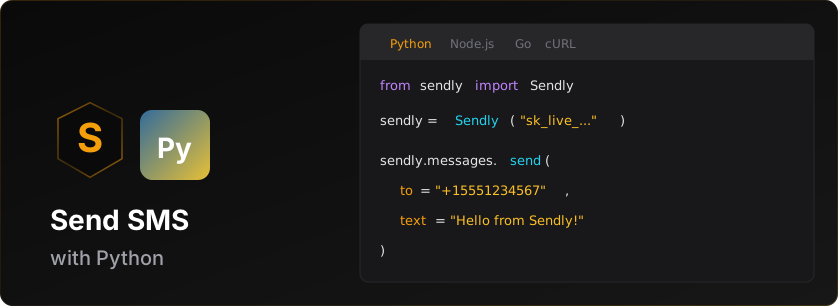


sendly
Official Python SDK for the Sendly SMS API.
Installation
# pip
pip install sendly

# poetry
poetry add sendly

# pipenv
pipenv install sendly
Requirements
- Python 3.8+
- A Sendly API key (get one here)
Quick Start
from sendly import Sendly

# Initialize with your API key
client = Sendly('sk_live_v1_your_api_key')

# Send an SMS
message = client.messages.send(
    to='+15551234567',
    text='Hello from Sendly!'
)

print(f'Message sent: {message.id}')
print(f'Status: {message.status}')
Prerequisites for Live Messaging
Before sending live SMS messages, you need:
-
Business Verification - Complete verification in the Sendly dashboard
- International: Instant approval (just provide Sender ID)
- US/Canada: Requires carrier approval (3-7 business days)
-
Credits - Add credits to your account
- Test keys (
sk_test_*) work without credits (sandbox mode) - Live keys (
sk_live_*) require credits for each message
- Test keys (
-
Live API Key - Generate after verification + credits
- Dashboard → API Keys → Create Live Key
Test vs Live Keys
| Key Type | Prefix | Credits Required | Verification Required | Use Case |
|---|---|---|---|---|
| Test | sk_test_v1_* |
No | No | Development, testing |
| Live | sk_live_v1_* |
Yes | Yes | Production messaging |
Note: You can start development immediately with a test key. Messages to sandbox test numbers are free and don't require verification.
Features
- ✅ Full type hints (PEP 484)
- ✅ Sync and async clients
- ✅ Automatic retries with exponential backoff
- ✅ Rate limit handling
- ✅ Pydantic models for data validation
- ✅ Python 3.8+ support
Usage
Sending Messages
from sendly import Sendly

client = Sendly('sk_live_v1_xxx')

# Basic usage (marketing message - default)
message = client.messages.send(
    to='+15551234567',
    text='Check out our new features!'
)

# Transactional message (bypasses quiet hours)
message = client.messages.send(
    to='+15551234567',
    text='Your verification code is: 123456',
    message_type='transactional'
)

# With custom sender ID (international)
message = client.messages.send(
    to='+447700900123',
    text='Hello from MyApp!',
    from_='MYAPP'
)

# With custom metadata (max 4KB)
message = client.messages.send(
    to='+15551234567',
    text='Your order #12345 has shipped!',
    metadata={
        'order_id': '12345',
        'customer_id': 'cust_abc'
    }
)
Listing Messages
# Get recent messages (default limit: 50)
result = client.messages.list()
print(f'Found {result.count} messages')

# Get last 10 messages
result = client.messages.list(limit=10)

# Iterate through messages
for msg in result.data:
    print(f'{msg.to}: {msg.status}')
Getting a Message
message = client.messages.get('msg_xxx')

print(f'Status: {message.status}')
print(f'Delivered: {message.delivered_at}')
Scheduling Messages
# Schedule a message for future delivery
scheduled = client.messages.schedule(
    to='+15551234567',
    text='Your appointment is tomorrow!',
    scheduled_at='2025-01-15T10:00:00Z'
)

print(f'Scheduled: {scheduled.id}')
print(f'Will send at: {scheduled.scheduled_at}')

# List scheduled messages
result = client.messages.list_scheduled()
for msg in result.data:
    print(f'{msg.id}: {msg.scheduled_at}')

# Get a specific scheduled message
msg = client.messages.get_scheduled('sched_xxx')

# Cancel a scheduled message (refunds credits)
result = client.messages.cancel_scheduled('sched_xxx')
print(f'Refunded: {result.credits_refunded} credits')
Batch Messages
# Send multiple messages in one API call (up to 1000)
batch = client.messages.send_batch(
    messages=[
        {'to': '+15551234567', 'text': 'Hello User 1!'},
        {'to': '+15559876543', 'text': 'Hello User 2!'},
        {'to': '+15551112222', 'text': 'Hello User 3!'}
    ]
)

print(f'Batch ID: {batch.batch_id}')
print(f'Status: {batch.status.value}')
print(f'Failed: {batch.failed}')
print(f'Credits used: {batch.credits_used}')

# A large batch is accepted as 'processing' with an empty messages list, so
# poll the batch for per-message results. The send response carries no queued,
# delivered, credits_reserved or created_at; get_batch and list_batches do.
status = client.messages.get_batch(batch.batch_id)
print(f'Queued: {status.queued}, delivered: {status.delivered}')
for result in status.messages:
    print(f'{result.to}: {result.status}')

# List all batches - same fields as get_batch, minus the per-message results
result = client.messages.list_batches()
for summary in result.data:
    print(f'{summary.batch_id}: {summary.queued} queued, {summary.delivered} delivered')

# Preview batch (dry run) - validates without sending
preview = client.messages.preview_batch(
    messages=[
        {'to': '+15551234567', 'text': 'Hello User 1!'},
        {'to': '+447700900123', 'text': 'Hello UK!'}
    ]
)
print(f"Credits needed: {preview['creditsNeeded']}")
print(f"Will send: {preview['willSend']}, Blocked: {preview['blocked']}")
Rate Limit Information
# After any API call, check rate limit status
client.messages.send(to='+1555...', text='Hello!')

rate_limit = client.get_rate_limit_info()
if rate_limit:
    print(f'{rate_limit.remaining}/{rate_limit.limit} requests remaining')
    print(f'Resets in {rate_limit.reset} seconds')
Async Client
For async/await support, use AsyncSendly:
import asyncio
from sendly import AsyncSendly

async def main():
    async with AsyncSendly('sk_live_v1_xxx') as client:
        # Send a message
        message = await client.messages.send(
            to='+15551234567',
            text='Hello from async!'
        )
        print(message.id)

        # List messages
        result = await client.messages.list(limit=10)
        for msg in result.data:
            print(f'{msg.to}: {msg.status}')

asyncio.run(main())
Configuration
from sendly import Sendly, SendlyConfig

# Using keyword arguments
client = Sendly(
    api_key='sk_live_v1_xxx',
    base_url='https://sendly.live/api/v1',  # Optional
    timeout=60.0,  # Optional: seconds (default: 30)
    max_retries=5  # Optional: (default: 3)
)

# Using config object
config = SendlyConfig(
    api_key='sk_live_v1_xxx',
    timeout=60.0,
    max_retries=5
)
client = Sendly(config=config)
Idempotency
POSTs carry an automatically generated Idempotency-Key, reused across the
SDK's own timeout and network-error retries, so a retry of a request that
already reached the API returns the original result instead of sending and
charging again. After a 5xx the generated key is rotated so the retry really
does run again. You do not have to do anything to get this.
Pass your own key when the guarantee needs to outlive the process — a job queue that re-runs after a crash, or your own retry loop:
client.messages.send(
    to="+15551234567",
    text="Your order has shipped!",
    idempotency_key="order-4821-shipped",
)
Reusing a key within 24 hours returns the original response. Reusing it with a
different body raises 422 idempotency_key_mismatch, so derive keys from
something stable in your domain, like an order id. send_batch sends no
automatic key, because the API already deduplicates identical batches by their
contents.
Full details: https://sendly.live/docs/idempotency
Webhooks
Manage webhook endpoints to receive real-time delivery status updates.
# Create a webhook endpoint
webhook = client.webhooks.create(
    url='https://example.com/webhooks/sendly',
    events=['message.delivered', 'message.failed']
)

print(f'Webhook ID: {webhook.id}')
print(f'Secret: {webhook.secret}')  # Store this securely!

# List all webhooks
webhooks = client.webhooks.list()

# Get a specific webhook
wh = client.webhooks.get('whk_xxx')

# Update a webhook
client.webhooks.update('whk_xxx',
    url='https://new-endpoint.example.com/webhook',
    events=['message.delivered', 'message.failed', 'message.sent']
)

# Test a webhook (sends a test event)
result = client.webhooks.test('whk_xxx')
print(f'Test {"passed" if result.success else "failed"}')

# Rotate webhook secret
rotation = client.webhooks.rotate_secret('whk_xxx')
print(f'New secret: {rotation.secret}')

# View delivery history
deliveries = client.webhooks.get_deliveries('whk_xxx')

# Retry a failed delivery
client.webhooks.retry_delivery('whk_xxx', 'del_yyy')

# Delete a webhook
client.webhooks.delete('whk_xxx')
Verifying Webhook Signatures
from sendly import Webhooks

WEBHOOK_SECRET = 'your_webhook_secret'

# In your webhook handler (Flask example)
@app.route('/webhooks/sendly', methods=['POST'])
def handle_webhook():
    signature = request.headers.get('X-Sendly-Signature')
    timestamp = request.headers.get('X-Sendly-Timestamp')
    payload = request.get_data(as_text=True)

    try:
        event = Webhooks.parse_event(payload, signature, WEBHOOK_SECRET, timestamp=timestamp)

        if event.type == 'message.delivered':
            print(f'Message {event.data.id} delivered')
        elif event.type == 'message.failed':
            print(f'Message {event.data.id} failed: {event.data.error_code}')

        return 'OK', 200
    except Exception as e:
        print(f'Invalid signature: {e}')
        return 'Invalid signature', 400
Account & Credits
# Get account information
account = client.account.get()
print(f'Email: {account.email}')

# Check credit balance
credits = client.account.get_credits()
print(f'Available: {credits.available_balance} credits')
print(f'Reserved (scheduled): {credits.reserved_balance} credits')
print(f'Total: {credits.balance} credits')

# View credit transaction history
transactions = client.account.get_credit_transactions()
for tx in transactions:
    print(f'{tx.type}: {tx.amount} credits - {tx.description}')

# List API keys
keys = client.account.list_api_keys()
for key in keys:
    print(f'{key.name}: {key.prefix}*** ({key.type})')

# Get API key usage stats
usage = client.account.get_api_key_usage('key_xxx')
print(f"Messages sent: {usage['messagesSent']}")
print(f"Credits used: {usage['creditsUsed']}")

# Create a new API key
result = client.account.create_api_key('Production Key')
print(f"New key: {result['key']}")  # Only shown once!

# Rotate an API key (old key keeps working for a 24h grace period by default)
rotation = client.account.rotate_api_key('key_xxx')
print(f"New key: {rotation['newKey']['key']}")  # Only shown once!

# Rotate with a wider overlap window (24-168 hours)
rotation = client.account.rotate_api_key('key_xxx', grace_period_hours=72)

# Revoke an API key
client.account.revoke_api_key('key_xxx')
Phone Numbers
Search for and buy phone numbers. Prices on available numbers are already
customer-priced. Requires an API key with the numbers:read / numbers:write
scopes.
# List the countries where numbers are available
countries = client.numbers.list_countries()
for country in countries.countries:
    print(f'{country.code} {country.name}: {country.number_types}')

# Search for available numbers (already customer-priced)
available = client.numbers.list_available(country='GB', type='mobile')
for num in available.numbers:
    print(f'{num.phone_number} — {num.monthly_cost} {num.currency}')

# Optionally filter by a digit pattern
available = client.numbers.list_available(country='GB', type='mobile', contains='777')

# List the numbers you already own
owned = client.numbers.list()
for num in owned.numbers:
    print(f'{num.phone_number} ({num.status})')

# Get one owned number (includes whether it's your default sender)
number = client.numbers.get('num_xxx')
print(f'{number.phone_number} default={number.is_default}')

# Make a number your default sender
client.numbers.update('num_xxx', is_default=True)

# Cancel a scheduled release and keep the number
client.numbers.update('num_xxx', pending_cancellation=False)

# Release a number (a paid number is kept until the end of the billed period)
result = client.numbers.release('num_xxx')
if result.scheduled:
    print(f'Releases at {result.scheduled_release_at}')
else:
    print('Released')

# Buy a number
chosen = available.numbers[0]
result = client.numbers.buy(
    phone_number=chosen.phone_number,
    country_code='GB',
    phone_number_type='mobile',
    monthly_cost=chosen.monthly_cost,
)

if result.status == 'provisioning':
    print(f'Provisioning {result.number.phone_number}')
elif result.status in ('documents_required', 'payment_required'):
    # Hand the user the hosted Sendly page + code, wait for them to finish,
    # then call buy() again with the same arguments plus action_code set to
    # the completed action's code.
    print(f'Open {result.action.url} and enter code {result.action.code}')
    # ...later, after the user completes the page...
    result = client.numbers.buy(
        phone_number=chosen.phone_number,
        country_code='GB',
        phone_number_type='mobile',
        monthly_cost=chosen.monthly_cost,
        action_code=result.action.code,
    )
10DLC (Local Number Texting)
Register your business for carrier review so you can text from local
(10-digit) US numbers. Requires an API key with the tendlc:read /
tendlc:write scopes; writes need a live key. The flow has three steps:
brand → campaign → assign a number.
# 1. Register a brand and poll until it's verified
brand = client.ten_dlc.create_brand(
    legal_name='Acme Holdings LLC',
    ein='12-3456789',
    website='https://acme.example',
    email='ops@acme.example',
).data
# ...poll client.ten_dlc.get_brand(brand.id) until brand.status == 'verified'
# (or 'failed', with brand.failure_reasons explaining why)

# 2. Pre-check the use case, then create a campaign
check = client.ten_dlc.qualify(brand.id, 'MIXED').data
if check.qualified:
    campaign = client.ten_dlc.create_campaign(
        brand_id=brand.id,
        use_case='MIXED',
        description='Order updates and support replies for Acme customers',
        message_flow='Customers opt in at checkout on acme.example',
        sample_messages=['Your order #123 has shipped!'],
        opt_out_keywords='STOP',
    ).data
    # ...poll client.ten_dlc.get_campaign(campaign.id) until status == 'active'

    # 3. Assign a number you own; it can send once the assignment is 'Active'
    assignment = client.ten_dlc.assign_number(campaign.id, '+15551234567').data
    print(assignment.status)

# List what you have registered
brands = client.ten_dlc.list_brands()
campaigns = client.ten_dlc.list_campaigns()
assignments = client.ten_dlc.list_assignments()
Group MMS
Send one message to 2-8 US/Canada recipients who share a single thread; replies
fan out to everyone. Provide text, media_urls, or both. Requires the
group_mms feature.
group = client.messages.send_group(
    to=['+14155551234', '+14155555678'],
    text='Dinner at 7?'
)
print(f'{group.id}: {group.status}')  # 'sent' (or 'delivered' on a test key)
print(group.group_message_id)         # stable group thread id, when available

# With media
client.messages.send_group(
    to=['+14155551234', '+14155555678'],
    text='Here is the menu',
    media_urls=['https://example.com/menu.jpg'],
)
AI Enhance
Polish message copy before sending. Pass text and/or a message_type to steer
the tone.
result = client.messages.enhance(text='ur order shipped', message_type='transactional')
print(result.enhanced)     # cleaned-up copy
print(result.explanation)  # why it changed
Branded Links (URL Shortener)
Mint branded short links for a destination URL, list them with click analytics,
and flip a per-link kill switch. Branded, owned-domain links improve
deliverability and give you click data. Gated behind the url_shortener flag.
# Shorten a URL
link = client.links.create('https://example.com/spring-sale?utm_source=sms')
print(link.short_url)        # https://sendly.live/l/Ab3xY7
print(link.code)             # Ab3xY7

# List your links with click counts and a 14-day daily histogram
listing = client.links.list(limit=20)
print(f'{listing.total} links')
for lk in listing.links:
    print(f'{lk.short_url} -> {lk.destination_url} ({lk.click_count} clicks)')

# Kill a link (its redirect 404s until re-enabled)
client.links.disable(link.code)
client.links.enable(link.code)
Connect a number you own to WhatsApp ($19 one-time, no monthly fee), create
Meta-reviewed message templates, and send on the whatsapp channel. Connecting
always ends with a human step: hand the connect_url to your user - they open
it in a browser and log in with Facebook to link their WhatsApp Business
Account. Free-form text and media only deliver inside an open 24-hour window
(the recipient messaged you in the last 24h); an approved template works
anytime. Requires a live API key.
# 1. Connect a number (a person must finish the connect URL in a browser)
signup = client.whatsapp.signup.create('+15559876543')
print(f'Open {signup.connect_url} and log in with Facebook')
# ...poll client.whatsapp.signup.get(signup.id) until signup.status == 'active'
# (or 'failed', with signup.failure_reasons explaining why)

# 2. Create a template (Meta reviews it, usually 24-48h)
template = client.whatsapp.templates.create(
    sender='+15559876543',
    name='order_shipped',
    language='en_US',
    category='UTILITY',
    body='Hi {{1}}, your order {{2}} has shipped!',
    examples={'1': 'Sam', '2': '#4821'},
)
# ...poll client.whatsapp.templates.list() until its status == 'APPROVED'
# (a rejected template should be edited with templates.update() and resubmitted -
# deleting locks its name for ~30 days)

# 3. Send - free-form inside an open 24h window, template anytime
window = client.whatsapp.window(from_='+15559876543', to='+15551234567')
if window.open:
    message = client.messages.send(
        channel='whatsapp',
        to='+15551234567',
        from_='+15559876543',
        text='Your table is ready!',
    )
else:
    message = client.messages.send(
        channel='whatsapp',
        to='+15551234567',
        from_='+15559876543',
        template={'name': 'order_shipped', 'language': 'en_US',
                  'variables': {'1': 'Sam', '2': '#4821'}},
    )
print(message.whatsapp.kind)  # 'text' or 'template'

# Media with a caption (window-bound, one attachment per message)
client.messages.send(
    channel='whatsapp',
    to='+15551234567',
    from_='+15559876543',
    text='Here is the menu',
    media_urls=['https://example.com/menu.jpg'],
)

# List your connected senders
for sender in client.whatsapp.senders.list().senders:
    print(f'{sender.phone_number} ({sender.display_name}) - {sender.status}')

# Read and update a sender's business profile (what recipients see)
profile = client.whatsapp.senders.get_profile('+15559876543')
print(profile.display_name, profile.about)

client.whatsapp.senders.update_profile(
    '+15559876543',
    about='Fresh roasts daily',                                   # max 139 chars
    description='Small-batch coffee, roasted in-house every morning.',  # max 512
    website='https://acme.example.com',
)
RCS
Send branded, verified-sender messages on Android: rich cards, suggestion chips, and read receipts. Sending as your brand requires an RCS agent (the verified identity recipients see), registered per workspace through carrier review - contact support to register one. Text messages automatically fall back to SMS when the recipient's device or network doesn't support RCS (billed as SMS; suggestion chips are dropped); rich cards have no SMS form and respond 422 instead. Requires a live API key.
# Your registered agents ('testing' or 'approved' agents are sendable)
for agent in client.rcs.agents.list().agents:
    print(agent.name, agent.status, agent.sendable)

# Optionally pre-flight a recipient (live carrier-backed probe)
check = client.rcs.capability(to='+15551234567')
print(check.capable, check.features)

# Text with suggestion chips - falls back to SMS for non-RCS recipients
message = client.messages.send(
    channel='rcs',
    to='+15551234567',
    text='Your table is ready!',
    suggestions=[
        {'reply': {'text': 'On my way', 'postbackData': 'omw'}},
        {'action': {'text': 'View menu', 'postbackData': 'menu',
                    'url': 'https://example.com/menu'}},
    ],
)

# The response tells you which leg delivered
if message.channel == 'rcs':
    print(message.rcs.agent_name)          # delivered over RCS
else:
    print(message.fell_back_to)            # 'sms'
    print(message.rcs.suggestions_dropped)  # True - chips have no SMS form

# Rich card (RCS-capable recipients only - no SMS form)
client.messages.send(
    channel='rcs',
    to='+15551234567',
    card={
        'title': 'Your order has shipped',
        'description': 'Arriving Thursday',
        'mediaUrl': 'https://example.com/package.jpg',  # public JPEG/PNG/GIF
        'orientation': 'vertical',
        'suggestions': [
            {'action': {'text': 'Track it', 'postbackData': 'track',
                        'url': 'https://example.com/track'}},
        ],
    },
)

# Opt out of the SMS fallback to get a 422 for non-RCS recipients instead
client.messages.send(
    channel='rcs',
    to='+15551234567',
    text='Your table is ready!',
    fallback_to_sms=False,
)
Error Handling
The SDK provides typed exception classes:
from sendly import (
    Sendly,
    SendlyError,
    AuthenticationError,
    RateLimitError,
    InsufficientCreditsError,
    ValidationError,
    NotFoundError,
)

client = Sendly('sk_live_v1_xxx')

try:
    message = client.messages.send(
        to='+15551234567',
        text='Hello!'
    )
except AuthenticationError as e:
    print(f'Invalid API key: {e.message}')
except RateLimitError as e:
    print(f'Rate limited. Retry after {e.retry_after} seconds')
except InsufficientCreditsError as e:
    print(f'Need {e.credits_needed} credits, have {e.current_balance}')
except ValidationError as e:
    print(f'Invalid request: {e.message}')
except NotFoundError as e:
    print(f'Resource not found: {e.message}')
except SendlyError as e:
    print(f'API error [{e.code}]: {e.message}')
Testing (Sandbox Mode)
Use a test API key (sk_test_v1_xxx) for testing:
from sendly import Sendly, SANDBOX_TEST_NUMBERS

client = Sendly('sk_test_v1_xxx')

# Check if in test mode
print(client.is_test_mode())  # True

# Use sandbox test numbers
message = client.messages.send(
    to=SANDBOX_TEST_NUMBERS.SUCCESS,  # +15005550000
    text='Test message'
)

# Test error scenarios
message = client.messages.send(
    to=SANDBOX_TEST_NUMBERS.INVALID,  # +15005550001
    text='This will fail'
)
Available Test Numbers
| Number | Behavior |
|---|---|
+15005550000 |
Success (instant) |
+15005550001 |
Fails: invalid_number |
+15005550002 |
Fails: unroutable_destination |
+15005550003 |
Fails: queue_full |
+15005550004 |
Fails: rate_limit_exceeded |
+15005550006 |
Fails: carrier_violation |
Pricing Tiers
from sendly import CREDITS_PER_SMS, SUPPORTED_COUNTRIES, PricingTier

# Credits per SMS by tier
print(CREDITS_PER_SMS[PricingTier.DOMESTIC])  # 2 (US/Canada)
print(CREDITS_PER_SMS[PricingTier.TIER1])     # 8 (UK, Poland, etc.)
print(CREDITS_PER_SMS[PricingTier.TIER2])     # 12 (France, Japan, etc.)
print(CREDITS_PER_SMS[PricingTier.TIER3])     # 16 (Germany, Italy, etc.)

# Supported countries by tier
print(SUPPORTED_COUNTRIES[PricingTier.DOMESTIC])  # ['US', 'CA']
print(SUPPORTED_COUNTRIES[PricingTier.TIER1])     # ['GB', 'PL', ...]
Utilities
The SDK exports validation utilities:
from sendly import (
    validate_phone_number,
    get_country_from_phone,
    is_country_supported,
    calculate_segments,
)

# Validate phone number format
validate_phone_number('+15551234567')  # OK
validate_phone_number('555-1234')  # Raises ValidationError

# Get country from phone number
get_country_from_phone('+447700900123')  # 'GB'
get_country_from_phone('+15551234567')   # 'US'

# Check if country is supported
is_country_supported('GB')  # True
is_country_supported('XX')  # False

# Calculate SMS segments
calculate_segments('Hello!')  # 1
calculate_segments('A' * 200)  # 2
Type Hints
The SDK is fully typed. Import types for your IDE:
from sendly import (
    SendlyConfig,
    SendMessageRequest,
    Message,
    MessageStatus,
    ListMessagesOptions,
    MessageListResponse,
    RateLimitInfo,
    PricingTier,
)
Context Manager
Both sync and async clients support context managers:
# Sync
with Sendly('sk_live_v1_xxx') as client:
    message = client.messages.send(to='+1555...', text='Hello!')

# Async
async with AsyncSendly('sk_live_v1_xxx') as client:
    message = await client.messages.send(to='+1555...', text='Hello!')
API Reference
Sendly / AsyncSendly
Constructor
Sendly(
    api_key: str,
    base_url: str = 'https://sendly.live/api/v1',
    timeout: float = 30.0,
    max_retries: int = 3,
)
Properties
messages- Messages resourcebase_url- Configured base URL
Methods
is_test_mode()- ReturnsTrueif using a test API keyget_rate_limit_info()- Returns current rate limit infoclose()- Close the HTTP client
client.messages
send(to, text, from_=None) -> Message
Send an SMS message.
list(limit=None) -> MessageListResponse
List sent messages.
get(id) -> Message
Get a specific message by ID.
client.numbers
list_countries() -> NumberCountriesResponse
List the countries where numbers can be searched and purchased.
list_available(country, type, contains=None) -> AvailableNumbersResponse
Search for available numbers, already customer-priced.
list() -> OwnedNumbersResponse
List the numbers the account already owns.
buy(phone_number, country_code, phone_number_type, monthly_cost, action_code=None) -> BuyNumberResponse
Buy a number. Returns status of provisioning, documents_required, or payment_required; when documents/payment are required, action carries a hosted page URL + code to hand to the user before re-calling with action_code.
client.ten_dlc
list_brands() -> TenDlcBrandListResponse
List the brands registered for carrier review.
create_brand(legal_name, dba=None, ein=None, entity_type=None, ...) -> TenDlcBrandResponse
Register a brand for carrier review — step 1 of enabling local-number texting. The brand starts pending; poll get_brand() until it becomes verified.
get_brand(id) -> TenDlcBrandResponse
Fetch one brand; also refreshes its carrier-review status, so polling shows progress (pending → verified/failed).
qualify(brand_id, use_case) -> TenDlcQualifyResponse
Pre-check whether a use case qualifies for a brand on the carrier network before creating a campaign.
list_campaigns() -> TenDlcCampaignListResponse
List your messaging campaigns.
create_campaign(brand_id, use_case, description, message_flow, sample_messages, ...) -> TenDlcCampaignResponse
Create a campaign under a verified brand and submit it for carrier review. Starts pending; poll get_campaign() until it becomes active.
get_campaign(id) -> TenDlcCampaignResponse
Fetch one campaign; also refreshes its carrier-review status, including throughput once carriers approve.
assign_number(campaign_id, phone_number) -> TenDlcAssignmentResponse
Assign a number you own to an active campaign, making the number sendable. Idempotent — re-assigning the same number to the same campaign returns the existing assignment.
list_assignments() -> TenDlcAssignmentListResponse
List your number-to-campaign assignments.
Enterprise
The Enterprise API lets you programmatically manage workspaces, verification, credits, and API keys for multi-tenant platforms. Requires an enterprise master key (sk_live_v1_master_*).
Quick Provision
Create a fully configured workspace in a single call:
from sendly import Sendly

client = Sendly('sk_live_v1_master_YOUR_KEY')

# Inherit verification from an existing workspace (fastest)
result = client.enterprise.provision({
    "name": "Acme Insurance - Austin",
    "sourceWorkspaceId": "ws_verified",
    "creditAmount": 5000,
    "creditSourceWorkspaceId": "SOURCE_WORKSPACE_ID",
    "keyName": "Production",
    "keyType": "live",
    "generateOptInPage": True
})

print(result["workspace"]["id"])
print(result["key"]["key"])
print(result["optInPage"]["url"])
Three provisioning modes:
| Mode | Params | Description |
|---|---|---|
| Inherit | sourceWorkspaceId |
Shares toll-free number from verified workspace |
| Inherit + New Number | sourceWorkspaceId + inheritWithNewNumber: True |
Copies business info, purchases new number |
| Fresh | verification: { ... } |
Full business details, new number + carrier approval |
Workspace Management
ws = client.enterprise.workspaces.create(name="Acme Insurance")

result = client.enterprise.workspaces.list()
for ws in result.workspaces:
    print(f"{ws.name}: {ws.verification_status}")

detail = client.enterprise.workspaces.get("ws_xxx")

client.enterprise.workspaces.delete("ws_xxx")
Credits & API Keys
client.enterprise.workspaces.transfer_credits(
    "ws_dest",
    source_workspace_id="ws_source",
    amount=5000,
)

key = client.enterprise.workspaces.create_key(
    "ws_xxx",
    name="Production",
    type="live",
)
print(key.key)

client.enterprise.workspaces.revoke_key("ws_xxx", "key_abc")
Webhooks & Analytics
client.enterprise.webhooks.set(url="https://yourapp.com/webhooks")

overview = client.enterprise.analytics.overview()
messages = client.enterprise.analytics.messages(period="30d")
delivery = client.enterprise.analytics.delivery()
Full enterprise docs: sendly.live/docs/enterprise
Support
License
MIT
1 maintainer

Download files
Download the file for your platform. If you're not sure which to choose, learn more about installing packages.
Source Distribution
Built Distribution
Filter files by name, interpreter, ABI, and platform.
If you're not sure about the file name format, learn more about wheel file names.
Copy a direct link to the current filters
File details
Details for the file sendly-3.38.0.tar.gz.
File metadata
- Download URL: sendly-3.38.0.tar.gz
- Upload date:
- Size: 131.9 kB
- Tags: Source
- Uploaded using Trusted Publishing? No
- Uploaded via:
twine/7.0.0 CPython/3.11.16
File hashes
| Algorithm | Hash digest | |
|---|---|---|
| SHA256 |
4994eb7b27e3db40bbe7db89e0059e1dc345b69b3817a379d0456ed9152da4f7
|
|
| MD5 |
8b16b4371a70c68a5abc24e13db9dbf8
|
|
| BLAKE2b-256 |
d777310ad81e54587556f039fc72dfff9a52094707c774714e7a6dba9c5075c6
|
File details
Details for the file sendly-3.38.0-py3-none-any.whl.
File metadata
- Download URL: sendly-3.38.0-py3-none-any.whl
- Upload date:
- Size: 96.2 kB
- Tags: Python 3
- Uploaded using Trusted Publishing? No
- Uploaded via:
twine/7.0.0 CPython/3.11.16
File hashes
| Algorithm | Hash digest | |
|---|---|---|
| SHA256 |
65d72b523df87dc95f0aeda072bf3528f2ff32f299650d3e3e5393ac2603a199
|
|
| MD5 |
88b47409e83009fc2890292207a9b5a7
|
|
| BLAKE2b-256 |
f80037daf7e96c3a7e9923481bca9c05cb525e815ec405d65b9aab70474fab73
|














