
I2C driver for the Sensirion SFX6XXX sensor family

Project description
Python I2C Driver for Sensirion SFX6XXX
This repository contains the Python driver to communicate with a Sensirion sensor of the SFX6XXX family over I2C.
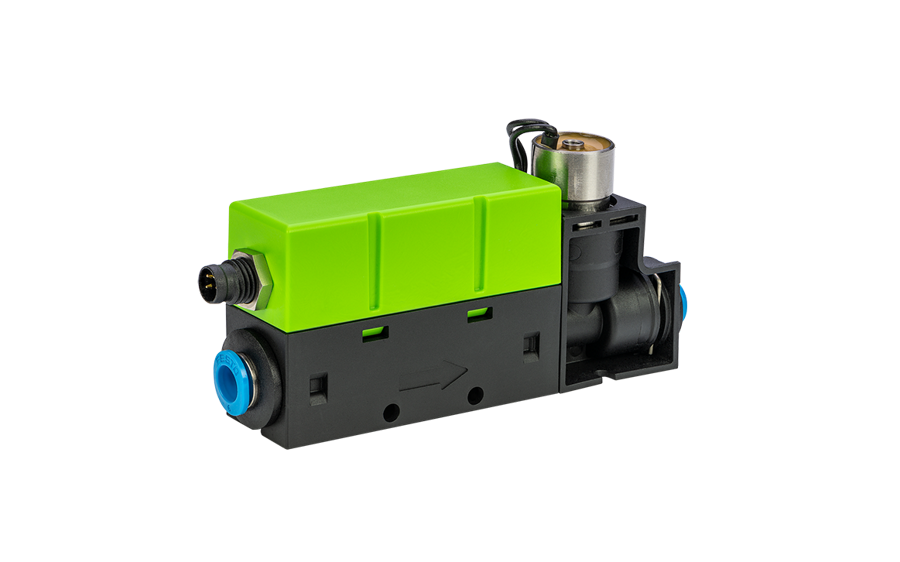
Click here to learn more about the Sensirion SFX6XXX sensor family.
Supported sensor types
| Sensor name | I²C Addresses |
|---|---|
| SFC6000 | 0x24, 0x23, 0x22, 0x21, 0x20, 0x42, 0x41 |
| SFC6000D-5SLM | **** |
| SFC6000D-50SLM | **** |
| SFC6000D-20SLM | **** |
| SFM6000 | 0x24, 0x23, 0x22, 0x21, 0x20, 0x42, 0x41 |
| SFM6000D-20SLM | **** |
| SFM6000D-50SLM | **** |
| SFM6000D-5SLM | **** |
The following instructions and examples use a SFC6000.
Connect the sensor
You can connect your sensor over a SEK-SensorBridge. For special setups you find the sensor pinout in the section below.
Sensor pinout
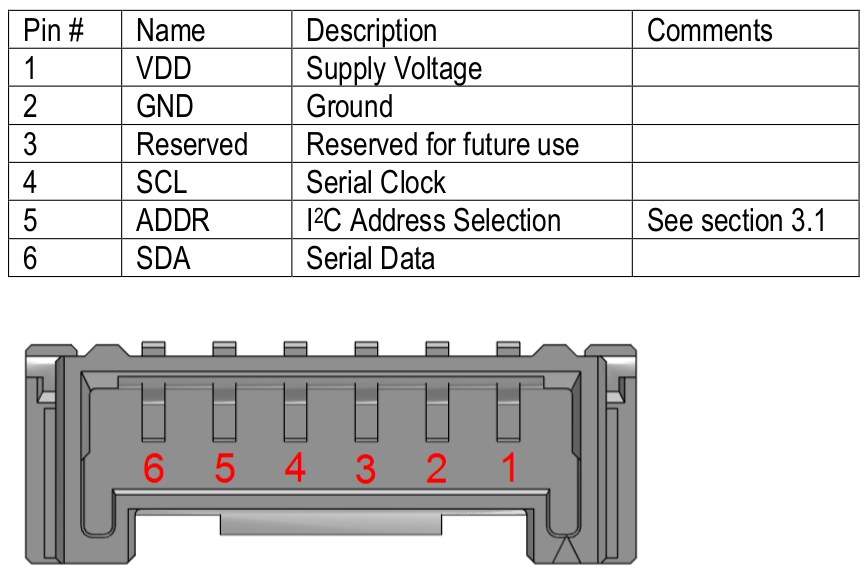
| Pin | Cable Color | Name | Description | Comments |
|---|---|---|---|---|
| 1 | red | VDD | Supply Voltage | +24V |
| 2 | black | GND | Ground | |
| 3 | NC | Do not connect | ||
| 4 | yellow | SCL | I2C: Serial clock input | |
| 5 | purple | ADDR | Leave floating for default i2c address 0x24 | |
| 6 | green | SDA | I2C: Serial data input / output |
Documentation & Quickstart
See the documentation page for an API description and a quickstart example.
Contributing
We develop and test this driver using our company internal tools (version
control, continuous integration, code review etc.) and automatically
synchronize the master branch with GitHub. But this doesn't mean that we
don't respond to issues or don't accept pull requests on GitHub. In fact,
you're very welcome to open issues or create pull requests :-)
Check coding style
The coding style can be checked with flake8:
pip install -e .[test]  # Install requirements
flake8                  # Run style check
In addition, we check the formatting of files with
editorconfig-checker:
pip install editorconfig-checker==2.0.3   # Install requirements
editorconfig-checker                      # Run check
License
See LICENSE.
Release history Release notifications | RSS feed


Download files
Download the file for your platform. If you're not sure which to choose, learn more about installing packages.
Source Distribution
Built Distribution
Filter files by name, interpreter, ABI, and platform.
If you're not sure about the file name format, learn more about wheel file names.
Copy a direct link to the current filters
File details
Details for the file sensirion_i2c_sfx6xxx-1.0.1.tar.gz.
File metadata
- Download URL: sensirion_i2c_sfx6xxx-1.0.1.tar.gz
- Upload date:
- Size: 12.5 kB
- Tags: Source
- Uploaded using Trusted Publishing? No
- Uploaded via: twine/6.0.1 CPython/3.12.8
File hashes
| Algorithm | Hash digest | |
|---|---|---|
| SHA256 |
ca622b828b475974410358e50e912cb5eacf36367014ed64603ce7799a2191fc
|
|
| MD5 |
91e426a81fc3ddf77359dcf483a9c3f5
|
|
| BLAKE2b-256 |
a0e5357b8b94470e9db01c49ad4bc6936d70299706484ea057493f1f711a667a
|
File details
Details for the file sensirion_i2c_sfx6xxx-1.0.1-py3-none-any.whl.
File metadata
- Download URL: sensirion_i2c_sfx6xxx-1.0.1-py3-none-any.whl
- Upload date:
- Size: 12.4 kB
- Tags: Python 3
- Uploaded using Trusted Publishing? No
- Uploaded via: twine/6.0.1 CPython/3.12.8
File hashes
| Algorithm | Hash digest | |
|---|---|---|
| SHA256 |
c5bccc0adf6ea252a4ffa805a482367e42f8c6db82c6ae8225ff47030dc9004a
|
|
| MD5 |
d83224154bac71d0856d2a470e439506
|
|
| BLAKE2b-256 |
ee749b184106ffc2d2c232cf90ac8132147f2835e88b7906d9c1f310a171e737
|






