
sessionwiki
Your AI coding sessions, compiled into a searchable, interlinked wiki — from Claude Code, Codex CLI, Cursor, Gemini CLI, Copilot, ZCode and OpenCode. Local-first, with LLM synthesis, a session graph, and an MCP server so your agents can look up what you already solved.







👉 Live demo: necroz.github.io/sessionwiki
27 synthetic sessions across five projects and seven agents (Aug–Nov 2026) — no personal data. Rebuilt from examples/demo-sessions/ on every push to master.
Why
Every agent you work with writes a full transcript to disk: the plan, the dead ends, the fix, the reasoning behind it. Hundreds of them, in five different formats, and you never look at them again.
sessionwiki turns that history into a knowledge base:
- One place for every agent. Claude Code, Codex CLI, Cursor, Gemini CLI, Copilot, ZCode and OpenCode sessions land in the same wiki, tagged by agent, project, model and date.
- Always current. Hooks, an OpenCode plugin and nightly timers keep it in sync without you running anything.
- Readable. LLM synthesis writes a summary page per session; low-signal sessions are folded into cluster pages instead of cluttering the wiki.
- Usable by your agents. A built-in MCP server lets Claude Code, ZCode or any MCP client search past decisions before redoing them.
- Yours. Everything runs locally; transcripts are redacted on the way in, and
sessionwiki auditchecks the output before you publish anything.
Highlights
| 8 sources | Claude Code, Codex CLI, Cursor, Gemini CLI, Copilot Chat / CLI, ZCode, OpenCode, Obsidian — each with its own agent badge |
| Autosync | Claude Code Stop hook, ZCode Stop hook + nightly systemd / launchd / Task Scheduler job, OpenCode session.idle plugin |
| Synthesis backends | Ollama, any OpenAI-compatible server (vLLM, SGLang, LM Studio, LiteLLM, hosted), agent-delegate, offline dummy |
| Signal over noise | Low-signal session coalescing, wikilink cleanup, concurrency control, cost --estimate |
| Static site | 365-day heatmap, token and cache stats, filterable sessions table, session pages with highlighted code, project pages with topics, session ↔ project graph, ⌘K search, dark mode |
| MCP server | 12 tools: query, search, read, list sources, lint, sync, exports, dashboard… |
| AI exports | llms.txt, llms-full.txt, JSON-LD graph, per-page .txt / .json, sitemap, RSS |
| Safe by default | Redaction of usernames and 17 secret patterns, read-only database exports, OS file locks and atomic state writes, doctor and audit |
Screenshots
All screenshots come from the live demo and are regenerated with scripts/regen_docs_screenshots.py.
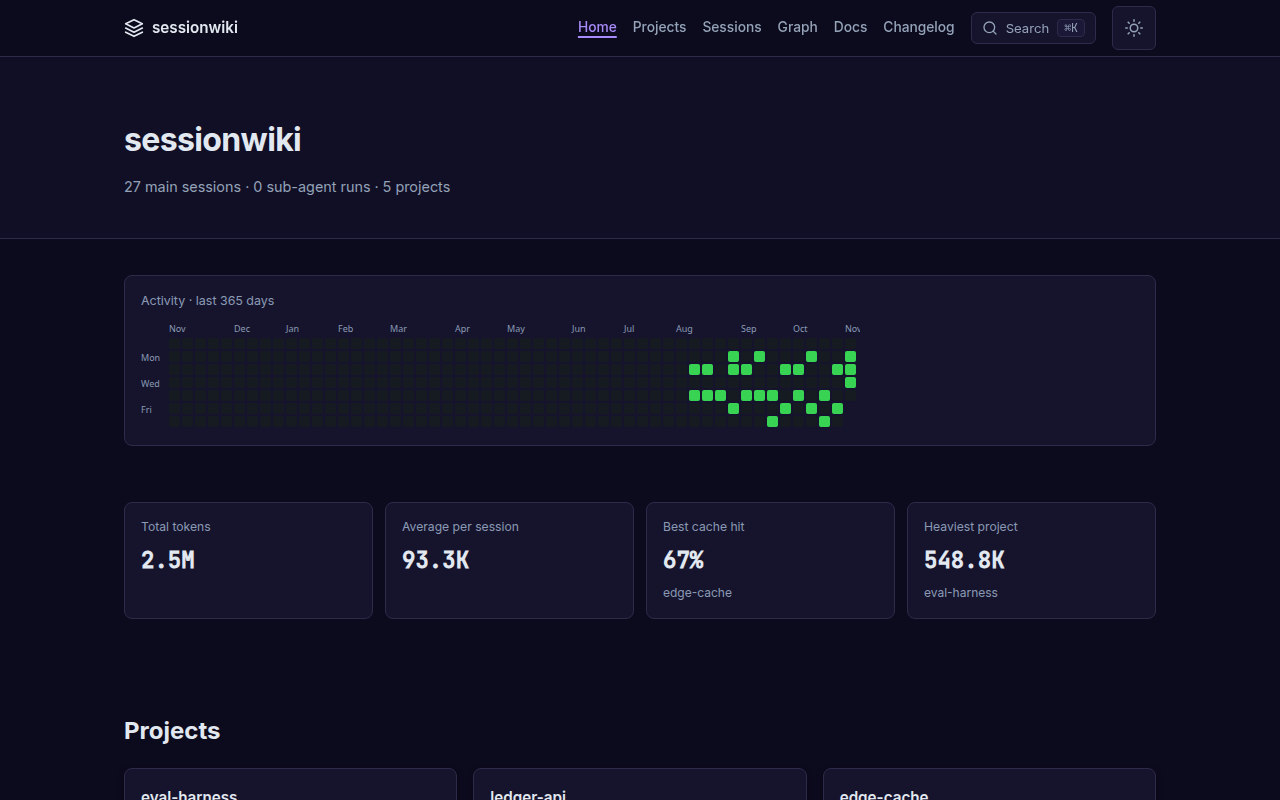
Every session, every agent — filter by project, model and date; each row carries its agent badge.
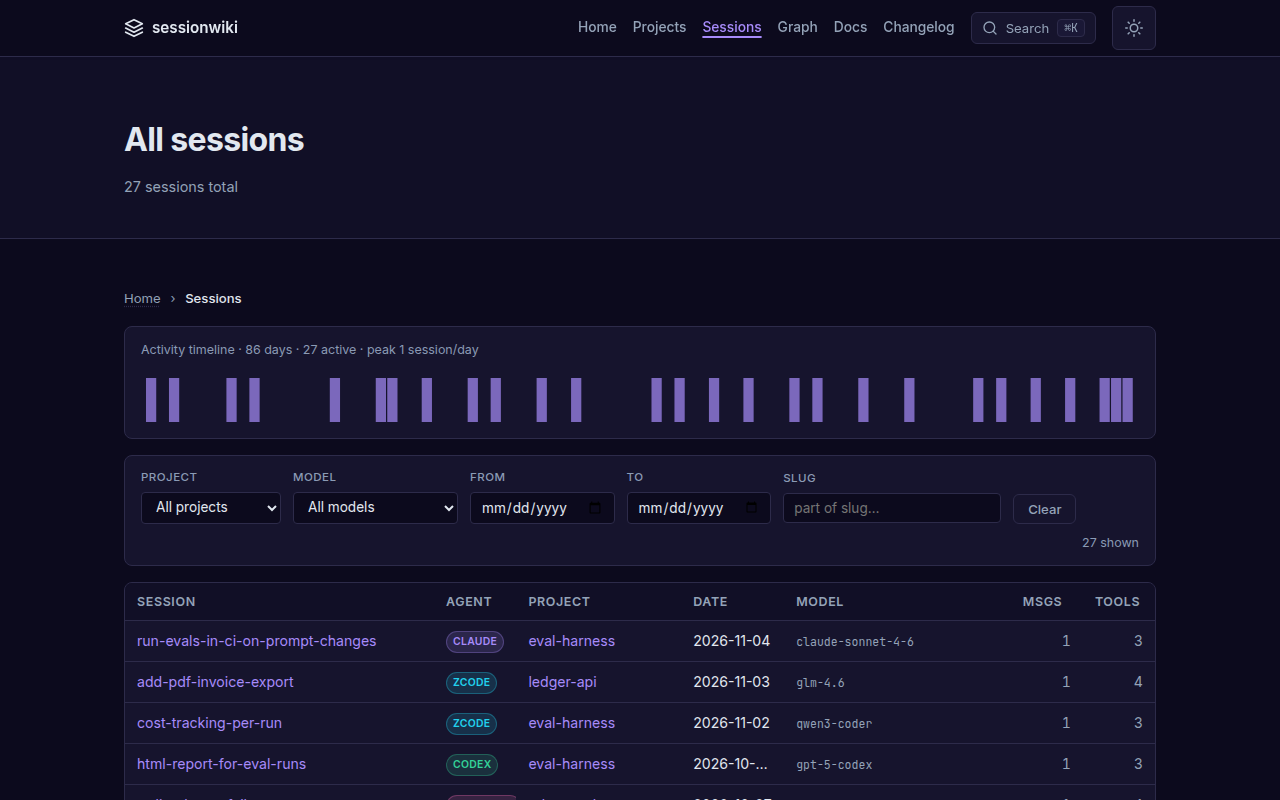
Session pages — the summary, the conversation, highlighted code and the tools that ran, plus token and cache usage.
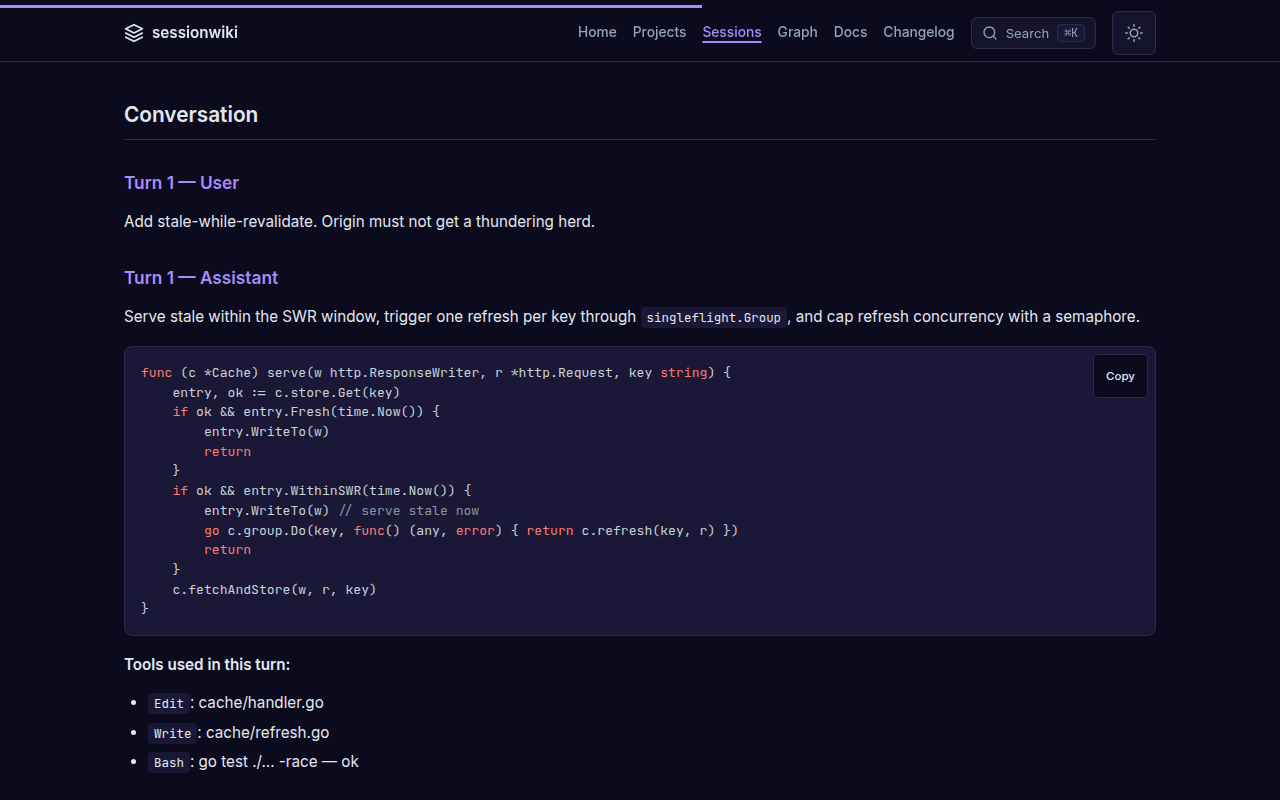
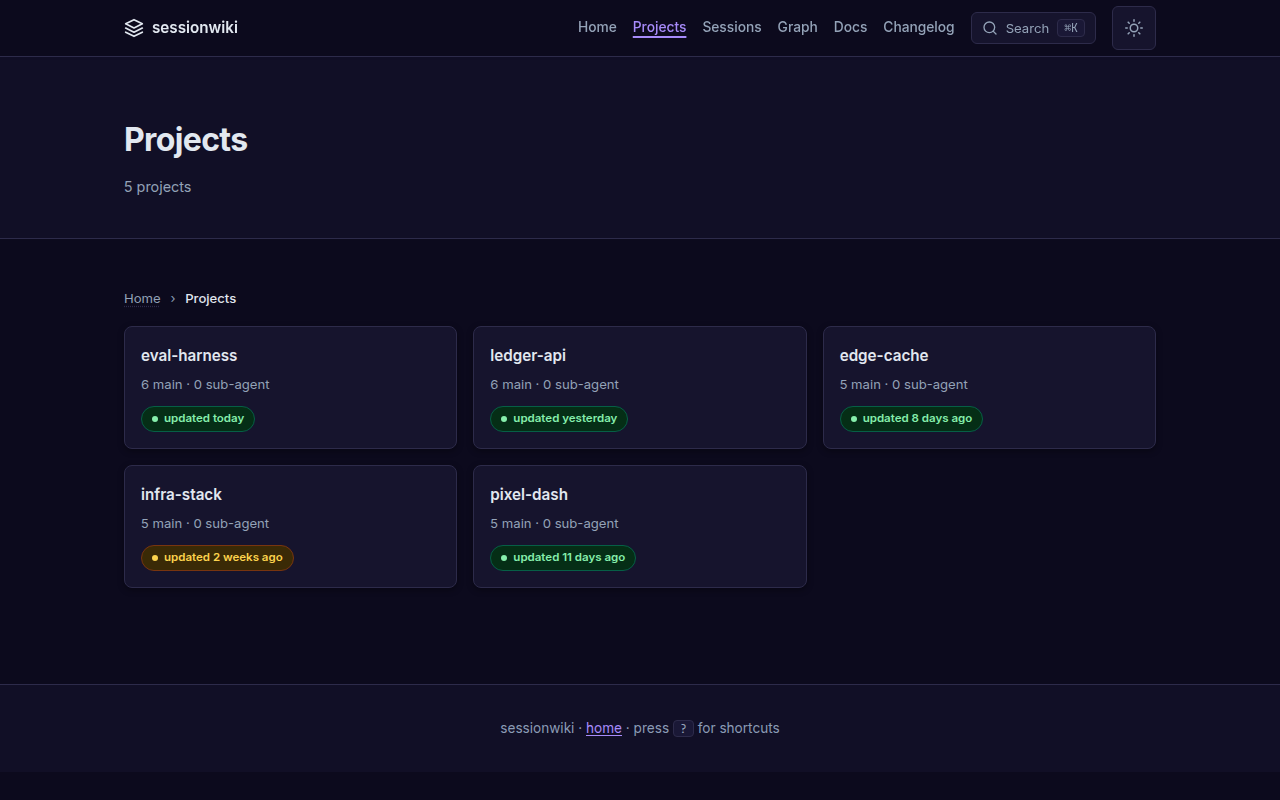
Projects — topics, description, activity and tool usage per project, with freshness badges on the index.
 |
 |
|---|
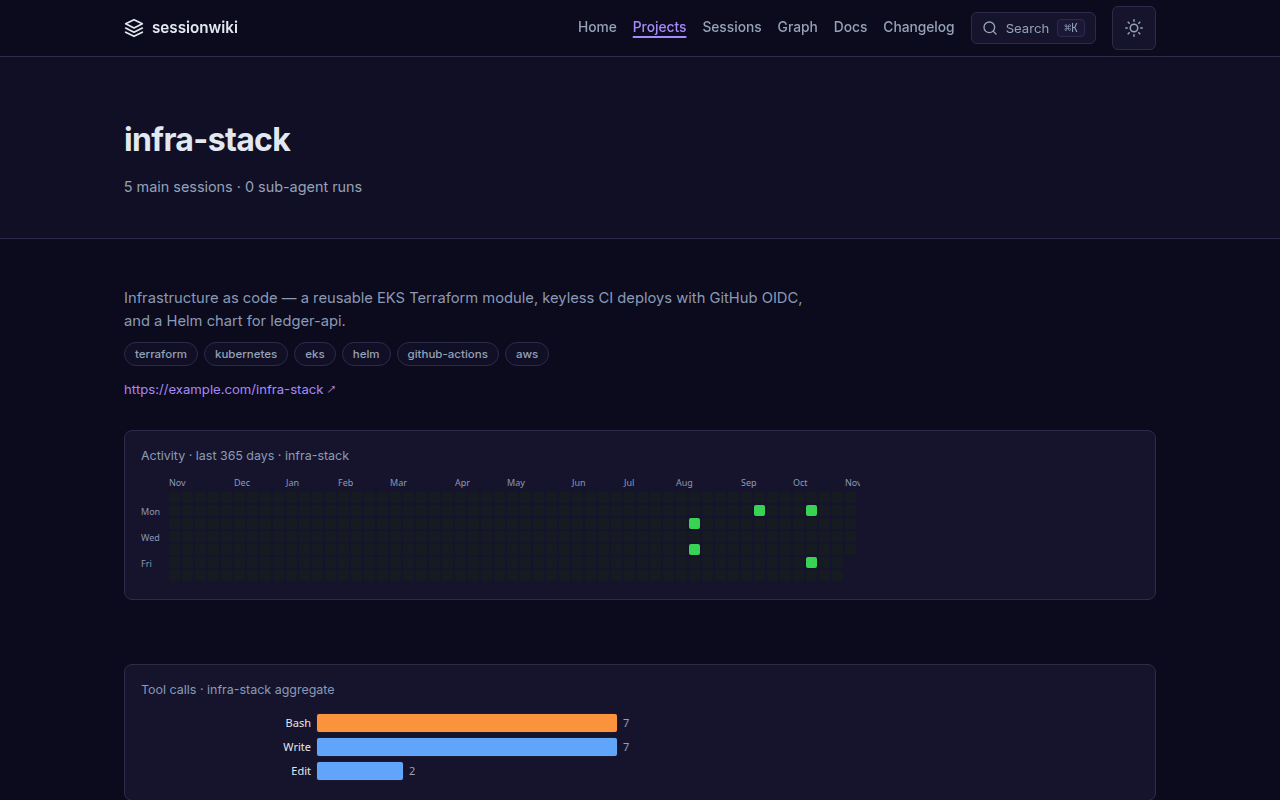
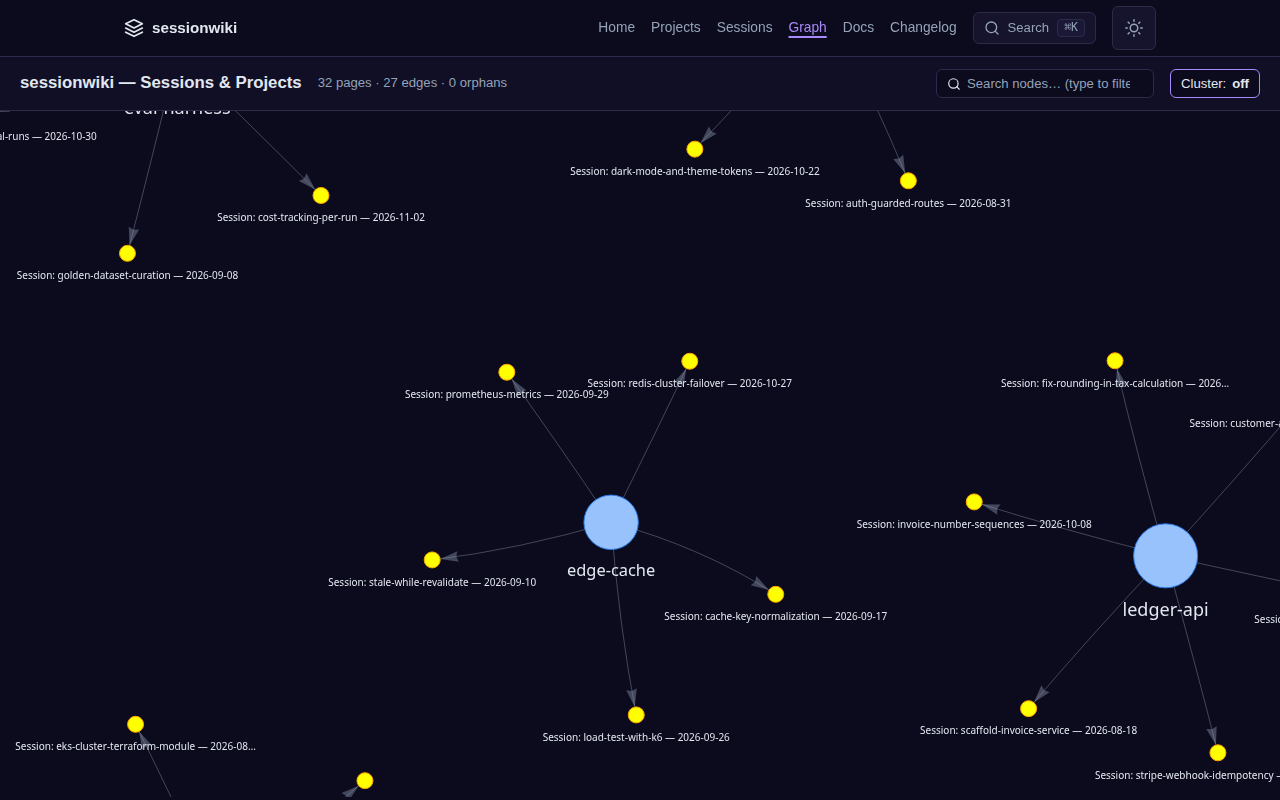
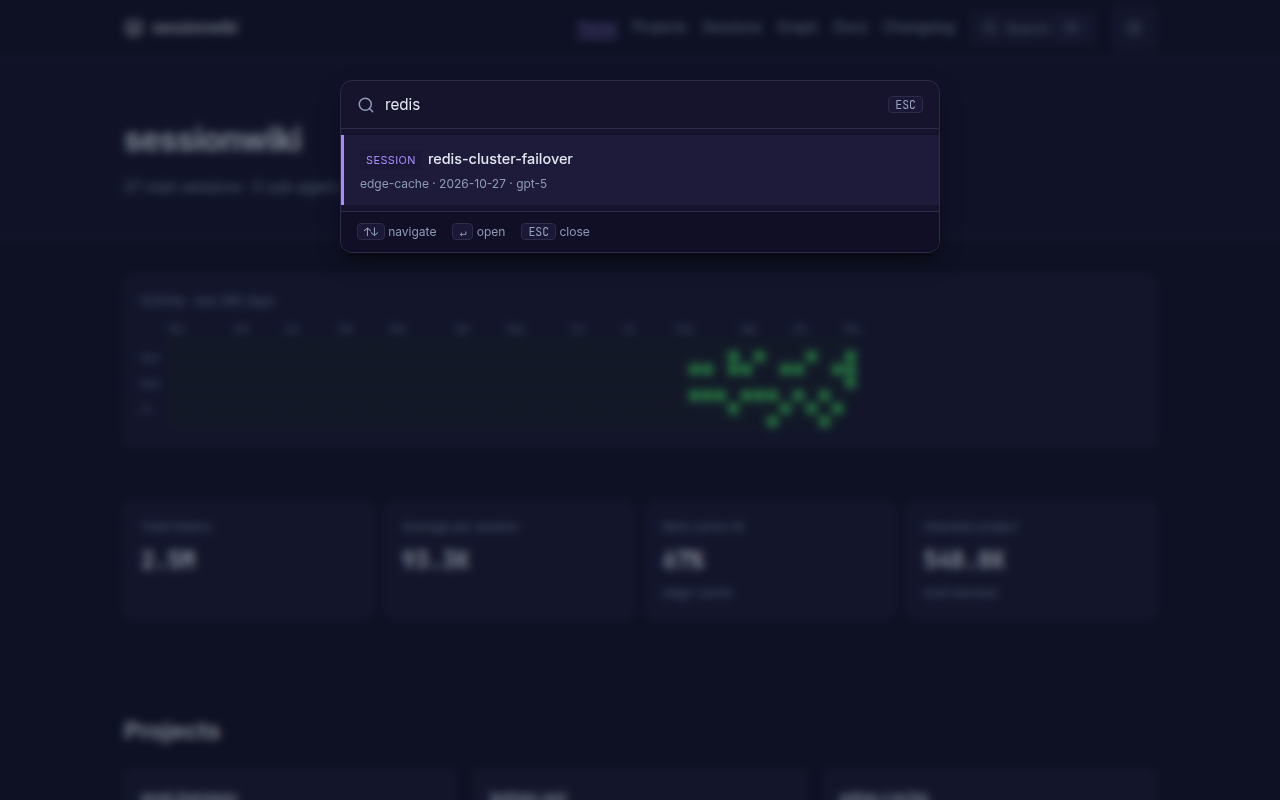
Graph and search — sessions grouped around their projects; ⌘K searches every page instantly.
 |
 |
|---|
Quick start
git clone https://github.com/necroz/sessionwiki.git
cd sessionwiki
./setup.sh                 # Windows: setup.bat — creates .venv, detects your agents
./sync.sh                  # convert new sessions into raw/
./build.sh && ./serve.sh   # build the site and open http://127.0.0.1:8765
setup creates a checkout-local .venv, installs the package, scaffolds raw/, wiki/, site/, enables the adapters for the agents it finds and runs sessionwiki doctor. The wrapper scripts use the venv automatically; for the CLI, activate it (source .venv/bin/activate) or call .venv/bin/sessionwiki.
Prefer pip? Install straight from GitHub (PyPI release coming with v2.0.0):
pip install 'sessionwiki @ git+https://github.com/necroz/sessionwiki'          # core
pip install 'sessionwiki[all] @ git+https://github.com/necroz/sessionwiki'     # + graph engine, dev, e2e
A step-by-step walkthrough with screenshots lives in the setup guide.
Connect your agents
Claude Code, Codex CLI, Cursor, Gemini CLI, Copilot — read straight from their session folders on sessionwiki sync. To sync after every Claude Code reply, add a Stop hook to ~/.claude/settings.json:
{
  "hooks": {
    "Stop": [{ "hooks": [{ "type": "command",
      "command": "cd /path/to/sessionwiki && .venv/bin/python -m sessionwiki sync --no-auto-build >/dev/null 2>&1 &" }] }]
  }
}
Parallel hook runs are safe: sync and synthesize take an OS file lock and write their state atomically.
ZCode keeps sessions in SQLite. sessionwiki exports them read-only and installs the hook and a nightly job for you:
sessionwiki zcode install --dry-run   # show what will be written
sessionwiki zcode install             # Stop hook + systemd / launchd / Task Scheduler
OpenCode (V2, opencode.db) gets a server plugin that runs autosync when a session goes idle:
sessionwiki opencode install --dry-run
sessionwiki opencode install          # honours $XDG_CONFIG_HOME
Hook-triggered runs skip instead of queueing when a cycle is already running; scheduled runs wait and catch up. Details: ZCODE.md, docs/adapters/opencode.md, and sessionwiki adapters for the full list.
LLM synthesis
sync fills raw/ with redacted transcripts. synthesize turns them into wiki pages: a summary per session, project pages, cross-links. Point it at any backend in config.local.json:
{
  "synthesis": {
    "backend": "openai",
    "base_url": "http://127.0.0.1:8000/v1",
    "model": "qwen3-coder",
    "max_concurrency": 8,
    "coalesce_low_signal": true
  }
}
sessionwiki synthesize --estimate     # what it will cost before you run it
sessionwiki synthesize                # new sessions only; idempotent
sessionwiki all --with-synth          # synthesize → build → graph → export → lint
Backends: ollama (local), openai (any OpenAI-compatible /v1: vLLM, SGLang, LM Studio, LiteLLM, hosted APIs), agent-delegate (let your coding agent write the pages), dummy (offline stubs). sessionwiki warns when a non-loopback base_url would send transcripts off your machine. See docs/modes/api/.
Ask your wiki from your agents (MCP)
{
  "mcpServers": {
    "sessionwiki": {
      "command": "/path/to/sessionwiki/.venv/bin/python",
      "args": ["-m", "sessionwiki.mcp"],
      "cwd": "/path/to/sessionwiki"
    }
  }
}
Add it to Claude Code, Claude Desktop, ZCode or any MCP client. Tools include wiki_query, wiki_search (optionally over raw transcripts), wiki_read_page, wiki_list_sources, wiki_lint, wiki_sync, wiki_export, wiki_dashboard and more — 12 in total, stdio transport, no SDK dependency, path-traversal guarded.
CLI reference
sessionwiki init                    # scaffold raw/ wiki/ site/
sessionwiki sync                    # export ZCode/OpenCode + convert transcripts to markdown
sessionwiki synthesize              # LLM summaries into wiki/ (--estimate, --coalesce-only, --force)
sessionwiki build                   # static site + AI exports
sessionwiki serve                   # local server on 127.0.0.1:8765
sessionwiki all                     # build → graph → export → lint (add --with-synth)
sessionwiki query "<question>"      # ask the wiki a question from the terminal
sessionwiki graph                   # session/project and wikilink graph
sessionwiki lint                    # wiki lint rules
sessionwiki export                  # llms.txt, JSON-LD, sitemap, RSS, …
sessionwiki candidates              # review candidate pages
sessionwiki adapters                # available adapters and their state
sessionwiki doctor                  # check Python, deps, config, agent paths
sessionwiki audit                   # scan raw/ wiki/ site/ for usernames and secrets
sessionwiki zcode                   # export · autosync · install
sessionwiki opencode                # export · autosync · install
sessionwiki version
Every subcommand has --help. Full reference: docs/reference/cli.md.
Configuration
Settings are layered; later files win:
examples/sessions_config.json  →  config.json  →  config.local.json
   (shared defaults)              (gitignored)      (gitignored, machine-local)
Put machine-specific values — synthesis backend and keys, redaction patterns, project roots, adapter toggles — in config.local.json. Reference: docs/configuration-reference.md. Use .llmwikiignore to exclude projects or sessions.
How it works
 Claude Code · Codex · Cursor · Gemini · Copilot       ZCode · OpenCode (SQLite)
              │ JSONL                                          │ read-only export
              └──────────────────────┬─────────────────────────┘
                                     ▼
                       sync  →  raw/sessions/*.md          redacted, immutable
                                     │
                       synthesize    ▼
                                  wiki/                    sources · projects · entities · concepts
                                     │
                    ┌────────────────┼──────────────────┐
                    ▼                ▼                  ▼
                 build → site/   MCP server        exports (llms.txt, JSON-LD)
Three layers, following Karpathy's LLM Wiki pattern: raw/ is the immutable source of truth, wiki/ is maintained by the LLM, site/ is generated. Your raw/ and wiki/ are gitignored — your data never enters the repository.
Privacy
- Transcripts are redacted on conversion: your username, home paths and 17 kinds of keys and tokens, plus your own patterns.
- ZCode and OpenCode databases are opened read-only.
- Nothing leaves your machine unless you configure a remote synthesis backend — and sessionwiki warns when you do.
sessionwiki auditscansraw/,wiki/andsite/before you publish a site.
See docs/privacy.md and SECURITY.md.
Documentation
- Documentation hub — start here
- Setup guide · Installation · Use with Claude Code · Windows
- CLI · Configuration · Architecture
- Deploy to GitHub Pages, Docker, Vercel/Netlify
- What's different from llmwiki · Changelog
Based on llmwiki
sessionwiki started as a fork of llmwiki by Pratiyush (MIT) at v1.3.82 and keeps its full history. Most of the converter, site, lint and MCP foundations are his work. sessionwiki adds the ZCode and OpenCode sources with autosync, the OpenAI-compatible synthesis backend, session coalescing, locking and atomic state, doctor and audit, the session graph, and a long list of fixes — see what's different and how to migrate.
Thanks also to Andrej Karpathy for the LLM Wiki idea, Python Markdown, highlight.js and vis-network.
Contributing
Read CONTRIBUTING.md. Keep PRs to one concern, use feat: / fix: / docs: / chore: / test: titles, add a CHANGELOG entry for feat and fix, and never commit real session data. CI must be green.
License
MIT © 2026 Igor Lashkevich (sessionwiki) · © 2026 Pratiyush (original llmwiki). See NOTICE.
1 maintainer

Metadata
1 maintainer
Release files for sessionwiki 2.0.0
For a detailed explanation of source distributions (sdists) and built distributions (wheels), please see the package formats documentation.
Source distribution (sdist)
| File | Size | Uploaded | Provenance | Actions |
|---|---|---|---|---|
| sessionwiki-2.0.0.tar.gz | 620.7 kB | With provenance | Details for sessionwiki-2.0.0.tar.gz |
Built distribution (wheel)
| File | Interpreter | ABI | Platform | Actions Reset |
|---|---|---|---|---|
| sessionwiki-2.0.0-py3-none-any.whl | Python 3 | none | any | Details for sessionwiki-2.0.0-py3-none-any.whl |
Total release size: 1.0 MB
Release files / sessionwiki-2.0.0.tar.gz
| Download URL | sessionwiki-2.0.0.tar.gz |
|---|---|
| Size | 620.7 kB |
| Tags | Source |
|
SHA-256 checksum How to use checksums |
89d3656bb3dc0c9a137c501c0d4ebec3bd1f538803742eecae81e9d9ce03cb06
|
|
BLAKE2b-256 checksum How to use checksums |
2108cc7603c491b90c89ce87457252a799f68ba64b69bcfb359bb4aa27b37c35
|
| Upload date | |
|
Uploaded using Trusted Publishing? What is trusted publishing? |
Yes |
| Uploaded via |
twine/6.1.0 CPython/3.13.13
|
Provenance
Provenance describes where a file came from. On PyPI, provenance is shared via attestations, which provide a verifiable record of the build or publishing details. View details, limitations and caveats.


PyPI Publish Attestation
PyPI verified that this artifact, at this checksum, originated from the publisher listed below.
Signed by GitHub Actions, verified by PyPI on Nov 5, 2026.
Transparency logRelease files / sessionwiki-2.0.0-py3-none-any.whl
| Download URL | sessionwiki-2.0.0-py3-none-any.whl |
|---|---|
| Size | 395.7 kB |
| Tags | Python 3 |
|
SHA-256 checksum How to use checksums |
d8e0ebc61eeaff24220115d1f85cdd17186dc76a22ae447fde79fe896a9c378a
|
|
BLAKE2b-256 checksum How to use checksums |
2c2e352e0041f1b0858e8c0b5bf59ebf6ea576191bf1ff12929c7c5ae7a41e0d
|
| Upload date | |
|
Uploaded using Trusted Publishing? What is trusted publishing? |
Yes |
| Uploaded via |
twine/6.1.0 CPython/3.13.13
|
Provenance
Provenance describes where a file came from. On PyPI, provenance is shared via attestations, which provide a verifiable record of the build or publishing details. View details, limitations and caveats.
PyPI Publish Attestation
PyPI verified that this artifact, at this checksum, originated from the publisher listed below.
Signed by GitHub Actions, verified by PyPI on Nov 5, 2026.
Transparency logSecurity for sessionwiki 2.0.0
Provenance
Provenance describes where a file came from. On PyPI, provenance is shared via attestations, which provide a verifiable record of the build or publishing details. View details, limitations and caveats.
Full provenance
All 2 files in this release have been uploaded with provenance metadata.
Attestation for sessionwiki-2.0.0.tar.gz
PyPI Publish Attestation
PyPI verified that this artifact, at this checksum, originated from the publisher listed below.
Signed by GitHub Actions, verified by PyPI on Nov 5, 2026.
Transparency logA note on package security
PyPI is a repository for distributing packages, not a service for auditing them. While third-party security researchers and our staff do their best to detect and remove malicious packages, PyPI cannot guarantee the quality, security or suitability of any given package.
To learn more about protecting yourself from malicious actors, visit our package security documentation.














